
Do these 3 things before closing this tab:
1Clear out junk files and repair common Windows errors2Scan for outdated or missing drivers - takes under a minute3Repair Windows errors before they cause bigger problemsiTechGuides is reader-supported. When you buy through links on our site, we may earn an affiliate commission. As an Amazon Associate I earn from qualifying purchases. Learn more
The top 5 prebuilt mechanical keyboards for U.S. buyers are the Keychron V1 Ultra 8K for value and gaming, Keychron Q1 Max for premium construction, NuPhy Halo75 V2 for the best stock experience, MonsGeek M1 V5/M1W for aluminum value, and Keychron V5 Ultra 8K for compact number-pad use. The right choice depends on layout, switches, software, and wireless needs.
This shortlist focuses on conventional MX-style mechanical keyboards that arrive assembled or nearly assembled. Hall-effect and magnetic keyboards are excluded because their switches, compatibility, firmware, and gaming features differ from ordinary hot-swappable mechanical boards. Prices and stock are U.S. snapshots from August 16, 2026, and should be rechecked before purchase.
Key takeaways
- The Keychron V1 Ultra 8K is the strongest default for value-conscious buyers who want a wireless 75% keyboard, hot-swappable switches, and an 8K report rate.
- The Keychron Q1 Max is the premium choice because it combines an aluminum 75% case, QMK/VIA, 2.4-GHz wireless, Bluetooth, wired operation, and a claimed 1,000-Hz 2.4-GHz polling rate.
- The NuPhy Halo75 V2 is the best out-of-box enthusiast-style option, with QMK/VIA, gasket construction, acoustic materials, hot-swap support, and distinctive perimeter lighting.
- The MonsGeek M1 V5/M1W offers an aluminum 75% platform and gasket mounting, but buyers must carefully distinguish the fully assembled version from the barebone listing.
- The Keychron V5 Ultra 8K is the practical choice for spreadsheets and data entry because its 96% layout retains a number pad without the width of a traditional full-size board.
Top 5 prebuilt mechanical keyboards at a glance
| Pick | Best for | Layout | Connectivity | Case and firmware | Assembled price snapshot |
|---|---|---|---|---|---|
| Keychron V1 Ultra 8K | Best value and gaming | 75% | USB, Bluetooth, 2.4 GHz | Plastic case; hot-swap; programmable firmware | $114.99 displayed Aug. 16, 2026; configuration and stock vary |
| Keychron Q1 Max | Best premium all-rounder | 75% | USB, Bluetooth 5.1, 2.4 GHz | Aluminum case; QMK/VIA; hot-swap; gasket design | $209.99 displayed against a $229.99 reference price; sale and configuration vary |
| NuPhy Halo75 V2 | Best out-of-box typing and design | 75% | USB, Bluetooth, 2.4 GHz | Gasket construction; QMK/VIA; hot-swap; perimeter lighting | Verify current U.S. price at publication |
| MonsGeek M1 V5/M1W | Best aluminum value for enthusiasts | 75% | Varies by version; M1W includes 2.4 GHz | Aluminum case; gasket mount; hot-swap; firmware and configuration vary | Verify assembled U.S. price; the cited page is a barebone listing |
| Keychron V5 Ultra 8K | Best compact keyboard with a number pad | 96%/1800 | USB, Bluetooth, 2.4 GHz | Hot-swap; programmable firmware; assembled options | $119.99 displayed Aug. 16, 2026; configuration and stock vary |
Which prebuilt mechanical keyboard should you buy?
Choose the Keychron V1 Ultra 8K if value, wireless gaming, and customization matter most. Choose the Keychron Q1 Max if you want a heavier, more premium aluminum board. Choose the NuPhy Halo75 V2 if you want the most polished stock presentation and distinctive lighting. Choose the MonsGeek M1 V5/M1W if aluminum hardware and modification potential matter more than beginner-friendly software. Choose the Keychron V5 Ultra 8K if you need a number pad but cannot spare the width of a full-size keyboard.
How were these five keyboards selected?
The shortlist weighs typing feel and sound at 25%, features and customization at 20%, connectivity at 15%, build quality at 15%, layout and ergonomics at 15%, and price, support, and availability at 10%. The framework favors hot-swappable switches, usable wireless modes, programmable firmware, dependable stabilizers, sensible layouts, and a good stock experience rather than treating “thock” as a complete quality measurement.
Popular on Amazon

- Brilliant Color Illumination- With 11 unique backlights, choose the perfect ambiance for any mood. Adjust light speed and brightness among 5 levels for a comfortable environment, day or night. The double injection ABS keycaps ensure clear backlight and precise typing. From late-night tasks to immersive gaming, our mechanical keyboard enhances every experience
- Support Macro Editing: The K671 Mechanical Gaming Keyboard can be macro editing, you can remap the keys function, set shortcuts, or combine multiple key functions in one key to get more efficient work and gaming. The LED Backlit Effects also can be adjusted by the software(note: the color can not be changed)
- Hot-swappable Linear Red Switch- Our K671 gaming keyboard features red switch, which requires less force to press down and the keys feel smoother and easier to use. It's best for rpgs and mmo, imo games. You will get 4 spare switches and two red keycaps to exchange the key switch when it does not work.
- Full keys Anti-ghosting- All keys can work simultaneously, easily complete any combining functions without conflicting keys. 12 multimedia key shortcuts allow you to quickly access to calculator/media/volume control/email
- Professional After-Sales Service- We provide every Redragon customer with 24-Month Warranty , Please feel free to contact us when you meet any problem. We will spare no effort to provide the best service to every customer
Typing feel and sound are inherently setup-dependent. Desk material, room acoustics, microphone position, keycap material, switch batch, plate, foam, and modifications can all change the result. “Gasket mount” also does not guarantee a soft or bouncy board: gasket materials, plate design, foam, and assembly determine how flexible a particular implementation feels.
Why is the Keychron V1 Ultra 8K the best value pick?
The Keychron V1 Ultra 8K is the best value pick for buyers who want a compact 75% layout, wireless connectivity, hot-swappable switches, programmable controls, and an advertised 8K polling option without paying for a full aluminum case. The official V1 Ultra 8K product specifications identify the 75% layout, assembled configuration, and wireless modes.
- Best for: wireless gaming, general typing, and first-time enthusiasts who want room to experiment.
- Strengths: 75% layout, wired/Bluetooth/2.4-GHz connectivity, hot-swapping, and high-report-rate support.
- Price: $114.99 was displayed for the fully assembled configuration during the August 16, 2026 research pass.
- Main compromise: the plastic case is less substantial than the Q1 Max, and ordinary typing may not benefit noticeably from 8K polling.
- Buy it if: you want the most features per dollar and do not require an aluminum body or number pad.
- Skip it if: premium case rigidity, a softer typing feel, or extensive numeric entry is more important than price.
The V1 Ultra 8K’s 8K specification should be treated as a gaming-oriented feature, not proof of the lowest total input latency. Polling rate describes how frequently the keyboard reports its state; switch actuation, scan rate, firmware, wireless processing, USB handling, and the computer also affect end-to-end latency. The displayed configuration had availability caveats, so verify the exact switch, color, and assembled status before ordering.
Why is the Keychron Q1 Max the best premium all-rounder?
The Keychron Q1 Max is the best premium all-rounder for buyers who value a rigid aluminum case, mature remapping tools, and multi-mode connectivity more than a low purchase price. According to Keychron’s Q1 Max specifications, the board supports QMK/VIA, 2.4-GHz wireless, Bluetooth 5.1, wired operation, a gasket design, and a claimed 1,000-Hz polling rate in 2.4-GHz mode.
- Best for: premium workstations, long-term customization, and buyers who want a heavier aluminum board.
- Strengths: full aluminum construction, QMK/VIA support, hot-swappable switches, 2.4-GHz wireless, Bluetooth, and USB operation.
- Price: $209.99 was displayed against a $229.99 reference price for a fully assembled configuration; Keychron’s homepage also displayed Q1 Max listings from $189.99, so the exact variant and sale status matter.
- Main compromises: the board is expensive and heavy, and the 75% layout has no number pad.
- Buy it if: you want premium construction and plan to keep customizing the board over several years.
- Skip it if: you need a number pad, want a lightweight keyboard, or are unlikely to use QMK/VIA remapping.
The Q1 Max’s gasket construction should not be interpreted as a guaranteed soft typing experience. Gasket implementations vary, and the Q1 Max does not necessarily feel like every other gasket-mounted keyboard. Some assembled color and switch combinations were shown as backordered during research, so check the exact configuration rather than assuming every version ships immediately.
Why is the NuPhy Halo75 V2 the best out-of-box choice?
The NuPhy Halo75 V2 is the strongest out-of-box choice for buyers who want an enthusiast-style prebuilt with distinctive desk appeal, acoustic treatment, hot-swappable MX-style switches, QMK/VIA, and 2.4-GHz wireless. NuPhy lists Halo75 V2 switch options and QMK/VIA features on its official product page.
- Best for: buyers who want attractive lighting, a ready-to-use board, and less immediate modification work.
- Strengths: 75% layout, gasket mounting, acoustic materials, perimeter lighting, wireless connectivity, and 3- and 5-pin MX-style hot-swap support.
- Switch choice: NuPhy offers multiple switch options with different force and behavior profiles, so select linear, tactile, or clicky behavior deliberately.
- Main compromises: buyers seeking an all-metal, understated board may prefer the Q1 Max or MonsGeek platform, and replacement-keycap compatibility should be checked before purchase.
- Buy it if: you care about the stock typing and visual experience more than maximizing hardware value.
- Skip it if: you want the broadest conventional keycap compatibility or dislike proprietary design choices and prominent lighting.
Independent testing has described the Halo75 V2’s dimensions, hot-swapping, switch choices, and 1,000-Hz 2.4-GHz polling; Tom’s Hardware’s review provides context for those observations. Sound remains subjective and varies with the desk, room, keycaps, and recording conditions.
Free tools Windows power users keep installed
One-click scans. No signup required.
Also popular on Amazon

- Tri-mode Connection Keyboard: AULA F75 Pro wireless mechanical keyboards work with Bluetooth 5.0, 2.4GHz wireless and USB wired connection, can connect up to five devices at the same time, and easily switch by shortcut keys or side button. F75 Pro computer keyboard is suitable for PC, laptops, tablets, mobile phones, PS, XBOX etc, to meet all the needs of users. In addition, the rechargeable keyboard is equipped with a 4000mAh large-capacity battery, which has long-lasting battery life
- Hot-swap Custom Keyboard: This custom mechanical keyboard with hot-swappable base supports 3-pin or 5-pin switches replacement. Even keyboard beginners can easily DIY there own keyboards without soldering issue. F75 Pro gaming keyboards equipped with pre-lubricated stabilizers and LEOBOG reaper switches, bring smooth typing feeling and pleasant creamy mechanical sound, provide fast response for exciting game
- Advanced Structure and PCB Single Key Slotting: This thocky heavy mechanical keyboard features a advanced structure, extended integrated silicone pad, and PCB single key slotting, better optimizes resilience and stability, making the hand feel softer and more elastic. Five layers of filling silencer fills the gap between the PCB, the positioning plate and the shaft,effectively counteracting the cavity noise sound of the shaft hitting the positioning plate, and providing a solid feel
- 16.8 Million RGB Backlit: F75 Pro light up led keyboard features 16.8 million RGB lighting color. With 16 pre-set lighting effects to add a great atmosphere to the game. And supports 10 cool music rhythm lighting effects with driver. Lighting brightness and speed can be adjusted by the knob or the FN + key combination. You can select the single color effect as wish. And you can turn off the backlight if you do not need it
- Professional Gaming Keyboard: No matter the outlook, the construction, or the function, F75 Pro mechanical keyboard is definitely a professional gaming keyboard. This 81-key 75% layout compact keyboard can save more desktop space while retaining the necessary arrow keys for gaming. Additionally, with the multi-function knob, you can easily control the backlight and Media. Keys macro programmable, you can customize the function of single key or key combination function through F75 driver to increase the probability of winning the game and improve the work efficiency. N key rollover, and supports WIN key lock to prevent accidental touches in intense games
Why is the MonsGeek M1 V5/M1W the best aluminum value?
The MonsGeek M1 V5/M1W is the best aluminum-value option for enthusiasts who prioritize case construction and a mod-friendly 75% platform over the easiest buying and software experience. The MonsGeek M1W product page identifies the aluminum platform, gasket mounting, hot-swap support, 2.4-GHz wireless on the M1W family, and separate assembled and barebone configurations.
- Best for: enthusiasts who want aluminum hardware and are comfortable checking firmware, parts, and configuration details.
- Strengths: aluminum construction, gasket mounting, hot-swappable switches, and an M1W wireless option.
- Main compromise: product names and listings can be confusing, while software, documentation, support, and included parts require more careful verification than a mainstream plug-and-play purchase.
- Price: the retrieved research did not provide a dependable current fully assembled U.S. price.
- Buy it if: build quality per dollar is more important than a simple beginner buying path.
- Skip it if: you want guaranteed assembled contents, highly polished documentation, or minimal firmware troubleshooting.
Do not use the M1W barebone page as evidence that the displayed configuration includes switches and keycaps. Confirm that the exact listing says “fully assembled” and check the included PCB, switches, keycaps, stabilizers, knob, and receiver before buying. MonsGeek also provides M1 V5 VIA and firmware documentation, which is useful when identifying the exact revision.
Why is the Keychron V5 Ultra 8K the best compact keyboard with a number pad?
The Keychron V5 Ultra 8K is the best compact full-layout option for spreadsheet users, finance workers, coders, and data-entry users who need a number pad but want less width than a traditional 100% keyboard. Keychron identifies the V5 Ultra 8K as a 96% layout with wired, Bluetooth, and 2.4-GHz connectivity in its official product information.
- Best for: numeric entry, spreadsheets, finance applications, and mixed work that benefits from dedicated navigation keys.
- Strengths: compact 96%/1800 layout, hot-swapping, three connection modes, 8K polling support, and assembled configurations with switches and keycaps.
- Price: $119.99 was displayed for the fully assembled version during the August 16, 2026 research pass.
- Battery: Keychron claims up to 660 hours, but actual runtime depends on RGB brightness, connection mode, polling rate, sleep settings, battery age, and firmware.
- Main compromises: the layout is wider than a 75% or TKL board and has more unusual keycap requirements than a standard layout.
- Buy it if: a number pad is essential but a full-size keyboard consumes too much desk space.
- Skip it if: you want the smallest practical board or the easiest replacement-keycap shopping experience.
The 660-hour figure is a manufacturer-claimed maximum, not an independently verified runtime. Some switch configurations were shown as backordered, so confirm stock and the exact assembled contents before checkout.
What does “prebuilt mechanical keyboard” mean?
A prebuilt mechanical keyboard normally includes the PCB, case, plate, stabilizers, switches, and keycaps, and arrives assembled or nearly assembled. The buyer does not need to solder switches or tune a bare PCB before using the keyboard.
Some keyboard families offer both fully assembled and barebone versions. A barebone kit usually requires the buyer to supply or install switches and keycaps, so a beginner buying a ready-to-use keyboard must inspect the exact product configuration. The MonsGeek M1W listing is a particularly important example because its page distinguishes assembled and barebone options.
Before buying, verify all of the following:
- Fully assembled versus barebone.
- Included switches and their type.
- Included keycaps and profile.
- Knob included or omitted.
- Layout and regional key legends.
- 2.4-GHz receiver included or omitted.
- Exact firmware revision and configuration software.
Which keyboard layout should you choose?
A 75% layout is the safest default for many first-time mechanical-keyboard buyers because it keeps the function row, arrow keys, and a compact navigation cluster. A layout should be chosen before switch feel, sound, or RGB because a missing number pad or function row cannot be fixed by changing switches.
Also popular on Amazon
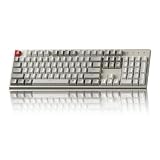
- The Keychron C2 (non-backlight version) is a 104 keys full size wired retro color keycaps mechanical keyboard made for Mac and Windows. Engineered to maximize your productivity with most popular full size layout with number pad.
- With a layout optimized for Mac, the C2 has all necessary multimedia and function keys (Num Lock works with Windows only), while compatible with Windows, and comes with a dedicated Siri or Cortana key. Extra keycaps for both Mac and Windows operating systems are included.
- Designed with reliability in mind, the C2 comes with USB Type-C wired connection with a braid cable, which ensures a constant power supply, and best to fit home and light gaming. Inclined bottom frame and 2 level adjustable feet (6˚ & 9˚) makes the C2 more comfortable to type.
- The pre-installed tactile Keychron switch providing unrivaled tactile responsiveness with up to 50 million keystroke durable lifespan.
- Outfitted the C2 Non-Backlight version with retro-inspired color scheme looks as good in the office as it does in the game room.
| Layout | What it keeps | What it removes or changes | Best for |
|---|---|---|---|
| 60% | Main typing block | Usually removes dedicated arrows and function row | Small desks and users comfortable with layers or Fn combinations |
| 65% | Main block, arrow keys, some navigation | Removes the dedicated function row | Compact everyday use with physical arrows |
| 75% | Function row, arrows, navigation cluster | Compresses spacing and often changes the right-side arrangement | Most first-time buyers, work, coding, and gaming |
| 80%/TKL | Function row and navigation keys | Removes the number pad | Traditional desktop use with more mouse room |
| 96%/1800 | Number pad and navigation keys | Reduces gaps and changes some key sizes | Spreadsheets and numeric work in a smaller footprint |
| 100% | Traditional full-size arrangement | Uses the most desk width | Extensive numeric entry and users who want standard spacing |
Keychron identifies the V1 Ultra 8K as a 75% keyboard and the V5 Ultra 8K as a 96%/1800-style keyboard in the V1 product information and V5 product information. A 96% board may need a 1.75u right Shift, nonstandard bottom-row modifiers, or other layout-specific keycaps, so check compatibility before purchasing replacement sets.
The Tool Desk
Outbyte PC Repair FREEClear out junk files and repair common Windows errorsFree Scan →Outbyte Driver Updater FREEScan for outdated or missing drivers - takes under a minuteDriver Scan →Which mechanical switch type should you choose?
Tactile switches are the safest general-purpose default because the bump provides typing feedback without the deliberate noise of a clicky switch. Linear switches are usually preferable for smooth key travel and many gaming setups, while clicky switches suit buyers who specifically want loud, crisp feedback and have confirmed that the sound is acceptable.
| Switch type | Press behavior | Usually suits | Potential problem |
|---|---|---|---|
| Linear | Smooth press without a tactile bump | Gaming and users who prefer uninterrupted travel | Can feel less informative while typing |
| Tactile | Noticeable bump during the press | General typing, coding, and mixed use | The bump may feel distracting to users who prefer smooth switches |
| Clicky | Tactile bump plus an intentional click | Private spaces and buyers who specifically want loud feedback | Often unsuitable for shared offices, streaming microphones, and quiet homes |
Actuation force is the force needed to trigger a key, while bottom-out force is the force felt when pressing the key fully down. Pre-lubed switches may reduce scratchiness but do not guarantee identical consistency. Silent switches reduce switch noise but do not make a keyboard silent because keycap impact, stabilizers, case resonance, and the desk still produce sound.
Why does hot-swapping matter?
Hot-swappable PCBs let buyers replace compatible switches without soldering, making hot-swap support one of the most valuable features in a prebuilt keyboard. Switch preference is difficult to predict before ownership, and hot-swapping allows a buyer to change from tactile to linear or silent switches later.
Compatibility still matters. Check whether the PCB accepts 3-pin switches, 5-pin switches, or both. MX-style mechanical switches are not automatically compatible with low-profile or magnetic switches. Hot-swap sockets can wear out or become damaged if a switch is forced into the wrong orientation or with bent pins. Changing switches also will not fix a poor layout, rattling stabilizers, case ping, or unwanted resonance.
Crashes, No Sound, or Screen Glitches?
Random freezes, missing sound and display glitches usually trace back to one bad driver. Find and replace yours safely.Free scan · under a minutePC Slower Than It Used to Be?
A free scan shows the junk files, broken settings and background clutter dragging Windows down - then fixes them in one click.Free scan · Windows 10 & 11NuPhy explicitly lists 3- and 5-pin MX-style compatibility for the Halo75 V2. That specification does not imply compatibility with low-profile or Hall-effect magnetic switches.
Is wired, Bluetooth, or 2.4-GHz wireless best?
USB wired mode is the simplest and lowest-risk connection for firmware updates, troubleshooting, and competitive gaming. Bluetooth is convenient for tablets and multiple devices, while 2.4-GHz wireless is generally the best wireless mode for desktop gaming because it normally offers lower latency than Bluetooth.
Also popular on Amazon

- 【Dreamy Rainbow Gaming Keyboard】K521 Gaming Keyboard Adopts a Different LED Backlight Design, Upgraded on the Traditional LED Backlight Effect, Making the Light More Penetrating, Giving You a More Dazzling Visual Effect, Making Your Gaming Process More Enjoyable
- 【One Touch Opens & Visual Feast】The K521 Red Dragon Keyboard has a One-Touch on/off Lighting Button for Added Convenience. It also has a Three-Position Adjustable Breathing Mode and a Four-Position Adjustable Brightness Lighting Mode
- 【Mechanical Feeling & Fast Tapping】The PC Keyboard Keys are Designed for Mechanical Feeling, Giving You a Better Feel During Use and the Ability to Trigger Keys Quickly, Allowing You to Win All Your Games
- 【19 Keys Anti-Ghosting Keyboard】Anti-Ghosting Ensures Every Button Can Be Triggered. This Allows You to Trigger Key Combinations In The Game Accurately, And Each Skill Can Be Accurately Released to Increase Your Winning Rate. Redragon K521 Will Be Your Perfect Partner
- 【12 Multimedia Combination Keys】The K521 Wired Gaming Keyboard is Equipped with 12 Multimedia Keys That Can Greatly Enhance Your Gaming/Office Efficiency and Make It More Convenient to Use
| Connection | Advantages | Trade-offs | Best use |
|---|---|---|---|
| USB wired | Reliable, easy to troubleshoot, and typically preferred for firmware work | Requires a cable and occupies a desk connection | Competitive gaming, updates, and recovery |
| Bluetooth | Convenient for tablets, laptops, and device switching | Usually higher latency and lower reporting performance than wired or 2.4 GHz | Office mobility and multiple devices |
| 2.4 GHz | Usually the best wireless option for desktop gaming | Requires a receiver, USB port, and charged battery | Wireless gaming and desktop use |
| Tri-mode | Combines USB, Bluetooth, and 2.4 GHz | More hardware and modes to configure | Buyers who need maximum flexibility |
Polling rate is not the same as total input latency. An 8K setting reports the keyboard state more frequently than a 1K setting, but end-to-end input also depends on switch actuation, scan rate, firmware, wireless processing, USB handling, and the computer. Buyers who mostly type, work, or play slower-paced games may gain more from better stabilizers, preferred switches, reliable wireless, comfortable keycaps, and the correct layout than from 8K polling.
What do QMK, VIA, ZMK, and proprietary configurators mean?
QMK is open-source keyboard firmware commonly used for remapping, layers, macros, and advanced customization. VIA is a browser-based configuration interface used by many compatible QMK keyboards. ZMK is open-source firmware designed primarily for wireless keyboards and low-power operation. A proprietary configurator may be easier for beginners but can be less portable, transparent, or community-supported.
Do not treat every programmable keyboard as VIA-compatible. The exact firmware revision and connection mode matter. The NuPhy Halo75 V2 is marketed as QMK/VIA-compatible, while independent coverage of the NuPhy Node75 describes proprietary firmware and a lack of VIA support; Tom’s Guide’s Node75 review provides that comparison context.
VIA or equivalent firmware is particularly useful when a buyer wants to remap keys, create layers, add macros, change lighting, set separate Windows and macOS layouts, or use one keyboard for work and gaming. A keyboard can support remapping without appearing automatically in VIA.
Independent reader supportYour contribution helps us test, update, and keep practical guides available for everyone.Why do case, mount, foam, and stabilizers matter?
An aluminum case is heavier and more rigid and often feels more premium, while an ABS case is lighter and cheaper but can still sound and feel excellent when the internal design is good. A gasket mount uses flexible mounting points to isolate the plate or PCB, but the actual feel depends on gasket material, plate, foam, and assembly.
Foam can reduce hollowness and alter the sound, but more foam is not automatically better. Stabilizers on the spacebar, Enter, Shift, and Backspace often have a greater effect on perceived polish than a marketing term such as “gasket mount.” A keyboard that sounds full in a close-miked review may sound too loud in an office or hollow on another desk.
Recommended Free Tools
What common buying mistakes should you avoid?
- Buying a barebone kit by accident: Confirm that switches and keycaps are included in the exact selected configuration.
- Choosing a layout before checking keycaps: Verify 1.75u right Shift, bottom-row sizes, short right modifiers, 96% keys, and Mac-specific legends before buying replacement sets.
- Assuming Bluetooth equals 2.4 GHz: Bluetooth is convenient, but 2.4 GHz is generally the better wireless choice for desktop gaming.
- Assuming gasket mount means soft: Mounting feel differs substantially between models.
- Assuming VIA support is automatic: The correct definition, USB connection, browser permission, firmware revision, and supported configurator may all be required.
- Choosing clicky switches for a shared workspace: Clicky switches are intentionally loud and can be disruptive.
- Treating 8K polling as essential: High polling is a specialized gaming feature, not a substitute for good switches, stabilizers, wireless reliability, or a comfortable layout.
- Ignoring software longevity: Check whether firmware remains downloadable, VIA definitions are maintained, recovery tools exist, and remapping works without a cloud account.
How can you troubleshoot wireless and VIA problems?
Wireless and configuration failures are usually easier to isolate by returning to USB wired mode before changing firmware. Use this recovery sequence:
Also popular on Amazon
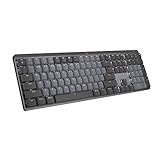
- Tactile Quiet mechanical key switches with a satisfying tactile bump you feel - for precise feedback, reactive key reset, and less noise so your typing doesn't disturb those around you
- Low-profile keys, more comfort: A keyboard layout designed for effortless precision, with a full-size form factor and low-profile mechanical switches for better ergonomics
- Smart illumination: Backlit keys light up the moment your hands approach the cordless keyboard and automatically adjust to suit changing lighting conditions
- Faster workflow, more customization: Customize Fn keys, assign backlighting effects, enable Flow cross-computer, multi-device control, and more in the improved Logi Options+ (1)
- Multi-device, multi-OS: Pair MX Mechanical Bluetooth wireless keyboard with up to 3 devices on nearly any operating system via Bluetooth Low Energy or included Logi Bolt receiver(2)
- Charge the keyboard.
- Confirm that the physical connection switch is set to the intended mode.
- Plug the 2.4-GHz receiver directly into the computer instead of using a potentially problematic hub.
- Try USB wired mode.
- Re-pair Bluetooth or the 2.4-GHz receiver.
- Test another USB port or another computer.
- Connect by USB before attempting VIA remapping or firmware recovery.
- Update firmware only with the manufacturer’s instructions and the exact file for the exact model and revision.
A keyboard may fail to appear automatically in VIA because the correct keyboard definition is not loaded, the board is connected through Bluetooth, the browser or operating system blocks USB permission, the manufacturer uses another firmware revision, or the board actually requires a proprietary configurator. Do not flash an uncertain firmware file or interrupt an update merely because VIA does not detect the keyboard.
Which keyboard is best for each type of buyer?
| Buyer | Recommendation | Reason |
|---|---|---|
| Best value seeker | Keychron V1 Ultra 8K | Combines a practical 75% layout, wireless modes, hot-swapping, and high polling at a relatively low assembled price. |
| Premium buyer | Keychron Q1 Max | Offers an aluminum body, QMK/VIA, gasket design, and tri-mode connectivity. |
| Competitive wireless gamer | Keychron V1 Ultra 8K | Its 2.4-GHz mode and advertised 8K polling target buyers who specifically value high report rates. |
| Work or coding user | Keychron Q1 Max or NuPhy Halo75 V2 | Both provide the compact 75% arrangement, with the Q1 Max emphasizing aluminum construction and the Halo75 V2 emphasizing stock presentation. |
| Spreadsheet or finance user | Keychron V5 Ultra 8K | The 96% layout keeps a number pad while reducing the width of a full-size keyboard. |
| First-time enthusiast | Keychron V1 Ultra 8K or NuPhy Halo75 V2 | Both offer assembled options and hot-swappable MX-style switches, while the Halo75 V2 places extra emphasis on the stock experience. |
| Buyer who dislikes software tinkering | NuPhy Halo75 V2 | Its prebuilt presentation and included features reduce the need for immediate modification, although firmware and VIA compatibility should still be verified. |
What are the credible alternatives?
The Keychron V1 Max is a lower-priced wireless 75% alternative with QMK/VIA-oriented customization, but it lacks the newer 8K positioning of the V1 Ultra 8K; see the official V1 Max information. The Keychron Q1 Ultra 8K is a newer premium 75% option positioned around 8K polling, wireless connectivity, and full-metal construction; the Q1 family page is the relevant starting point.
The wired Keychron V5 8K is worth considering when a buyer wants a lower-cost 96% keyboard and does not need wireless; its availability is shown in the Keychron V 8K collection. The NuPhy Node75 is a design-forward alternative, but proprietary firmware and the reported lack of VIA support make it a weaker fit for buyers who specifically want open-source remapping.
Frequently Asked Questions
Are prebuilt mechanical keyboards worth buying instead of building a custom keyboard?
Prebuilt mechanical keyboards are worth buying when you want a usable board with the case, PCB, stabilizers, switches, and keycaps already supplied and assembled. A hot-swappable prebuilt also leaves room to change switches later without soldering.
Can I use ordinary mechanical switches in a magnetic or Hall-effect keyboard?
Ordinary MX-style mechanical switches are generally not drop-in compatible with magnetic or Hall-effect keyboards. Magnetic keyboards use a different switch category, compatibility system, firmware model, and set of gaming features.
Is an 8K polling mechanical keyboard necessary for gaming?
An 8K polling mechanical keyboard is not necessary for every gamer because polling rate is only one part of total input latency. Competitive players who specifically value high report rates may prefer it, while many users will notice layout, switches, stabilizers, and wireless reliability more.
What should I check before buying replacement keycaps for a 96% keyboard?
Check the 96% keyboard’s right Shift, bottom-row modifier sizes, navigation keys, spacebar, and Mac-specific legends before buying keycaps. Compact full-layout boards often use more unusual sizes than standard 75%, TKL, or full-size keyboards.
Quick wins for a faster PC:
Repair Windows errors before they cause bigger problemsFix Now →Scan for outdated or missing drivers - takes under a minuteDriver Scan →Clear out junk files and repair common Windows errorsFree Scan →The Bottom Line
The best prebuilt mechanical keyboard is not universal. Buy the Keychron V1 Ultra 8K for value and wireless gaming, the Keychron Q1 Max for premium aluminum construction, the NuPhy Halo75 V2 for the strongest stock experience, the MonsGeek M1 V5/M1W for enthusiast-oriented aluminum value, or the Keychron V5 Ultra 8K when a compact number pad is essential. Confirm the assembled configuration, keycap compatibility, firmware support, price, and stock before ordering.

