
What’s actually slowing this PC down?
Pick the symptom - the matching free tool is one click away.
iTechGuides is reader-supported. When you buy through links on our site, we may earn an affiliate commission. As an Amazon Associate I earn from qualifying purchases. Learn more
Amazon has not ended all Kindle downloads. The major change, effective February 26, 2025, was the removal of Download & Transfer via USB from Manage Your Content and Devices. That option previously let you download a Kindle book to a computer and copy it to a compatible Kindle with a USB cable.
A separate restriction affects older hardware: Amazon announced that Kindle e-readers and Fire tablets released in 2012 or earlier would lose access to Amazon services for purchasing, borrowing, and downloading new Kindle content on May 20, 2026. Books already stored on those devices remain readable. Your Amazon library has not simply been deleted, but retrieving and moving its contents is now more dependent on supported devices, apps, and each book’s DRM status.
What changed, at a glance
| Change or feature | What it means |
|---|---|
| Download & Transfer via USB | Removed from Manage Your Content and Devices for newly purchased Kindle content on February 26, 2025. |
| Older Kindle and Fire hardware | Devices released in 2012 or earlier lose Amazon-service access for purchasing, borrowing, and downloading new Kindle content from May 20, 2026. |
| Wireless delivery to supported Kindles | Still works when a supported Kindle is connected to the internet. |
| Kindle apps and Kindle for Web | Still provide access to the library on supported phones, tablets, Mac, PC, and the web. |
| Send to Kindle | Still works for personal documents and supported files, including EPUB, PDF, DOC, DOCX, TXT, RTF, HTML, and images, up to 200 MB per file. |
| DRM-free purchases | Eligible DRM-free books can be downloaded as EPUB or PDF by verified purchasers beginning January 20, 2026. |
| DRM-protected purchases | They remain intended for Kindle apps and Kindle devices rather than unrestricted export to another e-reader. |
1. Amazon ended one file-download route—not Kindle downloads altogether
The phrase “Kindle downloads” describes several different activities, and Amazon’s February 2025 change removed only one of them. You can still download a book inside a supported Kindle app for offline reading, receive a book wirelessly on a supported Kindle, or read your library through Kindle for Web.
Recommended Free Tools
What disappeared was the browser-based computer download path named Download & Transfer via USB. Before the change, a customer could open Manage Your Content and Devices, select a purchased Kindle book, download its file to a computer, and then copy that file to a compatible Kindle over USB. Amazon no longer supplies that route for newly purchased Kindle content.
Popular on Amazon
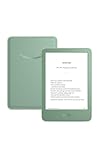
- Light and compact - With adjustable brightness, high contrast ratio, and fast page turns.
- Effortless reading in any light - Read comfortably with a 6“ glare-free display, adjustable front light—now 25% brighter at max setting—and dark mode.
- Escape into your books - Tune out messages, emails, and social media with a distraction-free reading experience.
- Read for a while - Get up to 6 weeks of battery life on a single charge.
- Take your library with you – 16 GB storage holds thousands of books.
This distinction matters because downloading a title for offline use in an app is not the same as obtaining a portable book file. An app’s offline copy remains managed by Kindle software. It does not automatically give you an unrestricted EPUB or PDF that can be moved to any e-reader.
What happens to files downloaded before February 26, 2025?
Existing files downloaded before the change can still be transferred locally to a compatible Kindle, subject to the file format and any DRM restrictions. The change does not make a previously downloaded file vanish from your computer or instantly remove a book already stored on a device.
However, this is not a promise that every Kindle book can be exported, converted, or opened on any e-reader. A file may be tied to Kindle software or devices, and a USB cable does not remove those restrictions. Keep legitimate files you already possess, but do not assume that a newly purchased book can be retrieved through the old workflow.
2. The May 20, 2026 cutoff affects very old devices
Amazon’s separate service-support cutoff applies to Kindle e-readers and Fire tablets released in 2012 or earlier. For affected hardware, Amazon says the device can no longer use Amazon services to purchase, borrow, or download new Kindle content after May 20, 2026.
If you are reading this before that date, treat it as a preparation deadline. If you are reading it after that date, treat the restriction as active. In either case, the practical question is whether your particular device falls within the affected release-year range.
Do not identify the device by appearance alone
Kindle names and generations are easy to confuse, especially in second-hand listings. Amazon’s device-identification information lists the Kindle Paperwhite 5th Generation as a 2012 model and the Kindle Paperwhite 6th Generation as a 2013 model. That one-year difference is significant under the cutoff.
Also popular on Amazon

- Light and compact - With adjustable brightness, high contrast ratio, and fast page turns.
- Effortless reading in any light - Read comfortably with a 6“ glare-free display, adjustable front light—now 25% brighter at max setting—and dark mode.
- Escape into your books - Tune out messages, emails, and social media with a distraction-free reading experience.
- Read for a while - Get up to 6 weeks of battery life on a single charge.
- Take your library with you - 16 GB storage holds thousands of books.
Verify the exact model and release year using Amazon’s device-management or device-identification tools rather than relying only on the casing, screen size, generation number, or a seller’s description. The same caution applies to Fire tablets: confirm the specific model, not just the product family.
Quick wins for a faster PC:
Clear out junk files and repair common Windows errorsFree Scan →Fix the driver behind crashes, sound loss and screen glitchesFind Drivers →Repair Windows errors before they cause bigger problemsFix Now →What the cutoff does—and does not—do
- It does restrict new Amazon content delivery: affected devices cannot depend on Amazon services for new purchases, loans, or downloads.
- It does not necessarily erase local content: books already downloaded remain readable on the device, provided they are still stored there and the device continues to function.
- It does not automatically remove your account library: your purchased content remains associated with your Amazon account and can remain accessible through supported endpoints.
- It can make recovery risky: after a factory reset, deregistration, or loss of local files, you may not be able to restore the device through the discontinued service path.
Amazon’s notice does not establish identical post-reset behavior for every model and marketplace. Do not factory-reset or deregister an affected Kindle casually. Preserve the content that matters and test access elsewhere first.
3. What still works for supported devices and software
Wireless delivery and synchronization
A supported Kindle e-reader can continue to receive books wirelessly when it is connected to the internet. Amazon describes synchronization as downloading pending books and syncing reading position, notes, and highlights. This remains the simplest route for someone who wants to buy or borrow Kindle content and read it on a supported e-reader.
Wireless delivery is different from computer-file ownership. The book arrives through Amazon’s supported device service; it does not recreate the removed Download & Transfer via USB option.
Kindle apps for phones, tablets, Mac, and PC
Amazon says Kindle content remains available through Kindle apps for supported phones, tablets, Mac, and PC. Kindle Unlimited is also available through Kindle devices and supported apps. If an old e-reader stops receiving new content, installing or opening the Kindle app on a current device is a practical way to test whether your library is still accessible.
Sign in with the same Amazon account used to buy or borrow the books. The app may download titles for offline reading, but those app downloads should not be treated as ordinary files that can be copied to another e-reader.
Kindle for Web
Kindle for Web provides browser-based access at read.amazon.com on supported devices. It is useful as a quick account and library test because it does not depend on the old Kindle’s hardware or its ability to connect to current Amazon services.
Also popular on Amazon
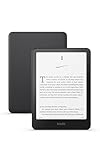
- Kindle Paperwhite – 7“ Paperwhite display with high contrast ratio and fast page turns.
- Ready for travel – The ultra-thin design has a larger glare-free screen so pages stay sharp no matter where you are.
- Escape into your books – Your Kindle doesn’t have social media, notifications, or other distracting apps.
- Battery life for your longest novel – A single charge via USB-C lasts up to 12 weeks.
- Read in any light – Adjust the display from white to amber to read in bright sunlight or in the dark.
Send to Kindle for personal documents
Send to Kindle remains Amazon’s official wireless route for personal documents. Amazon lists PDF, DOC, DOCX, TXT, RTF, HTML, image formats, and EPUB among its supported file types, with a stated maximum of 200 MB per file.
Use Send to Kindle when you want to send your own document, manuscript, article, or other supported file to a Kindle app or supported e-reader. It is not a replacement for downloading a DRM-protected Amazon purchase as an unrestricted file. Sending a personal EPUB to Kindle does not give you a general-purpose way to export Amazon’s protected books.
Free tools Windows power users keep installed
One-click scans. No signup required.
4. DRM determines whether a purchased book is portable
The most important distinction for digital-library preservation is whether a book is DRM-free or DRM-protected. The word “purchased” alone does not tell you whether Amazon will provide a portable file.
| Book or file type | What you can generally expect |
|---|---|
| Eligible DRM-free purchased book | Amazon says verified purchasers can download EPUB and PDF versions from Manage Your Content and Devices beginning January 20, 2026. |
| DRM-protected purchased book | Restricted to Kindle apps and devices under Amazon’s DRM rules; do not expect an unrestricted EPUB or PDF export. |
| Kindle Unlimited loan | Available for reading through supported Kindle devices and apps, but not eligible for the DRM-free purchaser download option. |
| Your own supported document | Can be sent through Send to Kindle in a supported format, subject to Amazon’s file-size and service limits. |
For DRM-free titles, the EPUB/PDF option is title-specific. The absence of a download option does not necessarily indicate an account problem; it may mean that the book is DRM-protected or that it is a Kindle Unlimited loan. Conversely, seeing an EPUB or PDF option for one title does not mean that every book in your library has the same option.
Do not promise that conversion tools can make all Kindle purchases portable, and do not remove DRM or redistribute protected books. The safe preservation plan is to use Amazon’s official download option when a title is eligible, retain legitimate files already downloaded, and maintain access through supported Kindle software or devices for protected books.
5. A preservation checklist for an older Kindle
- Identify the exact model and year. Check Amazon’s device-management or identification tools. Treat a Kindle e-reader or Fire tablet released in 2012 or earlier as potentially affected by the May 20, 2026 service cutoff until verified.
- Inventory what is stored locally. Open the books and personal documents you care about while they are still on the device. Make a separate list of titles that are only visible in the cloud library.
- Test the same account somewhere supported. Sign in to the Kindle app on a current phone, tablet, Mac, or PC, and check Kindle for Web. Confirm that important books appear before changing the old device.
- Preserve personal documents from their original sources. Keep the original PDF, DOCX, EPUB, or other file on your computer or in your normal backup system. Send to Kindle is convenient for delivery, but it should not be your only copy of a personal document.
- Check DRM status for purchased books. If Amazon offers an EPUB or PDF download for an eligible DRM-free purchase, download it through the official account workflow. If no such option appears, assume the title remains protected or otherwise ineligible rather than assuming the feature is broken.
- Do not factory-reset or deregister the old device without a reason. A reset can remove locally stored content, and Amazon does not promise one universal restoration outcome for every discontinued model. Confirm alternate access first.
- Decide whether the old Kindle should remain an offline reader. If it still works and contains the books you want, keeping it unchanged may be sensible. Its role is then local reading, not reliable access to newly purchased or borrowed content.
- Replace it if you need continuing Amazon-service access. Amazon’s current device-identification information lists newer Kindle and Kindle Paperwhite generations, including models with USB-C connectivity. Check the exact model, storage, price, and marketplace availability at the time you buy. A supported Kindle e-reader is the most straightforward option for readers who regularly purchase or borrow new Kindle content.
6. Is replacing an old Kindle worthwhile?
Replacement is worthwhile if you need to buy new books directly on an e-reader, borrow Kindle books, use Kindle Unlimited, or keep receiving wireless deliveries. A supported device also avoids depending on a fragile combination of old local files and an aging connection to Amazon’s services.
Also popular on Amazon

- Kindle Paperwhite – 7“ Paperwhite display with high contrast ratio and fast page turns.
- Ready for travel – The ultra-thin design has a larger glare-free screen so pages stay sharp no matter where you are.
- Escape into your books – Your Kindle doesn’t have social media, notifications, or other distracting apps.
- Battery life for your longest novel – A single charge via USB-C lasts up to 12 weeks.
- Read in any light – Adjust the display from white to amber to read in bright sunlight or in the dark.
Keeping the old Kindle can still make sense if your priority is reading books already stored on it, the battery and screen remain usable, and you have confirmed access to your account through an app or the web. It can function as an offline reader, but it should not be treated as a dependable archive of every book you may want to download again.
For a lower-cost replacement, a refurbished Kindle replacement may be reasonable. Verify the exact model year, battery condition, seller reputation, return policy, and whether the device can register to your Amazon account. A low price is not useful if the device is another unsupported model or arrives with an uncertain account status.
What about a USB-C cable?
Some newer Kindle generations use USB-C. A compatible USB-C Kindle cable can be useful for charging applicable hardware and for local transfer of eligible personal files, but it cannot restore Amazon’s discontinued Download & Transfer via USB workflow. It also cannot turn a DRM-protected Kindle purchase into a freely portable EPUB or PDF.
Independent reader supportYour contribution helps us test, update, and keep practical guides available for everyone.7. Troubleshooting the most common misunderstandings
“I cannot find Download & Transfer via USB.”
That is expected for newly purchased Kindle content after February 26, 2025. The missing menu is not fixed by changing browsers, reinstalling the Kindle app, or using a different USB cable. Use wireless delivery to a supported Kindle, a supported Kindle app, Kindle for Web, or the official DRM-free download option when Amazon provides it.
“My old Kindle still shows my books, so it must still be supported.”
Not necessarily. Local books can remain readable even when Amazon-service access for new content has ended. The important test is whether the exact device can still purchase, borrow, and download new Kindle content under the applicable cutoff—not whether existing books open.
“I need an EPUB copy of a book I bought.”
Check the individual title in Manage Your Content and Devices. Amazon’s EPUB/PDF download facility applies to eligible DRM-free books and verified purchasers. It does not apply to DRM-protected books or Kindle Unlimited loans. If the option is absent, do not assume that a cable or file-conversion utility will provide an authorized export.
“Can I use Send to Kindle to get my Amazon purchases back?”
Send to Kindle is for sending supported personal files to Kindle destinations. It is not a general recovery channel for DRM-protected Amazon purchases. For a purchased title, use the supported Kindle app or device, Kindle for Web where available, or Amazon’s official DRM-free download option if that title qualifies.
Also popular on Amazon

- 7“ Paperwhite display with high contrast ratio and fast page turns.
- Upgrade your reading experience – The Signature Edition features an auto-adjusting front light, wireless charging, and 32 GB storage.
- Ready for travel – The ultra-thin design has a larger glare-free screen so pages stay sharp no matter where you are.
- Escape into your books – Your Kindle doesn’t have social media, notifications, or other distracting apps.
- Adapts to your surroundings – The auto-adjusting front light lets you read in the brightest sunlight or late into the night.
“Will a factory reset make the old Kindle work again?”
No. A factory reset does not restore a discontinued Amazon service. It may also remove local books and documents, leaving you dependent on a service path that may no longer work for the affected model. Preserve important content and verify access elsewhere before resetting.
The Tool Desk
Outbyte Driver Updater FREEScan for outdated or missing drivers - takes under a minuteDriver Scan →Outbyte PC Repair FREEClear out junk files and repair common Windows errorsFree Scan →Frequently Asked Questions
Did Amazon delete my Kindle library?
No. The February 2025 change removed the Download & Transfer via USB route, not the entire account library. Purchased content can remain accessible through supported Kindle devices, Kindle apps, and Kindle for Web, although portability depends on DRM status.
Can I still read books already downloaded to an old Kindle?
Generally, yes. Books already stored on the device remain readable. Avoid factory-resetting or deregistering an affected Kindle because restoring local content may not be possible through Amazon’s discontinued service path.
Can I download Kindle books as EPUB or PDF now?
Only eligible DRM-free purchased books can receive Amazon’s EPUB/PDF download option, and Amazon says the option is for verified purchasers. DRM-protected books and Kindle Unlimited loans are excluded.
Does a USB cable restore Kindle downloads?
No. A USB cable can transfer files you already legitimately downloaded before the change, or eligible personal documents, subject to compatibility. It does not restore Download & Transfer via USB for newly purchased Kindle books.
Do these 3 things before closing this tab:
1Clear out junk files and repair common Windows errors2Fix the driver behind crashes, sound loss and screen glitches3Repair Windows errors before they cause bigger problemsWhich Kindle devices are affected by the older-device cutoff?
Amazon’s cutoff applies to Kindle e-readers and Fire tablets released in 2012 or earlier. Verify the exact model and year using Amazon’s device-identification information; for example, the Kindle Paperwhite 5th Generation is listed as a 2012 model, while the 6th Generation is a 2013 model.
The Bottom Line
Bottom line: Amazon has ended computer-based Download & Transfer via USB for new Kindle content, not all Kindle downloading. Supported Kindles, apps, Kindle for Web, and Send to Kindle continue to work. The bigger risk is for 2012-and-earlier Kindle and Fire hardware, which loses Amazon-service access for new content on May 20, 2026. Preserve local files, avoid unnecessary resets, check each book’s DRM status, and move to supported hardware if you need ongoing purchases, borrowing, or wireless delivery.
Quick Recap
Product prices and availability are accurate as of the date/time indicated and are subject to change. Any price and availability information displayed on Amazon at the time of purchase will apply.

