
Recommended Free Tools
iTechGuides is reader-supported. When you buy through links on our site, we may earn an affiliate commission. As an Amazon Associate I earn from qualifying purchases. Learn more
The right printer depends less on headline resolution than on what you print, how often you print it, and whether you can tolerate expensive cartridges. A cheap inkjet can be a poor choice for a home office that prints contracts every day; a monochrome laser can be frustrating if your children need regular color pages.
For 2026, the strongest choices fall into four groups: monochrome laser printers for dependable documents, color laser all-in-ones for office work, cartridge-free inkjets for high-volume color, and inexpensive cartridge inkjets for occasional printing. The recommendations below are rated by running cost, print quality, speed, connectivity, maintenance and ease of ownership—not by a single headline feature.
Quick picks
| Best for | Printer | Rating | Why it stands out |
|---|---|---|---|
| Most home offices | Brother HL-L2460DW | 4.5/5 | Fast monochrome printing, automatic duplexing and inexpensive third-party toner options |
| Color documents | Canon Color imageCLASS MF654Cdw | 4.3/5 | Sharp color output, automatic document feeder and full office-oriented controls |
| High-volume color | Epson EcoTank ET-3850 | 4.2/5 | Very low ink cost and a useful document feeder |
| Small-business color | Brother MFC-J4335DW | 4.1/5 | Compact all-in-one with good everyday color and reasonably economical cartridges |
| Photos and occasional color | Canon PIXMA G3270 | 4.0/5 | Low running cost and better photo potential than a typical office laser |
| Heavy black-and-white workloads | Brother HL-L6415DW | 4.4/5 | High paper capacity, fast output and business-grade duty cycle |
Prices and bundled supplies change frequently. Check the exact model number and cartridge yield before buying; manufacturers often sell visually similar printers with different wireless, duplex or ink-tank features.
1. Brother HL-L2460DW: best printer for most home offices
The HL-L2460DW is a monochrome laser printer for people who primarily print forms, invoices, shipping labels, schoolwork and other text-heavy documents. It prints quickly enough for a home office, includes Wi-Fi and Ethernet, and supports automatic two-sided printing.
Popular on Amazon
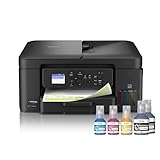
- INNOVATIVE REFILLABLE INK TANK TECHNOLOGY: Brother Genuine no-spill bottles quickly refill the tank in 30 seconds for color, 65 seconds for black. The design prevents inserting the incorrect bottles for each color. Includes up to 3 years of ink in-box(1).
- BEST FOR HOME OFFICE AND SMALL OFFICE: This does-it-all multifunction printer enables you to print, copy, and scan on one convenient, compact printer. Brother inkjet printers produce beautiful, vibrant color prints you can be proud of.
- WIRELESS AND USB CONNECTIONS: Connect your way. Interface with your printer on your wireless network or via USB.
- CLOUD APP CONNECTIONS: Print from and scan to popular Cloud apps(3), including Google Drive, Dropbox, Box, OneDrive, and more from the convenient 1.8” color display on the printer.
- THE BROTHER MOBILE CONNECT APP: Put the power of printing at your fingertips. Go mobile with the Brother Mobile Connect app(4) that delivers easy onscreen menu navigation for printing, copying, scanning, and device management from your mobile device.
Its main advantage is predictability. Toner does not dry out during a month of light use, and the printer is ready for a document without the cleaning cycles that can consume inkjet cartridges. Text is crisp, and the compact design fits on a desk or shelf.
- Best features: automatic duplex printing, wireless networking, Ethernet and a relatively small footprint.
- Limitations: no color, no scanner and a basic paper tray.
- Buy it if: you already have a phone-scanning app or separate scanner and want reliable document output.
Choose the multifunction equivalent, such as a Brother monochrome MFC model, if you regularly copy or scan. An all-in-one usually takes more desk space but is cheaper and simpler than maintaining two devices.
2. Canon Color imageCLASS MF654Cdw: best color laser all-in-one
The MF654Cdw is aimed at a home office or small business that needs color documents, scanning and copying without dealing with liquid ink. It combines a color laser engine with a flatbed scanner, automatic document feeder, touchscreen controls and automatic duplex printing.
Free tools Windows power users keep installed
One-click scans. No signup required.
It is particularly good for reports, presentations, invoices with color branding and diagrams. Text remains sharper than on many inexpensive inkjets, while color blocks and charts look clean on ordinary office paper.
The trade-off is cost. The printer itself is larger and more expensive than a basic inkjet, and replacement color toner can be costly if you print photographs or full-page graphics. It also is not a photo printer: glossy snapshots tend to look flatter and less detailed than those from a good dye- or pigment-ink model.
Before buying, check whether the package includes high-yield cartridges and calculate the cost of a complete replacement set. A low purchase price can be misleading when the starter cartridges are small.
3. Epson EcoTank ET-3850: best for high-volume color printing
The ET-3850 uses refillable ink tanks rather than disposable cartridges. That makes it a strong choice for families, teachers and home businesses that print color pages every week. A full bottle set costs more upfront than a basic cartridge, but the ink cost per page is substantially lower when the printer is used regularly.
It includes automatic two-sided printing, Wi-Fi, a flatbed scanner and an automatic document feeder. It is suitable for worksheets, forms, charts and ordinary color documents, and it can produce respectable photographs on suitable paper.
Also popular on Amazon

- UP TO 1-YEAR OF INK IN-BOX¹ – Enjoy exceptional convenience and savings with enough ink for up to 1 year of printing right out of the box¹.
- REVOLUTIONARY INKVESTMENT TANK TECHNOLOGY – Internal ink tank system works with front-loading cartridges for hassle-free, uninterrupted printing with no manual refills.
- COMPACT ALL-IN-ONE FUNCTIONALITY – Print, copy, scan, and fax with fast speeds, duplex printing, and a 20-page automatic document feeder
- WIRELESS AND CLOUD READY – Print-from and scan-to popular cloud services and mobile devices via the Brother Mobile Connect App³.
- VERSATILE PAPER HANDLING – Features a 150-sheet adjustable paper tray, bypass tray, and automatic duplex printing for letter and legal-size paper.
The important qualification is usage frequency. Ink-tank printers are economical when they print enough to justify their purchase and keep the ink flowing. If you print five pages every few months, a laser printer may be less troublesome. Leave any inkjet unused for long periods and the printhead can clog, requiring a cleaning cycle that uses ink.
Setup also deserves care. Keep the bottles upright, do not squeeze them aggressively, and complete the manufacturer’s initial charging process before judging ink levels. Never move a tank printer casually after filling it; follow Epson’s transport instructions to avoid leaks.
4. Brother MFC-J4335DW: best compact cartridge all-in-one
The MFC-J4335DW is a practical choice when you need scanning, copying, fax support and color output but do not print enough to justify an EcoTank. It has a document feeder, duplex printing, wireless networking and a compact footprint.
Do these 3 things before closing this tab:
1Scan for outdated or missing drivers - takes under a minute2Repair Windows errors before they cause bigger problems3Fix the driver behind crashes, sound loss and screen glitchesIts output is well suited to letters, school projects, shipping documents and basic graphics. Brother’s ink cartridges are widely available, and high-yield versions reduce the frequency of replacement. The printer is also easier to fit into a small workspace than many color laser all-in-ones.
It is not the best pick for large print runs or demanding photo work. Compare the price of the high-yield black and color cartridges with the printer before purchase, and avoid assuming that an included subscription or trial makes the long-term cost lower.
5. Canon PIXMA G3270: best low-cost color for families
The PIXMA G3270 is a refillable-tank inkjet designed to keep running costs low. It makes sense for a household that prints a mixture of color schoolwork, recipes, forms and occasional photos.
Its strengths are economical ink and color output that is more suitable for photos than a monochrome or office color laser. The weakness is speed and convenience: it is not designed to match a laser printer for a long stack of text documents, and the scanner and paper-handling features are basic.
Crashes, No Sound, or Screen Glitches?
Random freezes, missing sound and display glitches usually trace back to one bad driver. Find and replace yours safely.Free scan · under a minutePC Slower Than It Used to Be?
A free scan shows the junk files, broken settings and background clutter dragging Windows down - then fixes them in one click.Free scan · Windows 10 & 11Use good-quality plain or matte paper for documents and Canon-compatible photo paper for images. Cheap, absorbent copier paper can make inkjet text look less sharp and colors appear dull.
Also popular on Amazon

- BEST FOR HOME AND HOME OFFICE: This multifunction printer makes it easy to print, copy, and scan—all in one compact printer. Includes one 1,200-page yield black cartridge and one 500-page yield cartridge for each color in cyan, yellow, and magenta(2).
- WIRELESS, MOBILE, AND USB CONNECTIVITY: Connect your way. Interface with your printer on your wireless network or via USB. Enhance your workflow with Wi-Fi Direct, which allows you to print wirelessly even without an external network connection
- CLOUD APP CONNECTIONS: Print from and scan to popular Cloud apps(3), including Google Drive, Dropbox, Box, OneDrive, and more, from an impressive 1.8” color display that enhances clarity and ensures effortless operation.
- PRODUCTIVITY-FOCUSED FEATURES: A 150-sheet paper tray(4), 20-page single-sided automatic document feeder (ADF)(4), and automatic duplex (2-sided) printing. Prints at fast speeds of up to 16 pages per minute (ppm) black/9 ppm color(5).
- THE BROTHER MOBILE CONNECT APP: Put the power of printing at your fingertips. Go mobile with the Brother Mobile Connect app(6) that delivers easy onscreen menu navigation for printing, copying, scanning, and device management from your mobile device.
6. Brother HL-L6415DW: best for heavy monochrome workloads
The HL-L6415DW is overkill for occasional household printing, but a good fit for a small business or busy home office that prints large batches of black-and-white pages. Its faster engine, larger paper capacity and business-oriented consumables reduce interruptions.
It is a printer rather than an all-in-one, so you will need a separate scanner for copies and digitizing documents. It also costs more than a compact home laser. For a business that prints dozens or hundreds of pages each week, those compromises are easier to justify.
Laser or inkjet: which should you buy?
| Your printing pattern | Better choice | Reason |
|---|---|---|
| Mostly black text, occasional printing | Monochrome laser | Toner does not dry out and text is consistently sharp |
| Frequent color documents | Ink tank or color laser | Choose an ink tank for low cost; choose a laser for speed and office handling |
| Photos every week | Photo-capable inkjet | Inkjets generally produce smoother photo tones |
| Very little printing | Monochrome laser or inexpensive cartridge inkjet | Avoid paying for an ink tank unless you will use its capacity |
| Scanning and copying contracts | Multifunction model with an ADF | An automatic document feeder saves time on multi-page documents |
Do not compare a printer’s advertised pages per minute with a mixed-color home document and expect the same result. Speed ratings commonly use standardized pages with limited coverage. Duplex printing, high-quality modes, wireless delays and the time needed to warm up can all reduce real-world throughput.
How to calculate the real cost
Use the cost-per-page formula rather than relying on the printer’s purchase price:
cost per page = cartridge or toner price ÷ rated page yield
For example, a $60 black cartridge rated for 1,500 pages costs about 4 cents per page before paper. A $25 cartridge rated for 300 pages costs about 8.3 cents per page. Color pages require the cost of the black and color supplies, and a page with heavy graphics will use more ink than the standardized yield test assumes.
Also account for:
- replacement drums or maintenance boxes on some laser and inkjet models;
- specialty paper for photographs;
- ink wasted during printhead cleaning;
- subscription requirements or automatic supply shipments;
- the cost of a separate scanner if you buy a printer-only model.
Subscription cartridge programs can be convenient, but read the cancellation terms. Some services tie cartridges to the enrolled printer or stop them working when the subscription ends.
Setup changes that prevent common problems
- Install the manufacturer’s app or driver from its official support page. Avoid random driver-download sites. On Windows, use Settings > Bluetooth & devices > Printers & scanners > Add device after connecting the printer to Wi-Fi. On macOS, open System Settings > Printers & Scanners and select Add Printer, Scanner, or Fax.
- Assign the printer a stable network address if several computers use it. A DHCP reservation in the router is usually better than manually typing an address into the printer, because it prevents the address from changing unexpectedly.
- Set the paper size correctly. If the printer says “paper mismatch,” check both the tray guides and the print dialog. Letter and A4 are different sizes, and an incorrect setting can cause blank pages or stalled jobs.
- Enable duplex only when the paper supports it. Very thin or heavily coated paper can curl, smear or jam when passed through the printer a second time.
- Keep firmware current, but do not update during an active print job. Firmware updates can improve wireless reliability and security. On the other hand, some updates change third-party cartridge compatibility, so check the release notes if inexpensive alternatives are important to you.
Common printer failure modes
“Offline” when the printer is powered on
Confirm that the computer and printer are on the same Wi-Fi network. Guest networks often block device-to-device traffic. Restart the printer and router, then remove duplicate printer entries in the operating system. If the printer works over USB but not Wi-Fi, the issue is probably network discovery rather than the print engine.
Also popular on Amazon

- INNOVATIVE REFILLABLE INK TANK TECHNOLOGY: Brother Genuine no-spill bottles quickly refill the tank in 30 seconds for color, 65 seconds for black. The design prevents inserting the incorrect bottles for each color. Includes up to 3 years of ink in-box(1).
- BEST FOR SMALL OFFICE AND SMALL BUSINESS: This multifunction printer does it all, enabling you to print, copy, scan, and fax on one convenient, compact printer. Brother inkjet printers produce beautiful, vibrant color prints you can be proud of.
- CLOUD APP CONNECTIONS: Print from and scan to popular Cloud apps(3), including Google Drive, Dropbox, Box, OneDrive, and more on the printer's convenient 1.8” color display.
- PRODUCTIVITY-FOCUSED FEATURES: Automatic duplex (2-sided) printing, 150-sheet paper tray, 80-sheet multi-purpose tray, 20-page single-sided automatic document feeder (ADF)(4). Fast print speeds up to 17 pages per minute (ppm) black/16.5 ppm color(5).
- WIRELESS, WIRED NETWORK, AND USB CONNECTIONS: Connect your way. Interface with your printer on your wireless network, ethernet, or via USB connection. A front USB Port provides easy print-from or scan-to functionality(6).
Color pages have stripes or missing sections
Run a nozzle check from the printer’s maintenance menu, then perform one standard cleaning cycle. Do not repeatedly run deep cleaning: it consumes substantial ink. If the printer has been unused for weeks, print a small color test page periodically rather than waiting until a large job exposes a clog.
Paper jams repeatedly
Remove every torn fragment, check that the guides touch the paper without squeezing it, and fan the stack before loading it. Do not mix several paper types in one tray. If jams occur only during duplex printing, test a lighter plain-paper setting and inspect the rear access panel for scraps.
Scans are crooked or have vertical lines
Clean the scanner glass and the narrow strip used by the document feeder with a lint-free cloth. A dirty ADF strip creates a repeating vertical line even when the flatbed glass looks clean.
What’s actually slowing this PC down?
Pick the symptom - the matching free tool is one click away.
What to look for before ordering
- Automatic duplex printing: essential if you want to save paper without manually turning pages.
- Automatic document feeder: important for scanning or copying more than one page at a time.
- Ethernet: useful for a fixed office installation and often more reliable than Wi-Fi.
- High-yield supplies: check the yield and current price, not just the word “XL.”
- Tank or cartridge design: tanks lower consumable cost but need regular use; cartridges are simpler for occasional printing.
- Physical dimensions: include space for the paper tray, scanner lid and rear access panel.
- Security support: business printers should receive firmware updates and support secure wireless protocols.
FAQ
What is the best printer for most people in 2026?
For mostly black-and-white documents, the Brother HL-L2460DW is the strongest general recommendation. If you need scanning and copying, choose a comparable Brother monochrome multifunction model. For frequent color printing, an Epson EcoTank ET-3850 is a better fit.
Is a laser printer better than an inkjet?
Neither is universally better. Laser printers are usually better for sharp text, speed and long periods of inactivity. Inkjet printers are usually better for photos and can be cheaper for frequent color printing when using refillable tanks.
Are refillable ink-tank printers worth it?
They are worthwhile when you print color pages regularly. Their low ink cost can repay the higher purchase price, but occasional users may prefer a laser printer because unused inkjets can develop clogged printheads.
How can I reduce printer costs?
Compare consumable cost per page, buy high-yield supplies when they offer a genuine saving, use duplex printing, print in draft mode for internal documents and avoid unnecessary color. Also check whether the printer requires a paid cartridge subscription.
The Bottom Line
Buy the Brother HL-L2460DW for dependable black-and-white home-office printing. Choose the Canon Color imageCLASS MF654Cdw for color documents, scanning and copying, or the Epson EcoTank ET-3850 when you print enough color to benefit from refillable tanks. The cheapest printer at checkout is rarely the cheapest printer to own, so compare the cost and yield of replacement supplies before placing the order.
Quick Recap
Product prices and availability are accurate as of the date/time indicated and are subject to change. Any price and availability information displayed on Amazon at the time of purchase will apply.

