
What’s actually slowing this PC down?
Pick the symptom - the matching free tool is one click away.
iTechGuides is reader-supported. When you buy through links on our site, we may earn an affiliate commission. As an Amazon Associate I earn from qualifying purchases. Learn more
TextNow can give you a free U.S. or Canadian phone number and unlimited calling and texting across North America, but the free app is not a standalone cellular service. You still need Wi-Fi or another carrier’s mobile-data connection for calls and messages. A TextNow SIM or eSIM can add cellular connectivity in the United States, although the free wireless plan limits data to selected apps rather than providing unrestricted internet.
This guide explains how TextNow works, how to set it up, which current U.S. wireless plans are available, how number retention and verification codes work, and what to check before depending on TextNow for everyday or emergency communication.

Plan names, prices, device requirements, international rates, and wireless availability can change. The plan and regional information in this guide reflects the TextNow documentation researched on August 12, 2026.
TextNow at a glance
| Use case | What you need | What TextNow provides |
|---|---|---|
| Free calling and texting over Wi-Fi | A TextNow account and Wi-Fi or another carrier’s data connection | A TextNow number, unlimited calling and texting across North America, and access through the Android app, iPhone app, or web browser |
| Calling and texting away from Wi-Fi | A compatible, unlocked phone with a TextNow SIM or eligible eSIM | Cellular talk and text, plus data according to the applicable U.S. plan |
| Unrestricted mobile data | A paid TextNow data option | Either a 24-hour Unlimited Data Pass or a weekly/monthly Unlimited Plan, subject to current terms |
| International calling | International Long Distance credits for many destinations | Calls from the United States or Canada to other countries at destination-dependent rates |
What TextNow is—and what it is not
TextNow is best understood as two connected services:
Popular on Amazon

- 👍There is no need to modify the jack of the Ethernet wall to connect to the telephone service when using it, Great RJ45 female to RJ11 male connector adapter
- 👍NOTE: Unless your fixed-line telephone service is accessed through the router's telephone jack and connected to the RJ11 jack, it must not be used to connect to the router and is not suitable for WIFI connection.
- 👍It is usually used in rooms where the walls only have an Ethernet layout but no telephone jack layout, It connects fixed devices (such as telephones, DSL modems, faxes, etc.) through Ethernet cable conversion. As shown in Figure 3
- 👍This telephone line to Ethernet adapter is made of high-quality materials and features gold-plated metal contacts to ensure a good connection and sound quality.
- 👍It will not transmit Internet signals from the router via a telephone line unless your router has a landline service and is connected to an RJ11 phone jack. If you have any questions, please feel free to email us at any time. We will provide friendly service to our customers.
- An ad-supported calling and messaging app. The app gives you a phone number and handles ordinary TextNow calls, texts, voicemail, and conversation history. It works on Android, iOS, and the web.
- A U.S. wireless option. On compatible unlocked devices, a TextNow SIM or eligible eSIM can provide cellular service when Wi-Fi is unavailable.
The distinction matters because you do not need a TextNow SIM to use the free app. If your phone is connected to Wi-Fi, or if another carrier is supplying mobile data, TextNow can place calls and send messages through that connection. The TextNow application—not the phone’s ordinary dialer or native texting application—handles regular TextNow communication.
A SIM changes the connectivity available to the app; it does not turn every phone into a universally compatible TextNow device. The phone must be unlocked and supported by TextNow’s compatibility system.
How free TextNow calling and texting works
The free service is ad-supported and is designed for ordinary personal communication. Once you have an account and a number, you can call and text North American numbers through the app when the device has Wi-Fi or another data connection. Your messages and call history can be available across supported devices when you sign in to the same account.
That makes TextNow useful for several situations:
- A Wi-Fi-only tablet or spare phone that needs a separate number.
- A secondary number for personal calls and texts.
- Communication at home, school, or work where reliable Wi-Fi is available.
- A way to keep using a number on a computer through a browser.
- A low-cost communication option for someone who does not need unrestricted mobile data.
It is not the same as receiving a free conventional cellular line with unrestricted data. Without Wi-Fi, another carrier’s data connection, or a TextNow wireless option, ordinary calls and texts will not have a network connection to use.
How to create a TextNow number and get started
- Install or open TextNow. Install the application from the appropriate Android or iOS app store, or open TextNow in a desktop browser.
- Create an account or sign in. Use the account you intend to keep. Your number and paid features are associated with the account, not merely with one device.
- Choose a number. TextNow generally lets you select an available number by choosing an area code. Availability is not guaranteed for every area code.
- Allow important notifications. Permit notifications and any required microphone or call-related permissions so incoming messages and calls can alert you when the app is not open.
- Test the service over Wi-Fi. Place a call and send a text before relying on the number. Confirm that the recipient sees the expected number and that incoming alerts work.
- Check compatibility before adding cellular service. If you need service away from Wi-Fi, find the phone’s IMEI and enter it into TextNow’s device compatibility checker before buying or activating a SIM.
TextNow supports several starting points: you can obtain a new number, sign in with an existing TextNow number, or port a number from another carrier. Porting is a separate decision from simply creating a free TextNow number; do not cancel the old carrier service until the port has completed and you have tested calls and texts.
TextNow’s current U.S. wireless plans
TextNow’s current SIM-upgrade documentation describes the following U.S. options. These are separate from the basic Wi-Fi app experience, and prices or eligibility can change.
| Option | Current listed price | What it includes | Important limitation |
|---|---|---|---|
| Free Flex Plan | $0 per month | Unlimited nationwide talk and text, plus 5G data for selected apps | It is not unrestricted full-speed mobile internet; data access is limited to the selected apps |
| Unlimited Data Pass | $2.99 per day | Unlimited data for 24 hours | A short-term pass rather than a permanent monthly plan |
| Unlimited Plan | $8.99 per week or $35.99 per month | Unlimited data, no ads, no contract, and flexible billing | Verify the current price, terms, and availability before purchase |
The Free Flex Plan is the option most likely to be misunderstood. “Free” refers to the price of the plan, not unlimited access to the entire web. Its current description provides 5G data for selected apps. Browsing arbitrary websites, downloading anything, or using data-heavy services outside the eligible apps may require a paid data option or another connection.
TextNow also says that legacy 1GB, 2GB, and 5GB plans are no longer available after activation on the upgraded network. Do not assume that an older article or an existing customer’s plan represents an option available to a new activation.
Device, SIM, and eSIM requirements
Check the exact phone, not only the model name
For wireless use, TextNow requires an unlocked phone. “Unlocked” means the device is not restricted to another carrier. It also needs the appropriate cellular bands, a supported operating system, and compatibility with TextNow’s current wireless service.
Also popular on Amazon

- The RJ9 telephone training adapter is specifically designed for call center operations, including the training of new employees and call monitoring. It features dual jacks and mute switches, which facilitate more personalized and independent training sessions as well as efficient call handling.
- This RJ9 1 to 2 Headset Y splitter adopts a dual headphone jack design, which can simultaneously connect 2 RJ09 crystal head headphones, forming 1 in and 2 out with the telephone jack, making it more convenient for training use.
- The RJ9 1 in 2 out headset Splitter Cable is equipped with an individual shut-off button along with a separate mute indicator to facilitate online silence and ensure uninterrupted use. This design enhances convenience and flexibility during calls. Additionally, it features two independent volume control sliders.Mute key: If you press the mute key, the other party cannot hear you. But you can hear his voice
- Easy to install, plug and play. Small and stylish design. Compatible with all major phone headsets
- The 4P4C RJ9 telephone training adapter cable is typically used on landline phones with RJ9 headphone jacks and is ideal for use in call center and telemarketing training and is a necessary tool to handle a high volume of calls
Before buying a phone, use TextNow’s compatibility checker with the device’s IMEI. A listing that says “unlocked,” “GSM,” or “factory unlocked” is a useful starting point but is not a substitute for the exact IMEI check. Two phones with the same commercial model name can differ by region, storage configuration, cellular bands, or lock status.
TextNow’s current documentation requires iOS 17.4 or later on iPhones and recommends Android 13 or later. Android 9 through Android 12 may require additional activation steps. These requirements apply to the current wireless setup and should be confirmed again if you are activating an older device.
Do these 3 things before closing this tab:
1Clear out junk files and repair common Windows errors2Scan for outdated or missing drivers - takes under a minute3Repair Windows errors before they cause bigger problemsPhysical SIM
A compatible physical GSM SIM can be moved to another compatible phone in many cases. TextNow advises checking the new phone’s compatibility and adjusting APN settings when necessary. After moving the SIM, sign in to the intended TextNow account and test both cellular data and calling.
If the phone is lost while it contains the SIM, change your TextNow password, log out of other devices, and order a replacement SIM. You can generally continue using the account over Wi-Fi on another device while waiting for the replacement.
A SIM-eject tool can be useful when installing or transferring a physical SIM, but it is only an accessory. It does not make an incompatible or carrier-locked phone work with TextNow.
eSIM
Eligible Android users may see an eSIM installation option inside the TextNow app. An eSIM is a digital SIM built into the phone rather than a removable card. The phone must support eSIM, and TextNow says the installation prompt appears only when the device has no active wireless subscription.
An existing TextNow eSIM cannot simply be moved to another phone. If you replace the device, deactivate the old eSIM and set up a new one on the replacement phone. Check compatibility first; an eSIM-capable phone is not automatically a TextNow-compatible phone.
Choosing a phone for TextNow wireless service
If you only plan to use TextNow over Wi-Fi, you may be able to use a supported existing phone, tablet, or computer without purchasing cellular hardware. If you need TextNow away from Wi-Fi, the central purchase is a compatible unlocked phone.
Start with an unlocked GSM smartphone, then verify all of the following before ordering:
- The phone is unlocked, not merely advertised as compatible with one carrier.
- The exact IMEI passes TextNow’s compatibility checker.
- The phone supports the required cellular bands and network technology.
- The operating system meets the current iOS or Android requirements.
- The phone uses a physical SIM or eSIM in the way you intend to activate it.
- The device is not still attached to an active wireless subscription if an eSIM installation prompt is required.
- The seller’s return policy covers incompatibility or an undisclosed carrier lock.
TextNow describes a partnership with Swappa featuring phones that are unlocked and GSM-compatible. That can be a useful place to investigate, but you should still confirm the exact IMEI and the current TextNow compatibility result when buying from Swappa or anywhere else. Do not assume that every unlocked phone listed on a large marketplace will work.
The Tool Desk
Outbyte Driver Updater FREEScan for outdated or missing drivers - takes under a minuteDriver Scan →Outbyte PC Repair FREEClear out junk files and repair common Windows errorsFree Scan →Using TextNow for calls, messages, and voicemail
Calls and texts
Open the TextNow app or website to make ordinary calls and send messages. The app manages the TextNow number, conversation history, and call history. Notification and background-data settings determine whether an incoming call or text can alert you when the application is not visible.
Also popular on Amazon
If you are switching between a phone and a computer, sign in to the same account and test an incoming call on each device. Keep notifications enabled only on the devices where you want alerts; otherwise, multiple devices may ring or display the same incoming message.
Voicemail
TextNow includes built-in voicemail. Voicemails appear in the app and can also be retrieved online. Voicemail transcription is an upgraded feature associated with qualifying paid plans, so the free experience should not be assumed to include transcripts.
International calling
Free North American calling does not mean that every international destination is free. TextNow treats calls from the United States and Canada to other countries as international calling and uses International Long Distance credits. The per-minute price depends on the destination, so check the current rate in the app or TextNow’s current international-calling information before placing a long call.
Quick wins for a faster PC:
Scan for outdated or missing drivers - takes under a minuteDriver Scan →Clear out junk files and repair common Windows errorsFree Scan →Some remote areas of the United States and Canada may also require credits. If a call to a remote or unusual destination fails, check the destination’s rate and confirm that your account has enough International Long Distance credit before troubleshooting the phone.
Keeping your number and receiving verification codes
Why a free number can be recycled
A free TextNow number is not automatically a permanent identity credential. TextNow has a limited inventory of numbers and may recycle numbers that are inactive. If the number matters to you, do not leave it unused and assume it will remain yours indefinitely.
Lock In Number is the account-preservation option intended to prevent loss of a number due to inactivity. Ad-Free+ also includes number locking, along with additional calling and messaging features.
Verification codes are not guaranteed
TextNow says most verification codes may be received after activating a TextNow SIM or purchasing a recurring Lock In Number or Ad-Free+ subscription. That improves eligibility for supported services, but it is not a universal two-factor-authentication workaround.
Free tools Windows power users keep installed
One-click scans. No signup required.
Some websites and apps reject TextNow because its numbers are VoIP numbers. Banking, government, financial, and other security-sensitive services may reject the number even when it is locked or attached to a paid TextNow feature. Canadian verification codes are largely unsupported according to TextNow’s guidance. The only safe approach is to confirm that the specific service accepts TextNow before making the number your only recovery or authentication method.
What Ad-Free+ adds
Ad-Free+ is an optional paid upgrade rather than a requirement for ordinary free calling and texting. TextNow associates it with:
Also popular on Amazon

- Hands-Free & Privacy-First Design – Ditch the tangled cables for a wireless, clutter-free dashboard. Unlike ordinary adapters, this upgraded version features physical one-tap privacy buttons. Instantly disconnect car speakers during a call when a passenger is nearby—route audio back to your phone with one press. Your private conversations stay private, and your focus stays on the road.
- Seamless Multi-Device Switching for Shared Vehicles – Designed for families and households with multiple phones. Pair two phones simultaneously via Wi-Fi & Bluetooth; a single button press lets you toggle between work calls and your partner's music instantly. No re-pairing, no menu-diving while driving. (Note: Supports automatic rotation – when a third phone is paired, the earliest paired device is replaced to keep your current two connections active.)
- Aluminum Cooling & Dual-Band Stability – Engineered with an 18-hole aluminum heatsink that actively dissipates heat, maintaining a stable 8°C lower temperature than plastic adapters for smooth, under-1-second latency. Equipped with 2.4GHz & 5.8GHz dual-band WiFi plus Bluetooth 5.0, it ensures rock-solid connectivity even in crowded downtown areas or parking garages—zero audio drops, zero navigation lag.
- Plug-and-Play for 2016+ Wired CarPlay Vehicles – Ultra-compact and cable-free design eliminates messy dangling wires. No more tangled cables cluttering your center console – keeping your coffee safe from accidental spills. Works with both USB-A and USB-C ports. No app, no setup, just plug and drive.
- OTA Updates & 24/7 Support – Over-the-air updates let you get new features and bug fixes wirelessly from your phone (internet briefly needed only for updates). 24/7 email support (real human responses) is available for troubleshooting. Our team is ready to assist with any setup or compatibility questions.
- Removal of advertisements.
- Number locking.
- Verification-code access where the third-party service supports TextNow.
- Call forwarding.
- Voicemail transcription.
- Caller-information enhancements.
- Unlimited photo and video history for past messages.
These features are most useful when you want to preserve a number or improve convenience. They do not guarantee acceptance by every third-party service.
TextNow outside the United States and Canada
TextNow’s general availability information describes the app as available for download and use in the United States and Canada. When connected to Wi-Fi or another data source, North American numbers can generally be called and texted free through the app.
Cellular availability is more restrictive. A 2026 service update says cellular coverage outside the United States—including Canada, Mexico, and Puerto Rico for affected SIM users—ends after July 30, 2026. Because this guide reflects information dated August 12, 2026, readers should not plan on TextNow SIM cellular coverage in those locations after that date.
The update says Wi-Fi calling and texting continue. It also describes a temporary number hold and three months of Ad-Free+ for affected users. Those benefits and their eligibility should be confirmed in the account notice before travel or before cancelling another phone service. Wi-Fi availability, power, device permissions, and local internet access still determine whether the app works in practice.
911, 988, and safety limitations
911
TextNow documents 911 calling in the United States and Canada, but the experience depends on the device:
- Android and iPhone: dialing 911 through TextNow opens the device’s native dialer.
- Computers, tablets, and iPads: a 911 call can be placed through the TextNow app or website with a stable Wi-Fi connection. The service may prompt you to share your location.
Do not treat a Wi-Fi app as your only emergency connection when a conventional cellular or landline alternative is available. A dead battery, lost Wi-Fi, power outage, disabled notification or location permission, incompatible device, or poor internet connection can interfere with a call. Keep your current address and a backup method of contacting emergency services available.
Recommended Free Tools
988 crisis support
TextNow also documents 988 crisis-line routing through the app in the United States and Canada. This depends on using an up-to-date supported app and device. If the app cannot connect, use another available phone or contact method.
Independent reader supportYour contribution helps us test, update, and keep practical guides available for everyone.Personal-use rules and account limitations
TextNow says its free service is intended for personal communication. Commercial use, spam-like repetitive messaging, bulk messages, harmful links, and solicitation can result in account limitations.
A limited account may be unable to place outgoing calls or send texts, although emergency calls remain allowed. If you need business messaging, automated outreach, high-volume notifications, or marketing communication, choose a service designed and authorized for that purpose rather than trying to operate it through a personal TextNow account.
Also popular on Amazon
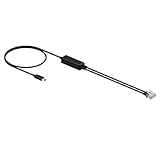
- 【NOTE: AUDIO TRANSMISSION ONLY. DOES NOT SUPPORT REMOTE CALL CONTROL FROM THE HEADSET. YOU MUST MANUALLY ANSWER CALLS ON THE PHONE】. If you need wireless call control, please purchase the Yealink EHS62 Adapter.
- Compatible List. Compatible with Yealink IP phone: T27G,T29G,T4XG; 3-Party Phone: VVX 311/310/400/410/250; 8851,7962,6945,7821,6871; 6867i; 9608,9621G,J139/179/189;
- Connect the telephone cable to desk phone 【RJ9 headset port】. Cable A: Compatible with Yealink/Cisco/Avaya/Poly/Grandstream/Snom IP phone. Cable B:Compatible with Cisco IP phone. Step 1: For IP Phones, you need to press the Call button on the phone to set the audio device as a headset. The call can only be controlled on the IP phone. Step 2: For WH64/WH68 Series dect wireless headset: Before a call, press the phone button on the base to enable the audio channel. The LED indicator of the phone button turns solid green.After a call, press the phone button on the base again or dock the headset to the base to disable the audio channel. The LED indicator of the phone button turns off.
- Connect the telephone cable to desk phone 【RJ9 handset port】. Cable A: Compatible with Mitel & Unify IP Phone.You need to do the following on the WH6X dect headset:Before a call, press the phone button on the base to enable the audio channel. The LED indicator of the phone button turns solid green.After a call, press the phone button on the base again or dock the headset to the base to disable the audio channel. The LED indicator of the phone button turns off.
- Contact seller to verify compatibility if unsure as an accessory is required to connect with some desk phones.
Troubleshooting TextNow
The app does not ring or show incoming texts
- Update TextNow to the current version.
- Confirm that you are signed in to the account containing the expected number.
- Check the operating system’s notification permissions for TextNow.
- Check background-data, battery-optimization, and similar settings that may stop TextNow from running when it is not open.
- Confirm that the phone has a working Wi-Fi or mobile-data connection.
- Test the account on the web or another supported device to determine whether the problem follows the account or stays with the phone.
Calls fail over Wi-Fi
- Test another website or app to confirm the connection is actually online.
- Update TextNow and restart the device.
- Check microphone and notification permissions.
- Sign out only if necessary, and make sure you know the correct account credentials before doing so.
- Try a different Wi-Fi network if the current network blocks or poorly handles voice traffic.
Android call problems persist
On Android, clear the TextNow app cache rather than clearing app storage. A typical path is Settings > Apps > TextNow > Storage & cache > Clear cache, although labels vary by Android manufacturer. Clearing storage can remove local calling and messaging history, so do not use that option casually.
PC Slower Than It Used to Be?
A free scan shows the junk files, broken settings and background clutter dragging Windows down - then fixes them in one click.Free scan · Windows 10 & 11Outdated Drivers Are Slowing You Down
One free scan finds every outdated or missing driver and matches the right update for your exact hardware.Free scan · exact hardware matchThe SIM will not activate
- Confirm that the phone is carrier-unlocked.
- Run the exact device IMEI through TextNow’s compatibility checker.
- Confirm that the operating system meets the current requirement. TextNow requires iOS 17.4 or later for the current wireless setup and recommends Android 13 or later; Android 9–12 may need extra activation steps.
- Check that the SIM or eSIM was installed under the intended TextNow account.
- For a physical SIM, check the phone’s APN settings if TextNow indicates that they need adjustment.
- Check local coverage and restart the device after activation.
An international or remote North American call will not connect
Check whether the destination requires International Long Distance credits and confirm that the account has enough credit. Free North American calling does not guarantee free calls to every remote area or international destination.
A practical TextNow setup checklist
Use this checklist before making TextNow your primary or backup number:
- ☐ Create the account with an email address and password you can continue to access.
- ☐ Choose and test the number.
- ☐ Enable notifications, microphone access, and background operation where required.
- ☐ Confirm calls and texts work over Wi-Fi.
- ☐ Decide whether you need cellular service or only Wi-Fi calling.
- ☐ If you need cellular service, check the exact phone IMEI before purchasing a SIM or phone.
- ☐ Verify that the phone is unlocked and meets the current OS requirements.
- ☐ Decide whether a physical SIM or eligible eSIM is more practical.
- ☐ If the number is important, consider Lock In Number or Ad-Free+ rather than leaving it inactive.
- ☐ Test any bank, government, work, or other important service before using TextNow for its verification codes.
- ☐ Keep another emergency calling method available.
- ☐ Check current international rates and local wireless coverage before travel.
Who should use TextNow?
TextNow is a good fit if you mainly need a separate number for personal calls and texts, regularly have Wi-Fi, want access from a browser, or need a low-cost secondary line. It can also be useful on a compatible unlocked phone when the Free Flex Plan’s selected-app data is enough for your needs.
TextNow is a poor fit if you need guaranteed bank or government verification codes, unrestricted free mobile internet, business-scale messaging, dependable cellular coverage outside the United States, or a sole emergency communication method. In those cases, a conventional carrier or a service specifically designed for the requirement is safer.
Windows Errors? Fix Them Before They Spread
Repair common Windows errors and clear accumulated junk for a smoother, more stable PC - no reinstall needed.Free scan · no reinstallCrashes, No Sound, or Screen Glitches?
Random freezes, missing sound and display glitches usually trace back to one bad driver. Find and replace yours safely.Free scan · under a minuteFrequently Asked Questions
Can I use TextNow without a SIM card?
Yes. The free TextNow app works on Android, iOS, and the web when the device has Wi-Fi or another carrier’s data connection. A TextNow SIM or eligible eSIM is needed only when you want TextNow cellular connectivity away from Wi-Fi.
Does TextNow provide free unlimited mobile data?
No. The current U.S. Free Flex Plan lists unlimited nationwide talk and text plus 5G data for selected apps. It is not unrestricted internet access. TextNow separately lists a $2.99 24-hour Unlimited Data Pass and an Unlimited Plan priced at $8.99 per week or $35.99 per month, subject to change.
Can I use a TextNow number for bank verification codes?
There is no guarantee. Some services reject TextNow’s VoIP numbers, including potentially banking, government, financial, and other security-sensitive services. A recurring Lock In Number or Ad-Free+ subscription may support verification codes for services that accept TextNow, but it cannot override a third party’s policy.
Will my free TextNow number expire?
It can be recycled if it becomes inactive because TextNow has a limited supply of numbers. Lock In Number and Ad-Free+ include number-locking features intended to prevent loss through inactivity.
The Tool Desk
Outbyte Driver Updater FREEFix the driver behind crashes, sound loss and screen glitchesFind Drivers →Outbyte PC Repair FREEClear out junk files and repair common Windows errorsFree Scan →Can TextNow replace my regular phone for emergencies?
TextNow documents 911 calling in the United States and Canada, but Wi-Fi, battery power, device compatibility, permissions, and location sharing can affect the result. Keep a conventional cellular or landline alternative when possible and do not rely on TextNow as your only emergency method.
Does TextNow cellular service work in Canada?
TextNow’s app availability and Wi-Fi calling/texting should be distinguished from SIM-based cellular service. A 2026 update says cellular coverage outside the United States, including Canada for affected SIM users, ends after July 30, 2026. Wi-Fi calling and texting continue, but check the latest account notice before travelling.
The Bottom Line
Bottom line: TextNow is genuinely useful as a free, ad-supported calling and texting app when you have Wi-Fi or another data connection. Its wireless service adds convenience on a compatible unlocked phone, but the $0 Free Flex Plan is not unlimited general-purpose internet, verification codes are not guaranteed, and cellular availability is currently centered on the United States. Check the exact IMEI, protect an important number from inactivity, and keep a separate emergency option before relying on TextNow as your main line.
Quick Recap
Product prices and availability are accurate as of the date/time indicated and are subject to change. Any price and availability information displayed on Amazon at the time of purchase will apply.

