
iTechGuides is reader-supported. When you buy through links on our site, we may earn an affiliate commission. As an Amazon Associate I earn from qualifying purchases. Learn more
Sony XBR – 55X930E: At First Glance
Sony has been in this television manufacturing game for a very long time. They are popular for making high-quality televisions with great display screens.
Most of the televisions Sony made in 2017 were extraordinary, and the Sony XBR – 55X930E wasn’t left out. The Sony XBR – 55X930E is a TV that has an impressive 4K LED display with top-of-the-line picture quality.
Additionally, this television supports HDR, which I am going to talk about more in another section in this article. Moreover, the Sony XBR – 55X930E is one of the brightest televisions I’ve reviewed, so it should perform well with HDR.
To top that up, the Sony XBR – 55X930E comes with an outstanding Android TV operating system. Now that you have an idea of what to expect from the Sony XBR – 55X930E, let get down to business.
Popular on Amazon

- Product Features:Replacement voice control remote RMF-TX300U RMF-TX200U RMF-TX201U fit for Sony Smart 4K TV
- Compatible with Models:XBR-43X800E XBR-49X800E XBR49X800E XBR-55X850D XBR-55X850S XBR-55X930D XBR-65X850D XBR-75X850D XBR-75X940D XBR-85X850D XBR-43X800D XBR-49X800D XBR-49X900E XBR-55X850DS XBR-55X855D XBR-55X900E XBR-55X800E XBR55X800E XBR-55X806E XBR55X806E XBR-65X850E XBR65X850E XBR-75X850E XBR75X850E XBR-55X930E XBR-65X900E XBR-65X930D XBR-65X930E XBR-75X900E XBR-75X930D
- Compatible with Models:XBR-85X850D XBR65X930D XBR65X930E XBR75X930D XBR75X940D XBR75X940E XBR85X850D XBR-55X55DS XBR-55X855D XBR-55X857D XBR-55X857DS XBR-65X855D XBR-65X857D XBR-65X935D XBR-65X937D XBR-75X850D XBR-75X855D XBR-75X857D XBR-85X855D XBR55X55DS XBR55X855D XBR55X857D XBR55X857DS XBR65X855D XBR65X857D XBR65X935D XBR65X937D XBR75X850D XBR75X855D XBR75X857D XBR85X855D KDL-50W800C KDL50W800C KDL-50W850C XBR-55X850C XBR55X850C XBR-55X890C XBR55X890C XBR-55X900C XBR55X900C XBR-65X810C
- Voice Function:This is a voice remote control with shortcut keys. Remote control has a farther transmitting distance, transmission distance is 10m/33ft, has a fast response time of 0.3 seconds and more stable performance. Replaces your damage or old one and covers all the functions of the original remote
- Easy To Pair:Pairing Steps: (1) Press the power button to turn on your TV. (2) Hold "VOL-" button and "Microphone" button for 3 seconds to initiate pairing. (3) Press the OK Button to finish pairing
Sony XBR – 55X930E: Design, Dimension & Weight
The design of the Sony XBR – 55X930E is great. From the front, the Sony XBR – 55X930E looks like most Sony television with a minimalist look.
Still on the front, there are some impressively thin bezels that border the Sony XBR – 55X930E’s display screen. Moreover, these bezels are made of high-quality metal, and they give the television a premium look.
Turning the Sony XBR – 55X930E around to the back, you will find a distinctive plastic diamond pattern panel. Additionally, there are large sections of the television’s back made of removable panels.
The Tool Desk
Outbyte PC Repair FREERepair Windows errors before they cause bigger problemsFix Now →Outbyte Driver Updater FREEScan for outdated or missing drivers - takes under a minuteDriver Scan →Sony designed the Sony XBR – 55X930E’s back that way so that users will be able to hide cables away. To be more precise, cables attached to the television can be hidden in the removable panels on the television’s back.
This is a great way to make the Sony XBR – 55X930E look neat and well-organized at all times. Moreover, the removable back panels are where the Sony XBR – 55X930E’s ports are housed.
Furthermore, the Sony XBR – 55X930E features a central rectangular stand, which is made of metal. Additionally, this stand has a silver finish and is attached to the television from the back with a pair of legs.
Moreover, there are channels through the back legs of the television stand, which serves as cable management. However, if you decide to wall-mount the Sony XBR – 55X930E, it will fit perfectly on the wall.
This is because the Sony XBR – 55X930E is very thin. However, despite being so thin, the Sony XBR – 55X930E is pretty heavy.
Specifically, the Sony XBR – 55X930E measures 1232 x 40 x 715 mm and weighs 28600 g. Comparatively, weighing only 12110.9 g, the TCL 55S425 is lighter than the Sony XBR – 55X930E.
In summary, the Sony XBR – 55X930E is a well-organized television with a minimalist, good-looking design. However, the weight of the television is kind of a flaw.
As a result, I will be rating the Sony XBR – 55X930E an eight in this design review section.
Do these 3 things before closing this tab:
1Repair Windows errors before they cause bigger problems2Scan for outdated or missing drivers - takes under a minute3Clear out junk files and repair common Windows errorsSony XBR – 55X930E: Display Features
As mentioned earlier, the Sony XBR – 55X930E features an LED display screen. The size of this display screen is 55-inch.
Furthermore, the screen resolution of this 55-inch LED display is 4K UHD (3840 x 2160). To start with, the picture quality on this 4K LED display is great.
This is partially due to the display’s impressive contrast ratio of 5,744:1. What does a display’s contrast ratio mean though?
A display’s contrast ratio is the ratio of the luminance between brightest white to the darkest black that the display can produce. Additionally, a display that has a high contrast ratio is highly desirable.
Windows Errors? Fix Them Before They Spread
Repair common Windows errors and clear accumulated junk for a smoother, more stable PC - no reinstall needed.Free scan · no reinstallCrashes, No Sound, or Screen Glitches?
Random freezes, missing sound and display glitches usually trace back to one bad driver. Find and replace yours safely.Free scan · under a minuteThis is because a high contrast ratio greatly enhances the black level of a display. In other words, a high contrast ratio improves how deep a display would produce black.
Well, blacks on the Sony XBR – 55X930E will be very deep, thanks to its display’s impressive contrast ratio. As a result, movies with lots of shadowy and dark scenes will be a joy to watch on the Sony XBR – 55X930E.
Furthermore, the Sony XBR – 55X930E’s display not only has an impressive contrast ratio, but also supports local dimming. Local dimming is a technique that LED displays uses to enhance contrast ratio in dark scenarios by reducing backlight zones.
That is not all, the Sony XBR – 55X930E’s display also supports HDR (High Dynamic Range). HDR is a color technique that enables a display to exhibit a wider range of colors and contrasts.
Therefore, High Dynamic Range (HDR)-compatible displays like the Sony XBR – 55X930E’s display deliver better contrast and color accuracy. In addition to that, they also deliver more vibrant colors.
Also popular on Amazon
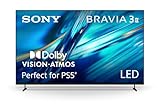
- MOVIES INCLUDED WITH THE BRAVIA TV: Access SONY PICTURES CORE with Pure Stream and the largest IMAX Enhanced collection included with BRAVIA. 5 credits to redeem on latest release movies and 12 months subscription on hundreds of classics.
- CINEMATIC PICTURE AND SOUND AT HOME: Support for Dolby Vision and Dolby Atmos delivers an immersive viewing experience. DTS:X creates cinema-like audio that surrounds you.
- SMARTER PICTURE IN REAL TIME: The XR Processor uses AI scene recognition to optimize color, contrast, and clarity in every frame. XR Clear Image uses AI to restore lost detail and reduce noise in your content.
- SMOOTH, BLUR-FREE MOTION IN SPORTS AND ACTION: Enhanced 120Hz clearness and smoothness when watching fast-moving action. Motionflow XR keeps fast scenes clear and easy to follow.
- PERFECT FOR PLAYSTATION 5: Take your PS5 gaming to the next level with exclusive features – Auto HDR Tone Mapping and Auto Genre Picture Mode – that optimizes picture quality for gaming and streaming. Game Menu puts all your gaming picture settings and exclusive assist features in one place.
Also, HDR-compatible displays are often bright. Therefore, one would expect the Sony XBR – 55X930E’s display to deliver impressive brightness performance.
Well, that is exactly what the Sony XBR – 55X930E’s display delivers – excellent brightness! The Sony XBR – 55X930E’s display can get as bright as 1,442 cd/m², which is very impressive.
As a result, you will be able to use the Sony XBR – 55X930E even in the brightest of rooms.
Quick wins for a faster PC:
Fix the driver behind crashes, sound loss and screen glitchesFind Drivers →Repair Windows errors before they cause bigger problemsFix Now →Scan for outdated or missing drivers - takes under a minuteDriver Scan →Unfortunately, the Sony XBR – 55X930E’s display has very poor viewing angles. Picture quality reduces drastically when the display is viewed from even the slightest angle.
Therefore, you are better off viewing the Sony XBR – 55X930E directly from the center. On a positive note, the Sony XBR – 55X930E’s display has a semi-gloss coating that prevents reflection.
Even though the reflection handling isn’t particularly great, the semi-gloss coating does a decent job of preventing reflection. However, the display’s semi-gloss coating might struggle to fight off reflection in a very bright room.
Moving on, the Sony XBR – 55X930E’s display has a response time of 12.7 milliseconds, which is a good thing. To be more precise, response time is the time it takes a display to transition from a particular color to another.
The lower the display response time, the better the viewing experience. Therefore, with a 12.7 milliseconds response time, the Sony XBR – 55X930E’s display will be able to handle fast motion contents with ease.
Fast motion content includes live sports or video games. Speaking of games, the Sony XBR – 55X930E’s display isn’t really ideal for gaming.
This is due to the fact that the display doesn’t have a low input lag. The Sony XBR – 55X930E’s display records a 42.3 milliseconds input lag, which is practically high for gaming.
What does input lag means, though? Input lag is the time it takes a display to register an input either from a gamepad or remote.
Free tools Windows power users keep installed
One-click scans. No signup required.
However, input lag is mostly important to gamers. Also, different gamers have a preferred choice of input lag, either high or low, but mostly low.
However, I personally think a 42.3 milliseconds input lag is very high and won’t be preferable for most gamers. Therefore, the Sony XBR – 55X930E isn’t a television that would interest a gamer.
In summary, the Sony XBR – 55X930E’s display is brilliant in every aspect until it gets to the part of gaming. Likewise, to the part of viewing the television from the side.
Therefore, the Sony XBR – 55X930E deserves nothing more than an eight out of ten rating.
Recommended Free Tools
Sony XBR – 55X930E: Sound Features
Sony televisions before the production of the Sony XBR – 55X930E usually have mediocre sound quality/sound system. Thankfully, things have improved dramatically during and after the era of the Sony XBR – 55X930E.
Basically, the sound system on the Sony XBR – 55X930E is pretty decent and sounds more direct. Even though the television’s sound system isn’t particularly great, it is very much adequate for casual viewing.
Furthermore, dialogue is very clear on the Sony XBR – 55X930E’s sound system. Dialogue is the sound generated when two or more people are discussing in a film or movie.
Interestingly, soundstage is present on the Sony XBR – 55X930E’s sound system, and it is wide and impressive. Soundstage (also known as a speaker impression) is an illusory three-dimensional space formed by a sound system’s high-fidelity sound output.
What’s actually slowing this PC down?
Pick the symptom - the matching free tool is one click away.
In other words, soundstage gives the impression that the sound is originating from somewhere beyond the television’s physical space. Moreover, if you use the Cinema sound preset or ClearAudio+ mode, there will be a slight trace of sound coming from behind you.
Also popular on Amazon

- MINI LED BRIGHTNESS AND CONTRAST: Thousands of Mini LEDs are precisely controlled by XR Backlight Master Drive to deliver captivating brightness and authentic contrast.
- BILLIONS OF REAL-WORLD COLORS: Access billions of accurate real-world colors with XR Triluminos Pro.
- POWERFUL TV PROCESSING WITH AI: XR Processor with AI technology intelligently enhances every scene in real-time boosting color, contrast, and clarity.
- EVERYTHING YOU STREAM. ALL IN ONE SCREEN: Get access to all your favorite streaming apps in one place with Google TV. With Google Assistant, simply use your voice to search and ask questions. Easily stream to your TV with support for Apple AirPlay 2 and Google Cast.
- MOVIES INCLUDED: Get movies included and access to the largest IMAX Enhanced collection with the SONY PICTURES CORE app.
Unfortunately, just like most television’s sound systems nowadays, the Sony XBR – 55X930E’s sound system lacks bass. Not that bass is totally eliminated on the sound system, but the bass is just minimal.
The only real problem I have with the Sony XBR – 55X930E’s sound system is that it generates a lot of distortion. This was proven through the Sony XBR – 55X930E’s sound system’s mediocre THD (Total Harmonic Distortion) performance.
Specifically, THD is a test that calculates the quantity of distortion a sound system can make. Though, if a sound system’s THD score, which is usually recorded as a percentage, is less than 1%, distortion won’t be audible.
Free tools Windows power users keep installed
One-click scans. No signup required.
However, the Sony XBR – 55X930E’s sound system’s THD score is x2 of 1%. Specifically, the Sony XBR – 55X930E’s sound system record a THD score of 2.306%.
Essentially, this means you can’t use the Sony XBR – 55X930E at the maximum volume level without experiencing distortion. Therefore, the Sony XBR – 55X930E isn’t suitable for a large room setting.
In conclusion, the Sony XBR – 55X930E’s sound system is actually impressive. However, just like most televisions I’ve reviewed, the Sony XBR – 55X930E’s sound system generates a lot of distortion.
Therefore, I will rate the Sony XBR – 55X930E a seven out of ten in this sound features review section.
The Tool Desk
Outbyte Driver Updater FREEScan for outdated or missing drivers - takes under a minuteDriver Scan →Outbyte PC Repair FREERepair Windows errors before they cause bigger problemsFix Now →Sony XBR – 55X930E: Ports & Connectivity Features
First and foremost, the Sony XBR – 55X930E comes with a really good port selection. In the design review section above, I stated that all of the Sony XBR – 55X930E’s ports are on the back.
Basically, the ports on the back of the television are all hidden in the removable plastic panels. Additionally, some of the ports are down-facing and some are left-facing.
However, the left-facing ports are much compared to the down-facing ports. This is because the left-facing ports are much easier to access if the television is mounted on the wall.
So, the left-facing ports include two USB ports, an HDMI port, a headphone jack, and an optical audio output. However, that’s not all as a set of Composite Video/audio input is also included among the left-facing ports.
Recommended Free Tools
Now for the down-facing ports. The down-facing ports are minimal but it features more HDMI ports.
Specifically, the down-facing ports include three HDMI ports. One of these HDMI ports supports ARC (audio return channel).
Therefore, you can use the HDMI port as a video input as well as an audio output. In other words, you can use the ARC compatible HDMI port to connect a soundbar or external speaker to the Sony XBR – 55X930E.
Furthermore, other ports among the down-facing ports include an Ethernet port, another USB port, and an RF port. Moreover, the Sony XBR – 55X930E features 802.11a/b/g/n/ac WIFI and Bluetooth 4.1 for wireless connectivity.
Do these 3 things before closing this tab:
1Scan for outdated or missing drivers - takes under a minute2Clear out junk files and repair common Windows errors3Fix the driver behind crashes, sound loss and screen glitchesMoving on, this ports and connectivity section won’t be complete if I don’t mention the Sony XBR – 55X930E’s remote control. Specifically, the Sony XBR – 55X930E comes with a Voice remote control that is fairly large and has plenty of buttons.
Furthermore, as a voice remote, this remote control has an inbuilt microphone for sending voice commands. However, you can only use the voice command feature via Google Assistant.
Inputting a voice command is actually easier than you think. First, you have to pair the remote control and the Sony XBR – 55X930E together via Bluetooth.
Afterward, on the remote, press and hold the microphone button while speaking into the microphone. As stated earlier, this remote control features plenty of buttons.
Quick wins for a faster PC:
Scan for outdated or missing drivers - takes under a minuteDriver Scan →Repair Windows errors before they cause bigger problemsFix Now →Specifically, the remote has a full number pad, circular navigation button, channel and volume rockers, and media playback buttons, etc. Additionally, the remote features two dedicated buttons for streaming apps like Google Play and Netflix.
Also popular on Amazon

- PURE BLACK OLED CONTRAST: Over 8 million self-lit pixels are precisely controlled to produce pure black with high brightness.
- POWERFUL TV PROCESSING: XR Processor intelligently enhances every scene in real-time boosting color, contrast, and clarity.
- EVERYTHING YOU STREAM. ALL IN ONE SCREEN: Get access to all your favorite streaming apps in one place with Google TV. With Google Assistant, simply use your voice to search and ask questions.
- EFFORTLESSLY STREAM TO YOUR TV: Easily stream to your TV with support for Apple AirPlay 2 and Google Cast.
- YOUR FAVORITE STREAMING APPS IN ONE PLACE: Get access to all your favorite streaming apps, including Netflix, Prime Video, Disney+, YouTube, the Apple TV app, Crunchyroll, and many more with Google TV.
In summary, the Sony XBR – 55X930E has plenty of useful ports, and also comes with a handy voice remote control. Thus, the Sony XBR – 55X930E deserves nothing less than a nine out of ten rating in review section.
Independent reader supportYour contribution helps us test, update, and keep practical guides available for everyone.Sony XBR – 55X930E: Smart Features
The Sony XBR – 55X930E is a smart television that runs on Google’s Android TV operating system. This practically means the Sony XBR – 55X930E will have access to all the streaming apps available on the Google Play store.
Major streaming apps on Google Play Store include Netflix, YouTube, Google Play Music, Spotify, Play TV, and so on, are available on this TV. However, as most of us know, most of these streaming apps aren’t free.
To be more precise, you are required to pay a particular amount every month to have access to them. This might be heartbreaking for users who live on a budget.
However, don’t be heartbroken because the Android TV operating system offers free streaming apps pre-installed. These free streaming apps include Cyberflix TV, Viva TV, Filelinked, Kodi, and so on.
Furthermore, as one would expect from a smart TV featuring Android TV OS, the Sony XBR – 55X930E comes with a built-in Chromecast. This feature allows you to “cast” media content from your mobile device or tablet to the Sony XBR – 55X930E.
Overall, the Android TV OS is an ideal option for handling the “smart TV” functionality of the Sony XBR – 55X930E. Therefore, I will rate the Sony XBR – 55X930E a nine out of ten in this smart features review section.
Frequently Asked Questions
Yes, it is. The Sony XBR – 55X930E is a smart TV with a great LED display that has impressive picture quality. Additionally, this television comes with an impressive Android TV operating system.
Also, Sony equipped the television with a good port selection. However, the television’s display has disappointing viewing angles.
Yes. The Sony XBR – 55X930E supports HDR, as well as local dimming.
Sony Group Corporation is the company that owns Sony. Kenichiro Yoshida is the company’s chairman and CEO.
The way a Sony television is used and maintained determines how long it will last. However, Sony claims that their televisions can last up to four or six years under heavy, continuous usage.
What’s actually slowing this PC down?
Pick the symptom - the matching free tool is one click away.
Yes, it does. The Sony XBR – 55X930E comes with a Voice remote control that has an inbuilt microphone.
Conclusion
Sony really did a lot of impressive work on the Sony XBR – 55X930E. From the television’s design to its display, everything is just perfect.
However, the Sony XBR – 55X930E features a few imperfections such as its display’s poor viewing angles. Also, the television isn’t suitable for gaming as its display has a high input lag.
However, Sony compensates the Sony XBR – 55X930E users by including an extraordinary operating system from Google, Android TV operating system. Overall, unless you are a serious gamer, I believe the Sony XBR – 55X930E should be suitable for everyone.
I hope you found this TCL Sony XBR – 55X930E review helpful. If you did, kindly click Yes to “Was this page Helpful?” below.
You could also share your thoughts with the “Leave a Comment” form found at the end of this page.
If you found the review helpful, be a part of the discussion at [discourse_topic_url] and share your thoughts with the community!
For more Smartphone reviews, visit our Television review page. You may also find our Television Specs page very helpful.
Windows Errors? Fix Them Before They Spread
Repair common Windows errors and clear accumulated junk for a smoother, more stable PC - no reinstall needed.Free scan · no reinstallOutdated Drivers Are Slowing You Down
One free scan finds every outdated or missing driver and matches the right update for your exact hardware.Free scan · exact hardware matchQuick Recap
Product prices and availability are accurate as of the date/time indicated and are subject to change. Any price and availability information displayed on Amazon at the time of purchase will apply.


