
Do these 3 things before closing this tab:
1Clear out junk files and repair common Windows errors2Fix the driver behind crashes, sound loss and screen glitches3Repair Windows errors before they cause bigger problemsiTechGuides is reader-supported. When you buy through links on our site, we may earn an affiliate commission. As an Amazon Associate I earn from qualifying purchases. Learn more
Sonos is still trying to fix its app, but the emergency phase of the 2024 crisis has shifted into redesign and refinement. The app is materially more functional than it was after the May 2024 overhaul, yet Sonos is still testing navigation changes in 2026, so “fixed” remains premature—especially for owners who value predictable controls.
The clearest evidence is Sonos’s own release history: Android app version 87.01.8 and iOS version 87.01.7, released July 28, 2026, continue refining an opt-in Improved Navigation experience rather than announcing a completed redesign. The company has restored and expanded important capabilities, but reliability, compatibility, and trust still need to be judged separately.
Key takeaways
- Sonos app versions 87.01.8 for Android and 87.01.7 for iOS were released on July 28, 2026, with continued refinement of Improved Navigation.
- The May 2024 redesign disrupted core workflows including discovery, volume control, queues, alarms, sleep timers, setup, and local-library access for many users.
- Sonos has shipped repeated performance fixes, restored browsing, control, and search tabs, added sorting and orientation options, and introduced features such as iOS Shortcuts and SonosNet controls.
- Sonos’s current system software is version 96.0-78270, released July 14, 2026, showing that app behavior and speaker firmware remain separate parts of the troubleshooting picture.
- The best current verdict is “usable and improving, but still under reconstruction,” not “the Sonos app is completely fixed.”
Is Sonos still trying to fix its app?
Yes. Sonos is still trying to fix its app because the company continues to ship navigation revisions, restore controls, and collect feedback on an Improved Navigation experience that users can enable before it becomes the standard interface.
The Tool Desk
Outbyte PC Repair FREEClear out junk files and repair common Windows errorsFree Scan →Outbyte Driver Updater FREEFix the driver behind crashes, sound loss and screen glitchesFind Drivers →That does not mean the app remains in the same condition as it was in 2024. Sonos has made substantial functional and reliability changes. It means the company’s repair effort has entered a second phase: the basic emergency restoration work is accompanied by a continuing attempt to find a navigation model that users can trust.
Popular on Amazon
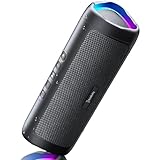
- [Immersive Sound & TWS Dual Pairing] Two full-range drivers deliver powerful, well-balanced sound with minimal distortion for music, movies and gaming. Pair two speakers together for true wireless stereo (TWS) - instant left and right channels that fill any room or backyard party.
- [IPX5 Waterproof & Built for Outdoors] Durable shell rated IPX5 against water splashes and spills - poolside, beach, shower steam and light rain are no problem (not for submersion). Rugged enough for camping, hiking and tailgates; just 13 oz to toss in any bag.
- [24-Hour Playtime & Bluetooth 5.3] Up to 24 hours per charge at 50% volume with lights off (expect less at full volume) plus a 100 ft wireless range on Bluetooth 5.3, stable through walls and outdoors. One press turns off the lights to stretch battery even further.
- [A Gift That Actually Gets Used] A dynamic LED light show pulses to the beat of the music and switches off with one button - party mode when you want it, invisible when you do not. A go-to white elephant gift, stocking stuffer, and Christmas or birthday gift for men, women, dads and moms.
- [Everything in the Box] 1 portable Bluetooth speaker, 1 Type-C charging cable, quick start guide and lifetime technical support. Built-in microphone for hands-free calls; 3.5mm AUX supported for non-Bluetooth devices (AUX cable not included).
The latest public release notes list Android version 87.01.8 and iOS version 87.01.7, both released July 28, 2026, with continued refinement of Improved Navigation. Sonos’s official app release notes also warn that releases and features can roll out over days or weeks, so the interface may not appear identically for every user at the same time.
What went wrong with the Sonos app in May 2024?
The May 2024 Sonos app redesign replaced familiar navigation while the company was also launching its first headphones, the Sonos Ace. The redesign affected core system controls rather than only changing colors or screen layouts.
Owners reported problems such as slow or unreliable speaker discovery, delayed volume responses, failed or awkward queue management, missing alarms and sleep timers, disrupted playlists and local music libraries, and difficulty setting up products or managing Wi-Fi. Battery drain, performance, accessibility, and general usability also became recurring parts of the public criticism.
Those symptoms did not necessarily have one cause. Some failures could originate in the mobile app, while others could involve speaker firmware, a home network, the phone’s operating system, or a third-party music service. The important product-level problem was predictability: owners of a premium multiroom system could no longer assume that familiar controls would respond consistently.
“Everyone hated” is too broad a description, and not every owner experienced every failure. The more defensible conclusion is that the redesign generated widespread backlash and substantial customer dissatisfaction because essential workflows became less dependable for a large enough portion of the installed base to damage confidence in the entire ecosystem.
Why did the app problem become a business crisis?
The Sonos app crisis became a business crisis because the app was the control layer for an ecosystem whose hardware depends heavily on software. If customers cannot reliably discover speakers, group rooms, change volume, or complete setup, the problem affects new purchases as well as existing products.
Sonos acknowledged increased complaints and dissatisfaction, reduced sales of existing products, reputational harm, and potentially up to $30 million in short-term customer-support and remediation costs in company materials dated January 13, 2025. The company’s January 2025 filing materials document why the issue was more serious than an unpopular visual redesign.
Sonos also published seven quality and customer-experience commitments, including stronger quality benchmarks, an internal ombudsperson, and a condition tying executive bonuses to improving the app and rebuilding trust. Sonos’s quality and customer-experience announcement is the company’s own description of those commitments.
Patrick Spence stepped down as CEO and board member on January 13, 2025, during the company’s recovery from the app crisis. Tom Conrad subsequently became Sonos’s permanent CEO in 2025, as reflected on Sonos’s current corporate-governance page.
What has Sonos actually fixed?
Sonos has fixed or improved a meaningful set of documented functions, although release notes cannot prove that every user has the same experience. The company’s update history shows sustained work on performance, reliability, navigation, compatibility, and system controls.
Also popular on Amazon

- Outdoor-Proof Speaker: Portable design with IPX7 waterproof protection to safeguard against splashes, waves, and water vapor. Get incredible sounds at home, on camping trips, or for outdoor adventures.
- 24H Non-Stop Music: With Anker's world-renowned power management technology and a 5,200mAh Li-ion battery, the soundcore 2 speaker delivers a full day of great sound.
- Powerful Sound: The speaker features 12W power with enhanced bass from dual neodymium drivers. An advanced digital signal processor ensures pounding bass and zero distortion at any volume.
- Intense Bass: Our exclusive BassUp technology and a patented spiral bass port boost low-end frequencies to make the beats hit even harder. The soundcore 2 speaker delivers vibrant audio for home theater nights, beach parties, and sitting around a campfire.
- Grab, Go, Listen: A classic design refined with simple controls and effortless portability. Easy to use and take anywhere, and supports wireless stereo pairing.
| Date | Documented change | Why it matters |
|---|---|---|
| March 17, 2026 | Portable-speaker synchronization and usability changes | Improves coordination and everyday control for portable products. |
| March 31, 2026 | Bug fixes and performance improvements | Addresses reliability without presenting the work as a completed redesign. |
| May 27, 2026 | SonosNet controls, connection-type information, and operating-system support changes | Gives users more visibility into network behavior and system requirements. |
| June 9, 2026 | iOS Shortcuts support | Supports actions including playing content, creating groups, grouping and ungrouping, play/pause, mute, and volume control. |
| June 23, 2026 | Bug fixes and performance improvements | Continues the reliability work. |
| July 14, 2026 | Browsing, control, and search tabs reintroduced; product sorting and orientation options added; new iOS volume interface; Sonos Voice Control support for Lutron smart-home products | Restores more familiar navigation while adding organization and control choices. |
| July 28, 2026 | Android 87.01.8 and iOS 87.01.7; continued Improved Navigation refinement | Shows that the navigation redesign remains active rather than finished. |
The dates and features in this table come from Sonos’s official app release history. The release history is evidence of what Sonos shipped, not a universal guarantee that every feature works identically on every phone, speaker, music service, or network.
Recommended Free Tools
What is the Improved Navigation experience?
Improved Navigation is Sonos’s current navigation experiment: an alternate app experience that users can enable early while Sonos continues collecting feedback and refining the design.
The experience includes the return of separate tabs for browsing content, controlling the system, and searching. It also includes product-sorting and orientation options intended to make rooms and speakers easier to organize. Sonos is not presenting the experience as a universally available, permanently final interface.
Availability can depend on the app version, mobile platform, rollout timing, and whether the user opts in. The setting may also move or change labels while Sonos tests the design. Independent coverage of the navigation refresh describes the public rollout, while the official release notes remain the better source for version and availability qualifications.
The distinction matters because a familiar-looking tab bar is not the same thing as a repaired foundation. The meaningful test is whether speaker discovery, playback, grouping, volume, settings, queues, alarms, and service integrations work dependably for the individual system.
Quick wins for a faster PC:
Repair Windows errors before they cause bigger problemsFix Now →Fix the driver behind crashes, sound loss and screen glitchesFind Drivers →Why is the answer still “yes” in 2026?
Sonos is still trying to fix its app in 2026 because the company is still changing core navigation and asking users to help evaluate the result. A finished product can receive ordinary bug fixes, but an opt-in replacement for the main navigation indicates a larger design transition remains underway.
The current situation is better understood as a timeline:
- May 2024: Sonos launched the substantially redesigned app alongside the broader launch period for Sonos Ace, and owners reported widespread disruption to core workflows.
- 2024: Sonos acknowledged the quality and customer-experience problem and published seven commitments intended to improve software quality and rebuild trust.
- January 13, 2025: Patrick Spence stepped down as CEO and board member amid the company’s recovery from the app crisis.
- 2025: Sonos continued restoration, reliability, and performance work while the company addressed the business effects of the app failure.
- 2026: Sonos reintroduced navigation tabs, added control and network features, and began refining the Improved Navigation experience through an opt-in and feedback-oriented rollout.
This timeline rejects two equally inaccurate conclusions: Sonos did not ignore the app for two years, but Sonos also has not demonstrated that the entire recovery is complete.
Which parts of the Sonos system are actually causing the problem?
A Sonos problem may involve the mobile app, speaker firmware, the home network, a phone operating system, a music-service API, speaker-generation compatibility, or a cloud-dependent feature. Treating every failure as an app bug can lead to the wrong remedy.
PC Slower Than It Used to Be?
A free scan shows the junk files, broken settings and background clutter dragging Windows down - then fixes them in one click.Free scan · Windows 10 & 11Crashes, No Sound, or Screen Glitches?
Random freezes, missing sound and display glitches usually trace back to one bad driver. Find and replace yours safely.Free scan · under a minute| Symptom | Possible area to investigate | Useful comparison |
|---|---|---|
| The app cannot find one or more rooms | App discovery, Wi-Fi, router behavior, speaker firmware, or system compatibility | Does the issue affect one room or every room? |
| Playback fails from one service | Music-service integration or account authorization | Does another service play normally? |
| Speakers play but settings fail | App controls, permissions, compatibility, or network communication | Can playback work while grouping or configuration fails? |
| Volume changes arrive late | App responsiveness, network latency, speaker communication, or firmware | Is the delay present in one room or throughout the system? |
| A newly released feature is missing | Staged rollout, app version, system-software version, platform, or product support | Does the feature require both current app and current system software? |
Sonos publishes separate app and system-update histories. The current Sonos system-software page lists version 96.0-78270, released July 14, 2026, with bug fixes and performance improvements. The separate system-update release notes are therefore as important as the mobile-app history when diagnosing a speaker problem.
Also popular on Amazon

- Smart Induction Playback: No Bluetooth connection required - The induction speaker for iphone uses advanced automatic induction technology. When the phone is placed on the stand, the speaker will automatically sense and play music. When the phone is taken away, the music stops (Only iPhone/Android smartphone)
- Bluetooth Mode: The phone speaker amplifier can switch Bluetooth mode with one click. It uses the latest upgraded Bluetooth 5.3 smart chip, stable lossless audio transmission within a range of 10 meters, and the sound quality is more fidelity. (suitable for iPhone/Android/iPad/Tablets)
- HI-FI Stereo Sound Quality & RGB Ambient Light: The iphone speaker uses advanced acoustic tuning technology, 360° surround stereo, shocking bass and clear treble, bringing an immersive music experience. 8 modes of dynamic color atmosphere lights to create a romantic music atmosphere. Perfect for listening to music, watching movies, talking on the phone, etc
- Adjustable Stand & Compatibility: The speaker stand can be adjusted up and down 360° for the best viewing angle. Equipped with a non-slip base, it is stable and will not tip over. The induction speaker for iphone is compatible with 4-13 inch iPhone/Android/iPad/Tablets
- 3500 mAh Rechargeable & Compact and Portable:The speaker can charge your phone while listening to music or watching movies. bluetooth speaker with stand is small and portable, very suitable for outdoor, party, travel, etc
What are the platform and compatibility limits?
Current app availability does not mean that every Sonos feature works on every phone, operating-system version, or speaker. iOS and Android releases can differ, and some features require both a recent app and current Sonos system software.
Sonos says that iOS 17 and iPadOS 17 users operate in an unsupported mode beginning with the relevant app release. Those devices are limited to music-playback controls and do not receive normal app updates. Owners should therefore check the phone or tablet operating system before concluding that a missing feature is a general Sonos failure.
Legacy speakers also require product-specific compatibility checks. A current app may coexist with older products on separate support or software tracks, and an older speaker may not support every new feature. Do not assume that adding a new product automatically gives every older product the same capabilities.
What’s actually slowing this PC down?
Pick the symptom - the matching free tool is one click away.
Staged releases create another source of confusion. Sonos warns that updates and features may appear over several days or weeks, so a screenshot from another user—or a review published during a different rollout phase—may not match the interface on a particular device.
How should Sonos owners check whether their problem is fixed?
Owners should document the app and system versions before changing hardware or resetting speakers. The following sequence separates common app, firmware, operating-system, service, and network causes.
- Check the mobile-app version. Look in the iOS App Store or Google Play and compare the installed version with Sonos’s official release notes.
- Check the Sonos system-software version. Use the app’s system information or update controls rather than assuming that updating the phone app updated the speakers.
- Confirm the mobile operating system. Pay particular attention to iOS 17 and iPadOS 17 support limitations.
- Fully close and reopen the app. Do this after an update so the app reloads the system state and any newly available interface.
- Classify the failure. Record whether the issue affects one room or every room, one music service or all services, and playback only or also discovery and settings.
- Check for Improved Navigation. Look in Settings for the Improved Navigation option. The label and location may change while Sonos continues testing the experience.
- Update both sides when required. If a feature requires newer app and firmware versions, update the mobile app and Sonos system rather than updating only the phone.
- Avoid an automatic factory reset. If the app cannot find the system, consult Sonos support before resetting speakers. A reset can create unnecessary setup work and is not a universal fix.
Sonos’s support hub separates connection, audio, update, voice-service, and account problems. That structure reflects the correct troubleshooting approach: identify the failure category before taking a destructive step.
What does “fixed” mean for different Sonos readers?
“Fixed” has different thresholds for an existing owner, a new buyer, and Sonos as a business.
| Reader | A meaningful definition of fixed | What remains uncertain |
|---|---|---|
| Existing owner with a working system | Rooms remain discoverable, playback and grouping work, and familiar controls are predictable. | Whether future navigation changes introduce regressions or require new workflows. |
| Long-time owner with a large library or many rooms | Queues, alarms, sleep timers, playlists, local libraries, service integrations, and home-theater controls are dependable. | Whether every historic workflow has returned or has an equally good replacement. |
| New multiroom buyer | A new speaker can be set up without unusual friction and basic playback, grouping, and volume control work consistently. | Whether the buyer is comfortable depending on Sonos’s future app decisions. |
| Sonos as a company | Lower support burden, fewer complaints and returns, restored sales conversion, and renewed trust. | Whether software quality processes can prevent another ecosystem-wide disruption. |
Sonos’s own filings connect the app crisis to complaints, sales, reputation, and remediation costs, so a low bug count alone would not prove recovery. Trust is part of the product outcome: would an owner confidently buy another Sonos product after the 2024 experience?
Should you buy Sonos now?
There is no universal yes-or-no answer. The right decision depends on whether the buyer values Sonos’s integrated hardware ecosystem more than independence from its software decisions.
Existing Sonos owners
If an existing Sonos system works acceptably, updating and diagnosing the current setup is usually more sensible than abandoning the hardware solely because of the 2024 history. Record the current app and system versions, check compatibility before expanding, and test the workflows that matter most in the household.
Also popular on Amazon

- Induction/Bluetooth Speaker: Features two modes! Induction mode breaks the limitation of only playing through Bluetooth, lets you play music instantly by placing your phone on the stand—no Bluetooth needed. The Bluetooth mode equipped with cutting-edge Bluetooth 5.3 for a stable. Enjoy crisp, powerful sound with deep bass, tight mids, and crystal-clear highs. Perfect for music lovers!
- 5-in-1 Tech Gadget: This all-in-one device combines a wireless induction speaker, Bluetooth speaker, charger, phone stand, and LED light to elevate your tech experience. Whether watching, cooking, baking, taking video calls, or working in noisy environments, you can enjoy hands-free convenience and crystal-clear sound. Small but powerful!
- Adjustable Stand: Cell phone stand with speaker rotates 360° vertically, perfect for desks, kitchen counters, or nightstands, letting you find the ideal viewing angle. Go hands-free for gaming, videos, or FaceTime calls. With non-slip silicone on the base, back, and slot, your phone stays secure—no worries about slips!
- Long Battery Life & USB Wired Charging: Charge for just 2 hours and enjoy up to 8 hours of playtime (depending on volume)—perfect for home, office, or on-the-go! Doubles as emergency charge to charge your phone when it’s running low. Its lightweight design slips easily into your travel bag or shines at home!
- Cool Gift for All: The AIKELA Induction Speaker is the ultimate tech gift for Christmas, birthdays, Mother’s Day, Father’s Day, Valentine’s Day, or anniversaries. Perfect for friends, moms, dads, or kids, it’s a practical and thoughtful choice—ideal for anyone who loves cool, innovative gadgets!
New multiroom buyers
Sonos remains a credible choice for buyers who want coordinated speakers, portable products, and home-theater hardware controlled through one ecosystem. The purchase should be made with an explicit caveat: Sonos hardware depends on Sonos software, and the company’s app decisions can materially affect the ownership experience.
Free tools Windows power users keep installed
One-click scans. No signup required.
For buyers choosing to stay in the ecosystem, the Sonos wireless-speaker lineup lists products such as Era 100 at an official U.S. price of $219 and Era 100 SL at $189, with availability and prices subject to change by region and date. These prices were checked August 18, 2026.
Home-theater buyers
Sonos is more difficult to replace when the priority is integrated TV audio, surrounds, subwoofers, and whole-home playback. The Arc Ultra was listed at an official U.S. price of $1,099, while Beam (Gen 2) was listed at $499 and Ray at $219 on August 18, 2026. Sonos’s soundbar store is the appropriate place to verify current regional pricing and configurations.
Buyers who dislike software dependence or want the broadest price-to-performance comparison should also compare Bose, Samsung, Sony, and other TV-first soundbar ecosystems. A music streamer is not automatically an equivalent home-theater replacement.
Owners of legacy systems
Check product-specific compatibility before adding new hardware. Do not assume that every older speaker supports every current feature, or that a current mobile app makes all products function identically.
Local-first and open-streaming buyers
Buyers who prioritize local playback, broad streaming flexibility, or control independence should consider a conventional hi-fi system with a streamer, WiiM, or Bluesound. Those options may solve a specific concern without reproducing Sonos’s complete multiroom and home-theater experience.
Independent reader supportYour contribution helps us test, update, and keep practical guides available for everyone.Which Sonos alternatives solve specific complaints?
Sonos alternatives are best compared by the problem they solve, not by calling one brand a universal replacement.
| Option | Best fit | Strength relative to Sonos | Important limitation |
|---|---|---|---|
| WiiM | Flexible streaming and existing hi-fi equipment | The WiiM Home app supports services including Spotify, Tidal, Qobuz, TuneIn, Deezer, Amazon Music, Pandora, and SoundCloud; the WiiM Pro page also lists AirPlay 2, Spotify Connect, NAS/local-file support, and Roon compatibility. | Not a one-for-one substitute for Sonos’s integrated soundbar, surround, portable, and whole-home product range. |
| Bluesound Node | Traditional stereo owners who already have an amplifier or speakers | Adds network streaming to existing hi-fi equipment without requiring an all-in-one wireless speaker. | Less directly comparable to a Sonos speaker or complete Sonos home-theater system; no reliable current price was captured here. |
| Bose, Samsung, or Sony soundbar systems | TV-first buyers replacing a soundbar | Provides a broader comparison among dedicated television-audio ecosystems. | May not reproduce Sonos’s whole-home music workflow or existing-room integration. |
| Conventional hi-fi plus a streamer | Listeners prioritizing component choice and control independence | Separates the speakers, amplifier, and streaming layer instead of locking the household into one speaker ecosystem. | Usually requires more setup and does not deliver Sonos’s seamless multiroom hardware experience by default. |
WiiM’s official product information describes its supported services and connectivity options. The official site advertised a WiiM Sound Lite at $229 on August 18, 2026, but product availability and pricing can vary by region. Bluesound’s Node page describes a network music streamer; this research does not establish a reliable current Node price.
A household with several Sonos rooms or Sonos home theater should not expect a painless migration to WiiM or Bluesound. Replacing the control layer may require replacing or repurposing hardware, and a traditional streamer does not automatically reproduce Sonos grouping, TV synchronization, or portable-speaker integration.
What should Sonos do next?
Sonos needs to prove that the current navigation work is more than a visual rollback. The most important measures are reliability, latency, feature parity, predictability, compatibility, transparency, recovery, and trust.
Also popular on Amazon
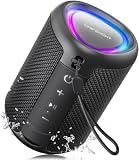
- Compact and Powerful Design: Engineered with premium craftsmanship, this portable speaker features a space-saving form measuring a mere 2.99 inches (7.6 cm) in width and length, and 4.25 inches (10.8 cm) in height. Ultra-lightweight at just 0.582 lbs (264g), it slips effortlessly into any bag. Driven by a robust 20W peak power, it delivers immersive audio with punchy bass and crisp highs, while its 15W continuous output ensures crystal-clear sound for indoor relaxation or outdoor adventures
- 【IPX5 Waterproof – Beach, Pool & Outdoor Adventures】Built for everyday outdoor fun, this portable Bluetooth speaker features IPX5 waterproof protection to handle splashes, light rain, and wet environments. Take it to the beach, pool, campsite, backyard, patio, or shower for music wherever you go. A reliable companion for travel, camping, outdoor gatherings, and weekend adventures
- 【Portable Companion – Travel, Camping & Everyday Use】At just 0.58 lbs, this compact wireless speaker easily fits into a backpack, tote, suitcase, or travel bag. The built-in lanyard makes it easy to carry or hang from a backpack, bike, hook, or shower caddy. Great for road trips, beach days, camping trips, dorm rooms, home offices, and relaxing at home
- 【Dynamic Lights – Create the Right Mood Anywhere】Dynamic LED lights add colorful visual effects to your favorite music, bringing extra energy to parties, gatherings, and everyday listening. Use it in the bedroom, dorm, backyard, patio, campsite, or party space. A fun choice for Halloween music, movie nights, sleepovers, game nights, and outdoor hangouts
- 【15W HD Sound & 15H Playtime – Music for Every Moment】Powerful 15W HD sound delivers clear, enjoyable audio for music, podcasts, games, and more. With up to 15 hours of playtime, enjoy your playlist during travel, beach trips, camping, pool days, backyard gatherings, or a relaxing night at home. Keep the music going without frequent recharging
- Reliability: Rooms and products should appear consistently.
- Latency: Volume and playback commands should respond promptly.
- Feature parity: Queues, alarms, local libraries, playlists, service controls, and home-theater controls should be available where supported.
- Predictability: Familiar controls should remain stable or receive clear explanations when they move.
- Compatibility: Sonos should state precisely which app, system-software, phone, and speaker combinations support each feature.
- Transparency: Experimental, staged, unsupported, and final changes should be clearly labeled.
- Recovery: Owners should be able to diagnose problems without factory-resetting working speakers or replacing hardware unnecessarily.
- Trust: Customers should believe that a future app redesign will not again make a mature hardware system feel unreliable.
There are real trade-offs. Reintroducing familiar tabs can improve discoverability while conflicting with Sonos’s attempt to centralize content and system controls. Supporting older products constrains software architecture. Faster releases can address visible complaints sooner but can also introduce regressions. An opt-in navigation mode provides feedback, but it also makes participating users part of the testing process.
What is the final verdict on the Sonos app?
Sonos has spent the period from the 2024 redesign through 2026 repairing the app, and the latest releases show genuine progress. The app is materially more functional than it was during the initial backlash, with restored navigation and new control, shortcut, sorting, synchronization, and network-management features.
“Fixed” is still premature because Sonos is testing core navigation in 2026 and has not eliminated the broader trust problem created by the 2024 release. The strongest current assessment is: usable and improving, but still under reconstruction.
Quick wins for a faster PC:
Scan for outdated or missing drivers - takes under a minuteDriver Scan →Repair Windows errors before they cause bigger problemsFix Now →Existing owners should judge the current app against their own rooms, services, devices, and workflows rather than against old complaints alone. New buyers should choose Sonos when integrated multiroom and home-theater hardware justify continued software dependence—not because the company has conclusively shown that the app chapter is over.
Frequently Asked Questions
What are the latest Sonos app versions?
The latest publicly documented versions are Sonos app 87.01.8 for Android and 87.01.7 for iOS, released July 28, 2026. Both versions continue refining the Improved Navigation experience, although rollout timing and availability can vary.
Is the Sonos app completely fixed now?
No. The Sonos app is materially more functional than it was after the May 2024 redesign, but Sonos is still testing navigation changes and collecting feedback in 2026. “Usable and improving” is more accurate than “completely fixed.”
Should I factory-reset my Sonos speakers if the app cannot find them?
No. A factory reset is not a universal fix for an app-discovery problem and can create unnecessary setup work. First check the app version, speaker system-software version, phone operating system, Wi-Fi behavior, and whether the problem affects one room or the entire system.
Is WiiM or Bluesound a drop-in replacement for Sonos?
Usually not. WiiM and Bluesound are stronger fits for flexible streaming or traditional hi-fi equipment, while Sonos offers a more integrated range of wireless speakers, portable products, and home-theater hardware. Replacing a multiroom Sonos installation may require replacing or repurposing hardware.
The Bottom Line
Bottom line: Sonos is still fixing its app, but the work has moved from emergency restoration toward ongoing redesign and refinement. The latest releases prove meaningful progress; the opt-in Improved Navigation experience proves the redesign is not finished. Buy or expand Sonos if its integrated ecosystem is worth the software risk, and choose WiiM, Bluesound, or a TV-first soundbar system when a specific alternative better matches your priorities.

