
Workflowy
Workflowy: A mature outliner with broad platform coverage, sharing, exports, integrations, and AI tools. Ranked #3 of 30 in Outliner Software by our editors (9.0/10); pricing: Free plan · 7-day trial; best for mature general-purpose outlining.
At a glance
- Editor score9.0 / 10
- PricingFree plan · 7-day trial
- Best forMature general-purpose outlining
- Free planYes
- Paid from$6.99/mo
- Founded2010 · Centennial, Colorado, United States
- Facts checked20 Sep 2026
Where it wins
- Nested outlining with search, tags, filters, mirrors, and templates
- Node-level sharing with view, edit, and full-access permissions
- Web, desktop, mobile, browser, API, export, and AI support
Where it doesn't
- Basic limits users to 100 nodes per month
- Basic includes 100mb of file uploads
- A single nested-document model may not suit every workflow
Our verdict on Workflowy
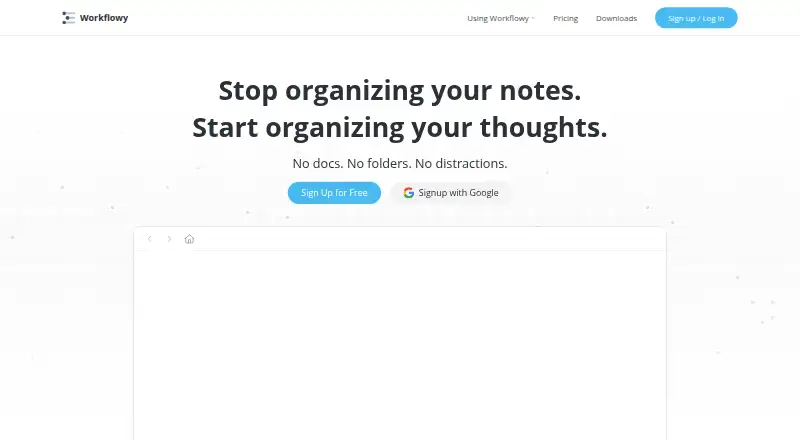
Workflowy is a note-taking and outlining application built around a single nested document. It is designed for people who organize notes, tasks, ideas, and plans as indented bullets, while also supporting teams that need node-level sharing and permissions. Search, tags, dates, filters, backlinks, mirrors, templates, boards, and tables extend the core outline model without replacing it. Built-in AI chat, AI Nodes, and AI Actions add another layer for users who want AI features within their workspace.
The pricing structure provides a permanent free entry point. Basic costs $0 and includes all features, 100 nodes per month, and 100mb of file uploads. Pro costs $6.99 per month when billed annually or $8.99 per month when billed monthly, with all features, unlimited nodes, and unlimited uploads. That makes Pro the relevant tier for users whose outlines exceed the Basic node allowance or who regularly attach files and images. A 7-day free trial is also available.
Workflowy’s platform coverage is broad: web, Windows, macOS, Linux, iOS, Android, a Chrome extension, and an API for reading and writing Workflowy data. Integrations include Readwise, Kindle Highlights, Google Calendar, Web Clipper, Zapier, and Workflowy Desktop MCP. Exports to plain text, formatted text, Markdown, and OPML help move structured content elsewhere. Choose Workflowy for mature, general-purpose outlining with sharing, exports, integrations, and AI tools. Consider another approach if your work depends on a different document structure rather than a single nested outline.
Your product? Our editors can test Workflowy in depth and publish a review, labelled as paid · from $149/mo →
Workflowy pricing
All 2 Workflowy plans and prices →
Workflowy fact sheet
| Free plan | Yes |
|---|---|
| Paid from | $6.99/mo |
| App platforms | Not verified |
| Export formats | Not verified |
| Offline access | Not verified |
| Markdown support | Not verified |
| Real-time collaboration | Not verified |
| Backlinks | Not verified |
| Navigation modes | Not verified |
| Free trial | 7 days |
| Deployment | Cloud, Desktop, Mobile, Browser extension |
| Platforms | Web, Windows, macOS, Linux, iOS, Android, Chrome extension |
| Support | Email, Community, Docs |
| Built for | Solo, Small business, Mid-market (editorial estimate) |
| Integrations | 6 integrations: Readwise, Kindle Highlights, Google Calendar, Web Clipper, Zapier, Workflowy Desktop MCP See all → |
| Pricing | Free plan · 7-day trial (source) |
| Website | workflowy.com |
| Facts checked | 20 Sep 2026 |
Workflowy integrations
Workflowy lists 6 integrations on its own site.
- Readwise
- Kindle Highlights
- Google Calendar
- Web Clipper
- Zapier
- Workflowy Desktop MCP
See all Workflowy integrations →
Alternatives to Workflowy
- CheckvistA flexible collaborative outliner with unlimited nesting, offline access, and low-cost task features.9.4
- DynalistDeep outlining and cross-platform access make Dynalist a strong fit for power users.9.2
- LegendA broad, offline-first outliner with collaboration, views, backlinks, and cross-platform apps.8.8



See all Workflowy alternatives →
Workflowy vs the competition
- Workflowy vs Checkvist
- Workflowy vs Dynalist
- Workflowy vs Legend
- Workflowy vs Indenta
- Workflowy vs Tine
- Workflowy vs Zavala



Compare Workflowy with any tool side by side →
Also Ranked In
Workflowy is ranked in 4 of our directories.
Used Workflowy? Be the first to review it
The editor score above is our own research. What this page doesn't have yet is a reader's view — what you used Workflowy for, what worked and what didn't. No stars are seeded and no review is paid for; an editor reads every one before it appears.
Write a reviewTwo minutes · verified accounts only · read by an editor before it appears
Featured on iTechGuides

Workflowy is listed in our Outliner Software directory. Add the badge to your site — it links back to this page.
<a href="https://www.itechguides.com/products/workflowy/"><img src="https://www.itechguides.com/best/badge/workflowy.svg" alt="Featured on iTechGuides" width="230" height="46"></a>
Reviewed by iTechGuides Editors · Editorial team · Updated Oct 2026
Advertiser disclosure: iTechGuides is reader-supported. Vendors can pay for top positions in our rankings and for a place on other products' pages, and we may earn a commission when you click some links. Bought places stand at the number bought; this page and our disclosure say so. Paying vendors may get a fuller, more detailed review from our editors, and that review can change their score. How we rank.
Last updated · How we research and update