Vicu
Vicu: A focused open-source task manager for fast capture, filtering, and browser-linked work. Ranked #59 of 148 in To-Do List Apps by our editors (3.0/10); pricing: Open source; best for fast capture and browser-linked task workflows.
At a glance
- Editor score3.0 / 10
- PricingOpen source
- Best forFast capture and browser-linked task workflows
- Paid fromFree
- Recurring tasksYes
- Facts checked22 Sep 2026
Where it wins
- Global-hotkey entry and natural-language parsing speed up task capture
- Recurring tasks, reminders, subtasks, attachments, and filtered lists
- Links tasks with Obsidian notes and active browser tabs
Where it doesn't
- Vikunja is required unless standalone mode is enabled
- Support is provided through a ticket channel
- Coverage centers on desktop apps and browser extensions
Our verdict on Vicu
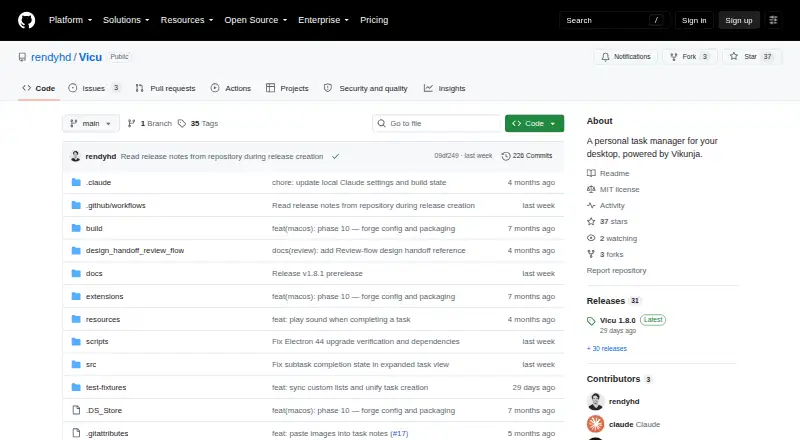
Vicu is an open-source personal task manager for Windows, macOS, and Linux, with browser-extension support. It is aimed at solo users and small teams that want quick task capture without leaving the desktop or active browser tab. A global hotkey opens Quick Entry, while Quick View provides a floating task list. Tasks can include labels, priorities, projects, dates, reminders, recurring schedules, parent-child subtasks, and file attachments.
Its strongest area is task capture and organization. Natural-language parsing handles dates, priorities, labels, projects, and recurrence, reducing the number of fields needed during entry. Smart and custom filtered lists support focused views, while daily, weekly, monthly, and custom recurring intervals cover common schedules. Offline caching and queued action retry support continued work when connectivity is interrupted. The Obsidian integration links tasks with notes, and Chrome, Firefox, Edge, and Brave integrations connect tasks with browser tabs.
Vicu connects to a Vikunja server or operates in standalone mode, giving buyers two deployment paths. The project is distributed under the MIT license, with desktop installers available through GitHub Releases. Its practical fit is strongest for people who want a keyboard-driven desktop workflow tied to Vikunja, Obsidian, or browser activity. Users looking for a task manager centered on broader platform coverage, a larger support operation, or a different collaboration model should consider another tool instead.
Your product? Our editors can test Vicu in depth and publish a review, labelled as paid · from $149/mo →
Vicu pricing
Vicu fact sheet
| Free plan | Not verified |
|---|---|
| Paid from | Free |
| Recurring tasks | Yes |
| Task reminders | Yes |
| Calendar sync | Not verified |
| Subtasks | Yes |
| Offline access | Not verified |
| Active task limit | Not verified |
| Supported platforms | Windows, macOS, Linux, Chrome extension, Firefox extension |
| Deployment | Desktop, Browser extension |
| Platforms | Windows, macOS, Linux, Chrome extension |
| Support | Tickets |
| Built for | Solo, Small business (editorial estimate) |
| Integrations | 7 integrations: Vikunja, Obsidian, Chrome, Firefox, Edge, Brave … |
| Pricing | Open source |
| Website | github.com |
| Facts checked | 22 Sep 2026 |
Vicu integrations
Vicu lists 7 integrations on its own site.
- Vikunja
- Obsidian
- Chrome
- Firefox
- Edge
- Brave
- OpenID Connect
Alternatives to Vicu
- TodoistA complete task manager with broad platform coverage, recurring tasks, and team workspaces.9.2
- TickTickA broad to-do app for users who want tasks, planning, habits, and focus tools together.9.0
- Microsoft To DoA capable free choice for daily planning, shared lists, and Microsoft-connected task management.8.8



Used Vicu? Be the first to review it
The editor score above is our own research. What this page doesn't have yet is a reader's view — what you used Vicu for, what worked and what didn't. No stars are seeded and no review is paid for; an editor reads every one before it appears.
Write a reviewTwo minutes · verified accounts only · read by an editor before it appears
Featured on iTechGuides

Vicu is listed in our To-Do List Apps directory. Add the badge to your site — it links back to this page.
<a href="https://www.itechguides.com/products/vicu/"><img src="https://www.itechguides.com/best/badge/vicu.svg" alt="Featured on iTechGuides" width="230" height="46"></a>
Reviewed by iTechGuides Editors · Editorial team · Updated Oct 2026
Advertiser disclosure: iTechGuides is reader-supported. Vendors can pay for top positions in our rankings and for a place on other products' pages, and we may earn a commission when you click some links. Bought places stand at the number bought; this page and our disclosure say so. Paying vendors may get a fuller, more detailed review from our editors, and that review can change their score. How we rank.
Last updated · How we research and update