Untask
Untask: A capable free Mac task manager for local workflows, with no recurring-task support. Ranked #107 of 148 in To-Do List Apps by our editors (3.0/10); pricing: Free plan; best for mac users wanting a free local task manager.
At a glance
- Editor score3.0 / 10
- PricingFree plan
- Best forMac users wanting a free local task manager
- Free planYes
- Paid fromFree
- Recurring tasksNo
- Facts checked22 Sep 2026
Where it wins
- Local-first storage with no account or subscription
- Configurable lanes, subtasks, notes, attachments, and search
- Two-way synchronization with macOS Reminders
Where it doesn't
- Restricted to macOS desktop
- Does not support recurring tasks
- AI features require user-provided provider keys
Our verdict on Untask
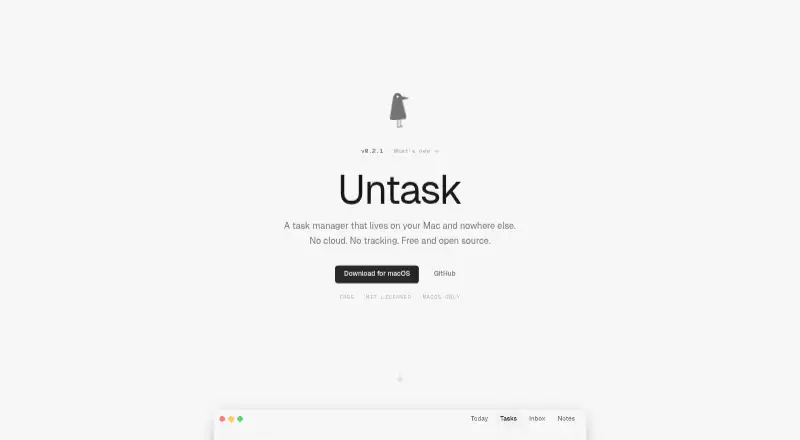
Untask is a free, open-source personal task manager for macOS. It stores tasks, notes, and conversations locally in SQLite, with no account, cloud service, or subscription required. The app suits solo users and small teams that want a desktop task system organized around configurable status lanes rather than a cloud-based workspace. Core task features include due dates, priorities, drag-and-drop reordering, subtasks, full-text search, rich-text notes, file attachments, and a global keyboard shortcut for quick capture.
Its local-first design is the clearest point of distinction. The Free plan includes local task management, MIT licensing, and no account or subscription. Backup and restore support adds a practical way to protect local work, while two-way synchronization with macOS Reminders connects Untask to an existing Apple task workflow. Apple Reminders is the central platform integration; the product also lists OpenRouter, OpenAI, Anthropic, and Ollama for its optional AI assistant. AI support can therefore fit different provider choices, but it depends on user-provided provider keys rather than being a self-contained service.
Untask is a strong fit for Mac users who value local storage, open-source licensing, keyboard-driven capture, and flexible task organization without recurring fees. Its focused desktop scope is less suitable for people who need access beyond macOS, a browser or mobile app, or recurring tasks. Buyers should also distinguish its Reminders synchronization from calendar functionality: the product supports macOS Reminders, while calendar synchronization is not part of the documented feature set. Choose Untask for a private, locally stored personal workflow; choose another tool if cross-platform reach or recurring scheduling is essential.
Your product? Our editors can test Untask in depth and publish a review, labelled as paid · from $149/mo →
Untask pricing
All 1 Untask plans and prices →
Untask fact sheet
| Free plan | Yes |
|---|---|
| Paid from | Free |
| Recurring tasks | No |
| Task reminders | Yes |
| Calendar sync | Not verified |
| Subtasks | Yes |
| Offline access | Not verified |
| Active task limit | Not verified |
| Supported platforms | macos |
| Deployment | Desktop |
| Platforms | macOS |
| Support | Docs |
| Built for | Solo, Small business (editorial estimate) |
| Integrations | 5 integrations: Apple Reminders, OpenRouter, OpenAI, Anthropic, Ollama |
| Pricing | Free plan (source) |
| Website | unta.sk |
| Facts checked | 22 Sep 2026 |
Untask integrations
Untask lists 5 integrations on its own site.
- Apple Reminders
- OpenRouter
- OpenAI
- Anthropic
- Ollama
Alternatives to Untask
- TodoistA complete task manager with broad platform coverage, recurring tasks, and team workspaces.9.2
- TickTickA broad to-do app for users who want tasks, planning, habits, and focus tools together.9.0
- Microsoft To DoA capable free choice for daily planning, shared lists, and Microsoft-connected task management.8.8



Used Untask? Be the first to review it
The editor score above is our own research. What this page doesn't have yet is a reader's view — what you used Untask for, what worked and what didn't. No stars are seeded and no review is paid for; an editor reads every one before it appears.
Write a reviewTwo minutes · verified accounts only · read by an editor before it appears
Featured on iTechGuides

Untask is listed in our To-Do List Apps directory. Add the badge to your site — it links back to this page.
<a href="https://www.itechguides.com/products/untask/"><img src="https://www.itechguides.com/best/badge/untask.svg" alt="Featured on iTechGuides" width="230" height="46"></a>
Reviewed by iTechGuides Editors · Editorial team · Updated Oct 2026
Advertiser disclosure: iTechGuides is reader-supported. Vendors can pay for top positions in our rankings and for a place on other products' pages, and we may earn a commission when you click some links. Bought places stand at the number bought; this page and our disclosure say so. Paying vendors may get a fuller, more detailed review from our editors, and that review can change their score. How we rank.
Last updated · How we research and update