SoftMaker Office
SoftMaker Office: A desktop-focused office suite with native Office formats and no real-time co-editing. Ranked #11 of 16 in Office Suite Software by our editors (8.1/10); pricing: 30-day trial; best for desktop users wanting broad OS support and Office formats.
At a glance
- Editor score8.1 / 10
- Pricing30-day trial
- Best forDesktop users wanting broad OS support and Office formats
- Free planNo
- Paid from$49.90/unit/yr
- Business email includedNo
- Facts checked23 Sep 2026
Where it wins
- Native DOCX, XLSX, and PPTX support across its core apps
- Runs on Windows, macOS, Linux, iOS, and Android
- Includes PDF creation, file versioning, and writing tools
Where it doesn't
- No real-time editing or co-editing
- No free plan; subscription starts at $49.90 per license annually
- No admin console or SSO
Our verdict on SoftMaker Office
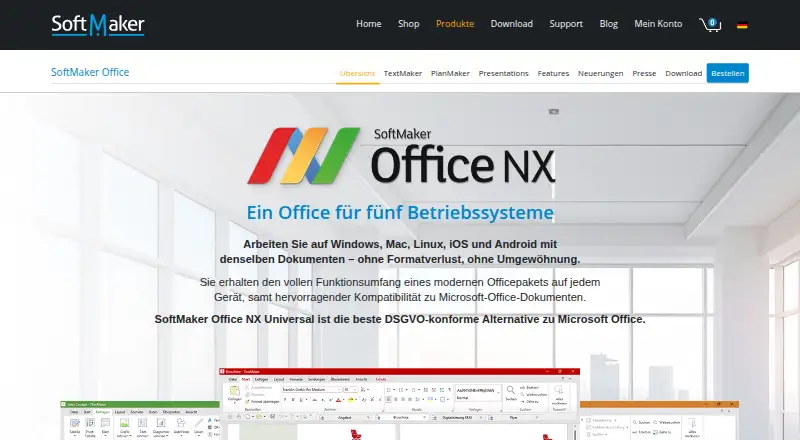
SoftMaker Office is a desktop-focused suite for creating and editing documents, spreadsheets, and presentations. Its TextMaker, PlanMaker, and Presentations apps use DOCX, XLSX, and PPTX as native formats, making it a fit for solo users and small organizations that work with Microsoft Office files. The NX Universal subscription supports Windows, macOS, Linux, iOS, and Android, while the product is described as running locally without a forced cloud connection. That breadth suits people who want office apps across different desktop and mobile systems rather than a workflow centered on browser-based collaboration.
The published plans show NX Universal at $49.90 per license per year or $4.99 per license per month. Both list the same core apps, Duden Korrektor and LanguageTool, DeepL translation, ChatGPT writing assistance, and support for all five operating systems. A 30-day free trial is available, but there is no free plan. Beyond document editing, the suite can create PDF and PDF/A files and includes file version management. These additions make it useful for people who produce finished documents and want local file tools in one suite; DeepL, ChatGPT, LanguageTool, and Zotero are named integrations.
The main trade-off is collaboration: real-time editing is unavailable, so teams that need co-editing should choose a different office suite. The listed category specifications also show no admin console or SSO, which limits its fit for organizations needing centralized administration or identity controls. GDPR is the stated compliance signal, and ticket support is the listed channel. Choose SoftMaker Office when cross-platform desktop apps, Office-format compatibility, and local work matter more than shared live editing. It is less suited to teams whose documents need simultaneous collaboration or managed enterprise access.
Your product? Our editors can test SoftMaker Office in depth and publish a review, labelled as paid · from $149/mo →
SoftMaker Office pricing
All 1 SoftMaker Office plans and prices →
SoftMaker Office fact sheet
| Free plan | No |
|---|---|
| Paid from | $49.90/unit/yr |
| Offline desktop apps | Yes |
| Business email included | No |
| Real-time co-editing | No |
| Admin console | No |
| Single sign-on | No |
| Supported platforms | Windows, macOS, Linux, iOS, Android |
| Free trial | 30 days |
| Deployment | Desktop, Mobile |
| Platforms | Windows, macOS, Linux, iOS, Android |
| Compliance & security | GDPR |
| Support | Tickets |
| Built for | Solo, Small business (editorial estimate) |
| Integrations | 4 integrations: DeepL, ChatGPT, LanguageTool, Zotero |
| Pricing | 30-day trial (source) |
| Website | softmaker.de |
| Facts checked | 23 Sep 2026 |
SoftMaker Office integrations
SoftMaker Office lists 4 integrations on its own site.
- DeepL
- ChatGPT
- LanguageTool
- Zotero
Alternatives to SoftMaker Office
- Google WorkspaceA broad cloud suite for email, documents, storage, meetings, and administration.9.3
- Zoho WorkplaceA broad office suite for organizations pairing business email with collaborative apps.9.1
- Apple iWorkA free creative productivity suite for Apple users, with browser access and real-time collaboration.8.9


See all SoftMaker Office alternatives →
Used SoftMaker Office? Be the first to review it
The editor score above is our own research. What this page doesn't have yet is a reader's view — what you used SoftMaker Office for, what worked and what didn't. No stars are seeded and no review is paid for; an editor reads every one before it appears.
Write a reviewTwo minutes · verified accounts only · read by an editor before it appears
Featured on iTechGuides

SoftMaker Office is listed in our Office Suite Software directory. Add the badge to your site — it links back to this page.
<a href="https://www.itechguides.com/products/softmaker-office/"><img src="https://www.itechguides.com/best/badge/softmaker-office.svg" alt="Featured on iTechGuides" width="230" height="46"></a>
Reviewed by iTechGuides Editors · Editorial team · Updated Oct 2026
Advertiser disclosure: iTechGuides is reader-supported. Vendors can pay for top positions in our rankings and for a place on other products' pages, and we may earn a commission when you click some links. Bought places stand at the number bought; this page and our disclosure say so. Paying vendors may get a fuller, more detailed review from our editors, and that review can change their score. How we rank.
Last updated · How we research and update