Apple iWork
Apple iWork: A free creative productivity suite for Apple users, with browser access and real-time collaboration. Ranked #3 of 16 in Office Suite Software by our editors (8.9/10); pricing: Free plan; best for apple users wanting a free creative productivity suite.
At a glance
- Editor score8.9 / 10
- PricingFree plan
- Best forApple users wanting a free creative productivity suite
- Free planYes
- Paid fromFree
- Business email includedNo
- Facts checked23 Sep 2026
Where it wins
- Free Pages, Numbers, and Keynote cover core office work.
- Real-time collaboration includes permissions and activity summaries.
- Pages supports Word file editing, Apple Pencil, and Apple Intelligence tools.
Where it doesn't
- Apps are limited to web, macOS, and iOS.
- No admin console or single sign-on is listed.
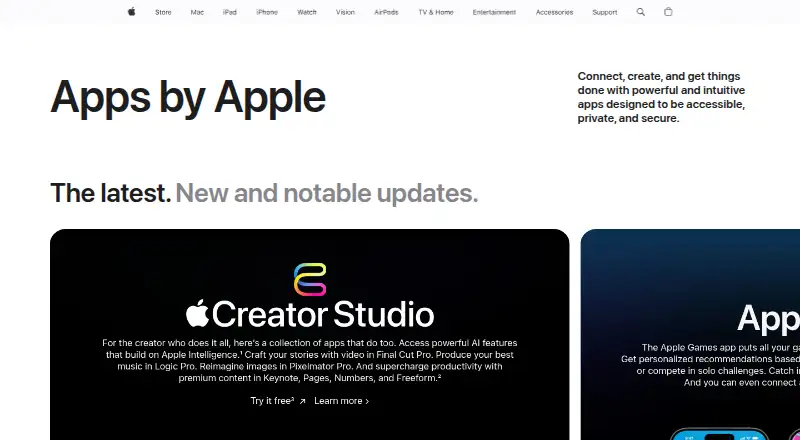
- Some premium content and features require an Apple Creator Studio subscription.
Our verdict on Apple iWork
Apple iWork brings together Pages for documents, Numbers for spreadsheets, and Keynote for presentations. It suits individuals, students, and teams who want creative tools for everyday office work, particularly those working on Apple devices. Browser access through iCloud.com extends its reach to PC users. Core creation, editing, and collaboration are free, so the suite can cover common document, spreadsheet, and presentation tasks without a subscription.
The apps offer distinct creative tools: Pages includes templates, tables, charts, shapes, comments, change tracking, and threaded conversations; Numbers adds Smart Categories and pivot tables; Keynote focuses on graphics and transitions. On iPad, Pages supports Apple Pencil drawing and annotations, and its Apple Intelligence tools include writing assistance and image generation. The suite also imports and edits Microsoft Word files and exports to common document formats. Real-time collaboration includes permissions and activity summaries, while Box and EndNote are named integrations. These capabilities make iWork more than a basic set of editors, though its fit is strongest for people already comfortable in Apple's ecosystem.
Platform and administration needs are the clearest reasons to look elsewhere. iWork runs on web, macOS, and iOS, but the listed platforms do not include Windows or Android apps. It also has no listed admin console or single sign-on, which may make it a poor fit for organizations that need centralized administration or that access control. Core work is free, while some premium content and features are subscription-based through Apple Creator Studio; Apple's product notes do not give a separate iWork price. Choose iWork for free creative productivity across Apple devices and browser access. Consider another office suite if broad desktop and mobile platform coverage or enterprise administration is essential.
Your product? Our editors can test Apple iWork in depth and publish a review, labelled as paid · from $149/mo →
Apple iWork pricing
Apple iWork fact sheet
| Free plan | Yes |
|---|---|
| Paid from | Free |
| Offline desktop apps | Yes |
| Business email included | No |
| Real-time co-editing | Yes |
| Admin console | No |
| Single sign-on | No |
| Supported platforms | web, macos, ios |
| Deployment | Cloud, Desktop, Mobile |
| Platforms | Web, macOS, iOS |
| Support | Docs, Community |
| Built for | Solo, Small business, Mid-market (editorial estimate) |
| Integrations | 2 integrations: Box, EndNote |
| Pricing | Free plan |
| Website | apple.com |
| Facts checked | 23 Sep 2026 |
Apple iWork integrations
Apple iWork lists 2 integrations on its own site.
- Box
- EndNote
Alternatives to Apple iWork
- Google WorkspaceA broad cloud suite for email, documents, storage, meetings, and administration.9.3
- Zoho WorkplaceA broad office suite for organizations pairing business email with collaborative apps.9.1
- ONLYOFFICE DocsA deployable office suite with broad editing and collaboration tools; enterprise licenses start at $1,500.8.8



See all Apple iWork alternatives →
Apple iWork vs the competition
- Apple iWork vs Google Workspace
- Apple iWork vs Zoho Workplace
- Apple iWork vs ONLYOFFICE Docs
- Apple iWork vs Nextcloud Office
- Apple iWork vs WPS Office
- Apple iWork vs Collabora Online



Compare Apple iWork with any tool side by side →
Used Apple iWork? Be the first to review it
The editor score above is our own research. What this page doesn't have yet is a reader's view — what you used Apple iWork for, what worked and what didn't. No stars are seeded and no review is paid for; an editor reads every one before it appears.
Write a reviewTwo minutes · verified accounts only · read by an editor before it appears
Featured on iTechGuides

Apple iWork is listed in our Office Suite Software directory. Add the badge to your site — it links back to this page.
<a href="https://www.itechguides.com/products/apple-iwork/"><img src="https://www.itechguides.com/best/badge/apple-iwork.svg" alt="Featured on iTechGuides" width="230" height="46"></a>
Reviewed by iTechGuides Editors · Editorial team · Updated Oct 2026
Advertiser disclosure: iTechGuides is reader-supported. Vendors can pay for top positions in our rankings and for a place on other products' pages, and we may earn a commission when you click some links. Bought places stand at the number bought; this page and our disclosure say so. Paying vendors may get a fuller, more detailed review from our editors, and that review can change their score. How we rank.
Last updated · How we research and update