
SimplePDF
SimplePDF: A capable PDF form workflow for teams that need structured submissions and API access. Ranked #12 of 26 in PDF Form Software by our editors (6.3/10); pricing: Free plan · paid from $99/mo · 7-day trial; best for API-driven PDF form collection.
At a glance
- Editor score6.3 / 10
- PricingFree plan · paid from $99/mo · 7-day trial
- Best forAPI-driven PDF form collection
- Free planYes
- Import existing PDFsYes
- Facts checked20 Sep 2026
Where it wins
- Detects fields in flat or scanned PDFs
- Supports links, embeds, exports, webhooks, and structured submissions
- Offers API access, audit logs, and priority support on Premium
Where it doesn't
- API access is tied to the $899-per-month Premium plan
- Custom branding and storage integrations require the Pro plan
- Advanced workflows may exceed the needs of simple PDF editing
Our verdict on SimplePDF
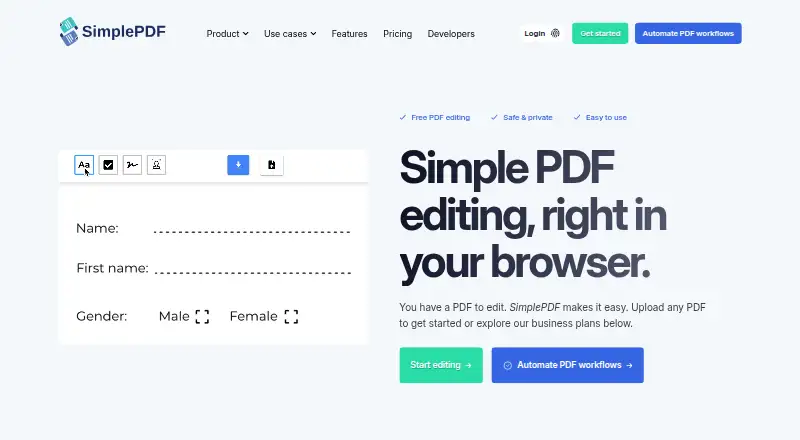
SimplePDF is a browser-based PDF editor and form workflow platform for individuals and businesses. Individuals can fill, edit, sign, and download PDFs without an account. Businesses can upload existing PDFs, detect fields in flat or scanned documents, add fields such as text, checkboxes, signatures, images, dates, and dropdowns, then share forms by link or embed them in websites and applications. Structured submissions can be exported as CSV or Excel.
The plan structure separates basic editing from workflow and integration features. The Free plan includes PDF editing, simple electronic signatures, unlimited end users, and unlimited PDFs. Basic costs $99 per month and adds document links, email and webhook notifications, app embeds, and a dashboard. Pro costs $349 per month and adds custom branding, S3 and Azure Blob Storage, SimplePDF Copilot, and a dashboard. Premium costs $899 per month and adds API access, SharePoint storage, audit logs, and priority support. A seven-day free trial is also available.
Its strongest fit is for organizations collecting information from existing PDFs while keeping submissions structured and connected to other systems. Platform options include the web, Chrome extension, and API, with React, JavaScript/Web script, iframe, Bubble, and WordPress integration paths. Storage connections include S3, Azure Blob Storage, and SharePoint. Required and read-only fields, email and webhook notifications, CSV or Excel exports, and REST API management support operational workflows. Teams that need custom branding, external storage, audit logs, or API-driven document and submission management should evaluate the paid tiers. Individuals and smaller teams focused on editing or signing PDFs may find the Free plan sufficient, while buyers seeking a lower-cost API tier should consider an alternative.
SimplePDF pricing
All 4 SimplePDF plans and prices →
SimplePDF fact sheet
| Free plan | Yes |
|---|---|
| Paid from | Not verified |
| Import existing PDFs | Yes |
| Field validation | Yes |
| Conditional logic | Not verified |
| Data export | CSV, Excel, webhook, API |
| API access | Yes |
| Bulk PDF processing | Not verified |
| Signature fields | Yes |
| Free trial | 7 days |
| Deployment | Cloud, Browser extension |
| Platforms | Web, Chrome extension |
| Compliance & security | GDPR, HIPAA |
| Support | Email, Docs |
| Built for | Solo, Small business, Mid-market, Enterprise (editorial estimate) |
| Integrations | 9 integrations: React component, JavaScript/Web script, Iframe, Bubble Plugin, WordPress Plugin, Google Chrome Extension … See all → |
| Pricing | Free plan · paid from $99/mo · 7-day trial (source) |
| Website | simplepdf.com |
| Facts checked | 20 Sep 2026 |
SimplePDF integrations
SimplePDF lists 9 integrations on its own site.
- React component
- JavaScript/Web script
- Iframe
- Bubble Plugin
- WordPress Plugin
- Google Chrome Extension
- S3
- Azure Blob Storage
- SharePoint
See all SimplePDF integrations →
Alternatives to SimplePDF
- FormForgeA free, local-first PDF form editor with field detection, validation, and AcroForm export.9.5
- FillableA practical PDF workflow tool for conditional forms, signatures, OCR, and API automation.9.0
- PDF StudioA one-time-license PDF editor for advanced forms across Windows, macOS, and Linux.8.2



See all SimplePDF alternatives →
Used SimplePDF? Be the first to review it
The editor score above is our own research. What this page doesn't have yet is a reader's view — what you used SimplePDF for, what worked and what didn't. No stars are seeded and no review is paid for; an editor reads every one before it appears.
Write a reviewTwo minutes · verified accounts only · read by an editor before it appears
Featured on iTechGuides

SimplePDF is listed in our PDF Form Software directory. Add the badge to your site — it links back to this page.
<a href="https://www.itechguides.com/products/simplepdf/"><img src="https://www.itechguides.com/best/badge/simplepdf.svg" alt="Featured on iTechGuides" width="230" height="46"></a>
Reviewed by iTechGuides Editors · Editorial team · Updated Sep 2026
Advertiser disclosure: iTechGuides is reader-supported. We may earn a commission when you click some links. How we rank.
Last updated · How we research and update