
SemantiNote
SemantiNote: A private desktop notebook with useful AI features and a clear one-time upgrade. Ranked #20 of 42 in AI Note-Taking Apps by our editors (5.9/10); pricing: Free plan · paid from $25 · 14-day trial; best for desktop users needing private meeting intelligence.
At a glance
- Editor score5.9 / 10
- PricingFree plan · paid from $25 · 14-day trial
- Best forDesktop users needing private meeting intelligence
- Free planYes
- AI summariesYes
- Facts checked20 Sep 2026
Where it wins
- Semantic search and cited chat across notes
- Offline transcription plus live meeting capture
- One-time $25 Product Key for advanced AI features
Where it doesn't
- Only supports Windows and macOS
- AI features require a Product Key after 14 days
- Listed integrations are limited to four meeting and chat apps
Our verdict on SemantiNote
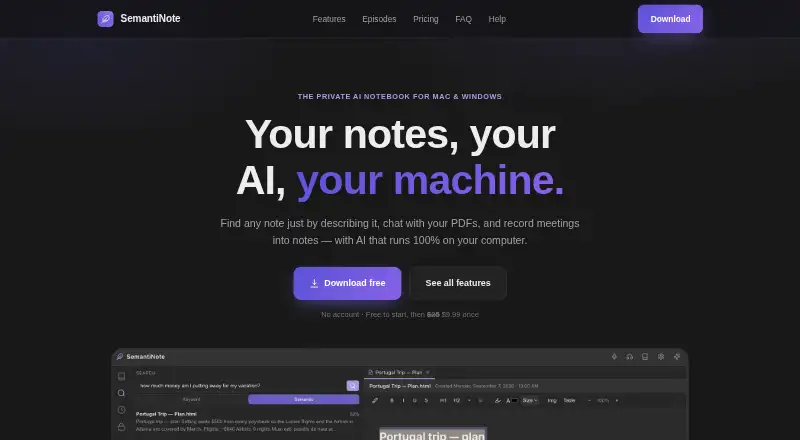
SemantiNote is a desktop note-taking application for macOS and Windows, built for people who want meeting intelligence and searchable personal notes without sending notes, recordings, transcripts, or AI processing away from their computer. Its notebook includes rich notes, tables, tabs, pins, and folders, while voice dictation, offline voice transcription, meeting capture, and live transcription support audio-heavy workflows. The product also includes an encrypted secret safe, making it suited to users who value local storage and private handling of meeting material.
The pricing structure is straightforward. The Free plan includes the full notebook, voice dictation, keyword search, and viewing encrypted secrets. A 14-day trial provides access to AI features, after which the Product Key costs $25 as a one-time purchase. That paid tier adds chat with notes and AI summaries, semantic search, meeting recording, and the ability to add new secrets to the vault. The strongest distinction is the combination of semantic search with chat that provides cited answers, alongside AI summaries, action items, and outline generation. Buyers who want recurring subscription costs avoided may find the one-time Product Key appealing, while users focused only on basic notes and dictation can stay on the Free plan.
Platform fit is the main boundary. SemantiNote supports Windows and macOS, with integrations for Microsoft Teams, Zoom, Slack, and Discord, so it is aimed at desktop-centered workflows rather than broad device coverage. Its feature set reaches from note organization to transcription, meeting capture, search, and private storage, but the product remains focused on the desktop notebook experience. Pick it if local operation, cited note chat, offline transcription, and meeting capture matter most. Choose another option if you need platforms beyond Windows and macOS or prefer AI features included without a paid upgrade after the trial.
SemantiNote pricing
All 2 SemantiNote plans and prices →
SemantiNote fact sheet
| Free plan | Yes |
|---|---|
| Paid from | Not verified |
| AI summaries | Yes |
| AI note search | Yes |
| Audio transcription | Yes |
| Web clipper | Not verified |
| Offline access | Yes |
| Supported platforms | macos, windows |
| Free trial | 14 days · no card needed |
| Deployment | Desktop |
| Platforms | Windows, macOS |
| Support | |
| Built for | Solo, Small business, Mid-market (editorial estimate) |
| Integrations | 4 integrations: Microsoft Teams, Zoom, Slack, Discord |
| Pricing | Free plan · paid from $25 · 14-day trial (source) |
| Website | semantinote.com |
| Facts checked | 20 Sep 2026 |
SemantiNote integrations
SemantiNote lists 4 integrations on its own site.
- Microsoft Teams
- Zoom
- Slack
- Discord
Alternatives to SemantiNote
- Gemini NotebookA Google-centric research assistant with citations, study tools, and rich generated outputs.9.3
- EvernoteA mature workspace for organized notes, tasks, calendars, and AI meeting capture.8.4
- Microsoft OneNoteA flexible cross-platform notebook with offline access, collaboration, OCR, transcription, and Copilot.7.9



See all SemantiNote alternatives →
Used SemantiNote? Be the first to review it
The editor score above is our own research. What this page doesn't have yet is a reader's view — what you used SemantiNote for, what worked and what didn't. No stars are seeded and no review is paid for; an editor reads every one before it appears.
Write a reviewTwo minutes · verified accounts only · read by an editor before it appears
Featured on iTechGuides

SemantiNote is listed in our AI Note-Taking Apps directory. Add the badge to your site — it links back to this page.
<a href="https://www.itechguides.com/products/semantinote/"><img src="https://www.itechguides.com/best/badge/semantinote.svg" alt="Featured on iTechGuides" width="230" height="46"></a>
Guides on AI Note-Taking apps
- The Best AI Note-Taking App for Productivity in 2026Aug 2026
- Machine Learning in Linux: Reor AI Note-Taking App Review and Setup Guide (2026)Aug 2026
- How to Use NotebookLM, Google’s AI Note-Taking App (Now Gemini Notebook)Aug 2026
Reviewed by iTechGuides Editors · Editorial team · Updated Sep 2026
Advertiser disclosure: iTechGuides is reader-supported. We may earn a commission when you click some links. How we rank.
Last updated · How we research and update