Scotch
Scotch: Open-source Wine interface for Apple silicon Macs with detailed graphics and bottle controls. Ranked #9 of 26 in Windows Compatibility Layers by our editors (6.6/10); pricing: Open source; best for advanced Mac users tuning graphics and environments.
At a glance
- Editor score6.6 / 10
- PricingOpen source
- Best forAdvanced Mac users tuning graphics and environments
- Paid fromNone
- macOS supportYes
- Facts checked20 Sep 2026
Where it wins
- Multiple graphics backends, including DXVK, DXMT, D3DMetal, and Mesa Zink
- Per-program locales, arguments, environment variables, and GPU controls
- Diagnostics, Winetricks, CLI operations, and one-click uninstall tools
Where it doesn't
- Apple silicon Macs only; Intel Macs are unsupported
- Requires macOS 26 Tahoe or later and Rosetta 2 for Wine
- No Linux support or built-in application database
Our verdict on Scotch
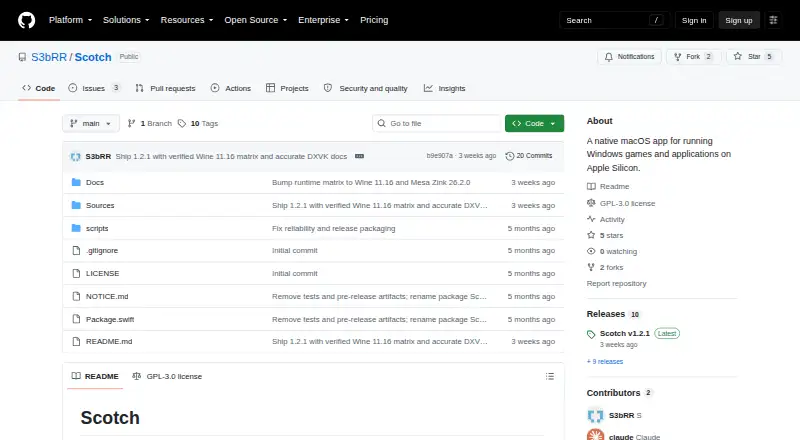
Scotch is an open-source macOS application for running Windows games and applications on Apple silicon Macs. It provides a native SwiftUI interface around Wine Staging and organizes separate Wine prefixes as bottles. The product is aimed at advanced Mac users who want control over graphics translation, Windows environments, and individual program behavior rather than a simplified compatibility layer.
Its standout strength is graphics and environment control. Scotch supports selectable DXVK, DXMT, Apple's D3DMetal, and Mesa Zink backends, along with GPU identity spoofing presets and custom configuration. Each program can have its own locale, arguments, and environment variables. Winetricks is integrated with a corefonts bootstrap, while diagnostics expose process lists, logs, and an environment preview. Automatic Start-menu discovery and QuickLook thumbnails for Windows executable files add practical tools around bottle management.
Scotch also offers command-line operations for setup, listing, running, and managing programs, plus one-click uninstall with optional bottle removal. That breadth makes it a fit for users who want to tune separate Wine environments and inspect how programs run. The platform boundary is clear: Scotch targets Apple silicon only, requires macOS 26 Tahoe or later, and requires Rosetta 2 for Wine. Intel Mac users, Linux users, and anyone seeking a broader platform range should choose a different compatibility layer. For supported Macs, Scotch is most suitable when graphics backend selection and per-program configuration matter more than a built-in application database.
Scotch pricing
Scotch fact sheet
| Free plan | Not verified |
|---|---|
| Paid from | None |
| macOS support | Yes |
| Linux support | No |
| Apple silicon support | Yes |
| Graphics acceleration | Dxvk |
| Compatibility database | No |
| Prefix management | Yes |
| Deployment | Desktop |
| Platforms | macOS |
| Built for | Solo, Small business (editorial estimate) |
| Pricing | Open source |
| Website | github.com |
| Facts checked | 20 Sep 2026 |
Alternatives to Scotch
- WineWine is a free, broad foundation for running Windows applications on Linux and macOS.9.0
- CrossOverA paid compatibility layer with application recipes, bottles, ratings, and graphics options.8.7
- BottlesA free, open-source choice for organizing and running Windows apps across platforms.8.2


Used Scotch? Be the first to review it
The editor score above is our own research. What this page doesn't have yet is a reader's view — what you used Scotch for, what worked and what didn't. No stars are seeded and no review is paid for; an editor reads every one before it appears.
Write a reviewTwo minutes · verified accounts only · read by an editor before it appears
Featured on iTechGuides

Scotch is listed in our Windows Compatibility Layers directory. Add the badge to your site — it links back to this page.
<a href="https://www.itechguides.com/products/scotch/"><img src="https://www.itechguides.com/best/badge/scotch.svg" alt="Featured on iTechGuides" width="230" height="46"></a>
Reviewed by iTechGuides Editors · Editorial team · Updated Sep 2026
Advertiser disclosure: iTechGuides is reader-supported. We may earn a commission when you click some links. How we rank.
Last updated · How we research and update