
Bottles
Bottles: A free, open-source choice for organizing and running Windows apps across platforms. Ranked #3 of 26 in Windows Compatibility Layers by our editors (8.2/10); pricing: Free plan; best for most users managing Windows apps across platforms.
At a glance
- Editor score8.2 / 10
- PricingFree plan
- Best forMost users managing Windows apps across platforms
- Free planYes
- Paid fromNone
- macOS supportYes
- Founded2017
- Facts checked20 Sep 2026
Where it wins
- Separate bottles isolate Windows app environments and configurations.
- DXVK, VKD3D, dependencies, snapshots, and runners support varied workloads.
- CLI controls and community installers add flexibility for repeatable management.
Where it doesn't
- macOS and Apple silicon support are tied to Bottles Next under development.
- Wine and Proton compatibility can vary by Windows application.
- Advanced configuration may require familiarity with runners and dependencies.
Our verdict on Bottles
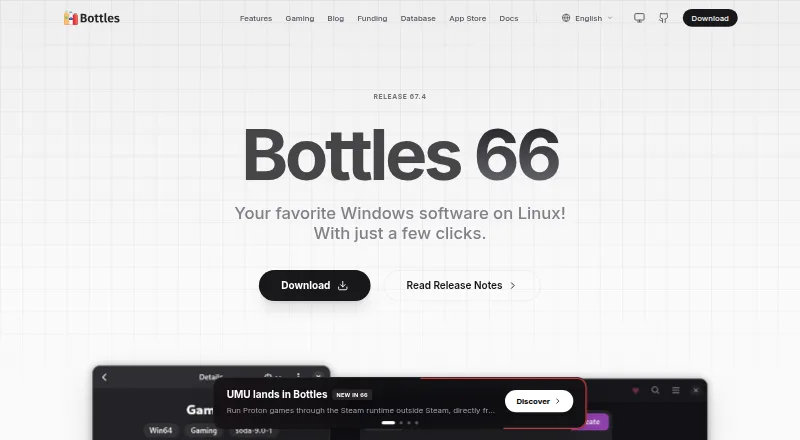
Bottles is a free, open-source desktop application from Bottles Developers for managing Windows software through Wine-based environments. Its main audience is Linux users who need separate, configurable environments for different Windows applications. Bottles calls these environments bottles, and each can have its own runner, Windows version, environment variables, DLL overrides, graphics settings, and installed dependencies. The project also documents Bottles Next for macOS, including early Apple silicon support, but that work is under development.
The product’s strongest area is environment and compatibility management. Users can run applications through Wine and Proton runners, configure DXVK and VKD3D for graphics translation, and install dependencies such as .NET, Visual C++, and fonts. Snapshots allow bottle states to be created and restored, while community-maintained installers can simplify application setup. The official database catalogs Windows software installers and compatibility grades. A command-line interface adds another management path for users who prefer launching programs or controlling bottles outside the desktop interface.
Bottles is a strong fit for users who want granular control without paying for a proprietary compatibility layer, particularly on Linux. Its open-source model, separate prefixes, graphics components, dependency handling, snapshots, and CLI cover a broad range of management needs. It is less suitable for anyone expecting every Windows application to work identically across environments, or for users seeking a mature macOS release: macOS and Apple silicon support are associated with Bottles Next, which the project documents as under development. Choose Bottles for configurable Linux-based Windows application management; consider another option if polished, established macOS support is the primary requirement.
Bottles pricing
Bottles fact sheet
| Free plan | Yes |
|---|---|
| Paid from | None |
| macOS support | Yes |
| Linux support | Yes |
| Apple silicon support | Yes |
| Graphics acceleration | Dxvk-vkd3d |
| Compatibility database | Yes |
| Prefix management | Yes |
| Deployment | Desktop |
| Platforms | Linux, macOS |
| Support | Community, Docs |
| Built for | Solo, Small business (editorial estimate) |
| Pricing | Free plan |
| Website | usebottles.com |
| Facts checked | 20 Sep 2026 |
Alternatives to Bottles
- WineWine is a free, broad foundation for running Windows applications on Linux and macOS.9.0
- CrossOverA paid compatibility layer with application recipes, bottles, ratings, and graphics options.8.7
- PlayOnLinuxA free graphical Wine manager for guided installs, virtual drives, and Windows app shortcuts.7.7


See all Bottles alternatives →
Bottles vs the competition
- Bottles vs Wine
- Bottles vs CrossOver
- Bottles vs PlayOnLinux
- Bottles vs Porting Kit
- Bottles vs BottleLite
- Bottles vs Q4Wine

Compare Bottles with any tool side by side →
Also listed in
Used Bottles? Be the first to review it
The editor score above is our own research. What this page doesn't have yet is a reader's view — what you used Bottles for, what worked and what didn't. No stars are seeded and no review is paid for; an editor reads every one before it appears.
Write a reviewTwo minutes · verified accounts only · read by an editor before it appears
Featured on iTechGuides

Bottles is listed in our Windows Compatibility Layers directory. Add the badge to your site — it links back to this page.
<a href="https://www.itechguides.com/products/bottles/"><img src="https://www.itechguides.com/best/badge/bottles.svg" alt="Featured on iTechGuides" width="230" height="46"></a>
Reviewed by iTechGuides Editors · Editorial team · Updated Sep 2026
Advertiser disclosure: iTechGuides is reader-supported. We may earn a commission when you click some links. How we rank.
Last updated · How we research and update