
RenderDoc
RenderDoc: A focused debugger for inspecting and replaying graphics frames across major APIs. Ranked #7 of 27 in Debuggers by our editors (8.4/10); pricing: Free plan; best for cross-API graphics debugging.
At a glance
- Editor score8.4 / 10
- PricingFree plan
- Best forCross-API graphics debugging
- Free planYes
- Paid fromFree
- Supported languagesHLSL, GLSL, SPIR-V
- Founded2014
- Facts checked20 Sep 2026
Where it wins
- Free and open source with MIT licensing
- Supports Vulkan, Direct3D, OpenGL, and OpenGL ES
- Deep inspection for pipelines, resources, shaders, pixels, and meshes
Where it doesn't
- Focused on graphics APIs rather than general application debugging
- Nintendo Switch support is limited to authorized developers
- Source-level shader debugging support is specified for HLSL
Our verdict on RenderDoc
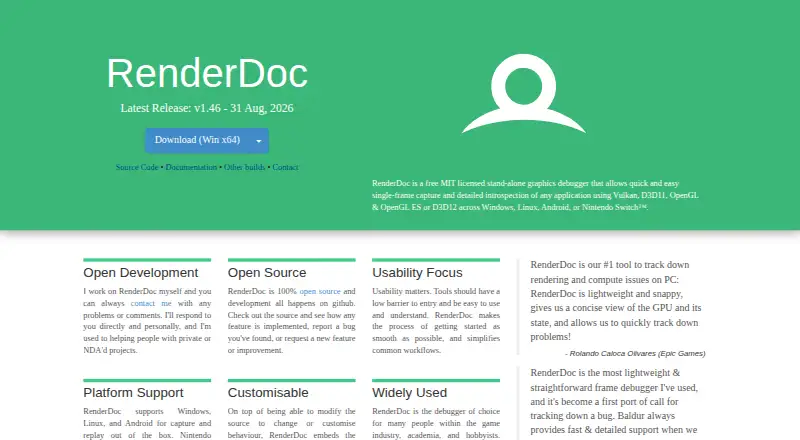
RenderDoc is a standalone, open-source graphics debugger for developers working with Vulkan, Direct3D 11, Direct3D 12, OpenGL, and OpenGL ES applications. Its core workflow captures a frame, replays it, and exposes the API usage and rendering state behind that frame. Developers can inspect pipeline state, bound resources, textures, buffers, mesh output, pixel history, and shader execution. It supports Windows, Linux, and Android, with authorized Nintendo Switch development supported separately. RenderDoc is best suited to graphics programmers and engine teams investigating rendering behavior across APIs.
Its strongest differentiator is the depth of frame analysis. Pipeline-state and resource inspection can be combined with texture and buffer views, mesh visualization, vertex debugging, pixel debugging, and pixel history. Shader debugging includes source-level HLSL support, while the supported language set also includes GLSL and SPIR-V. Python scripting and external Python debugger integration extend the analysis workflow, and remote capture and replay support connects capture on one environment with analysis on another. Together, these features make RenderDoc useful when a visual or rendering issue requires more than a basic API trace.
RenderDoc’s scope is also its main boundary. It is designed for graphics debugging rather than general application debugging, so teams investigating non-rendering logic need a different tool for that work. The published platform coverage centers on Windows, Linux, and Android, while Nintendo Switch support is distributed separately to authorized developers. Choose RenderDoc when frame capture, replay, cross-API inspection, and shader or pixel analysis are central requirements. Choose a general-purpose debugger instead when the primary need is broader application diagnosis beyond graphics execution.
Your product? Our editors can test RenderDoc in depth and publish a review, labelled as paid · from $149/mo →
RenderDoc pricing
RenderDoc fact sheet
| Free plan | Yes |
|---|---|
| Paid from | Free |
| Supported languages | HLSL, GLSL, SPIR-V |
| Target platforms | Windows, Linux, Android, Nintendo Switch |
| Remote debugging | Yes |
| Conditional breakpoints | Not verified |
| Exception breakpoints | Not verified |
| Time-travel debugging | Yes |
| Core dump debugging | Not verified |
| Deployment | Desktop, Mobile |
| Platforms | Windows, Linux, Android |
| Support | Email, Community, Docs |
| Built for | Solo, Small business, Mid-market, Enterprise (editorial estimate) |
| Pricing | Free plan |
| Website | renderdoc.org |
| Facts checked | 20 Sep 2026 |
Alternatives to RenderDoc
- GDBA free, open-source debugger with unusually broad language, target, and remote-debugging coverage.9.4
- LLDBA capable, free debugger for C/C++ and Apple-platform development.9.2
- WinDbgA free, deeply capable debugger for Windows applications, drivers, and crash analysis.9.0


See all RenderDoc alternatives →
RenderDoc vs the competition
- RenderDoc vs GDB
- RenderDoc vs LLDB
- RenderDoc vs WinDbg
- RenderDoc vs Delve
- RenderDoc vs Xdebug
- RenderDoc vs IDA Pro


Compare RenderDoc with any tool side by side →
Also Ranked In
RenderDoc is ranked in 2 of our directories.
Used RenderDoc? Be the first to review it
The editor score above is our own research. What this page doesn't have yet is a reader's view — what you used RenderDoc for, what worked and what didn't. No stars are seeded and no review is paid for; an editor reads every one before it appears.
Write a reviewTwo minutes · verified accounts only · read by an editor before it appears
Featured on iTechGuides

RenderDoc is listed in our Debuggers directory. Add the badge to your site — it links back to this page.
<a href="https://www.itechguides.com/products/renderdoc/"><img src="https://www.itechguides.com/best/badge/renderdoc.svg" alt="Featured on iTechGuides" width="230" height="46"></a>
Reviewed by iTechGuides Editors · Editorial team · Updated Oct 2026
Advertiser disclosure: iTechGuides is reader-supported. Vendors can pay for top positions in our rankings and for a place on other products' pages, and we may earn a commission when you click some links. Bought places stand at the number bought; this page and our disclosure say so. Paying vendors may get a fuller, more detailed review from our editors, and that review can change their score. How we rank.
Last updated · How we research and update