pyOCD
pyOCD: A capable free toolkit for Cortex-M debugging, flash programming, and automation. Ranked #19 of 27 in Debuggers by our editors (7.1/10); pricing: Free plan; best for arm Cortex-M firmware teams.
At a glance
- Editor score7.1 / 10
- PricingFree plan
- Best forArm Cortex-M firmware teams
- Free planYes
- Paid fromFree
- Facts checked20 Sep 2026
Where it wins
- Combines GDB debugging, flash programming, and Python automation
- Supports multicore targets, semihosting, RTT, and Arm SWV
- Works with VS Code, Cortex-Debug, Eclipse, and GNU GDB
Where it doesn't
- Focused on Arm Cortex-M microcontrollers
- Requires compatible debug-probe and target support
- Advanced workflows may require Python and embedded-tooling knowledge
Our verdict on pyOCD
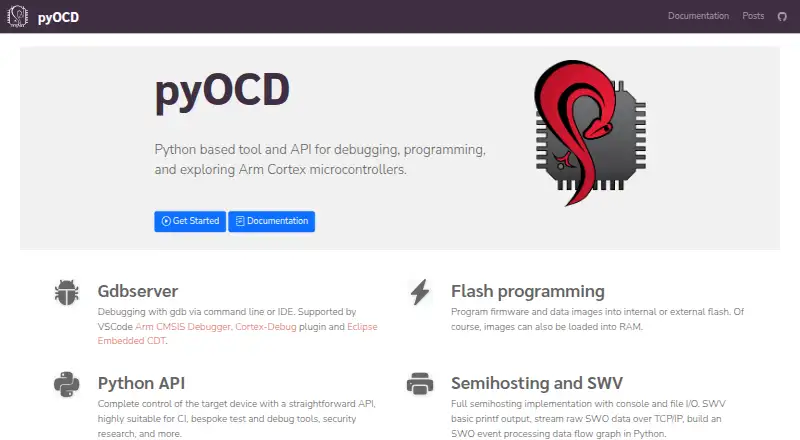
pyOCD is an open-source Python tool and API for programming, debugging, and exploring Arm Cortex-M microcontrollers. It is aimed at firmware teams that need a GDB remote server, command-line workflows, flash programming, target control, or automation across development and bring-up tasks. The project runs on Windows, macOS, and Linux, and can be self-hosted or used through its API. Its Apache 2.0 license and free plan make it a practical option for teams that prefer open tooling and direct control over their debugging workflow.
The published capabilities cover more than basic breakpoint debugging. pyOCD can program firmware and data images to internal or external flash, manage CMSIS Device Family Packs, and provide semihosting, SEGGER RTT, and Arm SWV support. Multicore debugging is handled through a separate GDB server per core, while remote debug-probe access supports network-based workflows. The Python API also suits custom target-control tools, automated testing, continuous integration, and device bring-up. Security unlock support is available for selected NXP Kinetis and Nordic nRF52 targets.
Ecosystem fit is a clear strength: pyOCD integrates with the Visual Studio Code Arm CMSIS Debugger, Cortex-Debug, Eclipse Embedded CDT, and GNU GDB. That gives teams several ways to connect the debugger to existing embedded development environments rather than relying only on its command-line interface. The main boundary is its focus on Arm Cortex-M microcontrollers, so teams working outside that target family should choose a debugger aligned with their processor architecture. For Cortex-M firmware teams seeking free, open-source debugging, programming, and automation, pyOCD is a strong fit; teams wanting a broader multi-architecture tool should look elsewhere.
Your product? Our editors can test pyOCD in depth and publish a review, labelled as paid · from $149/mo →
pyOCD pricing
pyOCD fact sheet
| Free plan | Yes |
|---|---|
| Paid from | Free |
| Supported languages | Not verified |
| Target platforms | Arm Cortex-M microcontrollers |
| Remote debugging | Yes |
| Conditional breakpoints | Not verified |
| Exception breakpoints | Not verified |
| Time-travel debugging | Not verified |
| Core dump debugging | Not verified |
| Deployment | Self-hosted |
| Platforms | Windows, macOS, Linux |
| Support | Community, Docs |
| Built for | Solo, Small business, Mid-market, Enterprise (editorial estimate) |
| Integrations | 4 integrations: Visual Studio Code Arm CMSIS Debugger, Cortex-Debug, Eclipse Embedded CDT, GNU GDB |
| Pricing | Free plan |
| Website | pyocd.io |
| Facts checked | 20 Sep 2026 |
pyOCD integrations
pyOCD lists 4 integrations on its own site.
- Visual Studio Code Arm CMSIS Debugger
- Cortex-Debug
- Eclipse Embedded CDT
- GNU GDB
Alternatives to pyOCD
- GDBA free, open-source debugger with unusually broad language, target, and remote-debugging coverage.9.4
- LLDBA capable, free debugger for C/C++ and Apple-platform development.9.2
- WinDbgA free, deeply capable debugger for Windows applications, drivers, and crash analysis.9.0


Used pyOCD? Be the first to review it
The editor score above is our own research. What this page doesn't have yet is a reader's view — what you used pyOCD for, what worked and what didn't. No stars are seeded and no review is paid for; an editor reads every one before it appears.
Write a reviewTwo minutes · verified accounts only · read by an editor before it appears
Featured on iTechGuides

pyOCD is listed in our Debuggers directory. Add the badge to your site — it links back to this page.
<a href="https://www.itechguides.com/products/pyocd/"><img src="https://www.itechguides.com/best/badge/pyocd.svg" alt="Featured on iTechGuides" width="230" height="46"></a>
Reviewed by iTechGuides Editors · Editorial team · Updated Oct 2026
Advertiser disclosure: iTechGuides is reader-supported. Vendors can pay for top positions in our rankings and for a place on other products' pages, and we may earn a commission when you click some links. Bought places stand at the number bought; this page and our disclosure say so. Paying vendors may get a fuller, more detailed review from our editors, and that review can change their score. How we rank.
Last updated · How we research and update