PrintBoss
PrintBoss: A mature, low-cost choice for QuickBooks users needing MICR and blank-stock printing. Ranked #4 of 28 in Check Printing Software by our editors (9.0/10); pricing: 30-day trial; best for quickBooks users seeking low-cost mature software.
At a glance
- Editor score9.0 / 10
- Pricing30-day trial
- Best forQuickBooks users seeking low-cost mature software
- Free planNo
- Paid from$10/mo
- MICR printingYes
- Founded1990 · Manchester, Missouri, United States
- Facts checked21 Sep 2026
Where it wins
- Prints MICR details and checks on blank stock
- Supports QuickBooks, Sage, Microsoft Dynamics, and more
- Adds signatures, Positive Pay, and document archiving
Where it doesn't
- No free plan
- Desktop editions require Windows
- Online pricing is organized around QuickBooks companies
Our verdict on PrintBoss
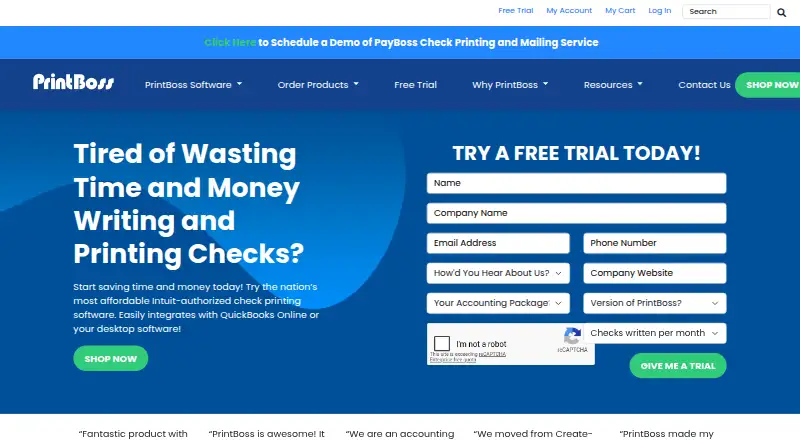
PrintBoss is check-printing software for businesses that need to produce checks from accounting systems. It supports blank check stock, including company and bank information, and offers both browser-based and Windows desktop deployment. QuickBooks users are a strong fit, with PrintBoss Online connecting to QuickBooks Online and desktop editions integrating through a printer driver. The product also supports Sage, Microsoft Dynamics, NetSuite, and other accounting platforms, while its 1990 founding year gives it a long operating history in this category.
Pricing spans monthly online plans and a one-time desktop edition. Personal costs $10 per QuickBooks company per month, followed by Small Business at $14, Corporation at $18, and Enterprise Online at $22. These plans provide PrintBoss Online for QuickBooks Online. PrintBoss Enterprise costs $795 one-time per unit and includes 500 checks, unlimited bank account records, and desktop Windows software. A 30-day free trial is available, and there is no free plan. The structure suits organizations choosing between recurring browser access and a larger one-time desktop purchase.
Its strongest functional coverage is in check production and related controls. PrintBoss can print MICR bank and routing information, manage multiple bank accounts, apply electronic and secured signatures, create Positive Pay files, and archive documents by email, fax, or PDF. It also supports top, middle, and bottom check formats. QuickBooks users wanting an affordable, established option with blank-stock printing should consider it. Businesses that need a browser-based product outside the QuickBooks Online ecosystem, or that require a free plan, should look elsewhere.
Questions about PrintBoss
Does PrintBoss have a free plan? No free plan is listed; paid plans start at $10/mo (Personal).
How much does PrintBoss cost? PrintBoss lists 5 paid plans; the lowest is Personal at $10/mo.
Is there a free trial of PrintBoss? Yes: a 30-day free trial; no card is needed.
What does PrintBoss run on? Web and Windows. It runs in the cloud and as a desktop app.
What does PrintBoss integrate with? 15 integrations, including QuickBooks Online, QuickBooks Accountant, QuickBooks Enterprise, QuickBooks Premier and QuickBooks Pro.
Who is PrintBoss built for? Small businesses, mid-market companies and enterprises (our editorial estimate).
Your product? Our editors can test PrintBoss in depth and publish a review, labelled as paid · from $149/mo →
PrintBoss pricing
All 5 PrintBoss plans and prices →
PrintBoss fact sheet
| Free plan | No |
|---|---|
| Paid from | $10/mo |
| Delivery model | Both |
| MICR printing | Yes |
| Blank-check support | Yes |
| Accounting import | Direct |
| Layout customization | Both |
| User limit | 1 users |
| Free trial | 30 days · no card needed |
| Deployment | Cloud, Desktop |
| Platforms | Web, Windows |
| Support | Email, Phone, Tickets, Docs |
| Built for | Small business, Mid-market, Enterprise (editorial estimate) |
| Integrations | 15 integrations: QuickBooks Online, QuickBooks Accountant, QuickBooks Enterprise, QuickBooks Premier, QuickBooks Pro, Microsoft Dynamics AX … See all → |
| Pricing | 30-day trial (source) |
| Website | printboss.com |
| Facts checked | 21 Sep 2026 |
PrintBoss integrations
PrintBoss lists 15 integrations on its own site.
- QuickBooks Online
- QuickBooks Accountant
- QuickBooks Enterprise
- QuickBooks Premier
- QuickBooks Pro
- Microsoft Dynamics AX
- Microsoft Dynamics GP
- Microsoft Dynamics SL
- Sage 50
- Sage 100
- Sage 300
- Sage 500
- Adagio
- CenterPoint
- HAB
See all PrintBoss integrations →
Alternatives to PrintBoss
- Zil MoneyA free web-based platform for customizable checks, payments, imports, and business workflows.9.4
- OnlineCheckWriter.comA web-based check and payment platform with broad accounting integrations.9.2
- CheckrunA control-focused QuickBooks Online payment tool with meaningful setup and usage fees.9.1


See all PrintBoss alternatives →
PrintBoss vs the competition
- PrintBoss vs Zil Money
- PrintBoss vs OnlineCheckWriter.com
- PrintBoss vs Checkrun
- PrintBoss vs VersaCheck
- PrintBoss vs ezCheckPrinting
- PrintBoss vs Checkeeper


Compare PrintBoss with any tool side by side →
Also Ranked In
PrintBoss is ranked in 2 of our directories.
Used PrintBoss? Be the first to review it
The editor score above is our own research. What this page doesn't have yet is a reader's view — what you used PrintBoss for, what worked and what didn't. No stars are seeded and no review is paid for; an editor reads every one before it appears.
Write a reviewTwo minutes · verified accounts only · read by an editor before it appears
Featured on iTechGuides

PrintBoss is listed in our Check Printing Software directory. Add the badge to your site — it links back to this page.
<a href="https://www.itechguides.com/products/printboss/"><img src="https://www.itechguides.com/best/badge/printboss.svg" alt="Featured on iTechGuides" width="230" height="46"></a>
Reviewed by iTechGuides Editors · Editorial team · Updated Nov 2026
Advertiser disclosure: iTechGuides is reader-supported. Vendors can pay for top positions in our rankings and for a place on other products' pages, and we may earn a commission when you click some links. Bought places stand at the number bought; this page and our disclosure say so. Paying vendors may get a fuller, more detailed review from our editors, and that review can change their score. How we rank.
Last updated · How we research and update