
PlayOnMac
PlayOnMac: A free macOS Wine front end for selected Windows applications and games. Ranked #12 of 26 in Windows Compatibility Layers by our editors (6.2/10); pricing: Free plan; best for free Mac users with supported applications.
At a glance
- Editor score6.2 / 10
- PricingFree plan
- Best forFree Mac users with supported applications
- Free planYes
- Paid fromNone
- macOS supportYes
- Facts checked20 Sep 2026
Where it wins
- Free macOS software with a categorized supported-software catalog
- Scripted installers, separate prefixes, and selectable Wine versions
- DXVK support and application shortcuts after installation
Where it doesn't
- Compatibility is application-specific rather than universal
- Supports macOS, but not Linux
- Designed around selected applications and games
Our verdict on PlayOnMac
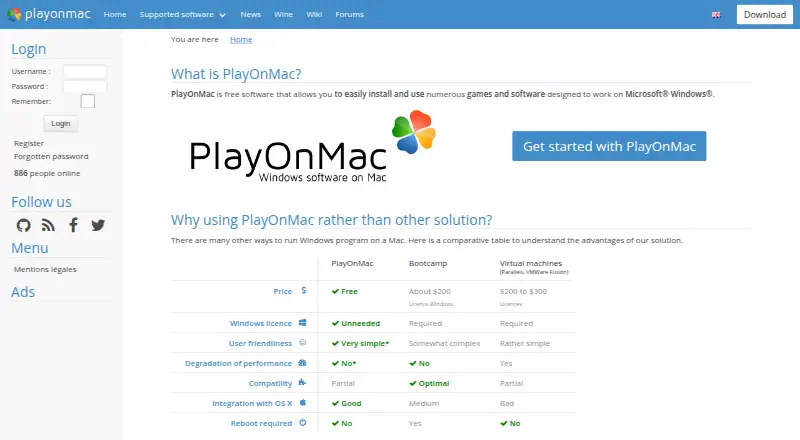
PlayOnMac is free desktop software for macOS that helps users install and run selected Windows applications and games without installing Windows. It is aimed at Mac users who want a Wine-based way to access supported software, with a catalog that helps identify applications with documented compatibility. The macOS focus makes it relevant to users who want a dedicated Mac solution rather than a cross-platform compatibility layer.
Its strongest practical feature set centers on installation and environment management. Scripted application installers can guide supported software setup, while separate Wine virtual drives or prefixes help keep application environments apart. Users can select different Wine versions, and PlayOnMac can create application shortcuts after installation. DXVK support is available for some DirectX applications, giving the software a graphics-focused option where compatible titles benefit from it. The published macOS versions cover current and earlier macOS releases through downloadable builds.
The main trade-off is scope: PlayOnMac targets selected Windows applications and games, so suitability depends on the specific software a user wants to run. It is also macOS-only, with no Linux support. Users who have applications represented in the supported-software catalog should find the combination of scripted installers, prefixes, Wine version selection, and shortcuts relevant. Users who need broad application coverage, Linux support, or dependable compatibility across unsupported software should consider a different compatibility approach.
PlayOnMac pricing
PlayOnMac fact sheet
| Free plan | Yes |
|---|---|
| Paid from | None |
| macOS support | Yes |
| Linux support | No |
| Apple silicon support | Not verified |
| Graphics acceleration | Dxvk |
| Compatibility database | Yes |
| Prefix management | Yes |
| Deployment | Desktop |
| Platforms | macOS |
| Support | Community |
| Built for | Solo, Small business (editorial estimate) |
| Pricing | Free plan |
| Website | playonmac.com |
| Facts checked | 20 Sep 2026 |
Alternatives to PlayOnMac
- WineWine is a free, broad foundation for running Windows applications on Linux and macOS.9.0
- CrossOverA paid compatibility layer with application recipes, bottles, ratings, and graphics options.8.7
- BottlesA free, open-source choice for organizing and running Windows apps across platforms.8.2


See all PlayOnMac alternatives →
Used PlayOnMac? Be the first to review it
The editor score above is our own research. What this page doesn't have yet is a reader's view — what you used PlayOnMac for, what worked and what didn't. No stars are seeded and no review is paid for; an editor reads every one before it appears.
Write a reviewTwo minutes · verified accounts only · read by an editor before it appears
Featured on iTechGuides

PlayOnMac is listed in our Windows Compatibility Layers directory. Add the badge to your site — it links back to this page.
<a href="https://www.itechguides.com/products/playonmac/"><img src="https://www.itechguides.com/best/badge/playonmac.svg" alt="Featured on iTechGuides" width="230" height="46"></a>
Reviewed by iTechGuides Editors · Editorial team · Updated Sep 2026
Advertiser disclosure: iTechGuides is reader-supported. We may earn a commission when you click some links. How we rank.
Last updated · How we research and update