
Officely
Officely: A flexible desk-booking option with a useful free plan and broad workplace integrations. Ranked #10 of 30 in Desk Booking Software by our editors (8.2/10); pricing: Free plan; best for small teams prioritizing a free plan.
At a glance
- Editor score8.2 / 10
- PricingFree plan
- Best forSmall teams prioritizing a free plan
- Free planYes
- Paid from$2.50/user/mo
- Desk check-inYes
- Facts checked21 Sep 2026
Where it wins
- Free plan includes all features for up to 5 users
- Books desks, rooms, check-ins, capacity, and office extras
- Integrates with Slack, Teams, calendars, and HR systems
Where it doesn't
- Interactive floor-plan maps are not provided
- The maximum documented booking horizon is 42 days
- Annual-equivalent pricing may differ from monthly billing
Our verdict on Officely
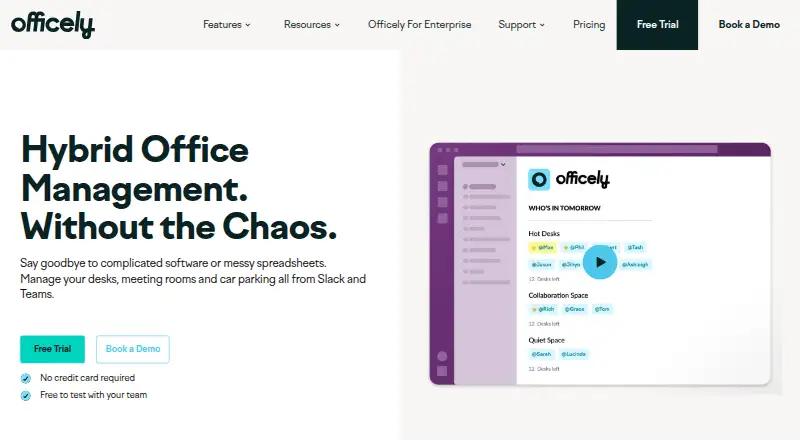
Officely is workplace management software for hybrid teams managing flexible seating and office capacity. Employees can reserve desks, coordinate office days, book meeting rooms, check in, and reserve office extras through Slack or Microsoft Teams. Administrators can configure offices, desk neighborhoods, booking windows, announcements, attendance visibility, and office usage insights. Web, iOS, and Android access support teams that need booking beyond chat-based workflows. The product suits small teams starting with a free plan as well as larger organizations that need expanded workplace management features.
Pricing is structured across four plans. Free supports up to 5 users and includes all features. Basic costs $2.50 per user per month when billed annually and adds unlimited users, desk booking, and office capacity management. Premium costs $3.50 per user per month when billed annually, with unlimited users, all Officely features, and office attendance and collaboration features. Enterprise supports unlimited users with custom pricing and enterprise features. According to the published plans, Basic is a practical paid tier for desk and capacity management, while Premium is aimed at teams needing the broader feature set.
Its integration coverage is a central strength: Officely connects with Slack, Microsoft Teams, Google Calendar, Microsoft Outlook, Azure AD, BambooHR, Deel, HiBob, Personio, and Workday. That makes it a fit for organizations coordinating workplace reservations with communication, calendars, identity, and HR systems. Administrators should note that the product documents a floor-plan reference image rather than interactive maps, and the maximum documented booking horizon is 42 days. Choose Officely for a low-cost starting point, chat-based booking, and broad workplace integrations; consider an alternative if interactive floor-plan navigation or booking farther than 42 days ahead is essential.
Your product? Our editors can test Officely in depth and publish a review, labelled as paid · from $149/mo →
Officely pricing
All 4 Officely plans and prices →
Officely fact sheet
| Free plan | Yes |
|---|---|
| Paid from | $2.50/user/mo |
| Meeting room booking | Yes |
| Desk check-in | Yes |
| Floor plan view | No |
| Mobile apps | Not verified |
| Booking horizon | 42 days |
| Single sign-on | Not verified |
| Deployment | Cloud, Browser extension |
| Platforms | Web |
| Support | Email, Phone, Tickets, Docs |
| Built for | Small business, Mid-market, Enterprise (editorial estimate) |
| Integrations | 10 integrations: Slack, Microsoft Teams, Google Calendar, Microsoft Outlook, Azure AD, BambooHR … See all → |
| Pricing | Free plan (source) |
| Website | getofficely.com |
| Facts checked | 21 Sep 2026 |
Officely integrations
Officely lists 10 integrations on its own site.
- Slack
- Microsoft Teams
- Google Calendar
- Microsoft Outlook
- Azure AD
- BambooHR
- HiBob
- Workday
- Personio
- Rippling
See all Officely integrations →
Alternatives to Officely
- OfficeSpaceA broad workplace platform for desk booking, rooms, floor plans, and operations.9.3
- RobinA broad workplace platform for flexible desk booking, check-in, rooms, visitors, and analytics.9.1
- SkeddaA mature desk and room booking platform with clear annual plans and broad workplace controls.8.9



See all Officely alternatives →
Also Ranked In
Officely is ranked in 3 of our directories.
Used Officely? Be the first to review it
The editor score above is our own research. What this page doesn't have yet is a reader's view — what you used Officely for, what worked and what didn't. No stars are seeded and no review is paid for; an editor reads every one before it appears.
Write a reviewTwo minutes · verified accounts only · read by an editor before it appears
Featured on iTechGuides

Officely is listed in our Desk Booking Software directory. Add the badge to your site — it links back to this page.
<a href="https://www.itechguides.com/products/officely/"><img src="https://www.itechguides.com/best/badge/officely.svg" alt="Featured on iTechGuides" width="230" height="46"></a>
Reviewed by iTechGuides Editors · Editorial team · Updated Oct 2026
Advertiser disclosure: iTechGuides is reader-supported. Vendors can pay for top positions in our rankings and for a place on other products' pages, and we may earn a commission when you click some links. Bought places stand at the number bought; this page and our disclosure say so. Paying vendors may get a fuller, more detailed review from our editors, and that review can change their score. How we rank.
Last updated · How we research and update