nRF Connect for VS Code
nRF Connect for VS Code: A free, cross-platform VS Code workflow for Nordic nRF development. Ranked #8 of 29 in Embedded Development IDEs by our editors (8.4/10); pricing: Free; best for nordic nRF developers.
At a glance
- Editor score8.4 / 10
- PricingFree
- Best forNordic nRF developers
- Free planYes
- Paid fromFree
- Integrated debuggingYes
- Founded1983 · Trondheim, Norway
- Facts checked20 Sep 2026
Where it wins
- Free on Windows, macOS, and Linux
- RTOS-aware debugging with integrated flashing and terminals
- DeviceTree editing and custom-board creation tools
Where it doesn't
- Focused on Nordic nRF device families
- Requires Visual Studio Code and the nRF Connect SDK
- Probe support is limited to third-party hardware
Our verdict on nRF Connect for VS Code
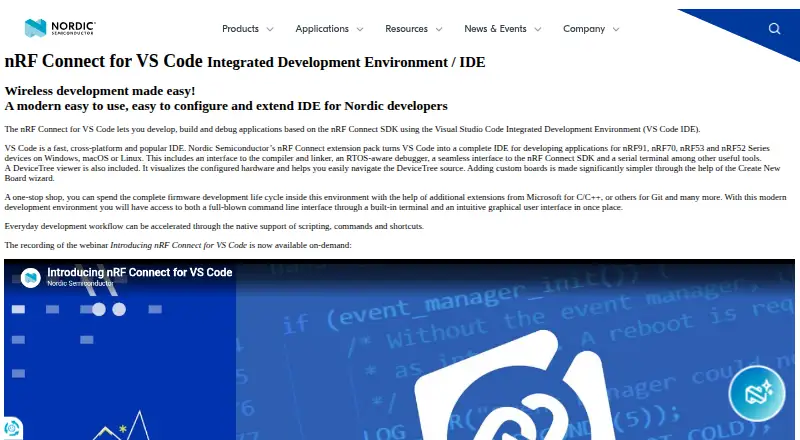
nRF Connect for VS Code is a Visual Studio Code extension pack for developing applications with the nRF Connect SDK. It targets Nordic nRF91, nRF70, nRF53, and nRF52 Series devices, with support for Windows, macOS, and Linux. The product is aimed at embedded developers who want to build, debug, configure, flash, and inspect Nordic applications from a VS Code workflow rather than switching between separate development tools.
Its ecosystem fit is a central strength. The extension connects Visual Studio Code with the nRF Connect SDK, Zephyr RTOS, SEGGER J-Link, nRF DeviceTree, nRF Kconfig, and nRF Terminal. The toolchain includes compiler and linker integration, SDK and toolchain management, integrated serial and RTT terminals, and a Connected Devices View for local and remote J-Link devices. Optional Nordic MCP and local nRF Connect MCP tools add AI-assisted capabilities for workflows that support them.
The standout feature set is the combination of embedded configuration and debugging inside one editor. A DeviceTree visual editor and source navigation support hardware and software configuration, while the Create New Board wizard addresses custom-board work. RTOS-aware debugging is provided through nRF Debug, and the Actions View handles flashing and erasing target devices. The free model makes it suitable for teams and individuals standardizing on Nordic hardware. Developers working primarily with other microcontroller families, or those seeking a general-purpose embedded IDE, should choose a tool with broader target coverage instead.
Your product? Our editors can test nRF Connect for VS Code in depth and publish a review, labelled as paid · from $149/mo →
nRF Connect for VS Code pricing
nRF Connect for VS Code fact sheet
| Free plan | Yes |
|---|---|
| Paid from | Free |
| Supported targets | nRF91, nRF70, nRF53, and nRF52 Series devices |
| Integrated debugging | Yes |
| Hardware probe support | Third-party |
| RTOS support | Yes |
| Integrated flashing | Yes |
| Desktop platforms | Windows, macOS, Linux |
| Deployment | Desktop |
| Platforms | Windows, macOS, Linux |
| Support | Docs, Community |
| Built for | Solo, Small business, Mid-market, Enterprise (editorial estimate) |
| Integrations | 7 integrations: Visual Studio Code, nRF Connect SDK, Zephyr RTOS, SEGGER J-Link, nRF DeviceTree, nRF Kconfig … |
| Pricing | Free |
| Website | nordicsemi.com |
| Facts checked | 20 Sep 2026 |
nRF Connect for VS Code integrations
nRF Connect for VS Code lists 7 integrations on its own site.
- Visual Studio Code
- nRF Connect SDK
- Zephyr RTOS
- SEGGER J-Link
- nRF DeviceTree
- nRF Kconfig
- nRF Terminal
Alternatives to nRF Connect for VS Code
- PlatformIO IDEA free, cross-platform IDE covering build, flash, debug, test, and analysis.9.3
- Arm Keil MDKA broad Arm IDE suite covering coding, debugging, simulation, RTOS, middleware, and CI workflows.9.2
- Code Composer StudioA free, TI-focused IDE with integrated build, debug, configuration, flashing and profiling.9.1



See all nRF Connect for VS Code alternatives →
nRF Connect for VS Code vs the competition
- nRF Connect for VS Code vs PlatformIO IDE
- nRF Connect for VS Code vs Arm Keil MDK
- nRF Connect for VS Code vs Code Composer Studio
- nRF Connect for VS Code vs STM32CubeIDE
- nRF Connect for VS Code vs MPLAB X IDE
- nRF Connect for VS Code vs ESP-IDF Extension for VS Code


Compare nRF Connect for VS Code with any tool side by side →
Used nRF Connect for VS Code? Be the first to review it
The editor score above is our own research. What this page doesn't have yet is a reader's view — what you used nRF Connect for VS Code for, what worked and what didn't. No stars are seeded and no review is paid for; an editor reads every one before it appears.
Write a reviewTwo minutes · verified accounts only · read by an editor before it appears
Featured on iTechGuides

nRF Connect for VS Code is listed in our Embedded Development IDEs directory. Add the badge to your site — it links back to this page.
<a href="https://www.itechguides.com/products/nrf-connect-for-vs-code/"><img src="https://www.itechguides.com/best/badge/nrf-connect-for-vs-code.svg" alt="Featured on iTechGuides" width="230" height="46"></a>
Reviewed by iTechGuides Editors · Editorial team · Updated Oct 2026
Advertiser disclosure: iTechGuides is reader-supported. Vendors can pay for top positions in our rankings and for a place on other products' pages, and we may earn a commission when you click some links. Bought places stand at the number bought; this page and our disclosure say so. Paying vendors may get a fuller, more detailed review from our editors, and that review can change their score. How we rank.
Last updated · How we research and update