
Code Composer Studio
Code Composer Studio: A free, TI-focused IDE with integrated build, debug, configuration, flashing and profiling. Ranked #3 of 29 in Embedded Development IDEs by our editors (9.1/10); pricing: Free plan; best for texas Instruments ecosystems.
At a glance
- Editor score9.1 / 10
- PricingFree plan
- Best forTexas Instruments ecosystems
- Free planYes
- Paid fromFree
- Integrated debuggingYes
- Founded1930 · Dallas, Texas, USA
- Facts checked20 Sep 2026
Where it wins
- Broad coverage across TI processors, MCUs, wireless devices and radar sensors
- Integrated debugging, flash programming, RTOS views and energy profiling
- Supports TI LLVM Compiler or GCC, scripting and SysConfig configuration
Where it doesn't
- Its target coverage is centered on Texas Instruments hardware
- Build support focuses on TI LLVM Compiler or GCC
- Desktop and cloud versions may require different development workflows
Our verdict on Code Composer Studio
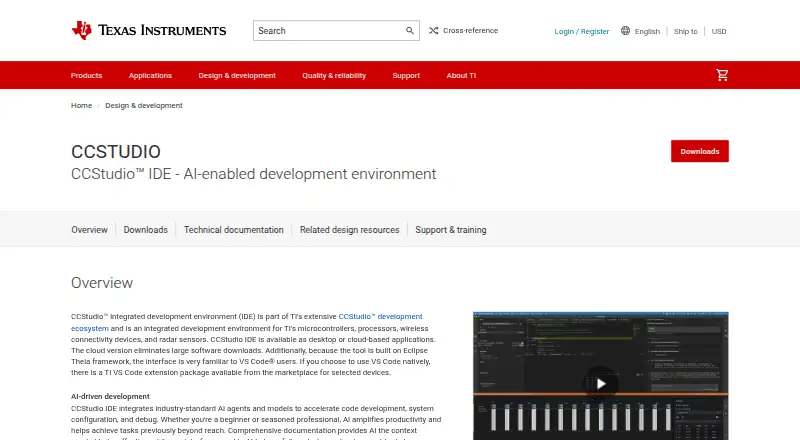
Code Composer Studio is Texas Instruments’ integrated development environment for creating, building, debugging and profiling applications for embedded processors, microcontrollers, wireless connectivity devices and radar sensors. It is designed for teams and developers working across TI ecosystems, including Sitara, DSP, Automotive, Keystone, SimpleLink, C2000, MSP430, TM4C, Hercules, UCD, PGA and radar targets. The product is free, with no license fee, and is available as desktop software for Windows, Linux and macOS alongside a cloud-based application.
Its strongest advantage is the amount of device-aware development work gathered in one environment. C/C++ editing and completion sit alongside project management and build support using the TI LLVM Compiler or GCC. Integrated debugging supports TI embedded devices, while runtime object views expose RTOS tasks, stacks, timers and semaphores. SysConfig handles pins, peripherals, drivers and radios, and integrated flash programming supports flash-based devices. EnergyTrace adds energy profiling, while scripting and automation support testing and benchmarking. These capabilities make CCS particularly suitable when debugging, configuration and performance analysis need to stay close to the target hardware.
The main trade-off is focus: Code Composer Studio is built around Texas Instruments devices rather than broad, vendor-neutral embedded development. Its build workflow is also centered on TI LLVM Compiler or GCC, which may matter to teams standardized on another toolchain. The choice between desktop and cloud use can shape onboarding and day-to-day workflow. Pick CCS when TI target coverage, RTOS visibility, SysConfig, integrated flashing and EnergyTrace matter. Choose another IDE when the project requires a wider hardware-vendor scope or a different compiler-centered workflow.
Your product? Our editors can test Code Composer Studio in depth and publish a review, labelled as paid · from $149/mo →
Code Composer Studio pricing
Code Composer Studio fact sheet
| Free plan | Yes |
|---|---|
| Paid from | Free |
| Supported targets | Sitara, DSP, Automotive, Keystone, SimpleLink, C2000, MSP430, TM4C, Hercules, UCD, PGA, wireless connectivity devices and radar sensors |
| Integrated debugging | Yes |
| Hardware probe support | Vendor |
| RTOS support | Yes |
| Integrated flashing | Yes |
| Desktop platforms | Windows, Linux, macOS |
| Deployment | Cloud, Desktop |
| Platforms | Web, Windows, macOS, Linux |
| Support | Community, Docs |
| Built for | Solo, Small business, Mid-market, Enterprise (editorial estimate) |
| Pricing | Free plan |
| Website | ti.com |
| Facts checked | 20 Sep 2026 |
Alternatives to Code Composer Studio
- PlatformIO IDEA free, cross-platform IDE covering build, flash, debug, test, and analysis.9.3
- Arm Keil MDKA broad Arm IDE suite covering coding, debugging, simulation, RTOS, middleware, and CI workflows.9.2
- STM32CubeIDEA free STM32-focused IDE with configuration, code generation, debugging, and programming tools.9.0



See all Code Composer Studio alternatives →
Code Composer Studio vs the competition
- Code Composer Studio vs PlatformIO IDE
- Code Composer Studio vs Arm Keil MDK
- Code Composer Studio vs STM32CubeIDE
- Code Composer Studio vs MPLAB X IDE
- Code Composer Studio vs ESP-IDF Extension for VS Code
- Code Composer Studio vs e² studio


Compare Code Composer Studio with any tool side by side →
Also Ranked In
Code Composer Studio is ranked in 5 of our directories.
Used Code Composer Studio? Be the first to review it
The editor score above is our own research. What this page doesn't have yet is a reader's view — what you used Code Composer Studio for, what worked and what didn't. No stars are seeded and no review is paid for; an editor reads every one before it appears.
Write a reviewTwo minutes · verified accounts only · read by an editor before it appears
Featured on iTechGuides

Code Composer Studio is listed in our Embedded Development IDEs directory. Add the badge to your site — it links back to this page.
<a href="https://www.itechguides.com/products/code-composer-studio/"><img src="https://www.itechguides.com/best/badge/code-composer-studio.svg" alt="Featured on iTechGuides" width="230" height="46"></a>
Reviewed by iTechGuides Editors · Editorial team · Updated Oct 2026
Advertiser disclosure: iTechGuides is reader-supported. Vendors can pay for top positions in our rankings and for a place on other products' pages, and we may earn a commission when you click some links. Bought places stand at the number bought; this page and our disclosure say so. Paying vendors may get a fuller, more detailed review from our editors, and that review can change their score. How we rank.
Last updated · How we research and update