
NameChanger
NameChanger: A free, image-friendly macOS renamer with regex, metadata rules, and preview. Ranked #14 of 31 in File Renaming Software by our editors (6.3/10); pricing: Free plan; best for free macOS image-focused renaming.
At a glance
- Editor score6.3 / 10
- PricingFree plan
- Best forFree macOS image-focused renaming
- Free planYes
- Paid fromNone
- Regex renamingYes
- Facts checked22 Sep 2026
Where it wins
- Free for personal, commercial, non-profit, and educational use
- Combines regex, metadata, sequence, case, and text rules
- Image browser, live preview, history, and Finder integration
Where it doesn't
- Available only on macOS
- Focused on renaming files rather than folders
- History is provided without an explicitly described undo action
Our verdict on NameChanger
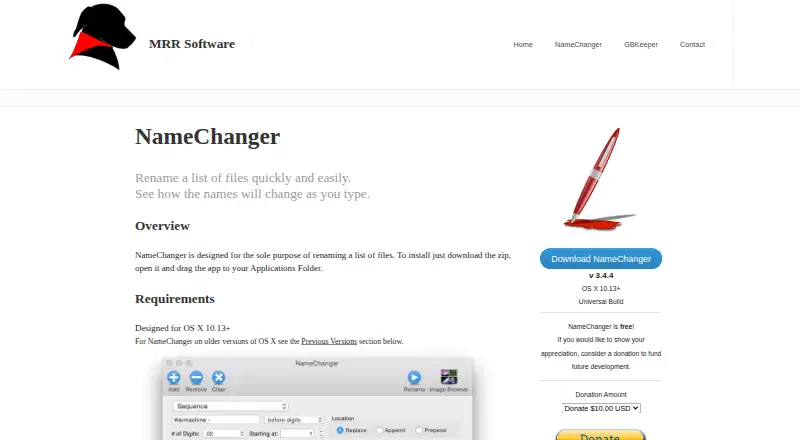
NameChanger is a free macOS desktop utility for batch-renaming lists of files. It suits people organizing image collections, imports, project assets, or other groups of files who want more control than simple one-off renaming. Files can be added through the interface or by drag-and-drop, while recursive addition can bring in files from directory structures. The image browser also supports visual naming and reordering, giving the product a particularly useful focus for image-heavy workflows.
Its rule set covers common and advanced renaming needs. Users can apply wildcards, replacements, appended or prepended text, dates, sequences, character removal, case changes, and regular expressions. EXIF-date-based naming adds a metadata option for images, and the live preview shows resulting filenames before changes are applied. Rename history provides a record of prior operations. Finder system-service integration makes the utility easier to access from the macOS file workflow without limiting renaming to the main application window.
The published Free plan allows unlimited copies and use for personal, commercial, non-profit, and educational purposes. NameChanger is a focused choice for macOS users who want substantial batch-renaming controls without a paid tier, especially when image browsing, EXIF dates, regex rules, and preview matter. It is less suitable for users on other operating systems or workflows centered on renaming folders themselves. The product is identified for OS X 10.13+ and the current download is version 3.4.4, making platform compatibility an important consideration before adoption.
NameChanger pricing
All 1 NameChanger plans and prices →
NameChanger fact sheet
| Free plan | Yes |
|---|---|
| Paid from | None |
| Platform coverage | Macos_only |
| Regex renaming | Yes |
| Metadata-based renaming | Yes |
| Rename preview | Yes |
| Folder renaming | Not verified |
| Undo changes | Not verified |
| Deployment | Desktop |
| Platforms | macOS |
| Support | |
| Built for | Solo, Small business (editorial estimate) |
| Integrations | 1 integrations: Finder system service |
| Pricing | Free plan (source) |
| Website | mrrsoftware.com |
| Facts checked | 22 Sep 2026 |
NameChanger integrations
NameChanger lists 1 integrations on its own site.
- Finder system service
Alternatives to NameChanger
- KRenameA capable free Linux renamer for expressions, metadata, folders, and undo.9.0
- Name ManglerA focused Mac renamer with advanced rules, previews, reversal, and Dropbox or Box support.8.3
- Bulk Rename UtilityA feature-rich Windows renamer for precise batch operations, scripting, and metadata rules.8.2



See all NameChanger alternatives →
Used NameChanger? Be the first to review it
The editor score above is our own research. What this page doesn't have yet is a reader's view — what you used NameChanger for, what worked and what didn't. No stars are seeded and no review is paid for; an editor reads every one before it appears.
Write a reviewTwo minutes · verified accounts only · read by an editor before it appears
Featured on iTechGuides

NameChanger is listed in our File Renaming Software directory. Add the badge to your site — it links back to this page.
<a href="https://www.itechguides.com/products/namechanger/"><img src="https://www.itechguides.com/best/badge/namechanger.svg" alt="Featured on iTechGuides" width="230" height="46"></a>
Reviewed by iTechGuides Editors · Editorial team · Updated Sep 2026
Advertiser disclosure: iTechGuides is reader-supported. We may earn a commission when you click some links. How we rank.
Last updated · How we research and update