MPLAB X IDE
MPLAB X IDE: A free, capable desktop IDE for firmware teams working across Microchip device families. Ranked #5 of 29 in Embedded Development IDEs by our editors (8.9/10); pricing: Free plan; best for microchip MCU developers.
At a glance
- Editor score8.9 / 10
- PricingFree plan
- Best forMicrochip MCU developers
- Free planYes
- Paid fromFree
- Integrated debuggingYes
- Founded1989 · Chandler, Arizona, USA
- Facts checked20 Sep 2026
Where it wins
- Free desktop IDE for Windows, macOS, and Linux
- Supports PIC, dsPIC, AVR, SAM, PIC32, and other Microchip families
- Combines debugging, simulation, programming, and device packs
Where it doesn't
- Its target coverage is centered on Microchip devices
- Hardware debugging uses Microchip programmer/debugger tools
- Microchip recommends MPLAB Tools for VS Code for new and existing projects
Our verdict on MPLAB X IDE
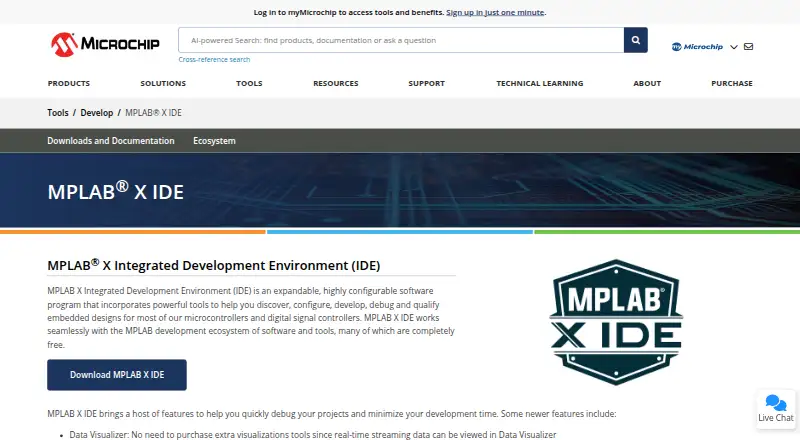
MPLAB X IDE is a free desktop environment for discovering, configuring, developing, debugging, and qualifying embedded designs. It is intended for firmware developers, electronics engineers, and teams building products with Microchip microcontrollers, digital signal controllers, and processors. Supported families include PIC, dsPIC, AVR, SAM, PIC32, and other Microchip targets. Windows, macOS, and Linux support makes it suitable for teams working across desktop operating systems.
The IDE covers the core embedded development loop in one application. Project and source-code management, live parsing, and auto-completion support daily coding work, while one-click build, program, and debug execution keeps those tasks connected. Hardware debugging works with Microchip programmer and debugger tools, and the integrated software simulator provides an option for development and analysis without hardware. I/O View supports register and bit inspection, while Device Family Pack support provides device information and updates. The plugin manager extends the IDE, and MPLAB Integrated Programming Environment is included for production programming.
MPLAB X IDE is a strong fit when a project needs broad Microchip device coverage, device-aware debugging, simulation, integrated flashing, and a vendor-centered toolchain. Its focus is also its boundary: teams developing for non-Microchip hardware will need another environment, and hardware debugging is tied to Microchip programmer and debugger tools. Microchip’s current product direction recommends MPLAB Tools for VS Code for new and existing projects, although MPLAB X IDE remains available with current releases. Choose MPLAB X IDE for a full desktop workflow around Microchip devices; consider the VS Code tools when that editor-based direction better matches the team’s workflow.
Your product? Our editors can test MPLAB X IDE in depth and publish a review, labelled as paid · from $149/mo →
MPLAB X IDE pricing
MPLAB X IDE fact sheet
| Free plan | Yes |
|---|---|
| Paid from | Free |
| Supported targets | PIC, dsPIC, AVR, SAM, PIC32 and other Microchip MCU, DSC and MPU families |
| Integrated debugging | Yes |
| Hardware probe support | Vendor |
| RTOS support | Yes |
| Integrated flashing | Yes |
| Desktop platforms | Windows, macOS, Linux |
| Deployment | Desktop |
| Platforms | Windows, macOS, Linux |
| Support | Live chat, Tickets, Community, Docs |
| Built for | Solo, Small business, Mid-market, Enterprise (editorial estimate) |
| Pricing | Free plan |
| Website | microchip.com |
| Facts checked | 20 Sep 2026 |
Alternatives to MPLAB X IDE
- PlatformIO IDEA free, cross-platform IDE covering build, flash, debug, test, and analysis.9.3
- Arm Keil MDKA broad Arm IDE suite covering coding, debugging, simulation, RTOS, middleware, and CI workflows.9.2
- Code Composer StudioA free, TI-focused IDE with integrated build, debug, configuration, flashing and profiling.9.1



See all MPLAB X IDE alternatives →
MPLAB X IDE vs the competition
- MPLAB X IDE vs PlatformIO IDE
- MPLAB X IDE vs Arm Keil MDK
- MPLAB X IDE vs Code Composer Studio
- MPLAB X IDE vs STM32CubeIDE
- MPLAB X IDE vs ESP-IDF Extension for VS Code
- MPLAB X IDE vs e² studio


Compare MPLAB X IDE with any tool side by side →
Also Ranked In
MPLAB X IDE is ranked in 6 of our directories.
Used MPLAB X IDE? Be the first to review it
The editor score above is our own research. What this page doesn't have yet is a reader's view — what you used MPLAB X IDE for, what worked and what didn't. No stars are seeded and no review is paid for; an editor reads every one before it appears.
Write a reviewTwo minutes · verified accounts only · read by an editor before it appears
Featured on iTechGuides

MPLAB X IDE is listed in our Embedded Development IDEs directory. Add the badge to your site — it links back to this page.
<a href="https://www.itechguides.com/products/mplab-x-ide/"><img src="https://www.itechguides.com/best/badge/mplab-x-ide.svg" alt="Featured on iTechGuides" width="230" height="46"></a>
Reviewed by iTechGuides Editors · Editorial team · Updated Oct 2026
Advertiser disclosure: iTechGuides is reader-supported. Vendors can pay for top positions in our rankings and for a place on other products' pages, and we may earn a commission when you click some links. Bought places stand at the number bought; this page and our disclosure say so. Paying vendors may get a fuller, more detailed review from our editors, and that review can change their score. How we rank.
Last updated · How we research and update