
Microsoft Power Automate
Microsoft Power Automate: A Microsoft-focused automation platform combining cloud flows, desktop RPA, governance, and Copilot. Ranked #3 of 131 in Workflow Automation Tools by our editors (9.0/10); pricing: Free plan · 30-day trial; best for microsoft-centric teams and RPA.
At a glance
- Editor score9.0 / 10
- PricingFree plan · 30-day trial
- Best forMicrosoft-centric teams and RPA
- Free planYes
- Paid from$15/user/mo
- Multi-step workflowsYes
- Facts checked20 Sep 2026
Where it wins
- Combines cloud flows with attended and unattended desktop RPA
- Connects with Microsoft Teams, SharePoint, Outlook, Excel, and Dataverse
- Adds process mining, governance, DLP controls, and Copilot assistance
Where it doesn't
- No free plan beyond the 30-day trial
- Advanced automation can require separate bot-based pricing
- Microsoft-centric teams get the clearest ecosystem fit
Our verdict on Microsoft Power Automate
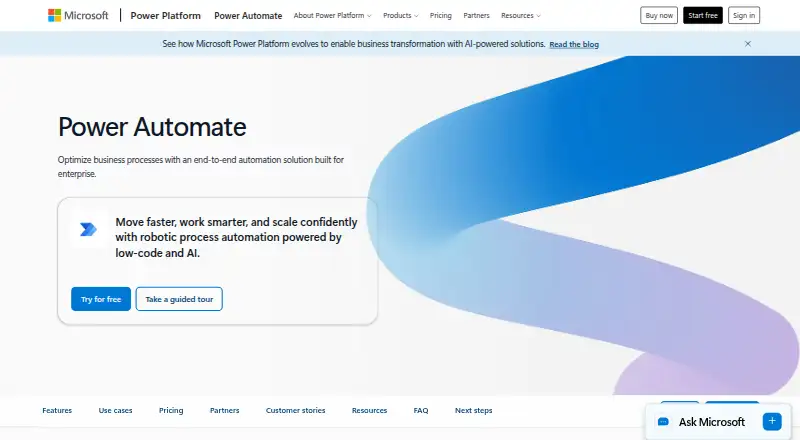
Microsoft Power Automate is a low-code platform for automating cloud applications, data, services, desktop applications, and websites. It suits organizations that already work across Microsoft Teams, SharePoint, Outlook, Excel, Forms, and Dataverse, as well as teams that need robotic process automation. Cloud flows can run on scheduled, automated, or instant triggers, while desktop flows support attended and unattended automation.
Pricing is structured around users and bots. The free trial lasts 30 days and includes UI-based cloud flows and standard connectors. Power Automate Premium costs $15 per user per month with annual billing and adds cloud flows, attended desktop flows, process and task mining, plus standard, premium, and custom connectors. Power Automate Process costs $150 per bot per month with annual billing for cloud flows, unattended desktop flows, and automation for core enterprise processes. Power Automate Hosted Process costs $215 per bot per month with annual billing and adds a Microsoft-hosted virtual machine. This makes the plan choice important: user-based automation fits individual makers and attended RPA, while bot-based tiers target unattended workloads.
Its strongest fit is the Microsoft ecosystem, but the platform also supports custom connectors with webhook-based and polling triggers, conditional actions, branching logic, monitoring, governance, and data-loss-prevention controls. Copilot features assist with automation authoring and analysis, while process and task mining extend its scope beyond basic task routing. Teams that need Microsoft-connected workflows, desktop RPA, or enterprise process controls should consider Power Automate. Organizations seeking a free ongoing plan or a simpler automation tool may find its paid tiers and bot-based structure less suitable.
Your product? Our editors can test Microsoft Power Automate in depth and publish a review, labelled as paid · from $149/mo →
Microsoft Power Automate pricing
All 5 Microsoft Power Automate plans and prices →
Microsoft Power Automate fact sheet
| Free plan | Yes |
|---|---|
| Paid from | $15/user/mo |
| Native connectors | Not verified |
| Multi-step workflows | Yes |
| Conditional logic | Yes |
| Webhook triggers | Yes |
| Included task runs | Not verified |
| Minimum run interval | Not verified |
| Free trial | 30 days |
| Deployment | Cloud, Desktop |
| Platforms | Web, Windows |
| Compliance & security | SOC 2, GDPR |
| Support | Community, Docs |
| Built for | Mid-market, Enterprise (editorial estimate) |
| Integrations | 8 integrations: Microsoft 365, Microsoft Teams, Excel, SharePoint, OneDrive, Microsoft Dataverse … See all → |
| Pricing | Free plan · 30-day trial (source) |
| Website | microsoft.com |
| Facts checked | 20 Sep 2026 |
Microsoft Power Automate integrations
Microsoft Power Automate lists 8 integrations on its own site.
- Microsoft 365
- Microsoft Teams
- Excel
- SharePoint
- OneDrive
- Microsoft Dataverse
- Salesforce
- SAP
See all Microsoft Power Automate integrations →
Alternatives to Microsoft Power Automate
- ZapierA mature no-code automation platform with exceptional app coverage and flexible workflow logic.9.3
- MakeBroad no-code automation with a free plan, 3,000+ apps, and multi-step routing.9.2
- n8nA technical workflow builder with flexible deployment, code steps, and strong control over logic.8.9



See all Microsoft Power Automate alternatives →
Microsoft Power Automate vs the competition
- Microsoft Power Automate vs Zapier
- Microsoft Power Automate vs Make
- Microsoft Power Automate vs n8n
- Microsoft Power Automate vs Zoho Flow
- Microsoft Power Automate vs Pabbly Connect
- Microsoft Power Automate vs Activepieces



Compare Microsoft Power Automate with any tool side by side →
Also Ranked In
Microsoft Power Automate is ranked in 31 of our directories; the 6 strongest besides Workflow Automation Tools.
Used Microsoft Power Automate? Be the first to review it
The editor score above is our own research. What this page doesn't have yet is a reader's view — what you used Microsoft Power Automate for, what worked and what didn't. No stars are seeded and no review is paid for; an editor reads every one before it appears.
Write a reviewTwo minutes · verified accounts only · read by an editor before it appears
Featured on iTechGuides

Microsoft Power Automate is listed in our Workflow Automation Tools directory. Add the badge to your site — it links back to this page.
<a href="https://www.itechguides.com/products/microsoft-power-automate/"><img src="https://www.itechguides.com/best/badge/microsoft-power-automate.svg" alt="Featured on iTechGuides" width="230" height="46"></a>
Reviewed by iTechGuides Editors · Editorial team · Updated Oct 2026
Advertiser disclosure: iTechGuides is reader-supported. Vendors can pay for top positions in our rankings and for a place on other products' pages, and we may earn a commission when you click some links. Bought places stand at the number bought; this page and our disclosure say so. Paying vendors may get a fuller, more detailed review from our editors, and that review can change their score. How we rank.
Last updated · How we research and update