Hangover
Hangover: A focused, free compatibility layer for Windows apps on ARM64 Linux. Ranked #15 of 26 in Windows Compatibility Layers by our editors (5.9/10); pricing: Free plan; best for ARM64 Linux users running x86 Windows apps.
At a glance
- Editor score5.9 / 10
- PricingFree plan
- Best forARM64 Linux users running x86 Windows apps
- Free planYes
- Paid fromNone
- macOS supportNo
- Founded2016
- Facts checked20 Sep 2026
Where it wins
- Supports both x86_64 and x86_32 Windows applications
- Combines Wine with FEX and Box64 application emulation
- Provides Debian and Ubuntu packages through GitHub releases
Where it doesn't
- Limited to Linux hosts rather than native macOS
- DXVK requires a Vulkan 1.3 driver with specific features
- Application compatibility may vary by hardware and software
Our verdict on Hangover
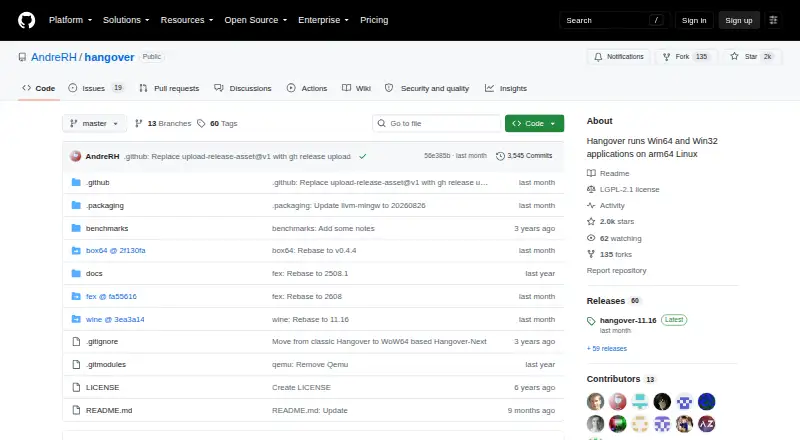
Hangover is an open-source compatibility layer for running x86_64 and x86_32 Windows applications on ARM64 Linux. It is aimed at users of ARM64 systems such as Debian, Ubuntu, Raspberry Pi and related distributions who need access to Windows software. The project can also run native ARM64 Windows applications, while its application-level emulation approach uses emulator DLLs rather than emulating an entire Wine installation. There is no paid tier: Hangover is free and open source.
Its main strength is the way it brings several components together for ARM64 Linux. FEX provides x86_64 emulation, while Box64 supports i386 emulation. Hangover also supports optional Wayland configuration and DXVK configuration for Direct3D translation. Debian and Ubuntu packages are available through GitHub releases, giving users on supported distributions a packaged installation route. DXVK can be useful for applications that need Direct3D translation, but it requires a Vulkan 1.3 driver with specific features, so graphics support depends on the host system.
Hangover is a focused choice rather than a general compatibility layer for every desktop platform. Its documented host focus is ARM64 Linux, and native macOS is not presented as supported. Compatibility can vary by hardware and application, so it suits users who are prepared to evaluate individual Windows programs on their ARM64 setup. Choose Hangover when ARM64 Linux support, x86 Windows application coverage, and integrations with FEX, Box64, DXVK, and Wayland are the priority. Choose another option when native macOS support or predictable compatibility across a broad range of hardware is required.
Hangover pricing
Hangover fact sheet
| Free plan | Yes |
|---|---|
| Paid from | None |
| macOS support | No |
| Linux support | Yes |
| Apple silicon support | Yes |
| Graphics acceleration | Dxvk |
| Compatibility database | Not verified |
| Prefix management | Yes |
| Deployment | Self-hosted |
| Platforms | Linux |
| Support | Community, Docs |
| Built for | Solo, Small business (editorial estimate) |
| Integrations | 4 integrations: FEX, Box64, DXVK, Wayland |
| Pricing | Free plan |
| Website | github.com |
| Facts checked | 20 Sep 2026 |
Hangover integrations
Hangover lists 4 integrations on its own site.
- FEX
- Box64
- DXVK
- Wayland
Alternatives to Hangover
- WineWine is a free, broad foundation for running Windows applications on Linux and macOS.9.0
- CrossOverA paid compatibility layer with application recipes, bottles, ratings, and graphics options.8.7
- BottlesA free, open-source choice for organizing and running Windows apps across platforms.8.2


See all Hangover alternatives →
Also listed in
Used Hangover? Be the first to review it
The editor score above is our own research. What this page doesn't have yet is a reader's view — what you used Hangover for, what worked and what didn't. No stars are seeded and no review is paid for; an editor reads every one before it appears.
Write a reviewTwo minutes · verified accounts only · read by an editor before it appears
Featured on iTechGuides

Hangover is listed in our Windows Compatibility Layers directory. Add the badge to your site — it links back to this page.
<a href="https://www.itechguides.com/products/hangover/"><img src="https://www.itechguides.com/best/badge/hangover.svg" alt="Featured on iTechGuides" width="230" height="46"></a>
Reviewed by iTechGuides Editors · Editorial team · Updated Sep 2026
Advertiser disclosure: iTechGuides is reader-supported. We may earn a commission when you click some links. How we rank.
Last updated · How we research and update