
GoodTask
GoodTask: A deeper task manager for Apple Reminders users who want more views and automation. Ranked #51 of 148 in To-Do List Apps by our editors (3.8/10); pricing: 14-day trial; best for apple Reminders users wanting more advanced views.
At a glance
- Editor score3.8 / 10
- Pricing14-day trial
- Best forApple Reminders users wanting more advanced views
- Free planNo
- Recurring tasksYes
- Facts checked21 Sep 2026
Where it wins
- Syncs with Apple Reminders, Calendars, iCloud, Exchange, and Outlook
- Offers recurring tasks, subtasks, notifications, and auto-snooze
- Adds Smart Lists, multiple views, widgets, Apple Watch support, and AI capture
Where it doesn't
- The iOS-family app and Mac app are sold separately
- Its workflow is centered on Apple platforms and services
- Paid options include multiple purchase types rather than one simple plan
Our verdict on GoodTask
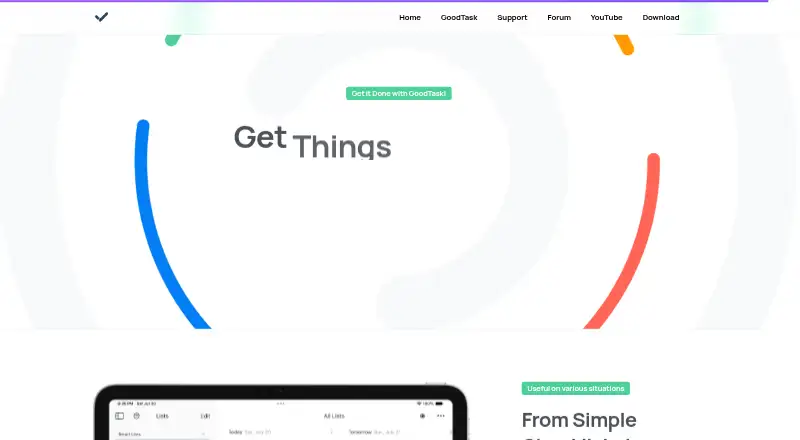
GoodTask is a task and project manager for people who already organize work with Apple Reminders and Calendars. It extends those systems with custom recurring tasks, subtasks, notifications, auto-snooze, Smart Lists, filters, calendar views, Quick Actions, widgets, and Apple Watch support. The app is available across iPhone, iPad, Apple Vision, Apple Watch, and Mac, with separate App Store listings for iOS-family devices and macOS. That makes it a strong fit for Apple users who want more control without leaving Apple’s task and calendar systems.
Its standout strength is the range of ways to structure and review work. Smart Lists can filter by lists, calendars, tags, priorities, and task status, while list, day, week, month, board, and calendar views support different planning styles. Quick Actions, presets, and text snippets can speed up repeat workflows. AI suggestions and Smart Capture from text or photos add another route for turning input into tasks. For users whose main limitation is the basic presentation of Apple Reminders, this breadth is the central reason to consider GoodTask.
The platform fit is also its main boundary. Synchronization is built around Apple Reminders and Calendars, with support for iCloud, Exchange, and Outlook, so it suits Apple-centered workflows better than mixed-platform setups. The Free plan is a free download with optional in-app purchases; Unlock Everything unlocks the full app, GoodTask Supporter is an optional auto-renewing annual subscription, and GoodTask for Mac is a Mac-only app. Choose GoodTask if advanced views and task controls matter within Apple’s ecosystem. Choose another tool if you need one purchase covering both app versions or a workflow designed beyond Apple platforms.
Your product? Our editors can test GoodTask in depth and publish a review, labelled as paid · from $149/mo →
GoodTask pricing
All 3 GoodTask plans and prices →
GoodTask fact sheet
| Free plan | No |
|---|---|
| Paid from | Not verified |
| Recurring tasks | Yes |
| Task reminders | Yes |
| Calendar sync | Yes |
| Subtasks | Yes |
| Offline access | Not verified |
| Active task limit | Not verified |
| Supported platforms | iOS, macOS |
| Free trial | 14 days |
| Deployment | Desktop, Mobile |
| Platforms | macOS, iOS |
| Support | Email, Community, Docs |
| Built for | Solo, Small business (editorial estimate) |
| Integrations | 5 integrations: Apple Reminders, Apple Calendars, iCloud, Google, Exchange |
| Pricing | 14-day trial (source) |
| Website | goodtaskapp.com |
| Facts checked | 21 Sep 2026 |
GoodTask integrations
GoodTask lists 5 integrations on its own site.
- Apple Reminders
- Apple Calendars
- iCloud
- Exchange
Alternatives to GoodTask
- TodoistA complete task manager with broad platform coverage, recurring tasks, and team workspaces.9.2
- TickTickA broad to-do app for users who want tasks, planning, habits, and focus tools together.9.0
- Microsoft To DoA capable free choice for daily planning, shared lists, and Microsoft-connected task management.8.8



See all GoodTask alternatives →
Also Ranked In
GoodTask is ranked in 2 of our directories.
Used GoodTask? Be the first to review it
The editor score above is our own research. What this page doesn't have yet is a reader's view — what you used GoodTask for, what worked and what didn't. No stars are seeded and no review is paid for; an editor reads every one before it appears.
Write a reviewTwo minutes · verified accounts only · read by an editor before it appears
Featured on iTechGuides

GoodTask is listed in our To-Do List Apps directory. Add the badge to your site — it links back to this page.
<a href="https://www.itechguides.com/products/goodtask/"><img src="https://www.itechguides.com/best/badge/goodtask.svg" alt="Featured on iTechGuides" width="230" height="46"></a>
Reviewed by iTechGuides Editors · Editorial team · Updated Oct 2026
Advertiser disclosure: iTechGuides is reader-supported. Vendors can pay for top positions in our rankings and for a place on other products' pages, and we may earn a commission when you click some links. Bought places stand at the number bought; this page and our disclosure say so. Paying vendors may get a fuller, more detailed review from our editors, and that review can change their score. How we rank.
Last updated · How we research and update