FLEX
FLEX: A free, open-source toolkit for inspecting and modifying iOS apps at runtime. Ranked #24 of 27 in Debuggers by our editors (6.5/10); pricing: Free plan; best for iOS runtime inspection.
At a glance
- Editor score6.5 / 10
- PricingFree plan
- Best foriOS runtime inspection
- Free planYes
- Paid fromFree
- Supported languagesObjective-C, Swift
- Founded2014
- Facts checked21 Sep 2026
Where it wins
- Inspects and modifies views, objects, databases, memory, and settings
- Works in the iOS Simulator and on physical iOS devices
- Free, open-source toolkit supporting Objective-C and Swift
Where it doesn't
- Focused on iOS rather than multiple platforms
- Does not support remote debugging
- Embedded into an app instead of operating as a standalone desktop debugger
Our verdict on FLEX
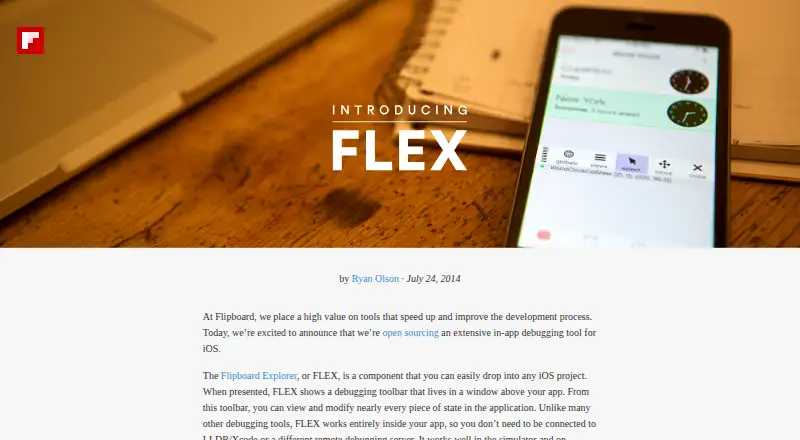
FLEX is an open-source, in-app debugging and exploration toolkit for iOS developers. It runs inside an app and provides tools for examining and modifying view hierarchies, object properties, ivars, methods, network request history, files, databases, loaded libraries, and NSUserDefaults. Support for Objective-C and Swift, along with operation in both the iOS Simulator and on physical iOS devices, makes it suited to developers investigating application behavior during development.
Its main strength is the breadth of runtime inspection in one embedded toolbar. Developers can browse the app sandbox, inspect SQLite and Realm databases, scan the heap for live objects, explore loaded libraries and classes, and dynamically call instance and class methods. FLEX also includes simulator keyboard shortcuts and can modify view hierarchies and NSUserDefaults. This scope fits teams that need direct visibility into an iOS app's runtime state without switching between separate inspection areas.
FLEX follows a focused integration model: it is embedded into the app rather than used as a standalone desktop debugger, and it runs without requiring an LLDB, Xcode, or remote debugging connection. That makes it a practical choice for local iOS inspection across simulator and device workflows. Developers who need remote debugging, broader platform coverage, or a conventional desktop debugger should choose a different tool. FLEX is the better fit when the priority is free, open-source runtime exploration and modification within iOS applications.
Your product? Our editors can test FLEX in depth and publish a review, labelled as paid · from $149/mo →
FLEX pricing
FLEX fact sheet
| Free plan | Yes |
|---|---|
| Paid from | Free |
| Supported languages | Objective-C, Swift |
| Target platforms | iOS Simulator, physical iOS devices |
| Remote debugging | No |
| Conditional breakpoints | Not verified |
| Exception breakpoints | Not verified |
| Time-travel debugging | Not verified |
| Core dump debugging | Not verified |
| Deployment | Mobile |
| Platforms | iOS |
| Built for | Solo, Small business (editorial estimate) |
| Pricing | Free plan |
| Website | engineering.flipboard.com |
| Facts checked | 21 Sep 2026 |
Alternatives to FLEX
- GDBA free, open-source debugger with unusually broad language, target, and remote-debugging coverage.9.4
- LLDBA capable, free debugger for C/C++ and Apple-platform development.9.2
- WinDbgA free, deeply capable debugger for Windows applications, drivers, and crash analysis.9.0


Used FLEX? Be the first to review it
The editor score above is our own research. What this page doesn't have yet is a reader's view — what you used FLEX for, what worked and what didn't. No stars are seeded and no review is paid for; an editor reads every one before it appears.
Write a reviewTwo minutes · verified accounts only · read by an editor before it appears
Featured on iTechGuides

FLEX is listed in our Debuggers directory. Add the badge to your site — it links back to this page.
<a href="https://www.itechguides.com/products/flex-debugger/"><img src="https://www.itechguides.com/best/badge/flex-debugger.svg" alt="Featured on iTechGuides" width="230" height="46"></a>
Reviewed by iTechGuides Editors · Editorial team · Updated Oct 2026
Advertiser disclosure: iTechGuides is reader-supported. Vendors can pay for top positions in our rankings and for a place on other products' pages, and we may earn a commission when you click some links. Bought places stand at the number bought; this page and our disclosure say so. Paying vendors may get a fuller, more detailed review from our editors, and that review can change their score. How we rank.
Last updated · How we research and update