
FilesAnywhere
FilesAnywhere: A mature file-sharing service with broad controls, deployment choices, and business integrations. Ranked #37 of 64 in Cloud Storage Services by our editors (5.7/10); pricing: 14-day trial; best for established business file-sharing workflows.
At a glance
- Editor score5.7 / 10
- Pricing14-day trial
- Best forEstablished business file-sharing workflows
- Founded1999 · Flower Mound, Texas, USA
- Facts checked22 Sep 2026
Where it wins
- Password-protected, expiring links with version restore and snapshots
- Admin controls, audit reporting, MFA, SSO, and workflow automation
- Web, desktop, mobile, API, cloud, and self-hosted deployment options
Where it doesn't
- The broad plan structure may require careful tier selection
- Advanced deployment options are limited to selected plans
- 24/7 support is not part of its support offering
Our verdict on FilesAnywhere
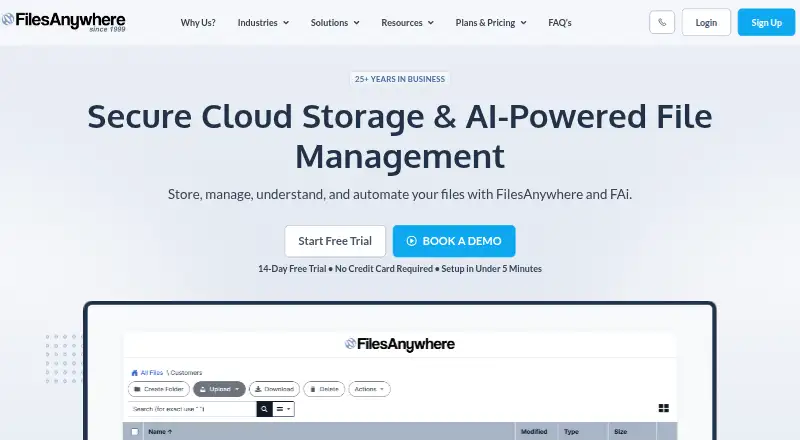
FilesAnywhere is a cloud storage and file management service for small businesses, professional teams, and enterprises. It combines online file storage with secure sharing, collaboration, backup, synchronization, workflow automation, electronic forms, and administrative controls. Access spans web, Windows, macOS, iOS, and Android, with API and self-hosted options for organizations that need more control over deployment. The product is best suited to established business file-sharing workflows rather than individuals seeking a simple personal drive.
Its strongest area is the depth of its business file-management toolkit. Teams can share files through password-protected and expiring links, retain file version history, restore files, and use automated backups with daily snapshots. Administrative features cover users, permissions, audits, and reporting, while CloudSync supports selective desktop synchronization. Integrations include Outlook, SFTP, FTPS, API connections, online editors, electronic-signature services, directory services, SAML 2.0, Azure AD, LDAP, PingIdentity, and OneLogin. That combination makes FilesAnywhere a practical fit for organizations connecting storage to identity, document, and workflow systems.
The plan structure also supports different operating models. Business Starter focuses on sharing, uploads, and automated backups; Professional adds user management, encrypted storage, CloudSync, workflow, MFA, and single sign-on. Flex Storage Pro adds customer-managed Azure or AWS storage, on-premise availability, multi-region setup, and white-label service, while Managed Enterprise provides managed infrastructure, branding, cloud choice, and multi-region deployment. A 14-day trial is available. Choose FilesAnywhere if your team needs administration, integration, backup, and deployment flexibility in one service. Choose a simpler storage product if those business controls and deployment options would add unnecessary complexity.
Your product? Our editors can test FilesAnywhere in depth and publish a review, labelled as paid · from $149/mo →
FilesAnywhere pricing
All 4 FilesAnywhere plans and prices →
FilesAnywhere fact sheet
| Free plan | Not verified |
|---|---|
| Paid from | Not verified |
| Storage limit | 100 GB |
| File size limit | Not verified |
| File versioning | Yes |
| Zero-knowledge encryption | Not verified |
| Device platforms | Windows, Mac, iPhone, iPad, Android |
| Business admin controls | Yes |
| Free trial | 14 days · no card needed |
| Deployment | Cloud, Self-hosted, Desktop, Mobile |
| Platforms | Web, Windows, macOS, iOS, Android |
| Compliance & security | SOC 2, ISO 27001, GDPR, HIPAA, PCI DSS, SSO/SAML, 2FA |
| Support | Email, Phone, Tickets, Docs |
| Built for | Small business, Mid-market, Enterprise (editorial estimate) |
| Integrations | 16 integrations: Adobe Sign, Autodesk, DocuSign, Google Docs Editor, Microsoft Online Editor, Zoho Online Editor … See all → |
| Pricing | 14-day trial (source) |
| Website | filesanywhere.com |
| Facts checked | 22 Sep 2026 |
FilesAnywhere integrations
FilesAnywhere lists 16 integrations on its own site.
- Adobe Sign
- Autodesk
- DocuSign
- Google Docs Editor
- Microsoft Online Editor
- Zoho Online Editor
- Active Directory Federation Services
- Azure AD
- Generic SAML 2.0
- LDAP
- PingIdentity
- OneLogin
- WatchGuard
- Outlook
- SFTP
- API
See all FilesAnywhere integrations →
Alternatives to FilesAnywhere
- Microsoft OneDriveA flexible, low-cost cloud storage service with deep Microsoft 365 integration.9.2
- BoxA broad cloud storage platform for businesses that need content controls and workflow tools.9.1
- Google Cloud StorageScalable bucket storage with lifecycle controls, replication, and broad developer access.9.0



See all FilesAnywhere alternatives →
Also Ranked In
FilesAnywhere is ranked in 2 of our directories.
Used FilesAnywhere? Be the first to review it
The editor score above is our own research. What this page doesn't have yet is a reader's view — what you used FilesAnywhere for, what worked and what didn't. No stars are seeded and no review is paid for; an editor reads every one before it appears.
Write a reviewTwo minutes · verified accounts only · read by an editor before it appears
Featured on iTechGuides

FilesAnywhere is listed in our Cloud Storage Services directory. Add the badge to your site — it links back to this page.
<a href="https://www.itechguides.com/products/filesanywhere/"><img src="https://www.itechguides.com/best/badge/filesanywhere.svg" alt="Featured on iTechGuides" width="230" height="46"></a>
Reviewed by iTechGuides Editors · Editorial team · Updated Oct 2026
Advertiser disclosure: iTechGuides is reader-supported. Vendors can pay for top positions in our rankings and for a place on other products' pages, and we may earn a commission when you click some links. Bought places stand at the number bought; this page and our disclosure say so. Paying vendors may get a fuller, more detailed review from our editors, and that review can change their score. How we rank.
Last updated · How we research and update