
eWorkOrders
eWorkOrders: A broad CMMS with AI and integrations, at a high monthly entry price. Ranked #29 of 37 in CMMS Software by our editors (6.0/10); pricing: Paid; best for larger maintenance teams needing AI and integrations.
At a glance
- Editor score6.0 / 10
- PricingPaid
- Best forLarger maintenance teams needing AI and integrations
- Free planNo
- Paid from$45/user/mo
- Preventive maintenanceYes
- Founded1995 · 25 Oakland Dr. West, Whitehouse Station, NJ, USA
- Facts checked19 Sep 2026
Where it wins
- Combines work orders, preventive maintenance, assets, and inventory.
- AI assists with troubleshooting, PM recommendations, and assignment.
- Integrates with SAP, Oracle, QuickBooks, Power BI, and more.
Where it doesn't
- Starter begins at $380 per month, above many alternatives.
- Smartphone, tablet, QR-code, and barcode features require Advanced.
- Enterprise has a five-user minimum and custom pricing.
Our verdict on eWorkOrders
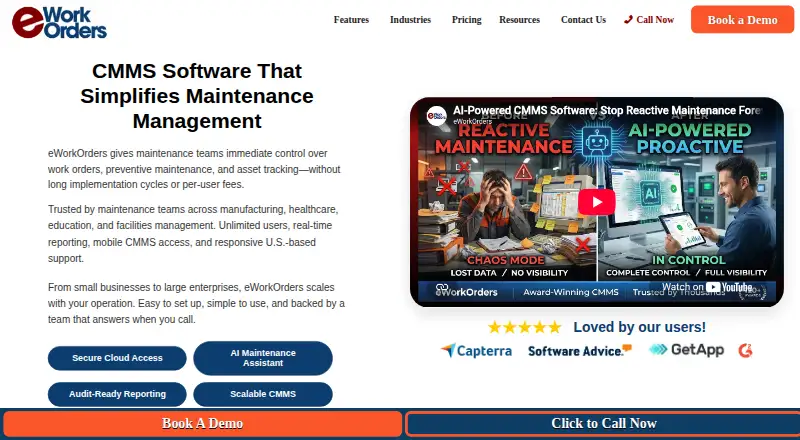
Maintenance teams in manufacturing, healthcare, facilities, government, and other asset-intensive operations can use eWorkOrders to manage maintenance in one cloud CMMS. It covers work-order creation through closure, preventive-maintenance scheduling, asset service histories, spare-parts inventory, service requests, and reporting. Browser access is available on web, iOS, and Android. Its broad scope and AI assistance suit larger teams with varied workflows; smaller operations looking for a lower-cost entry point may find its pricing harder to justify.
The published plans show Starter at $380 per month and Advanced at $480 per month, both with unlimited users. Starter includes work orders, asset management, preventive maintenance, materials management, reporting, and dashboards. Advanced adds smartphone and tablet access, QR-code scanning, and barcode scanning. Enterprise is labeled custom pricing, with a five-user minimum; its listed capabilities include inventory control, API, GIS, and single sign-on. The pricing structure makes plan comparison important: Enterprise is presented with per-user pricing, while the plan is also described as custom-priced.
Integration coverage is a notable strength for organizations connecting maintenance with other systems. Listed options include SAP, Oracle, Microsoft Dynamics, QuickBooks, Sage, Power BI, Zapier, GIS platforms, and building management systems; a REST API is also available. AI-assisted troubleshooting, preventive-maintenance recommendations, and work-order assignment add support to core maintenance processes. Teams needing this breadth, native mobile access, and enterprise connections may find the fit compelling. Teams that mainly need basic work orders and preventive scheduling should compare lower-cost alternatives before committing to a starting price of $380 per month.
Your product? Our editors can test eWorkOrders in depth and publish a review, labelled as paid · from $149/mo →
eWorkOrders pricing
All 3 eWorkOrders plans and prices →
eWorkOrders fact sheet
| Free plan | No |
|---|---|
| Paid from | $45/user/mo |
| Preventive maintenance | Yes |
| Work orders | Yes |
| Spare parts inventory | Yes |
| Mobile access | Native |
| Technician time tracking | Yes |
| API access | Yes |
| Deployment | Cloud, Mobile |
| Platforms | Web, iOS, Android |
| Integrations | 12 integrations: SAP, Oracle, Microsoft Dynamics, QuickBooks, Sage, AssetWatch … |
| Pricing | Paid (source) |
| Website | eworkorders.com |
| Facts checked | 19 Sep 2026 |
eWorkOrders integrations
eWorkOrders lists 12 integrations on its own site.
- SAP
- Oracle
- Microsoft Dynamics
- QuickBooks
- Sage
- AssetWatch
- Microsoft Active Directory
- Microsoft Power BI
- Zapier
- GIS platforms
- building management systems
- Microsoft Excel
Alternatives to eWorkOrders
- Asset EssentialsA broad CMMS for large asset programs, with pricing handled through sales.9.2
- MaintainXA mobile CMMS with a free plan, offline workflows, and broad integrations.8.8
- FiixFiix combines preventive maintenance, asset controls, inventory, and offline mobile work.8.7



See all eWorkOrders alternatives →
Also Ranked In
eWorkOrders is ranked in 8 of our directories; the 6 strongest besides CMMS Software.
Used eWorkOrders? Be the first to review it
The editor score above is our own research. What this page doesn't have yet is a reader's view — what you used eWorkOrders for, what worked and what didn't. No stars are seeded and no review is paid for; an editor reads every one before it appears.
Write a reviewTwo minutes · verified accounts only · read by an editor before it appears
Featured on iTechGuides

eWorkOrders is listed in our CMMS Software directory. Add the badge to your site — it links back to this page.
<a href="https://www.itechguides.com/products/eworkorders/"><img src="https://www.itechguides.com/best/badge/eworkorders.svg" alt="Featured on iTechGuides" width="230" height="46"></a>
Reviewed by iTechGuides Editors · Editorial team · Updated Oct 2026
Advertiser disclosure: iTechGuides is reader-supported. Vendors can pay for top positions in our rankings and for a place on other products' pages, and we may earn a commission when you click some links. Bought places stand at the number bought; this page and our disclosure say so. Paying vendors may get a fuller, more detailed review from our editors, and that review can change their score. How we rank.
Last updated · How we research and update