
EmpMonitor
EmpMonitor: Broad workforce surveillance with annual plans starting at $3 per user monthly. Ranked #8 of 21 in Employee Desktop Monitoring Software by our editors (8.6/10); pricing: 15-day trial; best for budget-conscious teams needing broad monitoring.
At a glance
- Editor score8.6 / 10
- Pricing15-day trial
- Best forBudget-conscious teams needing broad monitoring
- Free planNo
- Paid from$3/user/mo
- ScreenshotsAutomatic
- Founded2014 · Bangalore, India
- Facts checked24 Sep 2026
Where it wins
- Tracks apps, websites, activity, attendance and keystrokes
- Includes screenshots, screen recording, live viewing and USB controls
- Runs on Windows, macOS, Linux, iOS and Android
Where it doesn't
- No permanent free plan; access is through a 15-day trial
- Keystroke monitoring and screenshots may be excessive for some teams
- Diamond pricing requires a personalized quote
Our verdict on EmpMonitor
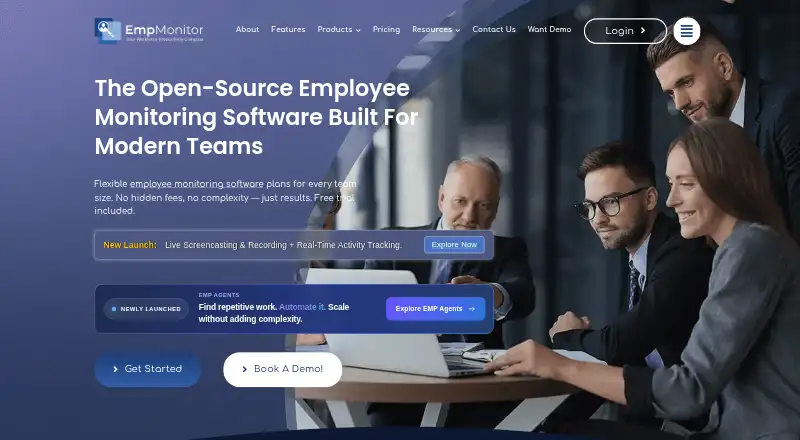
EmpMonitor combines employee activity monitoring and workforce management for organizations overseeing office, remote, hybrid or on-premise teams. It records application and website use, active and idle time, attendance, screenshots and keystrokes, with reports and alerts for managers. Desktop agents support Windows, macOS and Linux/Ubuntu, while mobile apps cover iOS and Android. Its breadth suits teams seeking detailed oversight across different work settings; organizations that want only basic time tracking may find its surveillance features more than they need.
Monitoring extends beyond activity logs: configurable automatic screenshots, screen recordings in five-minute segments, live screen viewing and remote control are available, alongside USB detection and blocking. Attendance, shifts, timesheets, role-based permissions and project and task management add workforce administration. Deployment options include cloud and self-hosted, and files can be sent to Google Drive, Dropbox, Amazon S3 or Microsoft OneDrive. That combination makes EmpMonitor a fit for teams that need visibility and controls in one system, but buyers should consider whether keystroke capture and screen surveillance align with their workplace policies.
According to the published plans, annual billing starts at $3 per user monthly for Gold; Silver is $3.83 and Bronze is $4.66. Monthly rates are $4 for Gold, $5 for Silver and $6 for Bronze. The listed highlights for those tiers include time, URL and app, idle-time and screenshot tracking, keystroke monitoring and USB detection; annual tiers specify USB blocking, while monthly highlights say USB detection. Diamond offers personalized quotes for larger teams. A 15-day trial is available, with no permanent free plan. Choose EmpMonitor for broad monitoring and workforce controls across desktop and mobile; look elsewhere if a free ongoing plan or a narrower, less intrusive tool is essential.
Your product? Our editors can test EmpMonitor in depth and publish a review, labelled as paid · from $149/mo →
EmpMonitor pricing
All 4 EmpMonitor plans and prices →
EmpMonitor fact sheet
| Free plan | No |
|---|---|
| Paid from | $3/user/mo |
| Screenshots | Automatic |
| Activity tracking | Apps_and_websites |
| Idle detection | Yes |
| Screen recording | Yes |
| Data retention | 180 days |
| Desktop platforms | Windows, macOS, Linux/Ubuntu |
| Free trial | 15 days · no card needed |
| Deployment | Cloud, Self-hosted, Desktop, Mobile |
| Platforms | Web, Windows, macOS, Linux, iOS, Android |
| Compliance & security | GDPR |
| Support | Email, Live chat, Phone, Docs · 24/7 |
| Built for | Solo, Small business, Mid-market, Enterprise (editorial estimate) |
| Integrations | 4 integrations: Google Drive, Dropbox, Amazon S3, Microsoft OneDrive |
| Pricing | 15-day trial (source) |
| Website | empmonitor.com |
| Facts checked | 24 Sep 2026 |
EmpMonitor integrations
EmpMonitor lists 4 integrations on its own site.
- Google Drive
- Dropbox
- Amazon S3
- Microsoft OneDrive
Alternatives to EmpMonitor
- ActivTrakBroad workforce visibility with tracking, analytics and planning tools across paid tiers.9.4
- Time DoctorTime Doctor links work tracking, attendance, and payroll workflows across teams.9.2
- HubstaffCombines desktop monitoring with timesheets, scheduling, attendance and payroll tools.9.1



See all EmpMonitor alternatives →
EmpMonitor vs the competition
- EmpMonitor vs Time Doctor
- EmpMonitor vs Hubstaff
- EmpMonitor vs Insightful
- EmpMonitor vs DeskTime
- EmpMonitor vs Controlio
- EmpMonitor vs Teramind Data Loss Prevention



Compare EmpMonitor with any tool side by side →
Also Ranked In
EmpMonitor is ranked in 4 of our directories.
Used EmpMonitor? Be the first to review it
The editor score above is our own research. What this page doesn't have yet is a reader's view — what you used EmpMonitor for, what worked and what didn't. No stars are seeded and no review is paid for; an editor reads every one before it appears.
Write a reviewTwo minutes · verified accounts only · read by an editor before it appears
Featured on iTechGuides

EmpMonitor is listed in our Employee Desktop Monitoring Software directory. Add the badge to your site — it links back to this page.
<a href="https://www.itechguides.com/products/empmonitor/"><img src="https://www.itechguides.com/best/badge/empmonitor.svg" alt="Featured on iTechGuides" width="230" height="46"></a>
Reviewed by iTechGuides Editors · Editorial team · Updated Oct 2026
Advertiser disclosure: iTechGuides is reader-supported. Vendors can pay for top positions in our rankings and for a place on other products' pages, and we may earn a commission when you click some links. Bought places stand at the number bought; this page and our disclosure say so. Paying vendors may get a fuller, more detailed review from our editors, and that review can change their score. How we rank.
Last updated · How we research and update