
CampusWorkflow
CampusWorkflow: A broad university scheduling platform with strong exam, room, proctor, and integration support. Ranked #6 of 37 in Exam Scheduling Software by our editors (8.9/10); pricing: Pricing on request; best for institutions needing integrated academic and exam scheduling.
At a glance
- Editor score8.9 / 10
- PricingPricing on request
- Best forInstitutions needing integrated academic and exam scheduling
- Automatic timetablingYes
- Facts checked22 Sep 2026
Where it wins
- Constraint-aware course and exam scheduling with conflict resolution
- Proctor, room, capacity, availability, and maintenance constraints
- REST, GraphQL, webhooks, SCIM, SIS, LMS, and calendar integrations
Where it doesn't
- Its broad academic suite may exceed the needs of exam-only teams
- Cloud deployment may not suit institutions requiring on-premise software
- Exam scheduling sits within a wider platform rather than a narrow specialist tool
Our verdict on CampusWorkflow
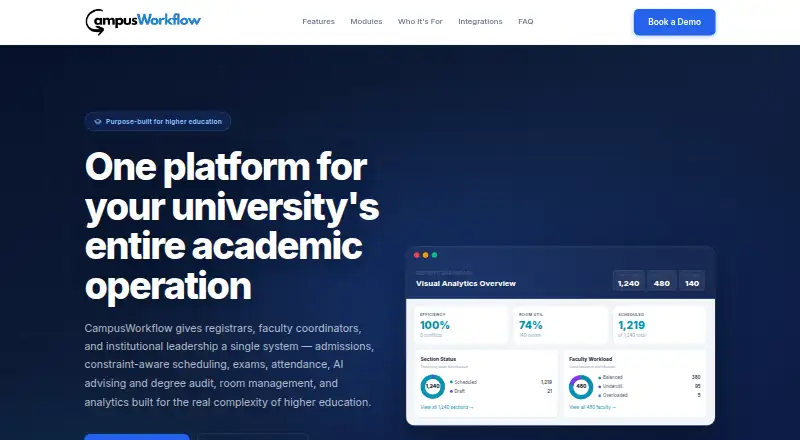
CampusWorkflow is a web-based academic operations platform for universities that need course scheduling, exam timetabling, room management, and related academic workflows in one system. It is aimed at registrars, faculty coordinators, academic leaders, IT teams, and students across single- and multi-campus institutions. Its scheduling scope extends beyond exams to attendance, admissions, petitions, degree audit, AI advising, analytics, and SIS synchronization.
Scheduling depth is a central strength. Constraint-aware automatic course scheduling can account for room, faculty, time, linked-section, and campus blackout requirements. Exam timetabling supports configurable periods and slots, clash-free placement, proctor assignment, and room capacity, room type, availability, and maintenance constraints. Faculty preference collection, workload targets, conflict detection, AI-assisted resolution, simulation mode, and readiness gates add controls for complex planning. Room booking, equipment inventory, and maintenance blocks connect scheduling decisions with operational resources.
CampusWorkflow also fits institutions with an established academic technology ecosystem. It offers REST and GraphQL APIs, webhooks, SCIM provisioning, SIS synchronization, and CSV/Excel export. Listed integrations include Banner, PeopleSoft, Jenzabar, Canvas, Blackboard, Moodle, Brightspace, Google Calendar, and Outlook. Institutions seeking an integrated academic operations environment should find its breadth relevant, particularly when exam scheduling must connect with rooms, faculty, student systems, and learning platforms. Teams focused only on examination timetables may prefer a narrower specialist product, while institutions requiring cloud deployment should assess that fit before selecting it.
Your product? Our editors can test CampusWorkflow in depth and publish a review, labelled as paid · from $149/mo →
CampusWorkflow pricing
CampusWorkflow fact sheet
| Free plan | Not verified |
|---|---|
| Paid from | Not verified |
| Automatic timetabling | Yes |
| Room constraints | Yes |
| Student conflict rules | Not verified |
| Invigilator constraints | Not verified |
| Course constraints | Not verified |
| Deployment | Cloud |
| Maximum exams | Not verified |
| Deployment | Cloud |
| Platforms | Web |
| Compliance & security | SSO/SAML, 2FA |
| Support | |
| Built for | Mid-market, Enterprise (editorial estimate) |
| Integrations | 9 integrations: Banner, PeopleSoft, Jenzabar, Canvas, Blackboard, Moodle … |
| Pricing | Pricing on request |
| Website | campusworkflow.com |
| Facts checked | 22 Sep 2026 |
CampusWorkflow integrations
CampusWorkflow lists 9 integrations on its own site.
- Banner
- PeopleSoft
- Jenzabar
- Canvas
- Blackboard
- Moodle
- Brightspace
- Google Calendar
- Outlook
Alternatives to CampusWorkflow
- OakslotOakslot delivers deep exam scheduling control for universities with complex constraints.9.4
- Optime ExamEnd-to-end exam scheduling for institutions managing complex student, room and invigilator constraints.9.3
- SEAtS ONE TimetablingA cloud timetable and exam scheduling system with seating, access and invigilation controls.9.2



See all CampusWorkflow alternatives →
CampusWorkflow vs the competition
- CampusWorkflow vs Oakslot
- CampusWorkflow vs Optime Exam
- CampusWorkflow vs SEAtS ONE Timetabling
- CampusWorkflow vs UniTime
- CampusWorkflow vs Wise Timetable
- CampusWorkflow vs CELCAT Timetabler



Compare CampusWorkflow with any tool side by side →
Used CampusWorkflow? Be the first to review it
The editor score above is our own research. What this page doesn't have yet is a reader's view — what you used CampusWorkflow for, what worked and what didn't. No stars are seeded and no review is paid for; an editor reads every one before it appears.
Write a reviewTwo minutes · verified accounts only · read by an editor before it appears
Featured on iTechGuides

CampusWorkflow is listed in our Exam Scheduling Software directory. Add the badge to your site — it links back to this page.
<a href="https://www.itechguides.com/products/campusworkflow/"><img src="https://www.itechguides.com/best/badge/campusworkflow.svg" alt="Featured on iTechGuides" width="230" height="46"></a>
Reviewed by iTechGuides Editors · Editorial team · Updated Oct 2026
Advertiser disclosure: iTechGuides is reader-supported. Vendors can pay for top positions in our rankings and for a place on other products' pages, and we may earn a commission when you click some links. Bought places stand at the number bought; this page and our disclosure say so. Paying vendors may get a fuller, more detailed review from our editors, and that review can change their score. How we rank.
Last updated · How we research and update