
Browserflow
Browserflow: A practical choice for recording browser workflows, scraping data, and scheduling web tasks. Ranked #28 of 35 in Task Automation Software by our editors (6.1/10); pricing: Free plan; best for recorded browser workflows and web scraping.
At a glance
- Editor score6.1 / 10
- PricingFree plan
- Best forRecorded browser workflows and web scraping
- Free planYes
- Paid from$19/mo
- Facts checked21 Sep 2026
Where it wins
- Visual recording and no-code flow building
- Scheduled cloud runs, even when your computer is off
- Scraping, file outputs, JavaScript, webhooks, and CAPTCHA solving
Where it doesn't
- Free cloud automation is limited to 30 minutes per month
- Advanced proxies and CAPTCHA solving require the Business plan
- Deployment centers on the web and Chrome extension
Our verdict on Browserflow
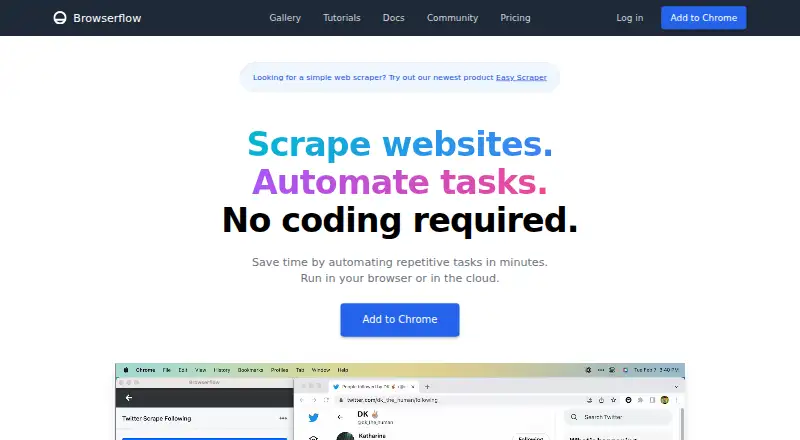
Browserflow is a Chrome extension and cloud service for automating repetitive website tasks without coding. It suits solo users, small teams, and mid-market organizations handling browser-based research, administrative work, spreadsheet enrichment, and web scraping. Its visual flow editor can record browser actions, interact with page elements, extract data, connect with Google Sheets, execute custom JavaScript, and save screenshots, PDFs, and other files. Flows can run locally in the browser or in Browserflow Cloud, where scheduled runs can continue while the user's computer is off.
The published plans follow a freemium model. Free costs $0 per month and includes desktop automation, cloud automation, Google Sheets integration, and community support, with 30 minutes of cloud automation per month. Starter costs $19 per month billed annually and adds API and webhooks while retaining the core automation features. Professional costs $49 per month billed annually and adds data center proxies and email support. Business costs $199 per month billed annually and adds residential proxies and a CAPTCHA solver, alongside API and webhooks. The plan structure makes the lower tiers suitable for browser workflows and spreadsheet tasks, while scraping operations that need proxy options or CAPTCHA handling are directed toward the higher tier.
Browserflow’s standout strength is its focus on browser-native automation rather than broad, multi-system workflow design. Conditional logic, loops, JavaScript, scheduled cloud flows, rotating proxies, webhooks, and file outputs give recorded workflows more room to handle structured data collection and repeatable web processes. Google Sheets, Zapier, and webhooks support common handoffs, while documentation, community support, and email support provide the listed support channels. Pick Browserflow when the work happens primarily in websites and Chrome and recorded flows can reduce repetitive effort. Choose an alternative when the workflow depends on broader platform coverage, a non-browser-centered deployment model, or pricing below the Business tier for advanced scraping controls.
Your product? Our editors can test Browserflow in depth and publish a review, labelled as paid · from $99/mo →
Browserflow pricing
All 4 Browserflow plans and prices →
Browserflow fact sheet
| Free plan | Yes |
|---|---|
| Paid from | $19/mo |
| Desktop support | Not verified |
| Scheduled runs | Yes |
| App triggers | Not verified |
| Browser automation | Yes |
| Desktop recorder | Yes |
| Monthly run limit | Not verified |
| Workflow step limit | Not verified |
| Deployment | Cloud, Browser extension |
| Platforms | Web, Chrome extension |
| Support | Email, Community, Docs |
| Built for | Solo, Small business, Mid-market (editorial estimate) |
| Integrations | 3 integrations: Google Sheets, Zapier, Webhooks |
| Pricing | Free plan (source) |
| Website | browserflow.app |
| Facts checked | 21 Sep 2026 |
Browserflow integrations
Browserflow lists 3 integrations on its own site.
- Google Sheets
- Zapier
- Webhooks
Alternatives to Browserflow
- ZapierA broad workflow automation platform with more than 9,000 app integrations.9.3
- MakeA flexible no-code automation platform with multi-step workflows and a free entry plan.9.2
- Microsoft Power AutomateA broad automation suite for Microsoft environments, with paid plans starting at $15 per user monthly.9.0


See all Browserflow alternatives →
Also Ranked In
Browserflow is ranked in 2 of our directories.
Used Browserflow? Be the first to review it
The editor score above is our own research. What this page doesn't have yet is a reader's view — what you used Browserflow for, what worked and what didn't. No stars are seeded and no review is paid for; an editor reads every one before it appears.
Write a reviewTwo minutes · verified accounts only · read by an editor before it appears
Featured on iTechGuides

Browserflow is listed in our Task Automation Software directory. Add the badge to your site — it links back to this page.
<a href="https://www.itechguides.com/products/browserflow/"><img src="https://www.itechguides.com/best/badge/browserflow.svg" alt="Featured on iTechGuides" width="230" height="46"></a>
Guides on task automation software
- Top 7 Task Automation Software for 2026: Best Tools ComparedAug 2026
- How to Choose a Task Automation Tool for Personal and Work WorkflowsOct 2026
Reviewed by iTechGuides Editors · Editorial team · Updated Oct 2026
Advertiser disclosure: iTechGuides is reader-supported. Vendors can pay for top positions in our rankings and for a place on other products' pages, and we may earn a commission when you click some links. How we rank.
Last updated · How we research and update