
iTechGuides is reader-supported. When you buy through links on our site, we may earn an affiliate commission. As an Amazon Associate I earn from qualifying purchases. Learn more
The best task automation software for 2026 depends on the work you need to automate: Zapier is the easiest broad SaaS connector, Make handles visual branching, n8n suits technical and self-hosted teams, Power Automate fits Microsoft 365, UiPath handles desktop RPA, Workato targets enterprise integration, and Activepieces is the leading open-source/value alternative.
These products are not interchangeable. Some connect cloud applications through APIs, some orchestrate complex workflows, some control desktop interfaces, and others provide governed integration for large enterprises. The right choice depends on workflow complexity, billing method, deployment requirements, data controls, and who will maintain the automation after launch.


Key takeaways
- Zapier is the easiest starting point for broad no-code SaaS automation and advertises more than 9,000 app connections.
- Make is a stronger fit than a basic trigger-and-action tool when a workflow needs routers, filters, iterators, transformations, or multiple branches.
- n8n is the best match for technical teams that need code steps, custom API calls, execution-based cloud billing, or self-hosting.
- Power Automate is the natural choice for Microsoft 365 organizations, while UiPath is better suited to serious desktop and legacy-system RPA.
- Workato provides enterprise integration and governance, but its pricing is sales-led; Activepieces offers a lower-cost cloud and open-source self-hosted alternative.
Top 7 task automation software for 2026 compared
The following ranking is category-balanced rather than an assertion that one product is objectively superior in every situation. The list deliberately includes no-code connectors, visual workflow builders, self-hosted automation, Microsoft-native flows, RPA, enterprise iPaaS, and open-source software.
The Tool Desk
Outbyte Driver Updater FREEScan for outdated or missing drivers - takes under a minuteDriver Scan →Outbyte PC Repair FREERepair Windows errors before they cause bigger problemsFix Now →| Rank | Software | Best for | Automation type | Hosting model | Billing model | Public starting price snapshot | Main limitation |
|---|---|---|---|---|---|---|---|
| 1 | Zapier | Broad no-code app connectivity | App-to-app workflows | Vendor-hosted cloud | Tasks/actions | Free; Professional from $19.99/month | Multi-step, high-volume workflows can consume tasks quickly |
| 2 | Make | Visual branching and routing | Visual workflow orchestration | Vendor-hosted cloud | Credits per module action | Free; Core from $12/month for 10,000 credits | Complex canvases require more training and documentation |
| 3 | n8n | Technical and self-hosted teams | Code-friendly workflows | Cloud or self-hosted | Workflow executions in cloud | €20/month annually for 2,500 executions | Self-hosting transfers operations to the customer |
| 4 | Microsoft Power Automate | Microsoft 365 organizations | Cloud flows and desktop RPA | Microsoft cloud, hosted RPA, or managed machines | Users, processes, and bots | Premium from $15/user/month annually | Licensing becomes complicated with premium connectors and unattended RPA |
| 5 | UiPath | Legacy interfaces and enterprise RPA | Desktop, browser, and document automation | Cloud or customer environment | Plans, robots, and enterprise quote | Basic from $25/month | Often excessive for ordinary SaaS integrations |
| 6 | Workato | Enterprise integration and orchestration | Governed iPaaS and business processes | Enterprise cloud and deployment options | Custom quote | Not publicly listed | Requires sales engagement and enterprise-level planning |
| 7 | Activepieces | Open-source and value-focused automation | No-code and AI-oriented workflows | Cloud or self-hosted/on-premises | Credits and plans | Free; Plus from $16/month annually | Smaller ecosystem and less mature enterprise coverage |
Prices in the table are a commercial snapshot observed on August 18, 2026, for the requested August 16, 2026 comparison. Prices can vary by region, currency, annual versus monthly billing, usage tier, seats, promotional terms, and overage policy. Verify the vendor pricing page immediately before buying.
What counts as task automation software?
Task automation software uses rules, workflows, code, bots, or AI-assisted decisions to perform repeatable work with less manual intervention. The term covers several different categories that have different reliability, pricing, governance, and maintenance requirements.
| Category | What it does | Typical example | Best-fit products |
|---|---|---|---|
| App-to-app automation | Moves data between cloud applications through triggers and actions | Form submission creates a CRM lead and sends a Slack alert | Zapier, Make, Activepieces |
| Workflow orchestration | Coordinates branches, loops, transformations, approvals, and multiple systems | Route orders by geography, value, and exception status | Make, n8n, Power Automate |
| Desktop RPA | Operates a browser or desktop application through its user interface | Enter invoice data into a legacy finance application | UiPath, Power Automate |
| Enterprise iPaaS | Provides governed, monitored, high-volume integration among core systems | Coordinate ERP, CRM, billing, identity, support, and analytics | Workato |
| Self-hosted automation | Lets the customer operate the platform and control infrastructure or data location | Run internal API workflows inside a private environment | n8n, Activepieces |
| AI-assisted automation | Uses AI to build workflows, classify content, extract data, or select actions | Classify an incoming request and route it for approval | All seven to varying degrees |
“No-code” does not mean “no maintenance.” Every production automation still needs authentication, field mapping, testing, error handling, monitoring, documentation, and an owner.
How were these automation platforms evaluated?
The comparison considers ease of setup, workflow flexibility, integration depth, pricing transparency, reliability and recovery, AI usefulness, governance, deployment options, and suitability for the intended buyer. Integration counts receive limited weight because an advertised connector does not guarantee the exact trigger, action, field, authentication method, pagination behavior, or rate limit a workflow requires.
Crashes, No Sound, or Screen Glitches?
Random freezes, missing sound and display glitches usually trace back to one bad driver. Find and replace yours safely.Free scan · under a minuteWindows Errors? Fix Them Before They Spread
Repair common Windows errors and clear accumulated junk for a smoother, more stable PC - no reinstall needed.Free scan · no reinstallBefore selecting a platform, verify the exact application, trigger, action, read/write support, custom-field behavior, webhook availability, OAuth or API-key requirements, rate limits, regional restrictions, and plan restrictions.
1. Zapier: best overall for broad app connectivity
Zapier is the best starting point for small businesses, marketers, sales teams, and nontechnical operations users who need straightforward cloud-app automation. Zapier’s familiar trigger-and-action model makes a workflow such as “new form response creates a CRM lead” quick to configure. Zapier’s pricing page advertises more than 9,000 app connections, although the exact depth of each connection varies by application and plan.
Zapier is strongest when a workflow is mostly linear: a new lead enters through a form, the lead is enriched, a CRM record is created, sales receives a notification, and a project-management task is added. Templates and a large app directory reduce the time needed to find a starting point. The Zapier app directory is the appropriate place to check whether a specific application and operation are supported.
How does Zapier charge?
Zapier generally counts each successful downstream action as a separate task, while triggers do not count toward task usage. Zapier also states that AI steps, code, MCP, and SDK activity can draw from a shared task allocation; check the Zapier pricing and task definition before estimating volume.
What’s actually slowing this PC down?
Pick the symptom - the matching free tool is one click away.
The August 18, 2026 public pricing snapshot showed a free plan, Professional from $19.99 per month, and Team from $69 per month. Annual billing, usage limits, overages, premium apps, and higher-tier features can change the real cost.
What are Zapier’s strengths and weaknesses?
- Strengths: broad app coverage, fast setup, familiar linear workflows, templates, webhooks, premium apps, and no infrastructure management.
- Weaknesses: per-task billing can become expensive, complex branching is less transparent than a canvas-based builder, and “9,000+ apps” does not guarantee the operation or field a workflow needs.
- Avoid Zapier when: a high-volume workflow performs many billable actions, requires deep custom code, needs extensive self-hosting, or depends on fragile desktop automation.
Best alternative: Choose Make for more visible branching and routing, or n8n for code-heavy workflows and self-hosting.
2. Make: best for visual workflow complexity
Make is the best fit for users who have outgrown simple trigger-action automation and want a visual canvas for routers, filters, iterators, transformations, and multiple paths. Make scenarios make the route data takes through a process visible, which is useful for e-commerce, operations, and marketing workflows with different outcomes.
An example is an order entering an e-commerce system, being routed by geography and order value, updating inventory, creating a fulfillment record, notifying the correct team, and logging exceptions. Make’s pricing page lists a visual workflow builder, routers, filters, scheduled scenarios, API access, and more than 3,000 apps.
Recommended Free Tools
How does Make charge?
Make states that each module action counts as one credit. A scenario that processes many records or loops through a collection can therefore use credits much faster than a simple two-module scenario. The August 18, 2026 snapshot showed a free plan, Core from $12 per month for 10,000 credits, Pro from $21 per month, and Teams from $38 per month.
Rank #2

- Scalable capacity for 20 phones Efficiently manage up to 20 devices, enabling large-scale application testing, social media operations, or data automation tasks that were difficult to achieve with traditional setups
- Whats is Box Phone Farm ? It is a piece of equipment that removes the phone screen/battery/camera/sim slot, integrates them into a chassis, and works with click farm software to achieve group control functions. phone motherboards. The size of the box and the number of motherboards are fixed ,Install the click farm software on your computer and you can do batch operations.
- Battery-Free Design & Overheating Prevention All included devices operate without batteries, eliminating overheating risks and extending hardware lifespan for reliable, uninterrupted operations.
- Smart Cooling & Centralized Control Built-in cooling fans ensure optimal temperature management, while integrated software streamlines multi-device monitoring and control—saving time and minimizing errors.
- Ethernet: [OTG/LAN] can use USB mode, and can also use the network cable of the router to connect the box.Two connection modes can be switched.
Model the number of records, modules, loops, retries, and scheduled runs before selecting a plan. Annual billing may reduce the effective monthly price, and the displayed allowance is tied to the pricing page’s stated credit level.
What are Make’s strengths and weaknesses?
- Strengths: visual routing, strong branching, data transformation, multi-path scenarios, and relatively low public entry pricing.
- Weaknesses: large canvases can become difficult to maintain, credit calculations need careful modeling, and advanced scenarios require more training than a basic linear connector.
- Avoid Make when: users need the simplest possible interface or an enterprise procurement and governance model comparable to Workato.
Best alternative: Use Zapier for a simpler linear workflow, or n8n when code and private infrastructure matter more than a polished visual canvas.
3. n8n: best for technical teams and self-hosted automation
n8n is the strongest choice for developers, technical founders, data teams, and privacy-sensitive organizations that need custom APIs, code steps, webhooks, or self-hosting. n8n supports JavaScript and Python code steps, custom API requests, and developer-oriented control through webhooks, CLI, or API capabilities. Its cloud and self-hosted models let teams choose between vendor-managed convenience and infrastructure control.
A representative workflow receives a webhook, validates and transforms the payload with code, queries an internal API, branches on business rules, writes to a database, and alerts an engineer only when an exception occurs. The n8n pricing page describes the Community Edition as self-hosted and explains the cloud execution model.
How does n8n pricing differ from task billing?
n8n states that one complete workflow execution counts as one execution regardless of the number of steps or the amount of data processed. The August 18, 2026 snapshot showed Cloud Starter at €20 per month billed annually for 2,500 executions and Pro at €50 per month billed annually for 10,000 executions.
Execution-based billing can be attractive for long workflows, but loops, retries, schedules, and parallel processing still affect the number of complete runs and the infrastructure required. Self-hosted Community Edition software may not have a subscription charge, but compute, storage, database operations, backups, security patches, monitoring, and support still cost money.
Who should avoid n8n?
n8n is a poor fit for a nontechnical user who needs the fastest first automation or for a team without an owner for upgrades, secrets, backups, monitoring, and incident response. Technical flexibility can also create workflows that nondevelopers cannot safely maintain.
Do these 3 things before closing this tab:
1Scan for outdated or missing drivers - takes under a minute2Repair Windows errors before they cause bigger problems3Fix the driver behind crashes, sound loss and screen glitchesBest alternative: Choose Activepieces for a more approachable open-source option, or Make for visual complexity without operating the platform.
4. Microsoft Power Automate: best for Microsoft 365 organizations
Power Automate is the natural choice when an organization already depends on Microsoft 365, Teams, SharePoint, Excel, Dynamics, Dataverse, Azure, or Windows desktop applications. Microsoft’s current pricing materials include cloud flows, attended desktop flows, process mining, unattended desktop automation, and hosted process options.
A typical Microsoft-centered process begins with a Microsoft Form, validates the submission, creates a SharePoint item, sends a Teams notification, routes an approval, and updates a Dynamics record. Microsoft’s Power Automate pricing page should be checked alongside the Microsoft desktop-flow overview when desktop RPA is involved.
How much does Power Automate cost?
The August 18, 2026 snapshot showed Premium at $15 per user per month paid yearly, Process at $150 per bot per month, and Hosted Process at $215 per bot per month. The headline per-user price is not a complete estimate when a workflow needs premium connectors, Dataverse capacity, unattended bots, hosted machines, or Copilot Studio.
Quick wins for a faster PC:
Scan for outdated or missing drivers - takes under a minuteDriver Scan →Clear out junk files and repair common Windows errorsFree Scan →Fix the driver behind crashes, sound loss and screen glitchesFind Drivers →A Microsoft 365 subscription should not automatically be assumed to include every Power Automate premium, RPA, Dataverse, or Copilot capability. Confirm the tenant, region, connector, user, process, and bot licensing requirements.
When is Power Automate a poor fit?
Power Automate is less compelling for a small organization that uses mostly non-Microsoft SaaS tools and wants simple, transparent cross-app pricing. Desktop flows also require careful management of selectors, credentials, sessions, machines, and locked desktops.
Best alternative: Choose UiPath for a dedicated enterprise RPA program, or Zapier and Make for simpler cross-SaaS workflows outside the Microsoft ecosystem.
5. UiPath: best for serious RPA and legacy interfaces
UiPath is the best choice when automation must operate a desktop application, browser interface, mainframe, or document-heavy process that lacks a reliable API. UiPath is designed around robots, agents, people, document processing, governance, orchestration, and enterprise deployment rather than only cloud-app triggers.
For example, an invoice can arrive by email, document fields can be extracted, a robot can log into a legacy finance application and enter the values, and an exception can be sent to a person for review. UiPath’s pricing page describes Basic, Standard, and Enterprise options, with broader orchestration, governance, document processing, and deployment capabilities at higher tiers.
Is UiPath’s $25 price representative of enterprise RPA?
No. UiPath Basic starts at $25 per month in the August 18, 2026 pricing snapshot, but Basic is limited in scale and should not be treated as representative of an enterprise RPA deployment. Standard and Enterprise pricing requires sales contact, and implementation, testing, bot operations, and governance add to the subscription cost.
Why is API automation usually preferable to RPA?
API-based integration is generally more stable when a reliable API exists. UI automation can break when page layouts, selectors, authentication sessions, MFA, CAPTCHA controls, pop-ups, loading times, display settings, or validation messages change.
Best alternative: Choose Power Automate Desktop for a Microsoft-centered desktop process, or use Zapier, Make, or n8n when the target applications provide dependable APIs.
6. Workato: best for enterprise integration and orchestration
Workato is the strongest fit for larger organizations that need governed workflows across Salesforce, ServiceNow, Workday, NetSuite, ERP, CRM, identity, billing, support, and analytics systems. Workato positions its platform around enterprise iPaaS, API management, data orchestration, workflow bots, B2B/EDI, embedded integrations, agent orchestration, governance, observability, and enterprise MCP capabilities.
An order-to-cash process is a representative use case: an order moves through ERP, CRM, billing, support, identity, approvals, and analytics while central teams monitor the process and control access. The Workato platform overview describes these enterprise-oriented capabilities.
How is Workato priced?
Workato uses a custom, sales-led pricing model rather than publishing a standard self-serve monthly price. The Workato pricing page directs buyers toward sales engagement, so independent price comparison is difficult until requirements, volume, deployment, support, and governance needs are documented.
Workato is usually excessive for a freelancer automating Gmail and Google Sheets or a small company with a few straightforward workflows. Its value is strongest when centralized security, observability, support, procurement, and multi-team orchestration justify an enterprise platform.
Best alternative: Choose n8n for technical flexibility at a smaller scale, or Make for visual multi-path workflows without enterprise iPaaS overhead.
7. Activepieces: best open-source and lower-cost alternative
Activepieces is a credible choice for budget-conscious builders and teams that want cloud, on-premises, or open-source automation without immediately adopting an enterprise platform. Activepieces currently advertises more than 700 integrations, a free plan, cloud and on-premises hosting, unlimited flows on the free plan, and an open-source Community Edition.
A suitable workflow could classify an internal form with AI, update a CRM, create a task, request approval, and retain structured data in a table. The Activepieces pricing page describes its cloud plans, credits, Community Edition, and deployment options.
How much does Activepieces cost?
The August 18, 2026 snapshot showed a free plan, Plus from $16 per month billed annually, and Team from $166 per month billed annually. The Community Edition is free to self-host as open-source software, but self-hosting creates infrastructure and operational costs and may exclude cloud-only collaboration, governance, or support features.
Free tools Windows power users keep installed
One-click scans. No signup required.
Higher plans can include capabilities such as SSO, audit logs, secrets management, and custom roles. Confirm the exact plan requirements before using Activepieces for sensitive or mission-critical work.
Best alternative: Choose n8n for deeper developer control and advanced workflow behavior, or Zapier when the broadest connector ecosystem and easiest onboarding matter more than self-hosting.
How do task automation pricing models differ?
Automation pricing can be based on tasks, credits, operations, complete executions, users, bots, or a custom enterprise contract. Comparing only the advertised monthly starting price often produces the wrong result.
| Billing unit | How it works | Potential surprise | Examples in this list |
|---|---|---|---|
| Task/action | Each successful downstream action consumes usage | A five-action workflow processing 10,000 records may create about 50,000 billable actions before retries or extra steps | Zapier |
| Credit/operation | Each module or operation consumes a credit | Loops and bundles can multiply usage | Make, Activepieces |
| Workflow execution | A complete workflow run counts as one execution | Retries, schedules, parallel runs, and infrastructure still affect total use | n8n Cloud |
| Per user | Named or licensed users receive access to features | Premium connectors and RPA may require additional licensing | Power Automate Premium |
| Per bot/process | A process or unattended robot is licensed separately | Hosted machines and unattended execution can materially raise cost | Power Automate, UiPath |
| Custom quote | Price is negotiated around scale, support, governance, and deployment | There is no reliable public monthly comparison | Workato, higher UiPath tiers |
Consider a hypothetical workflow that processes 10,000 records per month and performs five downstream actions per record. An action-based platform could produce approximately 50,000 billable actions, a credit-based platform could produce approximately 50,000 credits if every module action counts, and an execution-based platform could produce approximately 10,000 executions if each record starts one workflow. This is an illustrative usage model, not a price quote; loops, retries, polling, bundles, and AI calls change the result.
Which platform is best for each use case?
| Reader requirement | Recommended platform | Why | Check before choosing |
|---|---|---|---|
| Fast beginner automation | Zapier | Linear trigger/action model and broad SaaS coverage | Exact app operation and task cost |
| Visual branching | Make | Routers, filters, iterators, and transformations | Credit usage and scenario maintainability |
| Code and custom APIs | n8n | JavaScript/Python steps and custom requests | Technical ownership and hosting responsibility |
| Microsoft 365 processes | Power Automate | Microsoft-native cloud flows, approvals, and desktop options | Premium, Dataverse, bot, and hosted-process licensing |
| Legacy desktop software | UiPath or Power Automate Desktop | UI-based automation where APIs are unavailable | Selector stability, MFA, sessions, and bot operations |
| Enterprise governance | Workato | Centralized integration, observability, security, and orchestration | Custom quote, implementation scope, and procurement requirements |
| Open-source or on-premises deployment | n8n or Activepieces | Self-hosted editions and greater infrastructure control | Backups, patching, secrets, monitoring, and support |
How should you choose a task automation platform?
- Classify the process. Decide whether the work is app-to-app integration, branching orchestration, desktop RPA, enterprise integration, self-hosted automation, or AI-assisted processing.
- Confirm the integration path. Prefer a stable API. If no adequate API exists, evaluate desktop or browser RPA and its maintenance burden.
- Map the workflow. Document triggers, branches, loops, transformations, approvals, schedules, retries, and irreversible actions.
- Calculate usage. Estimate records, downstream actions, modules, executions, retries, polling intervals, AI calls, and overages for a normal month and a peak month.
- Assign ownership. Name the people responsible for credentials, failed runs, schema changes, API changes, monitoring, security reviews, backups, and documentation.
- Check deployment and data controls. Review region, data location, private networking, secret storage, SSO, audit logs, retention, and self-hosting requirements.
- Test failure recovery. Confirm automatic retries, backoff, error branches, replay, idempotency, alerts, version history, and safe rollback.
- Start with a reversible pilot. Use a low-risk process, log every action, require approval before destructive changes, and measure maintenance time as well as subscription cost.
A simple decision tree is: Microsoft-heavy organization means Power Automate; legacy desktop software means UiPath or Power Automate RPA; enterprise governance means Workato; self-hosting and code means n8n; open-source value means Activepieces; visual complexity means Make; broad SaaS connectivity and ease of setup means Zapier.
What reliability and security issues should you check?
Automation should be evaluated as production software, not just as a collection of convenient templates.
API versus UI automation
Use an API when the API is reliable and supports the required operation. UI automation is appropriate when a legacy or desktop system cannot be integrated adequately through an API, but UI automation is vulnerable to changed layouts, selectors, sessions, MFA, CAPTCHA controls, pop-ups, slow pages, display changes, locked desktops, and unexpected validation messages.
Polling versus webhooks
Polling is easier to configure but can delay execution, consume resources, miss events, duplicate events, or increase usage. Webhooks are faster but require a reachable endpoint, signature validation, replay protection, idempotency, and monitoring for delivery failures.
Retries and recovery
Look for automatic retries with backoff, error branches, dead-letter handling, replay, idempotency, version history, test environments, run logs, alerts, and manual approval before irreversible actions. A workflow that succeeds most of the time but cannot explain or safely replay a failure is not production-ready.
Best Value
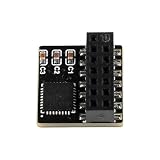
- Single Module Package: A single module is included for motherboard security upgrades, verification workflows, and firmware, with a compact size that suits tight internal layouts
- Direct 14 Pin Connection: The visible 14 pin header is designed for direct board installation, giving desktop upgraders a compact plug-in format that fits internal builds without extra cable routing
- SPI Interface Design: The SPI connection type helps buyers identify the module class for supported motherboard headers, making selection easier for repair stations, lab systems, and upgrade projects
- Dedicated Security Hardware: This TPM 2.0 module adds a hardware security component to a compatible motherboard setup, helping desktop builders protected startup and device verification tasks
- Compact PCB Construction: The small PCB board format supports neat internal placement while keeping the module easy to handle during desktop assembly, service work, and hardware project preparation
Human approval and AI
Require human approval for payments, legal commitments, hiring or termination, sensitive customer communications, destructive data changes, security permissions, and high-impact AI decisions. AI can help create workflows, classify content, extract data, or choose an action, but AI assistance does not replace structured-output validation, auditability, cost controls, or review of incorrect decisions.
Self-hosting responsibilities
Self-hosting is not automatically cheaper. The customer becomes responsible for compute, storage, database operations, TLS, networking, backups, disaster recovery, secret management, vulnerability patching, high availability, monitoring, alerting, and internal support.
Compliance qualification
Do not assume a platform is suitable for regulated data because a vendor advertises security features. Compliance depends on the selected plan, region, contract, configuration, data types, subprocessors, retention settings, access controls, and customer operating procedures. Verify current vendor security documentation and contractual terms for the actual deployment.
Crashes, No Sound, or Screen Glitches?
Random freezes, missing sound and display glitches usually trace back to one bad driver. Find and replace yours safely.Free scan · under a minutePC Slower Than It Used to Be?
A free scan shows the junk files, broken settings and background clutter dragging Windows down - then fixes them in one click.Free scan · Windows 10 & 11When should you not automate a task?
Do not automate a process merely because the process is repetitive. Automation can make a poorly understood, frequently changing, ambiguous, or high-risk process fail faster and at greater scale.
- Do not automate before the process has a stable owner and documented outcome.
- Do not automate ambiguous human judgment without defining approval and escalation rules.
- Do not automate destructive or high-impact actions without idempotency, logging, and review.
- Do not assume a low subscription price is cheaper than a manual process that takes little time.
- Do not choose UI automation when a stable, supported API can perform the same job.
- Do not self-host without budgeting for operations, security, backups, and incident response.
Sometimes a small custom integration, a database change, or a process redesign is safer and cheaper than adding another automation platform.
What are credible alternatives to the seven?
IFTTT is more appropriate for consumer and smart-home automation than complex business workflows. Pipedream is a developer-oriented option for custom API and code automation. Boomi is an enterprise hybrid-integration alternative to Workato, while Automation Anywhere is an enterprise RPA alternative to UiPath. ServiceNow focuses on IT service and enterprise operations automation, and Airtable Automations works well when the database, interface, and workflow primarily live inside Airtable.
These alternatives are not included in the main seven because the shortlist is designed to cover distinct task-automation buying situations rather than every adjacent product category.
Recommended Free Tools
Frequently Asked Questions
Is Zapier still worth it in 2026?
Zapier is still worth considering in 2026 when broad SaaS connectivity, quick setup, and a linear no-code workflow matter more than high-volume cost or self-hosting. Zapier can be a poor fit when a workflow performs many billable actions per record or requires advanced code and infrastructure control.
Is Make cheaper than Zapier?
Make may be cheaper for some visual, multi-step workflows because its public plans use credits and its August 18, 2026 snapshot showed Core from $12 per month for 10,000 credits. Make is not universally cheaper: actual cost depends on modules, loops, bundles, retries, schedules, and the comparable Zapier task allowance.
Is n8n genuinely free?
n8n offers a self-hosted Community Edition, but free software does not eliminate the cost of compute, storage, database operations, backups, updates, secrets, monitoring, and support. n8n Cloud is separately priced, with the August 18, 2026 snapshot showing Starter at €20 per month billed annually for 2,500 executions.
Is Power Automate included with Microsoft 365?
A Microsoft 365 license should not automatically be assumed to include every Power Automate capability. Premium connectors, Dataverse capacity, unattended bots, hosted machines, and Copilot-related features can require additional licensing; check the specific tenant, connector, user, process, and bot requirements.
The Tool Desk
Outbyte Driver Updater FREEFix the driver behind crashes, sound loss and screen glitchesFind Drivers →Outbyte PC Repair FREERepair Windows errors before they cause bigger problemsFix Now →Is RPA different from workflow automation?
RPA controls a desktop or browser interface, while ordinary workflow automation usually connects applications through APIs, webhooks, or native connectors. UiPath and Power Automate Desktop are suitable for interfaces without adequate APIs, but UI automation is more vulnerable to layout, selector, authentication, and session changes.
The Bottom Line
Bottom line: Choose Zapier for the easiest broad SaaS automation, Make for visual branching, n8n for code and self-hosting, Power Automate for Microsoft 365, UiPath for desktop and legacy RPA, Workato for enterprise orchestration, and Activepieces for open-source or lower-cost deployment. Validate the exact connector, billing unit, failure-recovery features, data controls, and maintenance owner before committing.
Quick Recap
Product prices and availability are accurate as of the date/time indicated and are subject to change. Any price and availability information displayed on Amazon at the time of purchase will apply.

