BigBlueButton
BigBlueButton: A strong fit for education teams needing LMS-connected, open-source video conferencing. Ranked #10 of 43 in Video Conferencing Software by our editors (8.4/10); pricing: Open source; best for education and LMS-based deployments.
At a glance
- Editor score8.4 / 10
- PricingOpen source
- Best forEducation and LMS-based deployments
- Paid fromFree
- Max participants200 participants
- Founded2007
- Facts checked20 Sep 2026
Where it wins
- Deep LMS integration across Moodle, Canvas, and Open edX
- Virtual classrooms include breakouts, polls, whiteboards, and shared notes
- Self-hosting, API access, recording, and learning analytics support control
Where it doesn't
- The project recommends up to 200 participants on minimum-requirement servers
- Broader general-purpose integrations are narrower than its LMS coverage
- Self-hosting requires an organization to operate the software on its server
Our verdict on BigBlueButton
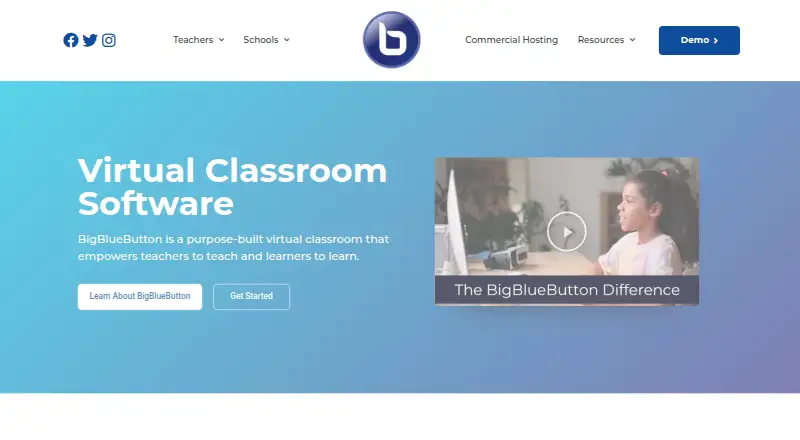
BigBlueButton is open-source virtual classroom software for teachers, students, schools, and education providers. It supports live audio and video, document presentations, screen sharing, chat, polling, whiteboards, shared notes, breakout rooms, webcam video, recording and playback, and a Learning Analytics Dashboard. Web, iOS, and Android access are available, alongside self-hosting and an HTTP API. It is most suited to education teams that want conferencing closely connected to learning workflows rather than a general-purpose meeting service.
Its strongest advantage is the combination of classroom features and learning management system integrations. BigBlueButton connects with Moodle, Canvas, Schoology, Open edX, Sakai, ATutor, Chamilo, and Drupal, giving institutions several established routes into their online learning environments. The open-source model also supports self-hosting, while the API provides a way to connect the conferencing experience with other systems. For schools and education providers, this ecosystem fit is more significant than a long list of unrelated workplace integrations.
The main trade-off is operational scope. BigBlueButton is not presented as a conventional SaaS plan structure; organizations choosing it should be prepared to run it on their own server when using the self-hosted option. The project recommends up to 200 participants for a server meeting minimum requirements, so larger teaching events need careful capacity planning. Its feature set is broad for virtual classrooms, but buyers seeking wide general-purpose integrations or a simpler hosted purchasing model may prefer an alternative. Choose BigBlueButton for LMS-centered teaching and institutional control; avoid it when those priorities are secondary to broad platform reach or minimal infrastructure responsibility.
Your product? Our editors can test BigBlueButton in depth and publish a review, labelled as paid · from $149/mo →
BigBlueButton pricing
BigBlueButton fact sheet
| Free plan | Not verified |
|---|---|
| Paid from | Free |
| Max participants | 200 participants |
| Meeting duration limit | Not verified |
| Meeting recording | Yes |
| Breakout rooms | Yes |
| Screen sharing | Yes |
| Supported platforms | web, iOS, Android |
| Key integrations | Moodle, Canvas, Schoology, Open edX, Sakai, ATutor, Chamilo, Drupal, Docebo, Nextcloud, Redmine, OpenOlat, Tiki Wiki, LTI |
| Deployment | Self-hosted, Mobile |
| Platforms | Web, iOS, Android |
| Support | Community, Docs |
| Built for | Small business, Mid-market, Enterprise (editorial estimate) |
| Integrations | 14 integrations: Moodle, Canvas, Schoology, Open edX, Sakai, ATutor … See all → |
| Pricing | Open source |
| Website | bigbluebutton.org |
| Facts checked | 20 Sep 2026 |
BigBlueButton integrations
BigBlueButton lists 14 integrations on its own site.
- Moodle
- Canvas
- Schoology
- Open edX
- Sakai
- ATutor
- Chamilo
- Drupal
- Docebo
- Nextcloud
- Redmine
- OpenOlat
- Tiki Wiki
- LTI-compatible platforms
See all BigBlueButton integrations →
Alternatives to BigBlueButton
- Zoom WorkplaceA broad conferencing and collaboration suite with a capable free tier.9.4
- Google MeetA capable Google Workspace meeting tool with a useful free plan and paid recording options.9.3
- Microsoft TeamsA broad conferencing and collaboration hub for organizations built around Microsoft 365.9.2


See all BigBlueButton alternatives →
Also Ranked In
BigBlueButton is ranked in 8 of our directories; the 6 strongest besides Video Conferencing Software.
Used BigBlueButton? Be the first to review it
The editor score above is our own research. What this page doesn't have yet is a reader's view — what you used BigBlueButton for, what worked and what didn't. No stars are seeded and no review is paid for; an editor reads every one before it appears.
Write a reviewTwo minutes · verified accounts only · read by an editor before it appears
Featured on iTechGuides

BigBlueButton is listed in our Video Conferencing Software directory. Add the badge to your site — it links back to this page.
<a href="https://www.itechguides.com/products/bigbluebutton/"><img src="https://www.itechguides.com/best/badge/bigbluebutton.svg" alt="Featured on iTechGuides" width="230" height="46"></a>
Reviewed by iTechGuides Editors · Editorial team · Updated Oct 2026
Advertiser disclosure: iTechGuides is reader-supported. Vendors can pay for top positions in our rankings and for a place on other products' pages, and we may earn a commission when you click some links. Bought places stand at the number bought; this page and our disclosure say so. Paying vendors may get a fuller, more detailed review from our editors, and that review can change their score. How we rank.
Last updated · How we research and update