
ADreporter
ADreporter: A low-cost, high-volume reporting tool for Windows-based AD administration. Ranked #14 of 25 in Active Directory Management Software by our editors (7.2/10); pricing: 15-day trial; best for low-cost, high-volume AD reporting.
At a glance
- Editor score7.2 / 10
- Pricing15-day trial
- Best forLow-cost, high-volume AD reporting
- Free planNo
- Paid from$15/user/yr
- DeploymentOn_premises
- Founded1998 · Edgewater, Maryland, United States
- Facts checked22 Sep 2026
Where it wins
- Reports across AD, Office 365, Exchange, WMI, and Remote Registry
- Hundreds of built-in reports plus no-code custom report creation
- Scheduled exports and automatic email delivery in multiple formats
Where it doesn't
- Windows-only deployment
- Paid product with no free plan
- Reporting focus offers limited administration depth
Our verdict on ADreporter
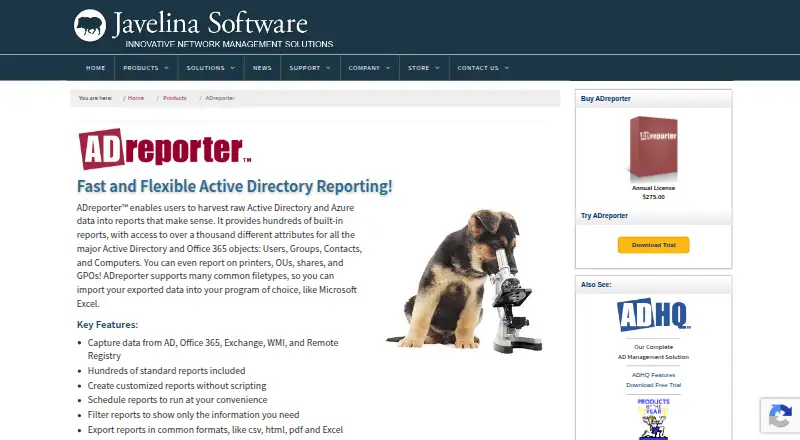
ADreporter is Windows-based, on-premises reporting software for network and Active Directory administrators. It collects data from Active Directory, Azure Active Directory, Office 365, Exchange, WMI, and Remote Registry, then turns that information into reports covering users, groups, contacts, computers, organizational units, shares, printers, and other directory objects. Its strongest fit is for teams that need detailed, repeatable directory reporting rather than a broader administration platform.
Pricing is paid, annual, and charged per administrator. The listed starting price is $15 per administrator per year. Published administrator tiers include $275 for 1–2 administrators, $206 for 3–4, $180 for 5–9, $140 for 10–19, $110 for 20–49, $55 for 50–99, $40 for 100–199, and $30 for 200–499 administrators, all billed annually. A fully functional 15-day evaluation trial is available, along with a 30-day full-refund policy. The tier structure favors larger administrator groups, while smaller teams face higher listed per-administrator prices.
Reporting depth is the main reason to consider ADreporter. Administrators can create custom reports without scripting, filter results by scope and conditions, schedule multiple reports and task actions, and export results to CSV, HTML, PDF, or Excel. Automatic email delivery also supports recurring distribution of report output. These capabilities make it a practical choice for high-volume visibility across Microsoft directory and cloud data sources. Teams seeking reporting breadth and scheduled output should pick it; teams needing deeper administration functions should consider a product with a wider management focus.
Your product? Our editors can test ADreporter in depth and publish a review, labelled as paid · from $149/mo →
ADreporter pricing
All 9 ADreporter plans and prices →
ADreporter fact sheet
| Free plan | No |
|---|---|
| Paid from | $15/user/yr |
| Deployment | On_premises |
| Delegated administration | Not verified |
| AD auditing | Not verified |
| Lifecycle automation | Not verified |
| Reporting | Yes |
| Password self-service | Not verified |
| Free trial | 15 days |
| Money-back guarantee | 30 days |
| Deployment | Desktop, Self-hosted |
| Platforms | Windows |
| Support | Email, Phone, Docs |
| Built for | Small business, Mid-market, Enterprise (editorial estimate) |
| Integrations | 6 integrations: Active Directory, Azure Active Directory, Office 365, Exchange, WMI, Remote Registry |
| Pricing | 15-day trial (source) |
| Website | javelinasoftware.com |
| Facts checked | 22 Sep 2026 |
ADreporter integrations
ADreporter lists 6 integrations on its own site.
- Active Directory
- Azure Active Directory
- Office 365
- Exchange
- WMI
- Remote Registry
Alternatives to ADreporter
- Cayosoft AdministratorA broad hybrid AD and Microsoft 365 administration platform with automation and self-service.9.3
- ManageEngine AD360A broad hybrid identity suite for organizations that need modular AD management and governance.9.1
- Netwrix Directory ManagerA broad directory administration suite for teams managing identities across connected systems.8.9



See all ADreporter alternatives →
Used ADreporter? Be the first to review it
The editor score above is our own research. What this page doesn't have yet is a reader's view — what you used ADreporter for, what worked and what didn't. No stars are seeded and no review is paid for; an editor reads every one before it appears.
Write a reviewTwo minutes · verified accounts only · read by an editor before it appears
Featured on iTechGuides

ADreporter is listed in our Active Directory Management Software directory. Add the badge to your site — it links back to this page.
<a href="https://www.itechguides.com/products/adreporter/"><img src="https://www.itechguides.com/best/badge/adreporter.svg" alt="Featured on iTechGuides" width="230" height="46"></a>
Reviewed by iTechGuides Editors · Editorial team · Updated Oct 2026
Advertiser disclosure: iTechGuides is reader-supported. Vendors can pay for top positions in our rankings and for a place on other products' pages, and we may earn a commission when you click some links. Bought places stand at the number bought; this page and our disclosure say so. Paying vendors may get a fuller, more detailed review from our editors, and that review can change their score. How we rank.
Last updated · How we research and update