
iTechGuides is reader-supported. When you buy through links on our site, we may earn an affiliate commission. As an Amazon Associate I earn from qualifying purchases. Learn more
NotebookLM is excellent when you already have a defined collection of material to study, compare, explain, or reorganize. Add papers, reports, notes, web pages, videos, or internal documents, and it can answer questions with source citations, create study materials, and turn dense information into audio or visual overviews.
That is also the boundary of its usefulness. NotebookLM is not a general-purpose web-search engine, an infallible fact checker, or a replacement for reading and professional judgment. Its most impressive results come from a disciplined workflow: curate the sources, ask focused questions, inspect the citations, and verify important conclusions.

Our verdict
NotebookLM deserves a strong recommendation for students, researchers, analysts, writers, and teams who regularly work with bounded collections of information. Its combination of source-grounded chat, inline citations, and useful output formats is unusually coherent—and the standard tier offers substantial practical value before you pay.
What’s actually slowing this PC down?
Pick the symptom - the matching free tool is one click away.
It feels close to magic when the right sources are in the notebook and the question is specific. It feels ordinary, incomplete, or confidently wrong when the source set is missing important material, contains poor scans, reflects only one side of a dispute, or is being used for a task that requires current web research or independent expertise.
Popular on Amazon

- FULL HD IPS DISPLAY - Enjoy vibrant, crystal-clear images with 178-degree wide-viewing angles
- AMD RYZEN 3 30 PROCESSOR - Everyday performance you can count on; Multitask, stream, game casually, and edit photos smoothly with responsive power and vibrant HDR visuals
- ENJOY UP TO 14 HOURS AND 15 MINUTES OF BATTERY LIFE - HP Fast Charge restores battery from 0 to 50% in approximately 45 minutes
- AMD RADEON 610M GRAPHICS - Experience smooth entertainment; Built for streaming and multitasking, enjoy realistic visuals and efficient performance for work and play
- STORAGE AND MEMORY - 512 GB PCIe NVMe M.2 SSD offers fast speed and efficient storage; and 8 GB LPDDR5 RAM memory boosts performance with higher bandwidth
| Best for | Less suitable for |
|---|---|
| Understanding a reading list, comparing reports, preparing for an exam, exploring project documentation, and creating briefings or study aids | Real-time news research, open-ended fact finding, autonomous task execution, project management, or high-stakes professional advice |
| Finding evidence inside a curated source set | Answering questions when the necessary evidence was never added |
| Turning the same material into text, audio, quizzes, mind maps, or visual explanations | Producing publication-ready or authoritative content without human review |
What NotebookLM actually is
NotebookLM is best understood as a source-grounded research workspace, not simply another chatbot. You create separate notebooks for separate subjects or projects, add source material, ask questions about that material, and use the Studio area to generate structured outputs.
Google describes NotebookLM as an AI-powered research assistant, while its help documentation emphasizes that answers are based on the sources added to a notebook. In NotebookLM’s own chat, the notebook sources define the central evidence base. If the answer is not present, clear, or adequately represented in those sources, NotebookLM may give an incomplete answer—or no useful answer at all. [c001][c002]
This design changes the question you should ask. Instead of asking, What does the AI know about this subject?, ask, What can it help me understand from this particular collection of material?
Why the citations matter—and what they do not prove
NotebookLM’s strongest everyday feature is its citation interface. When it answers a question, you can move from the response to the supporting passage in the underlying source. That makes it much easier to audit a claim than in a conventional uncited chat.
However, a citation is evidence of retrieval, not a guarantee of truth. The cited passage may be relevant while the model’s synthesis is too broad, its comparison is incomplete, or its conclusion is wrong. A source can also be biased, outdated, or mistaken. Google explicitly warns that NotebookLM can make mistakes. [c001][c002]
There is another small qualification: short source content may be referenced as a whole instead of through a pinpointed passage. For important work, open the original document and check the wording, context, numbers, assumptions, and publication date rather than treating the citation marker as an automatic approval stamp. [c002][c004]
What you can add to a notebook
NotebookLM supports a broad range of inputs. Depending on the product surface and account, supported sources include:
Quick wins for a faster PC:
Repair Windows errors before they cause bigger problemsFix Now →Scan for outdated or missing drivers - takes under a minuteDriver Scan →Clear out junk files and repair common Windows errorsFree Scan →- PDFs
- Google Docs, Google Slides, and Google Sheets
- Microsoft Word files and PowerPoint presentations
- Plain text, Markdown, CSV, and image files
- Audio files and ePub files
- Web URLs
- Public YouTube videos that have captions
- Text copied directly into a notebook
- Selected Gemini chats through the Gemini integration
That list is broad, but importing a source does not mean every part of it is interpreted perfectly. Web imports generally extract text; they should not be assumed to preserve every visual element, interactive feature, chart, or layout detail. YouTube imports depend on a public video having usable captions. Protected PDFs, badly scanned documents, and oversized files can fail or produce weak source text. [c002][c003][c004]
Source preparation is the hidden skill
The quality of your notebook starts before you open the chat box. For a serious project:
- Collect the complete evidence set. Add the assignment, primary papers, relevant data, definitions, and competing viewpoints—not just the easiest summary.
- Prefer authoritative and current versions. Record publication dates and distinguish a draft from a final report.
- Give files useful names. Names such as
2025-04-final-safety-report.pdfare easier to recognize than a folder full ofdocument_17.pdffiles. - Check scanned PDFs. If text cannot be selected or searched normally, OCR may be necessary before import. Verify extracted numbers and symbols afterward.
- Separate projects and source roles. Keep a literature-review notebook distinct from a notes-only notebook, and tell NotebookLM which sources are primary evidence, background, or commentary.
- Watch for duplication. Adding the same article in several formats can make apparent agreement look stronger than it is.
NotebookLM cannot compensate for a source collection that is incomplete, stale, or systematically one-sided. It can help you discover those weaknesses if you ask it to look for them, but the responsibility for assembling the evidence remains yours.
A reliable NotebookLM workflow
1. Start with a source map
After adding sources, do not begin by asking for a polished essay. First establish what is actually in the notebook. Useful opening prompts include:
- “Create a source map. For each document, list its purpose, date, main claim, methodology, and limitations. Cite each item.”
- “Which questions can these sources answer confidently, and which important questions remain unsupported?”
- “Identify duplicate sources, conflicting versions, and documents that appear to summarize rather than provide primary evidence.”
This first pass exposes gaps and gives you a working index of the material.
2. Ask narrow questions with explicit boundaries
Focused prompts produce more useful and auditable answers than broad requests such as “tell me everything about this topic.” Specify the source scope, desired format, and how uncertainty should be handled.
For example:
- “Using only the three policy documents, compare their definitions of risk in a table. Quote or cite the supporting passages and mark terms that are not directly comparable.”
- “Find every source that discusses the 2024 implementation delay. Separate reported facts from proposed explanations.”
- “If the answer is not supported by the notebook, say ‘not found in the sources’ rather than inferring it.”
- “Explain this study for a first-year student, then list the technical details that the simplification leaves out.”
Asking for absent evidence to be identified is one of the best ways to reduce the temptation to accept a plausible invention.
3. Inspect the citations, not just the prose
Open the passages behind important claims. Check whether the answer has:
- confused correlation with causation;
- combined statements from different documents without saying so;
- ignored a qualification or exception;
- mistaken a proposal for an established fact;
- used an outdated source when a newer one is present; or
- turned a source’s speculation into a conclusion.
For a paper, report, legal document, or technical specification, preserve the original wording and page or section reference in your own notes. NotebookLM improves navigation; it does not remove the need for source criticism.
4. Save useful findings before generating more
Use notes and organized outputs to preserve definitions, evidence, unresolved disagreements, and follow-up questions. A notebook becomes much more valuable when it records the reasoning trail instead of serving only as a place to generate disposable answers.
Also popular on Amazon
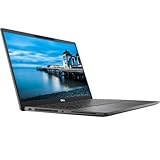
- Certified Refurbished – Tested & Certified to Work Like New – Each laptop undergoes rigorous functionality testing, thorough cleaning, detailed inspection, and professional repackaging. Comes with all essential accessories, a minimum 90-day warranty, and may arrive in a generic box for efficient delivery with secure and well-protected packaging. Only top-rated sellers meeting Amazon's strict quality standards are authorized to offer Certified Refurbished products on Amazon.com.
- Top-Tier 11th Gen Intel Core i7 Quad-core i7-1165G7 (up to 2.8GHz Turbo) delivers elite performance for professionals and power users, extended battery life paired with a stable, smooth system that runs fast and responsive for everyday tasks, multitasking, and productivity.
- High-Speed Memory & Storage: 16GB RAM ensures seamless performance, while the 512GB SSD provides ultra-fast boot-up and file access.
- Stunning 15.6-inch FHD Display: Enjoy crisp visuals with 1920x1080 resolution, a crisp, clear screen with vivid detail and rich color for an immersive viewing experience – ideal for office work, video streaming, and everyday browsing
- Enhanced Connectivity: Features Wi-Fi, Bluetooth and Webcam for versatile connectivity options, responsive keyboard ensures comfortable, accurate typing in any light. compatible charger included.
5. Choose the output format after you understand the material
Once you know what the sources contain, use Studio to transform them into the format that matches the job: a briefing document for a manager, flashcards for revision, a quiz for self-testing, a mind map for orientation, or an audio overview for a first-pass review.
6. Verify anything that matters
Read the original sources for important facts, figures, recommendations, quotations, and technical details. If an output will be published, submitted, used in a decision, or given to another person as advice, treat it as a draft that still requires human editing and fact-checking.
PC Slower Than It Used to Be?
A free scan shows the junk files, broken settings and background clutter dragging Windows down - then fixes them in one click.Free scan · Windows 10 & 11Outdated Drivers Are Slowing You Down
One free scan finds every outdated or missing driver and matches the right update for your exact hardware.Free scan · exact hardware matchStudio outputs: where NotebookLM becomes more than a chat window
The Studio area can turn a source collection into several kinds of artifacts, including study guides, briefing documents, reports, mind maps, flashcards, quizzes, infographics, slide decks, Audio Overviews, and Video Overviews. Google’s 2025 Studio changes also added the ability to create and store multiple outputs of the same type in one notebook. That is useful for producing separate chapter guides, role-specific team documents, or versions in different languages. [c005]
Study guides, reports, and briefing documents
These are useful when you need structure rather than a conversational answer. A report can organize findings across several documents; a study guide can turn a reading list into headings and review questions; a briefing document can condense a project’s background and decisions for a particular audience.
The output should still be compared with the sources. A clean structure can hide an omitted caveat, and a fluent summary can make disagreement appear resolved when the documents actually conflict.
Mind maps, flashcards, quizzes, and infographics
These formats are especially effective for learning and orientation. A mind map can reveal the concepts and relationships in a collection. Flashcards and quizzes can expose what you do not remember. Infographics can make a process or set of categories easier to scan.
Do these 3 things before closing this tab:
1Repair Windows errors before they cause bigger problems2Scan for outdated or missing drivers - takes under a minute3Clear out junk files and repair common Windows errorsThey are not automatically good assessments. If the source set contains an error, ambiguity, or missing context, the generated quiz may test the wrong thing. Use the citations and original material to validate answers before relying on them for formal study.
Audio Overviews: the signature feature
Audio Overviews turn notebook material into a podcast-like discussion between AI hosts. They are particularly useful for first-pass orientation, reviewing notes while walking or commuting, and making a dense collection feel more approachable.
The important distinction is that an Audio Overview is not merely text-to-speech. It is a generated interpretation of the sources. The hosts decide what to emphasize, what to omit, and how to explain relationships. That makes the result memorable, but it also creates another layer where an error or misleading emphasis can enter.
Google later added interactive participation, allowing users to join the conversation and ask the hosts questions. The interactive experience is described as experimental, and Google warns that hosts may pause awkwardly or introduce inaccuracies. Mobile documentation also warns that generated artifacts, including voices, can contain inaccuracies or audio glitches. [c007][c008][c003]
Audio Overviews became multilingual in 2025, first expanding beyond 50 languages and later reaching more than 80 languages, alongside more comprehensive non-English output. Customization options include language, length, and prompts. Availability and behavior can vary by account and product update, so treat the current interface as changeable. [c009][c010]
Best practice: listen to the audio for orientation, then return to the cited text before memorizing a claim or repeating it to someone else.
Video Overviews: useful visual orientation, not an authoritative deck
Video Overviews were introduced in July 2025 as narrated slides combining newly generated visuals with images, diagrams, quotations, and numbers drawn from source documents. They are a visual alternative to Audio Overviews and can be useful when the subject involves processes, data, diagrams, or abstract relationships. [c005]
They are best treated as generated explanatory media. Check exact figures, labels, diagrams, quotations, and technical terminology against the underlying documents before using the video in a presentation or decision. A polished visual can be more persuasive than a plain paragraph, which makes verification especially important.
Free tools Windows power users keep installed
One-click scans. No signup required.
NotebookLM versus Gemini notebooks
These experiences should not be described as identical. NotebookLM’s own chat is designed around the notebook sources. Notebooks accessed through Gemini can operate within Gemini’s broader environment, where web search and other tools may be involved. [c006]
Choose NotebookLM when you want a controlled, source-bounded investigation. Choose a broader Gemini workflow when you need the assistant to combine your material with web search or other general-purpose tools. In either case, check which sources contributed to an answer before assuming that every statement came from your uploaded documents.
Limits, quotas, and paid plans
Google’s published limits are subject to change. In the supplied pricing and help-documentation snapshot, the standard tier provides:
Also popular on Amazon
| Feature | Standard tier | Google AI Plus | Google AI Pro |
|---|---|---|---|
| Notebooks | 100 | 200 | 500 |
| Sources per notebook | 50 | 100 | 300 |
| Daily chat queries | 50 | 200 | 500 |
| Daily Audio Overviews | 3 | 6 | 20 |
| Daily Video Overviews | 3 | 6 | 20 |
An individual uploaded source can contain up to 500,000 words or 200 MB, according to Google’s current help documentation. Quotas, limits, and feature availability may change. [c003][c004][c011]
Recommended Free Tools
At the time of the supplied research snapshot—checked August 12, 2026—Google’s public U.S. Google One pricing page listed Google AI Plus at $9.99 per month and Google AI Pro at $19.99 per month. Google AI Plus included 400 GB of storage, while Google AI Pro included 5 TB, along with expanded NotebookLM access. Prices, benefits, taxes, availability, and regional offerings can change, so confirm the current plan page before subscribing. [c012]
The sensible buying rule is simple: start with the standard tier. Consider Google AI Pro for NotebookLM only if you repeatedly hit source, notebook, chat, or artifact limits—or if the plan’s broader Google AI and storage benefits are independently valuable to you. Paying for more quota does not make generated answers accurate, complete, or suitable for high-stakes decisions.
Is the mobile app good enough?
Google released official NotebookLM apps for iOS and Android in May 2025. The apps support asking questions about sources, listening to Audio Overviews, sharing web pages, PDFs, and YouTube videos into notebooks, and downloading Audio Overviews for offline playback. [c013]
Mobile is strongest for consumption and capture: listen to an overview, ask a quick question, or send a useful page into an existing notebook. The mobile help documentation lists narrower source support and notes that features such as notes, mind maps, reports, and data tables may not be available in the app. Google recommends the desktop version for the full experience. [c003]
The Tool Desk
Outbyte Driver Updater FREEScan for outdated or missing drivers - takes under a minuteDriver Scan →Outbyte PC Repair FREEClear out junk files and repair common Windows errorsFree Scan →For serious source organization, comparison, writing, and Studio work, build the notebook on a desktop and use mobile as a companion.
Privacy, feedback, and confidential material
Privacy depends on the account and deployment rather than on the NotebookLM name alone.
For personal accounts, Google says NotebookLM content is not used directly to train its foundational AI models unless the user provides feedback. Feedback may include prompts, uploads, chats, and generated outputs. Google says such reviewed feedback may be retained for up to three years and may be examined by trained human reviewers. [c014]
Qualified Google Workspace and Google Workspace for Education users receive stronger stated protections: uploads, queries, and model responses are not reviewed by human reviewers and are not used to train AI models. Enterprise users through Google Cloud receive additional protections, including keeping uploaded files within the relevant Google Cloud project and enterprise-grade data handling. Check the terms and configuration that apply to your organization rather than assuming that every Google account receives enterprise treatment. [c014][c015]
Do not upload confidential, regulated, proprietary, or third-party copyrighted material until you have checked your organization’s policy, the account’s data controls, and your rights to use the material. Google also advises users to respect copyright and not upload material they do not have the right to use. A convenient import button does not transfer ownership or permission.
Independent reader supportYour contribution helps us test, update, and keep practical guides available for everyone.Who should use NotebookLM?
Students and lifelong learners
This is one of NotebookLM’s best fits. Add a reading list, lecture notes, papers, and official study material. Ask for a source map, explanations at different levels, flashcards, quizzes, mind maps, and an Audio Overview for review.
A reliable study loop is:
- Ask NotebookLM to identify the major concepts and gaps in your sources.
- Read the original material and mark topics you do not understand.
- Ask targeted questions about those topics with citations.
- Generate a quiz or flashcards.
- Review every missed answer against the original source.
This makes NotebookLM a study companion rather than a shortcut around learning.
Researchers and analysts
Researchers can use it to compare reports, extract evidence, identify themes, build timelines, and locate disagreements across a curated collection. It is especially helpful after source collection, when the problem is navigating hundreds of pages rather than discovering the entire state of knowledge.
Do these 3 things before closing this tab:
1Fix the driver behind crashes, sound loss and screen glitches2Repair Windows errors before they cause bigger problems3Scan for outdated or missing drivers - takes under a minuteDo not mistake a notebook’s tidy synthesis for a complete literature review. If important sources were excluded, NotebookLM cannot know what they would have changed.
Professionals and teams
Project documentation, meeting materials, product specifications, policy documents, and onboarding material are natural fits. A team can create role-specific briefings, compare versions of a requirement, or let a new colleague question the approved documentation.
Paid and Workspace deployments become more relevant when teams need larger source sets, shared notebooks, usage analytics, or stronger privacy and security controls. Google’s NotebookLM Plus materials specifically highlight team notebooks, analytics, higher limits, and additional privacy and security features. [c008]
Writers and creators
Writers can maintain a source-grounded project brief, interrogate research, compare drafts, prepare for interviews, and turn notes into outlines or briefing documents. NotebookLM can help keep a large research collection navigable, but the writer remains responsible for editorial choices, attribution, permissions, and fact-checking.
Also popular on Amazon

- Storage Space & Pockets:One separate laptop compartment hold 15.6 Inch Laptop as well as 15 Inch,14 Inch and 13 Inch Macbook/Laptop.One spacious packing compartment roomy for iPad,mouse,charger,binders,clothes,ect.Mesh pockets at side for water bottle and compact umbrellamake your items organized and easier to find.
- COMFY&STURDY: Comfortable airflow back design with thick but soft multi-panel ventilated padding, gives you maximum back support. Breathable and adjustable shoulder straps relieve the stress of shoulder. Foam padded top handle for a long time carry on
- FUNCTIONAL&SAFE: A luggage strap allows backpack fit on luggage/suitcase, slide over the luggage upright handle tube for easier carrying. With a hidden anti theft pocket on the back protect your valuable items from thieves. making your journey and travelling more convenient wherever you go.
- DURABLE MATERIAL&SOLID: Made of Water Resistant and Durable Polyester Fabric with metal zippers.Ensure a secure & long-lasting usage everyday & weekend.Serve you well as professional office work bag,slim USB charging bagpack, perfects for business traveling, weekend getaways, shopping & outdoor activities in daily life. Good Gift for college.
- AFTER SALES SERVICE : We solemnly promise that within one year of receiving this product, if any quality defects occur during normal use, you only need to take a photo of the defective product and contact us. We will reply with a solution to the problem within 24 hours, or send you a new identical product for free to replace the defective product
Where NotebookLM falls short
It cannot fix a weak source set
Missing, outdated, biased, or low-quality sources constrain every answer. Adding more documents is not always the solution; adding the right primary source or a credible opposing view is often more valuable.
Grounding is not the same as truth
NotebookLM may faithfully locate a passage and still misunderstand it. Citations make errors easier to investigate, not impossible.
Audio and video can be persuasive when wrong
Generated hosts, narration, diagrams, and slides can make information easier to remember. They can also make an omission or error sound and look authoritative. Verify before relying on the output.
Quotas can interrupt heavy workflows
Daily chat and artifact limits matter if you are processing many chapters, preparing multiple versions, or working with a team. The standard tier is generous for occasional use, but frequent users may eventually encounter limits.
Free tools Windows power users keep installed
One-click scans. No signup required.
Importing is not lossless
Text extraction, captions, OCR, document protection, and file-size limits can all affect what NotebookLM sees. If an answer seems strangely incomplete, inspect the imported source rather than assuming the model simply missed a detail.
It is not a professional adviser
Medical, legal, financial, safety, and other high-stakes questions require qualified human review. NotebookLM can organize the documents you provide, but it should not be treated as an autonomous authority or as a substitute for a licensed professional. [c001]
How to decide whether it is worth using
NotebookLM is probably worth trying if you can answer “yes” to most of these questions:
- Do you regularly work from a defined set of PDFs, notes, reports, web pages, or videos?
- Do you spend more time finding and connecting evidence than generating a blank-page answer?
- Would citations and direct access to source passages improve your confidence?
- Would multiple representations—briefing, quiz, mind map, audio, or video—help you learn or communicate the material?
- Can you review important output against the original documents?
It is less compelling if your main need is current web search, uncited brainstorming, automated actions across other services, or a complete project-management system. In those cases, NotebookLM may be a useful component, but it is unlikely to be the whole solution.
The Tool Desk
Outbyte Driver Updater FREEScan for outdated or missing drivers - takes under a minuteDriver Scan →Outbyte PC Repair FREERepair Windows errors before they cause bigger problemsFix Now →Bottom line
NotebookLM is practical and powerful because it narrows the AI problem to one it can handle well: helping you navigate and transform a collection of sources. The citations, Studio formats, and Audio Overviews make the workflow feel unusually polished, while the source boundary gives the user a clearer basis for checking claims.
Its magic is conditional. Curate good sources, ask precise questions, look at the evidence, and use generated artifacts as aids rather than authorities. Do that, and NotebookLM is one of the most useful research and learning tools available on its standard tier. Skip the source curation or verification, and its fluent answers, audio, and video can hide exactly the weaknesses you needed it to expose.
Frequently Asked Questions
Does NotebookLM eliminate hallucinations?
No. Its answers are grounded in the sources added to the notebook, and citations make claims easier to audit, but Google warns that NotebookLM can make mistakes. The model can misinterpret a passage, omit a qualification, or reach an unsupported conclusion from incomplete sources.
Can NotebookLM search the live web?
NotebookLM’s own chat is centered on the notebook sources you provide. Web pages can be added as sources, but NotebookLM should not be treated as a general real-time search engine. Notebooks accessed through Gemini may operate in Gemini’s broader environment, where web search and other tools can be involved.
Is NotebookLM available on phones?
Yes. Official iOS and Android apps support source questions, Audio Overviews, sharing web pages, PDFs, and public-captioned YouTube videos into notebooks, and offline playback of downloaded Audio Overviews. Desktop remains the better option for full source organization and Studio work.
Are Audio Overviews accurate enough to replace reading?
No. Audio Overviews are generated interpretations of the source collection, not perfect read-aloud versions of the documents. They are useful for orientation and review, but Google warns about inaccuracies, awkward pauses, and audio glitches. Check important claims in the cited text.
Is NotebookLM private enough for confidential documents?
It depends on your account. Google describes stronger protections for qualified Workspace, Workspace for Education, and enterprise Google Cloud users than for personal accounts. Review your organization’s policy and the applicable data controls before uploading confidential, regulated, proprietary, or third-party material.
Is paying for Google AI Plus or Pro necessary?
Usually not at first. The standard tier has substantial notebook, source, chat, Audio Overview, and Video Overview allowances. Upgrade when you repeatedly hit quotas or when the plan’s storage and broader Google AI benefits justify the cost independently.
What’s actually slowing this PC down?
Pick the symptom - the matching free tool is one click away.
The Bottom Line
Bottom line: NotebookLM is excellent in its lane: source-grounded research, study, synthesis, and repurposing. Start with the standard tier, build a carefully curated notebook, verify important claims, and upgrade only when real limits—not curiosity—justify paying.
Quick Recap
Product prices and availability are accurate as of the date/time indicated and are subject to change. Any price and availability information displayed on Amazon at the time of purchase will apply.

