
iTechGuides is reader-supported. When you buy through links on our site, we may earn an affiliate commission. As an Amazon Associate I earn from qualifying purchases. Learn more
Nintendo Switch Emulator Ryujinx and Nintendo are not the same product: Ryujinx was an independent, open-source Switch emulator, and the original project is discontinued. Nintendo did not publish or authorize it. A separate community fork, Ryubing, remains active, but using any emulator still depends on your files, purpose, and country’s law.
The original Ryujinx organization currently says that the project has discontinued and directs users toward Ryubing or a mirror. Ryubing’s documentation describes a setup based on user-provided keys, firmware, and game data—not downloads supplied by Nintendo or the emulator project.
Key takeaways
- The original Ryujinx project is discontinued, and its official GitHub organization says the original builds will receive no further updates.
- Ryubing is a separate community fork of Ryujinx, not an official Nintendo product or Nintendo-authorized successor.
- The Ryubing setup guide lists at least 8 GB of RAM, a GPU supporting OpenGL 4.5 or Vulkan 1.2 or newer, user-dumped
prod.keys, dumped firmware or an untrimmed XCI, and user-dumped games or homebrew. - Ryujinx’s MIT software license does not grant permission to distribute Nintendo firmware, keys, game binaries, or copyrighted assets.
- Nintendo opposes piracy and circumvention, while U.S. copyright rules contain narrow, purpose-specific exemptions rather than a blanket approval for Switch emulation.
- Performance, compatibility, graphics quality, and multiplayer behavior vary by game, operating system, drivers, hardware, settings, and emulator build.
What was Ryujinx?
Ryujinx was an open-source Nintendo Switch emulator for Windows, macOS, and Linux. An emulator recreates enough of a console’s hardware and software behavior for a general-purpose computer to run compatible software; Ryujinx was not a Nintendo PC port and did not turn Switch games into officially supported computer releases.
The Tool Desk
Outbyte Driver Updater FREEScan for outdated or missing drivers - takes under a minuteDriver Scan →Outbyte PC Repair FREEClear out junk files and repair common Windows errorsFree Scan →The project used graphics backends including OpenGL and Vulkan and relied on files supplied by the user, including keys, firmware, and game data. The distinction matters: the emulator program and Nintendo’s proprietary materials are separate legal and technical things.
Popular on Amazon

- The next evolution of Nintendo Switch
- One system, three play modes: TV, Tabletop, and Handheld
- Larger, vivid, 7.9” LCD touch screen with support for HDR and up to 120 fps
- Dock that supports 4K when connected to a compatible TV*
- GameChat** lets you voice chat, share your game screen, and connect via video chat as you play
Is Ryujinx an official Nintendo product?
No. Ryujinx was an independent community project, and Nintendo did not publish or authorize Ryujinx as a Windows, macOS, or Linux version of its games. Calling Ryujinx a Nintendo Switch emulator describes what the software does; it does not indicate Nintendo endorsement, licensing, or technical support.
The original project’s preserved license is the MIT license. The license permits activities such as using, copying, modifying, publishing, distributing, sublicensing, and selling the licensed software when the required copyright and license notices are retained, while disclaiming warranty and liability; the preserved Ryujinx MIT license does not license Nintendo’s separate copyrighted works.
What happened to the original Ryujinx project?
The original Ryujinx project is discontinued. The official Ryujinx organization notice says, “the original Ryujinx project has discontinued,” states that the original builds will not receive updates, and directs interested users toward Ryubing or a mirror.
Quick wins for a faster PC:
Repair Windows errors before they cause bigger problemsFix Now →Scan for outdated or missing drivers - takes under a minuteDriver Scan →Clear out junk files and repair common Windows errorsFree Scan →The original GitHub organization currently contains only its .github repository. The organization also says it will remain empty so that old builds’ updater functionality is not hijacked. That status is the most directly verifiable current information about the original project.
Contemporary reporting in October 2024 described the shutdown as following contact by Nintendo. That historical reporting explains the timing discussed publicly, but it should not be presented as a substitute for the original project’s current GitHub notice or as a complete legal finding about emulation.
| Project or organization | Current role | What the evidence supports | What it does not establish |
|---|---|---|---|
| Original Ryujinx | Discontinued | The original organization says there will be no updates to the original builds and points readers to Ryubing or a mirror. | There is no basis for promising new official Ryujinx updates or support. |
| Ryubing | Community fork | The Ryubing GitHub organization describes Ryubing as a fork of the discontinued Ryujinx emulator. | Ryubing is not a Nintendo release, official successor, or guarantee of safe binaries, compatibility, or legal permission. |
| Nintendo | Company opposing piracy and circumvention | Nintendo’s official intellectual-property and piracy FAQ explains the company’s anti-piracy position. | Nintendo’s position alone does not resolve every emulator question in every jurisdiction. |
Is Ryubing the official replacement for Ryujinx?
No. Ryubing is a separate community fork that continues work related to the discontinued emulator. Its public organization includes documentation, compatibility tracking, update infrastructure, and an LDN server intended for pseudo-online multiplayer functionality.
Also popular on Amazon

- 6.2” LCD screen
- Three play modes: TV, tabletop, and handheld
- Local co-op, online, and local wireless multiplayer
- Detachable Joy-Con controllers
- Nintendo Switch is the home of Mario & friends
Those repositories show community activity, but they do not prove Nintendo authorization, guarantee long-term maintenance, certify every download as safe, or promise that a specific game will work. Treat any binary, mirror, fork, or download domain as something that requires independent safety checking rather than assuming that a project name makes it trustworthy.
What’s actually slowing this PC down?
Pick the symptom - the matching free tool is one click away.
Ryubing’s LDN functionality should also not be confused with Nintendo Switch Online. The existence of an LDN server does not establish access to Nintendo’s official online service, compatibility with Nintendo’s servers, or permission to use online features for a particular game.
What does a current Ryubing-family setup require?
A documented Ryubing setup requires a supported computer, compatible graphics support, and files dumped by the user from a legally controlled source. The Ryubing setup and configuration guide lists the following baseline and recommended specifications.
| Category | Documented requirement or guidance | Important limitation |
|---|---|---|
| Operating system | Windows 10.0.17134 or newer, macOS 12, or a modern Linux distribution | Support can change with future builds, operating-system updates, and graphics-driver changes. |
| Memory | At least 8 GB of RAM; 16 GB is the project’s recommended level for its higher-end guidance | More memory does not guarantee that a demanding title will run well. |
| Graphics API | A GPU supporting OpenGL 4.5 or Vulkan 1.2 or newer | Driver quality, GPU selection, backend choice, and game-specific behavior all affect results. |
| Recommended performance class | A Ryzen 5 3600-class CPU and NVIDIA GTX 1060 6 GB-class GPU for native-resolution and native-framerate guidance | These are project recommendations, not independent benchmark results or a guaranteed frame-rate target. |
| Keys | Your own dumped prod.keys |
The setup guide treats keys as user-provided files; it is not a source for downloading keys. |
| Firmware | Dumped firmware or an untrimmed XCI cartridge dump | Do not obtain firmware or cartridge dumps from unauthorized distribution sources. |
| Games | Your own dumped Nintendo Switch games or homebrew | Compatibility and the legality of copying or using game data depend on the title, conduct, and jurisdiction. |
The requirements describe what the emulator needs to operate; they do not imply that Ryubing supplies Nintendo keys, firmware, commercial games, or title keys. This article deliberately does not link to sources for those copyrighted or potentially unauthorized files.
How should you set up Ryujinx or a community fork responsibly?
- Check the legal position where you live. Confirm that your intended copying, dumping, circumvention, and use of game data are permitted. Ownership of a game is not automatically a complete legal answer.
- Check the computer against the documented baseline. Verify the operating system, RAM, GPU, and OpenGL or Vulkan support before troubleshooting the emulator.
- Use the project’s current documentation and repositories. Because the original Ryujinx project is discontinued, distinguish the original organization from Ryubing and verify that any software came from a project channel you intended to use.
- Prepare only your own permitted files. Ryubing’s guide expects user-dumped
prod.keys, firmware or an untrimmed XCI, and dumped games or homebrew. Never treat a third-party download as safe or authorized merely because it is labeled as a key, firmware package, ROM, or game dump. - Install and configure the graphics backend. The documented backends include OpenGL and Vulkan. Keep graphics drivers current, especially on a laptop that has both integrated and discrete GPUs, and make sure the emulator is using the intended GPU.
- Configure storage deliberately. Ryujinx-family documentation describes application-data storage for firmware, save files, shader caches, and configuration. The documented portable mode keeps those materials in a self-contained installation, which can help when moving a setup or separating configurations.
- Map and test the controller. A keyboard can be useful for initial testing, but a gamepad is generally more practical for controller-oriented titles. Test input in one game before changing several settings at once.
- Test one title at a time. A successful launch does not prove that every game works, and a failure in one title does not prove that the whole emulator is broken. Record the build, operating system, driver, graphics backend, settings, and exact symptom.
Why might Ryujinx or Ryubing fail to launch or perform poorly?
Most troubleshooting should begin with the documented requirements and graphics configuration rather than with a promise that a utility or setting will fix every game.
Crashes, No Sound, or Screen Glitches?
Random freezes, missing sound and display glitches usually trace back to one bad driver. Find and replace yours safely.Free scan · under a minutePC Slower Than It Used to Be?
A free scan shows the junk files, broken settings and background clutter dragging Windows down - then fixes them in one click.Free scan · Windows 10 & 11| Symptom | Checks to make first | What the result means |
|---|---|---|
| The emulator will not start | Check the supported operating system, available RAM, GPU support for OpenGL 4.5 or Vulkan 1.2 or newer, and current graphics drivers. | The computer may be below the documented baseline, or the problem may be a driver or GPU-selection issue. |
| Graphical glitches, a blank screen, or crashes | Update the graphics driver, try the other documented graphics backend where supported, and check whether a laptop is using its discrete GPU. | A backend or driver change can identify the source, but no universal fix is guaranteed. |
| Low or inconsistent performance | Compare the system with the project’s Ryzen 5 3600-class, 16 GB RAM, and GTX 1060 6 GB-class recommendation; then test the specific title and settings. | Project guidance is not an independent benchmark. Game-specific compatibility and emulation overhead remain decisive. |
| Saves or configuration appear missing | Check the application-data directory and whether portable mode was enabled. Avoid switching between installations without knowing where each stores its data. | The files may be in a different configuration or portable directory rather than deleted. |
| A controller is not detected | Reconnect the controller, test another USB or Bluetooth mode, check the operating system’s device detection, and update the relevant controller or chipset drivers. | The problem may be at the operating-system or peripheral-driver layer rather than in game compatibility. |
| Online features do not work | Identify whether the feature requires Nintendo’s official service or is intended for Ryubing’s LDN functionality. | LDN pseudo-online functionality is not Nintendo Switch Online and is not a promise of title-specific online support. |
For Windows driver maintenance, Outbyte Driver Updater is a qualified optional tool rather than a Ryujinx requirement. Outbyte describes the product as scanning for missing or outdated Windows drivers and providing backup and restore functions in its official Driver Updater description. Manufacturer-provided graphics, chipset, and controller drivers remain an alternative, and neither approach guarantees a Ryujinx performance improvement.
What is the difference between the Ryujinx software license and Nintendo’s game rights?
The MIT license applies to the software covered by the Ryujinx project license; it does not transfer Nintendo’s rights in Switch firmware, keys, game code, artwork, audio, updates, or other proprietary assets.
Also popular on Amazon
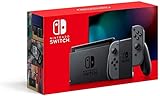
- Play your way with the Nintendo Switch gaming system. Whether you’re at home or on the go, solo or with friends, the Nintendo Switch system is designed to fit your life. Dock your Nintendo Switch to enjoy HD gaming on your TV. Heading out? Just undock your console and keep playing in handheld mode
- This model includes battery life of approximately 4.5 to 9 hours
- The battery life will depend on the games you play. For instance, the battery will last approximately 5.5 hours for The Legend of Zelda: Breath of the Wild (games sold separately)
- Model number HAC 001(01)
That distinction is why an open-source emulator can be discussed separately from unauthorized game-file distribution. A person may be able to obtain, modify, or redistribute software under its license while still lacking permission to distribute Nintendo materials bundled with or used by that software. The license also contains warranty and liability disclaimers, so the license is not a promise that a build will work or that a use is lawful.
What is Nintendo’s position on Ryujinx and emulation?
Nintendo’s official position is opposition to piracy and circumvention. Nintendo’s intellectual-property and piracy FAQ discusses education, awareness, and legal action involving Nintendo games, emulator software, mod chips, circumvention, and unauthorized copies.
Do these 3 things before closing this tab:
1Scan for outdated or missing drivers - takes under a minute2Clear out junk files and repair common Windows errors3Fix the driver behind crashes, sound loss and screen glitchesNintendo’s anti-piracy position should not be stretched into the claim that every emulator implementation is automatically unlawful in every country. The legal analysis depends on the emulator, the files involved, how the files were obtained and used, the purpose, and the law that applies to the person’s conduct.
What does U.S. law say about Switch emulation?
In the United States, the U.S. Copyright Office explains that Section 1201 of the DMCA generally prohibits circumventing technological measures that control access to copyrighted works, including video games and computer software. The law also provides narrowly defined exemptions through a triennial rulemaking process, as described in the Copyright Office’s 2024 Section 1201 proceeding.
The current 37 C.F.R. § 201.40 regulatory text includes limited video-game provisions for lawfully acquired games when a copyright owner has ceased providing an authentication server. The permitted purposes are specific, such as personal local play or institutional preservation. Those provisions are not a blanket authorization to obtain or distribute Nintendo Switch keys, firmware, ROMs, title keys, or commercial game copies.
The Copyright Office’s 2024 Register’s Recommendation declined to expand the video-game preservation exemption to remove its on-premises limitation. The recommendation also described the record concerning emulation technologies as inconsistent and incomplete. The careful conclusion is that emulation technology and copyright infringement are related but not identical questions, and a U.S. exemption should not be generalized into worldwide legal safety.
Also popular on Amazon

- Play your way with the Nintendo Switch gaming system. Whether you’re at home or on the go, solo or with friends, the Nintendo Switch system is designed to fit your life. Dock your Nintendo Switch to enjoy HD gaming on your TV. Heading out? Just undock your console and keep playing in handheld mode
- This model includes battery life of approximately 4.5 - 9 hours.
- The battery life will depend on the games you play. For instance, the battery will last approximately 5.5 hours for The Legend of Zelda: Breath of the Wild (games sold separately)
- Model number HAC 001( 01)
This is general technical and legal information, not legal advice. If a particular backup, circumvention, preservation, or distribution plan matters to you, consult a qualified lawyer in the relevant jurisdiction.
Independent reader supportYour contribution helps us test, update, and keep practical guides available for everyone.Which hardware is useful for a lawful personal workflow?
A computer meeting the emulator requirements is the hardware needed to run Ryujinx-family software. A Nintendo console and accessories are optional workflow products, not proof that every copying or circumvention activity is lawful.
| Hardware | Why it may help | What it does not do |
|---|---|---|
| Nintendo Switch console used for legally backing up your own game data | The Ryubing documentation presupposes user-dumped keys, firmware, and game data, making legally owned Switch hardware the most direct physical product associated with that workflow. | Buying a console does not automatically authorize every dump, circumvention method, or redistribution activity. |
| Nintendo Switch microSD card | Optional storage for managing a console’s own data and personal backup workflow. | It is not required by the emulator itself and does not contain legally transferable keys, firmware, or commercial games by default. |
| PC-compatible Switch-style controller | Optional USB or Bluetooth input device for more comfortable PC play. | It is not a Ryujinx requirement and does not solve GPU, firmware, compatibility, or legal issues. |
| Elgato Game Capture Neo or comparable capture card | Useful for recording or streaming gameplay from a physical console through a display and computer. | A capture card is not an emulator, does not provide Switch files, and is not required to run Ryujinx. |
Can a capture card or cloud streaming service replace Ryujinx?
No. A capture card records a physical console’s video output, while Ryujinx is software that emulates Switch hardware on a computer.
Elgato describes its Game Capture Neo as connecting a console to a display and a computer or iPad for recording or streaming at 1080p60; the official Game Capture Neo product description supports that console-capture use case. A capture card is therefore relevant to creators who want to record legally owned console gameplay, but it does not run Ryujinx or supply emulator files.
Recommended Free Tools
StreamNeo is a separate, weakly related creator option. StreamNeo describes a cloud service that loops user-owned or rights-cleared prerecorded video into continuous YouTube Live streams without a local PC or OBS, as explained on its official service page. StreamNeo does not emulate a Switch, run live local emulator gameplay, or clear the copyright in recorded footage. Use it only when the video, game footage, music, commentary, and other elements are cleared for the intended broadcast.
What should you download and trust?
Use the original project’s status notice and Ryubing’s public organization and documentation to understand the project lineage, then independently verify the source and integrity of any software you choose to install. A fork’s existence does not prove official approval, long-term maintenance, or malware-free distribution.
Also popular on Amazon
- This pre-owned product is not Apple certified, but has been professionally inspected, tested and cleaned by Amazon-qualified suppliers.
- 6.2” LCD screen.
- Three play modes: TV, tabletop, and handheld
- Local co-op, online, and local wireless multiplayer
- Detachable Joy-Con controllers
Do not download or share unauthorized keys, firmware, ROMs, title keys, leaked updates, or commercial game files. Do not assume that a mirror is safe because it uses the Ryujinx name, and do not assume that an old build’s updater is still trustworthy simply because the program once came from a well-known repository. Keep backups of your own configuration and saves, and avoid mixing files from unknown builds with a working installation.
Is Nintendo Switch Emulator Ryujinx and Nintendo a question of software, ownership, or law?
It is all three, but the categories must remain separate. Ryujinx was open-source emulator software; Nintendo’s games and system materials are proprietary; and the legality of obtaining, dumping, modifying, using, or distributing those materials depends on the facts and jurisdiction.
The practical answer is therefore narrow: the original Ryujinx project is no longer maintained, Ryubing is a separate community fork, and a responsible setup uses the project’s documented hardware requirements and only files the user is legally entitled to use. Neither the MIT license, a purchased console, ownership of a game, nor a community fork by itself resolves every legal question.
Frequently Asked Questions
Is Ryubing an official Nintendo emulator?
No. Ryubing is a separate community fork of the discontinued Ryujinx emulator, not a Nintendo product, official successor, or Nintendo-authorized release. Ryubing’s repositories show community activity but do not establish Nintendo approval or guarantee safe binaries.
Can a capture card replace Ryujinx?
No. A capture card records video from a physical console; it does not emulate Switch hardware, provide keys or firmware, or run Ryujinx. A capture card is useful for recording legally owned console gameplay, while Ryujinx runs through compatible PC hardware.
Does Ryubing provide Nintendo Switch Online?
Ryubing’s LDN functionality is not Nintendo Switch Online. LDN is described as pseudo-online multiplayer functionality, so support depends on the project, title, setup, and applicable service restrictions rather than providing official Nintendo online access.
The Bottom Line
Bottom line: Ryujinx was an independent open-source Nintendo Switch emulator, not a Nintendo product, and the original project is discontinued. Ryubing is a separate community fork. If you use a Ryujinx-family emulator, verify the current project source, meet the documented requirements, use only legally permitted files, and treat performance and legal status as title- and jurisdiction-specific.

