

iTechGuides is reader-supported. When you buy through links on our site, we may earn an affiliate commission. As an Amazon Associate I earn from qualifying purchases. Learn more
Are you an Apple fan in search of a less expensive Mac option? This Macbook Air vs Macbook Pro comparison article has been written for you.
MacBook Air vs MacBook Pro: At First Glance
Thanks to their classic Apple design and MacOS operating system, Macbook laptops are the definition of “style meets performance”. With their Macbook Air and Pro line-ups, Apple has been able to meet different consumers at the point of their needs.
The 13-inch Macbook Air turned out to be a role model that inspired a category of Windows-powered Ultrabooks in the PC industry. Meanwhile, the 13-inch Macbook Pro turned out to be a regular challenger in the society of best heavyweight laptops.
What’s actually slowing this PC down?
Pick the symptom - the matching free tool is one click away.
Several years have gone by since Apple released these laptops and they’ve put in the effort to continually put their competition at bay. When Apple released the 2012 13-inch Macbook Air, they offered it at a starting price of $1199.
Popular on Amazon

- Internal dimensions: 13.58 x 0.79 x 10.04 inches (L x W x H); External dimensions: 14.17 x 0.79 x 10.63 inches (L x W x H). The front vertical side pocket dimensions: 9.25 x 9.84 inches (L x W).
- Made with polyester material, a top opening zipper gliding smoothly and allows convenient access to your device. Slim and lightweight, does not bulk your device up and can easily slide into your briefcase, backpack or other bag.
- Extra pocket in front provides enough space to keep mouse, earphone, pens and notepads, offering added convenience. This protective carrying sleeve case cover bag with pocket is ideal for you to take your laptop notebook computer out.
- Features a polyester foam padding layer and fluffy fleece fabric lining for bump and shock absorption and protection of your device against bump, shock and accidental scratches.
- Compatible with MacBook Pro 14 inch with PROLED XDR Displary M5 Pro/Max / M6-M1 A3427 A3426 A3434 A3112 A3185 A3401 A2918 A2992 A2779 A2442, compatible with MacBook Air 13 2017-2010 A1369 A1466/Pro 13 2015-2008 A1425 A1502 A1278; Compatible with Surface Book 3/2/1 13.5 / Surface Laptop 6/5/4/3 13.5 / 13.8; Compatible with Dell Latitude/Chromebook 13.3;Compatible with HP Elitebook/Spectre/Envy/Stream 13.3;Compatible with Lenovo IdeaPad/ThinkPad Yoga 13.3;Compatible with Acer Chromebook Spin 13.3
Currently, you can get the 13-inch Macbook Air at a starting price of $399. Similarly, the 13-inch Macbook Pro that was sold for $1499 in 2012 now costs just $434.99.
Aside from their much more affordable prices, Apple also improved both laptops’ hardware specifications before their release in 2012. Will these improvements be good enough to make one consider either one of these laptops in 2022 and beyond?
Macbook Air vs Macbook Pro: Design, Dimension and Weight
There’s no way anyone familiar with Apple laptops can mistake a Macbook for another laptop. It is easy to identify them by their luxurious aluminum shells and the iconic half-eaten logo that graces the center of their lids.
That being said, there are lots of similarities between the Macbook Air and Macbook Pro’s design.
The Macbook Air’s overall design is simple, yet it has an air of luxury around its build. This laptop’s design has the capability to make its owner feel distinguished from a crowd of laptop owners.
Similarly, the Macbook Pro has an elegant look despite having very little to nothing going on in terms of styling.
Grab both laptops and you will equally be fascinated by the level of build quality Apple offers. Both laptops feature an aluminum unibody construction that feels incredibly sturdy.
Quick wins for a faster PC:
Scan for outdated or missing drivers - takes under a minuteDriver Scan →Repair Windows errors before they cause bigger problemsFix Now →Fix the driver behind crashes, sound loss and screen glitchesFind Drivers →There isn’t any kind of noticeable flex on both laptops’ bodies. Instead, they feel very solid to hold.
The Macbook Pro, in particular, feels extremely solid. With a form that can be likened to that of a chunk of block, the Macbook Pro appears to be a hearty preacher of Apple’s unibody construction.
While the Macbook Air features angular construction lines, the Macbook Pro is built with straight construction lines. This construction difference will go on to be one of the major things that differentiate the Macbook Pro from the Macbook Air.
As you move down from its hinge, the Macbook Air’s build slims down towards the tip of its lid. This slimming effect is even more prominent on its base.
As a result, the Macbook Air has a tapered-wedge kind of look with its lid closed.
The Macbook Pro, on the other hand, maintains a uniform line all over which makes it assume the shape of a rectangular block with its lid closed.
Due to this, the Macbook Pro feels slightly more solid than the Macbook Air. The Macbook Pro had to pay a price for this though.
Its extra sturdy build came at the expense of weighing much more than the Macbook Air.
The Tool Desk
Outbyte PC Repair FREERepair Windows errors before they cause bigger problemsFix Now →Outbyte Driver Updater FREEScan for outdated or missing drivers - takes under a minuteDriver Scan →As its name suggests, the Macbook Air is very light. It weighs just 1350 g while the Macbook Pro weighs 2060 g.
Their different construction lines did not only have an effect on their weight, but it also influenced a slight variation in their dimensions. Talking about dimensions, while the Macbook Air measures 325 x 227 x 3.0 mm (W x D x H), the Macbook Pro measures 325 x 227 x 24.1 mm (W x D x H).
As you’d expect for laptops with the kind of slender and elegant design the Macbook Air and Pro do not have lots of port options.
On the left side of the Macbook Air, you’ll find a USB 3.0 port, a headphone jack, and a MagSafe power connector. Move to the right side of the laptop and you’ll see another USB 3.0 port, an SD card reader, and a Thunderbolt port.
The Macbook Pro, on the other hand, features most of its connection options on its left side. To give more detail, the Macbook Pro’s left side houses two USB 3.0 ports, a Thunderbolt port, and an Ethernet port.
This laptop’s left side also features an SD card reader and a headphone jack. Meanwhile, the only thing occupying its right side is a slot-loading optical drive.
Aside from the extra port options the Macbook Pro offers over the Macbook Air, you can barely point out any feature that validates its “Pro” status. This remains true until you get to the interior parts of both laptops.
With their lids opened, the first thing you will notice is the difference in the quality of their screens. First of all, the bezels surrounding the Macbook Air are very thick.
Recommended Free Tools
Though the ones surrounding the Macbook Pro are fairly thick too, they are more acceptable. The Macbook Air’s bezels are so bad that they make the display look much smaller than it really is.
Fortunately, the Macbook Air’s 1440 x 900 HD+ resolution display is quite stunning if we were to judge by its own merits alone. This laptop’s display offers an excellent range of viewing angles, deep black levels, and very accurate colors.
The major disappointing factor about the Macbook Air’s display is the glossy reflection that it suffers from. Aside from that, the Macbook Air’s display is good.
Also popular on Amazon

- The Laptop Bag Size. Internal dimensions: 15.36 x 10.83 x 0.79 inches (L x W x H); External dimensions: 16.14 x 11.42 x 0.79 inches (L x W x H). Left raised pocket dimensions: 9.65 x 6.30 inches (L x W). Right raised pocket dimensions: 8.46 x 8.27 inches (L x W). Horizontal pocket dimensions: 6.89 x 6.30 inches (L x W). Vertical pocket dimensions: 8.07 x 4.80 inches (L x W)
- The Laptop Shoulder Bag with Large Capacity. The main inner compartment for laptop or tablet. Front 4 zipper pockets is great for quick-access and store cell phone, pen slots, wallet, keys and other small items. Multifuncional 4 pockets design laptop shoulder bag enables you to carry your laptop/notebook/ultrabook computer in a uniquely sleek style. Considerate design is the back trolley suitcase belt for ease use during business trip. It is really convenient for your happy journey to any where
- The Laptop Sleeve Case with 360 Degree Protection. 360 degree all around protective reinforced interior edge protect your laptop from any accidental dropping. Features foam padding layer and fluffy fleece fabric lining for bump and shock absorption and protection of your computer from accidental scratches. Side opening double zippers on the bag glide smoothly and allows convenient access to your laptop computer
- The Laptop Sleeve Bag with Handle & Adjustable Shouler Strap. Removable and adjustable padding shoulder strap with a shoulder pad varied from 28.54 inch to maximum 52.56 inch. You can use it as shoulder bag, laptop carrying case, sleeve bag, handle bag, messenger bag, crossbody bag and briefcase in whatever way you like. Extendable PU handle design makes it to carry your laptop around in comfort, you can also tuck away the handle
- Compatible with MacBook Pro 16 PROLED XDR M5-M1 2026,compatible with MacBook Pro 16 inch 2026-2021 M5 A3428 A3429 M4 A3403 A3186 M3 A2991 M2 A2780 M1 A2485 Pro Max, compatible with MacBook Pro 16 A2141 2019 2020, compatible with MacBook Pro Retina 15.4 A1398; Compatible with Surface Book 3/2/1 15; Compatible with Asus ZenBook/VivoBook 15; Compatible with Acer Swift 3 14/Swift 5 15.6, compatible with Acer Aspire 3/5/7 15.6
However, in comparison with the Macbook Air’s display, the Macbook Pro’s 1280 x 800 WXGA display offers a greater quality. It offers better viewing angles, more detailed black colors, and an incredibly overall detailed color reproduction.
Furthermore, the Macbook Pro’s display is much brighter than the Macbook Air’s. While the Macbook Pro is capable of offering an average brightness of 313 nits, the Macbook Air can only offer an average brightness of 268 nits.
Another aspect where we get a clear difference in both laptops’ quality is in terms of their sound production system. Though both laptops’ speakers offer good sound production, you can still easily tell that the Macbook Pro’s speakers are better.
Nonetheless, the Macbook Air’s hidden speakers are impressively loud and clear. However, there are easily noticeable traces of distortion in the sound the speakers produce at maximum volume.
Also, the Macbook Air’s speakers clearly lack distinctive bass sounds.
Crashes, No Sound, or Screen Glitches?
Random freezes, missing sound and display glitches usually trace back to one bad driver. Find and replace yours safely.Free scan · under a minutePC Slower Than It Used to Be?
A free scan shows the junk files, broken settings and background clutter dragging Windows down - then fixes them in one click.Free scan · Windows 10 & 11The Macbook Pro, on the other hand, produces loud sounds that are rich in quality and bass. Also, unlike the Macbook Air’s speakers, the Macbook Pro’s speakers don’t suffer from distortion.
Even at maximum volume levels, the Macbook Pro produces quality sounds with adequate bass.
Moving on to their keyboard comparison, both the Macbook Air and Pro feature black, backlit chiclet-style keyboards. Moreover, the layout of both laptops’ keyboards is appropriately spacious.
Also, both laptops’ keyboards offer just the right amount of key travel and tactile feedback, making them satisfying to type on. In case you are wondering, key travel is the distance a key completes from its resting position to the base of the keyboard.
Do these 3 things before closing this tab:
1Clear out junk files and repair common Windows errors2Scan for outdated or missing drivers - takes under a minute3Repair Windows errors before they cause bigger problemsI also like the dedicated function keys Apple provides on both laptops. There are dedicated keys for adjusting nearly everything from the display brightness to accessing media playback options.
Below both laptops’ keyboards, there is a large 4.1 x 3-inch frosted glass touchpad. Both laptops’ touchpad is smooth, fast, responsive, and extremely accurate.
They can recognize multitouch gestures like four-finger swipes and pinch-to-zoom without any hassle.
Overall, there isn’t much that differentiates the Macbook Air’s design from the Macbook Pro’s. Aside from the extra gold color option the Macbook Air offers, both the Macbook Air and Pro offer the same Silver and Space Gray color options.
Free tools Windows power users keep installed
One-click scans. No signup required.
For the most part, their design is also almost entirely the same. Both laptops also come with the same touchpads and keyboards.
The bottom line is that there’s no way you will like the design of one of the two laptops and not appreciate the design of the other.
If design is the factor you want to use to make your purchasing decision, it will be mainly based on your preference. Also, it will depend on whether you want a highly portable laptop or an ultra-portable one.
With that being said, both the Macbook Air and Macbook Pro score an eight in this Macbook Air vs Macbook Pro design comparison.
Macbook Air vs Macbook Pro: Processor (CPU) Performance
The Macbook Air and Pro’s processor configuration options are not related in any way.
When you buy the Macbook Air, you get a single processor configuration option. Meanwhile, Apple allows buyers to choose between two processor configuration options when they want to buy the Macbook Pro.
To give more detail, you can either buy the Macbook Pro with a dual-core Intel Core i5-3210M or a dual-core Intel Core i7-3520M processor. In case you are curious to know what these configuration options may be capable of, I will give a brief insight.
With the Intel Core i5-3210M processor, you can expect your Macbook Pro to be capable of running at a maximum frequency of 3.10 GHz. Under less intensive working operations, your Macbook Pro will run at a base frequency of 2.50 GHz.
Free tools Windows power users keep installed
One-click scans. No signup required.
Meanwhile, the Intel Core i7-3520M processor will equip your laptop with a base frequency of 2.90 GHz and a boost frequency of 3.60 GHz.
For the purpose of this comparison, I considered a Macbook Pro with the Intel Core i5-3210M processor.
The Macbook Air, on the other hand, can only feature the dual-core Intel Core i5-3427U processor. This processor has a base frequency of 1.80 GHz and a boost frequency of 2.80 GHz.
In use, you will find the Macbook Air to be an adequate performer. During several real-world tests, the Macbook Air turned in an encouraging processor performance.
What’s actually slowing this PC down?
Pick the symptom - the matching free tool is one click away.
You won’t encounter issues of any kind when you perform your daily computing operations like word processing, web surfing, or video conferencing. In addition, you will discover that it launches applications with impressive speeds.
Also popular on Amazon
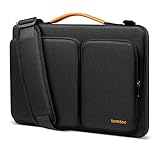
- All-round Military-grade Protection: The tomtoc Laptop shoulder bag features CornerArmor technology with 4 corner protectors, high resilient edges, high-density padding, and Water-resistant fabric combined to protect your device from the inevitable bumps, dents, scratches, and water spills. The computer handbag has passed the military standard drop test in 2025 (MIL-STD-810H: 2019)
- Smart Tri-compartment Storage System: The laptop case has two separate compartments with several small pockets and a strap for Airtag or key. It can keep your electronic accessories, such as charger, cable, USB hub, Kindle, etc., stay organized. In addition, a hidden pocket on the back allows you to store your personal belongings for easy access while remaining secure
- Quality Meets Performance: Top-quality YKK zippers, all reinforced stress points, and padded and fleece sophisticated interline design meet or exceed your expectations for laptop bag quality. PU leather handles and lightweight design provide you with maximum comfort. Eco-friendly recycled fabrics enable us to give complete protection to your computer while also protecting our environment
- Wirecutter Pick Awards: Standing out with incredible carrying versatility and outstanding quality, our A42 Series were appraised "A Great Laptop Bag" by Wirecutter (A New York Times Company); Detachable shoulder strap, a comfortable shoulder pad, and a durable carabiner make it a comfortable shoulder bag perfect for business, school, or travel
- Warranty & Compatibility: You can get a 12-month worry-free warranty, friendly and timely customer support, A laptop shoulder bag for 14" MacBook Pro M6/PROLED XDR M5/M4/M3/M2/M1 Pro/Max A3426 A3434 A3112 A3401 A3185 A2779 A2442 2026-2021, 13.5"-14.4" Microsoft Surface Laptop 7/6/Studio 2, Surface Book 3, etc.; Internal Dimensions - 12.80" x 9.13” x 0.91”
The Macbook Pro, on the other hand, is a bigger beast in terms of processor performance. To put it simply, the Macbook Pro is twice as efficient as the Macbook Air.
Macbook Pro breezes through every type of regular computing operation from web surfing, word processing, to spreadsheet preparation. Even some more intensive operations can barely make the Macbook Pro break a sweat.
Furthermore, the Macbook Pro can handle tasks like image editing, video editing, and programming operations. It aptly justifies the “Pro” attached to its name as it can handle nearly every professional tasks and activity you may want to perform.
Even the benchmark test results I obtained further glorify the efficiency of the Macbook Pro’s processor.
To be clear, the benchmark test I consulted is known as the Cinebench R10 test. Basically, this benchmark runs a two-phase test on laptops to discover the level of performance efficiency their processors can offer.
The two phases are known as the single-core and multi-core tests. On the single-core test aspect, the benchmark runs the test by putting only one of the processor’s cores to work.
Meanwhile, the multi-core aspect tests for when more than one of the processor’s cores are put to work.
On this test, the Macbook Air put up an impressive performance with a score of 4828 points in the single-core aspect. It did better in the multi-core aspect where it achieved a score of 9641 points.
As I hinted earlier, the Macbook Pro extended its excellent performance track record into this benchmark test. According to what the numbers suggest, its performance capabilities exceed what the Macbook Air can offer.
On the single-core aspect of the Cinebench R10 test, the Macbook Pro hit a score of 5298 points. Meanwhile, it scored 10658 points in the multi-core aspect.
The performance of the Macbook Pro in the tests I’ve considered so far indicates that it can handle more demanding tasks than the Macbook Air.
Recommended Free Tools
If you will be performing more intensive tasks than what the typical Ultrabook handles, it makes sense to go for the Macbook Pro.
Hence, the Macbook Pro wins this round for its superior processor performance. It scores a nine in this Macbook Air vs Macbook Pro processor performance comparison.
Meanwhile, the Macbook Air scores an eight.
Macbook Air vs Macbook Pro: Memory (RAM) Performance
The Macbook Air and Pro come with the same memory configurations. Both laptops feature 4 GB DDR3 RAM.
Though their memory configuration is the same, there is a tiny difference to note between them. While Apple equips the Macbook Air with only one RAM slot, the Macbook Pro comes with two RAM slots.
The Tool Desk
Outbyte PC Repair FREERepair Windows errors before they cause bigger problemsFix Now →Outbyte Driver Updater FREEScan for outdated or missing drivers - takes under a minuteDriver Scan →Despite having an extra memory slot, Apple doesn’t recommend equipping the Macbook Pro with an overall RAM size that’s beyond 8GB.
This makes the Macbook Pro’s extra RAM slot feel useless since the Macbook Air with just one RAM slot can feature a RAM size of 8 GB too.
Regardless of their maximum RAM size, I am glad to report that these laptops both offer a satisfying RAM performance. Feel free to cast all your multitasking worries on these laptops.
With either one of them, you can work in between several running local applications while you carry out other internet-based tasks.
To give an illustration of the multitasking power the Macbook Air and Pro can offer, I will give a report of how they handled a multitasking test.
This test required that both laptops compile a Java code in an app called IntelliJ IDEA while 20 browser tabs were running in the browser. Aside from the running browser tabs, there was also about three application running in the background.
During the course of these numerous simultaneous operation, both laptops operated smoothly.
This encouraged me to fetch the results of their benchmark performance test. I obtained both laptops’ performance results on the PCMark 7 test.
For clarity, the PCMark 7 is a benchmark that tests a laptop for the purpose of accessing its system performance capabilities. It checks how well a laptop’s RAM can handle memory-intensive tasks.
Surprisingly, the Macbook Air outscored the Macbook Pro on this test. While the Macbook Air scored 4179 points, the Macbook Pro scored 2421 points.
For this reason, the Macbook Air gets the edge over the Macbook Pro in my score rating for this category of the comparison. To be precise, the Macbook Air scores a nine in this Macbook Air vs Macbook Pro memory performance comparison.
Also popular on Amazon

- The Laptop Bag Size. Internal dimensions: 15.36 x 10.83 x 0.79 inches (L x W x H); External dimensions: 16.14 x 11.42 x 0.79 inches (L x W x H). Left raised pocket dimensions: 9.65 x 6.30 inches (L x W). Right raised pocket dimensions: 8.46 x 8.27 inches (L x W). Horizontal pocket dimensions: 6.89 x 6.30 inches (L x W). Vertical pocket dimensions: 8.07 x 4.80 inches (L x W)
- The Laptop Shoulder Bag with Large Capacity. The main inner compartment for laptop or tablet. Front 4 zipper pockets is great for quick-access and store cell phone, pen slots, wallet, keys and other small items. Multifuncional 4 pockets design laptop shoulder bag enables you to carry your laptop/notebook/ultrabook computer in a uniquely sleek style. Considerate design is the back trolley suitcase belt for ease use during business trip. It is really convenient for your happy journey to any where
- The Laptop Sleeve Case with 360 Degree Protection. 360 degree all around protective reinforced interior edge protect your laptop from any accidental dropping. Features foam padding layer and fluffy fleece fabric lining for bump and shock absorption and protection of your computer from accidental scratches. Side opening double zippers on the bag glide smoothly and allows convenient access to your laptop computer
- The Laptop Sleeve Bag with Handle & Adjustable Shouler Strap. Removable and adjustable padding shoulder strap with a shoulder pad varied from 28.54 inch to maximum 52.56 inch. You can use it as shoulder bag, laptop carrying case, sleeve bag, handle bag, messenger bag, crossbody bag and briefcase in whatever way you like. Extendable PU handle design makes it to carry your laptop around in comfort, you can also tuck away the handle
- Compatible with MacBook Pro 16 PROLED XDR M5-M1 2026,compatible with MacBook Pro 16 inch 2026-2021 M5 A3428 A3429 M4 A3403 A3186 M3 A2991 M2 A2780 M1 A2485 Pro Max, compatible with MacBook Pro 16 A2141 2019 2020, compatible with MacBook Pro Retina 15.4 A1398; Compatible with Surface Book 3/2/1 15; Compatible with Asus ZenBook/VivoBook 15; Compatible with Acer Swift 3 14/Swift 5 15.6, compatible with Acer Aspire 3/5/7 15.6
The Macbook Pro, on the other hand, scores an eight.
Outdated Drivers Are Slowing You Down
One free scan finds every outdated or missing driver and matches the right update for your exact hardware.Free scan · exact hardware matchWindows Errors? Fix Them Before They Spread
Repair common Windows errors and clear accumulated junk for a smoother, more stable PC - no reinstall needed.Free scan · no reinstallMacbook Air vs Macbook Pro: Storage Options and Performance
Though both the Macbook Air and Pro’s storage configuration options differ, they still share something in common.
The Macbook Air is only available with a 512 GB SSD storage drive. Similarly, you can equip your Macbook Pro with the same 512 GB SSD drive, but Apple also provides another storage option.
There’s an extra option for you to buy the Macbook Pro with a 1 TB 5400 RPM SATA HDD. Deciding between the two storage configurations will basically be a choice of either speedy performance over larger storage size or the other way round.
My reason for saying this is because SSD drives are a faster set of drives, compared to HDDs. They are also capable of improving the speed of your general computing operations.
Quick wins for a faster PC:
Scan for outdated or missing drivers - takes under a minuteDriver Scan →Clear out junk files and repair common Windows errorsFree Scan →Hence, if you equip your Macbook Pro with the SSD drive, you can expect a faster overall performance from the laptop.
Meanwhile, it is clear from the specifications that the SATA HDD option offers a larger storage size of 1 TB compared to the SSDs 512 GB. Regardless, I will advise that you go for the 512 GB SSD drive.
Based on my advice, it goes without saying that the storage configuration I considered for the Macbook Pro in this review is the 512 GB SSD.
Moving on to the performance tests, I considered a real-world storage performance test to ascertain both laptops’ performance capabilities. This test involves copying a 4.97 GB file from one folder to another.
Do these 3 things before closing this tab:
1Fix the driver behind crashes, sound loss and screen glitches2Repair Windows errors before they cause bigger problems3Scan for outdated or missing drivers - takes under a minuteOn this test, the Macbook Air took 31 seconds to copy the file at a rate of 159 MBps. Meanwhile, the Macbook Pro copied the same file within a shorter time frame of 26 seconds at a rate of 195.7 MBps.
Aside from this real-world test, I also obtained both laptops’ results on the CrystalDiskMark test. In case you don’t know about the CrystalDiskMark benchmark, it is a tool that helps to check the performance speed of a laptop’s storage disk.
It checks the read and write speeds a laptop’s storage disk can offer. For clarity, “read” refers to a computer opening a file.
On the other hand, a typical “write” operation is saving a file.
Do these 3 things before closing this tab:
1Scan for outdated or missing drivers - takes under a minute2Clear out junk files and repair common Windows errors3Fix the driver behind crashes, sound loss and screen glitchesOn this test, the Macbook Air offered sequential read and write speeds of 450.2 MBps and 243.1 MBps respectively. Meanwhile, the Macbook Pro recorded sequential read and write speeds of 466.48 MBps and 238.14 MBps.
Though the Macbook Pro has a better read speed, the Macbook Air’s write speed is slightly better.
Nonetheless, the Macbook Pro wins this round since the real-world performance test clearly shows that its storage performance is better. Also, the fact that it offers a flexible storage configuration option gives it an edge over the Macbook Air.
Overall, the Macbook Pro scores an eight in this Macbook Air vs Macbook Pro storage performance test. Meanwhile, the Macbook Air scores a seven.
Macbook Air vs Macbook Pro: Graphics Card Performance
Apple equips the Macbook Air and Pro with the same graphics card configuration. Both laptops come equipped with integrated Intel HD Graphics 4000 graphics cards.
However, neither of them comes equipped with a dedicated VRAM. As a result, you might want to reduce your expectations since they do not have the added advantage of a dedicated VRAM to boost their graphics card performance.
That being said, the Macbook Air and Pro offer different graphics card performance capabilities despite being equipped with the same graphics card configuration.
To start with, the Macbook Air’s Intel HD Graphics 4000 GPU has a base frequency of 350 MHz. Moreover, its graphics card has the capability to reach a maximum frequency of 1150 MHz.
PC Slower Than It Used to Be?
A free scan shows the junk files, broken settings and background clutter dragging Windows down - then fixes them in one click.Free scan · Windows 10 & 11Crashes, No Sound, or Screen Glitches?
Random freezes, missing sound and display glitches usually trace back to one bad driver. Find and replace yours safely.Free scan · under a minuteOn the other hand, the Macbook Pro’s Intel HD Graphics 4000 graphics card runs at a base frequency of 650 MHz. This laptop’s graphics card can attain a maximum frequency of 1250 MHz.
I further confirmed the difference in their graphics performance power when I checked up how well both laptops can run some games.
With low settings, the Macbook Air ran F1 2011 at frame rates of 32 frames per second. Meanwhile, the Macbook Pro did slightly better with frame rates of 33 frames per second.
The story remained the same when I looked up their performance in another game. This time, it was the Anno 2070 game.
Free tools Windows power users keep installed
One-click scans. No signup required.
In this game, the Macbook Air offered frame rates of 47 frames per second. The Macbook Pro, on the other hand, offered a slightly better frame rate of 48 frames per second.
Also popular on Amazon

- The Laptop Bag Size. Internal dimensions: 16.14 x 11.81 x 1.97 inches (L x W x H); External dimensions: 16.53 x 12.2 x 1.97 inches (L x W x H). Horizontal pocket dimensions: 14.17 x 9.65 inches (L x W). Left flapover pocket dimensions: 7.87 x 4.33 x 0.79 inches (L x W x H). Right small raised pocket dimensions: 8.39 x 2.44 x 0.79 inches (L x W x H). Right big raised pocket dimension: 8.39 x 5.16 x 0.79 inches (L x W x H)
- Large Capacity & Multiple Storage Messenger Bag with Laptop Compartment. The main inner compartment holds your laptop and other important things. 2 raised & 1 flapover & 1 horizontal pockets are convenient for quick-access and store cell phone, pen slots, wallet, keys and other small items. Multifuncional 4 front pockets design laptop shoulder bag enables you to carry your laptop/notebook/ultrabook computer in a uniquely sleek style
- The Laptop Sleeve Case with Padding Layer & Back Trolley Suitcase Belt. Features a polyester foam padding layer and soft fabric lining for bump and shock absorption. The soft fabric lining provides protection against accidental scratches. Considerate design is the back trolley suitcase belt for ease use during business trip. It is really convenient for your happy journey to any where
- The Laptop Sleeve Bag with PU Handle & Padding Shoulder Strap & Versatile Carry. Removable and adjustable padding shoulder strap with a shoulder pad varied from 30.31 inch to maximum 55.12 inch dual sturdy handles for long time comfortably carrying. You can use it as shoulder bag, laptop carrying case, sleeve bag, handle bag, messenger bag, crossbody bag and briefcase in whatever way you like
- Compatible with MacBook Pro 16.3 PROLED M5/M5 Pro/M6 2026, compatible with MacBook Air 15 inch M5 A3448 M4 A3241 M3 A3114 M2 A2941 2026-2023, compatible with MacBook Pro 16 2026-2019 M5 A3428 A3429 M4 A3403 A3186 M3 A2991 M2 A2780 M1 A2485 A2141, compatible with MacBook Pro 15; Compatible with Surface Laptop 5/4/3 15, compatible with Surface Book 3/2/1 15; Compatible with Asus ZenBook/VivoBook 15; Compatible with Acer Swift 3/Swift 5/Aspire 3/5/7 15.6
I also looked up both laptops’ scores on the 3DMark 06 benchmark test. This benchmark is a tool that tests a laptop’s graphics card performance by simulating graphically intensive tasks.
On this test, the Macbook Air and Pro continued to follow each other closely. While the Macbook Air had a score of 5819 points, the Macbook Pro achieved a slightly better score of 5846 points.
Even if it was by a little, the Macbook Pro exercised its prowess over the Macbook Air throughout the entire tests I considered. As a result, the Macbook Pro scores an eight in this Macbook Air vs Macbook Pro graphics performance comparison.
Recommended Free Tools
Meanwhile, the Macbook Air scores a seven.
Macbook Air vs Macbook Pro: Battery Life and Performance
While the Macbook Air features a 50 Whr lithium-polymer battery, the Macbook Pro comes with a 63.5 Whr lithium-polymer battery.
Despite the difference in their battery capacity, Apple promises a web-surfing battery runtime of 7 hours for both laptops. To confirm that they have kept their promise, I retrieved the records of both laptops on a continuous web surfing test.
From the records I retrieved, neither of the two laptops can offer the runtime Apple promised.
On the test, the Macbook Air was only able to last for 6 hours and 3 minutes. Meanwhile, the Macbook Pro was able to last 3 minutes longer.
The Macbook Pro ran for 6 hours and 6 minutes before it ran out of power.
I also obtained the runtime of both laptops on the idle test that records how long a laptop can last when it’s not running any computing operation.
On this test, the Macbook Air lasted for 10 hours and 17 minutes. Meanwhile, the Macbook Pro lasted for 10 hours and 55 minutes.
Overall, the test results indicate that the Macbook Pro is capable of offering a slightly longer battery life compared to the Macbook Air. As a result, it wins this round.
Therefore, the Macbook Pro scores an eight in this Macbook Air vs Macbook Pro battery life performance comparison. Meanwhile, the Macbook Air scores a seven.
Our Rating Summary
| Rating Areas | HP ENVY | HP Pavilion | Notes/Comments |
|---|---|---|---|
| Design | 8 | 8 | Since the Macbook it and Macbook Pro are both very similar in terms of their design, this round ends in a tie for the two laptops. |
| Processor (CPU) | 8 | 9 | The performance of the Macbook Pro in the tests I’ve considered so far indicates that it can handle more demanding tasks than the Macbook Air. |
| Memory (RAM) | 9 | 8 | The Macbook Air outscored the Macbook Pro in the memory performance benchmark test. As a result, it gets the edge over the Macbook Pro in my score rating for this category of the comparison. |
| Storage | 7 | 8 | The Macbook Pro wins this round since the real-world performance test clearly shows that its storage performance is better. |
| Graphics Card | 7 | 8 | Even if it was by a little, the Macbook Pro exercised its prowess over the Macbook Air throughout the entire tests I considered in this aspect. |
| Battery Life | 7 | 8 | Since the test results indicate that the Macbook Pro is capable of offering a slightly longer battery life compared to the Macbook Air, it wins this round. |
| Our Average Rating | 7.6 | 8.1 | On average, the Macbook Pro is a better laptop. |
Frequently Asked Questions
The latest Macbook Air model as of February 2022 when I wrote this article was the 2020 version. Apple released this version on the 17th of November 2020.
As of the time of writing this article in February 2022, you can get the Macbook Pro on Amazon for $434.99.
Yes, they are. The Macbook Air laptops are a bunch of excellent laptops for their price. Though they may not be as powerful as the Macbook Pros, they offer an excellent blend of reliable performance in a more portable body.
Quick wins for a faster PC:
Scan for outdated or missing drivers - takes under a minuteDriver Scan →Repair Windows errors before they cause bigger problemsFix Now →Absolutely. If you are in search of the best workhorse you can get within the Apple family, the Macbook Pro is your go-to choice.
The Macbook Pro is powerful enough to handle nearly every task you will run on it. Asides from the immense power it has to offer, it is also quite portable and it has an elegant design.
Overall, buying this laptop is definitely worth it.
As of the time of writing this article in February 2022, the Macbook Air was sold for $399.00 on Amazon.
Conclusion
When it comes to making a choice between the Macbook Air and Macbook Pro, there are two big deciding factors. One is the amount of performance power you are in need of and the other is how much you are willing to spend.
If you need your laptop for executing highly intensive computing workloads, the Macbook Pro is your best bet. From its processor performance to storage, graphics, and battery performance, the Macbook Pro has a better performance capability.
What’s actually slowing this PC down?
Pick the symptom - the matching free tool is one click away.
However, if all you need is just a good portable laptop for your daily computing operations and productivity tasks, the Macbook Air is good enough. For a lesser price, you get a good blend of portability and performance.
Regardless, based on our comprehensive comparison of the Macbook Air vs Macbook Pro, we recommend:
However, if you want to spend less, you can consider the Macbook Air. It offers excellent performance too so you won’t be missing out on much.
I hope you found this Macbook Air vs Macbook Pro comparison helpful? If you found the review helpful,kindly click Yes to “Was this post Helpful?” below.
You could also share your thoughts with the “Leave a Comment” form found at the end of this page..
Finally, for more laptop comparison reviews, visit our Laptop Comparison Reviews page. You may also find our Laptop Specs page very helpful.
Quick Recap
Product prices and availability are accurate as of the date/time indicated and are subject to change. Any price and availability information displayed on Amazon at the time of purchase will apply.


