

Crashes, No Sound, or Screen Glitches?
Random freezes, missing sound and display glitches usually trace back to one bad driver. Find and replace yours safely.Free scan · under a minutePC Slower Than It Used to Be?
A free scan shows the junk files, broken settings and background clutter dragging Windows down - then fixes them in one click.Free scan · Windows 10 & 11iTechGuides is reader-supported. When you buy through links on our site, we may earn an affiliate commission. As an Amazon Associate I earn from qualifying purchases. Learn more
Lenovo 330S: At First Glance
For an average user, picking a notebook that meets all requirements while also keeping costs relatively low can be a tough thing.
However, Lenovo’s 15-inch 330S aims at doing exactly that. The notebook balances functionality, style, and portability into a package that has a starting price of $488.99 (as of April 2022).
As expected of a budget notebook like the Lenovo 330S 15-inch, it might have some downsides to it. Therefore, if you are curious to know how well this laptop performed and discover its possible downsides, keep reading this review.
Do these 3 things before closing this tab:
1Repair Windows errors before they cause bigger problems2Scan for outdated or missing drivers - takes under a minute3Clear out junk files and repair common Windows errorsLenovo 330S: Design, Dimension, and Weight
The Lenovo Ideapad 330S is a simply designed laptop. However, Lenovo has done a good job at giving it a premium look and feel of costlier laptops.
Popular on Amazon
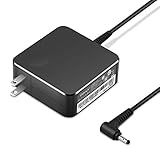
- POWER SPECS Output Max: 20V 3.25A 65W/20V 2.25A 45W Input Volt Range: 110-240V/50/60Hz (For Worldwide Use) Compatible with Lenovo Charger Laptop AC Adapter Power Cord
- Compatible with Lenovo laptop charger yoga 710-15ikb Ideapad 330 330s 530s S530 s130 330-15IGM 330-17IKB 330-14AST 330-15ARR 330-17AST 330S-14AST 330S-14IKB 330S-15AST 330S-15IKB 530S-14ARR 530S-14IKB 530S-15IKB S130-11IGM S130-14IGM S530-13IWL, Yoga 710 710-11ISK 710-11IKB 710-14ISK 710-15ISK 710-14IKB 710-15IKB. We Will List More Models in the Following Product Description
- PRODUCT SAFETY: The Leading American Consumer Product Testing Laboratory, Lists This Ostrich Product as Meeting Their Standards for Electrical Safety and Design in The United States and Canada. Don't Buy Potentially Inferior or Dangerous Chargers That Can Harm Your Laptop or Worse
- PORTABLE DESIGN: One Adapter for Many Devices Charge Compatible with Lenovo and ThinkPad systems While At the Same Time Recharge Tablets. And the Weight is Less Than 5 lbs Which is An Incredibly Small Footprint the 65W AC Travel Adapter Slips into Bags, Purses and Even Pockets with Ease
- OUR GUARANTEE: As a Professional Notebook Power Supplier, Our Products are in Compliance with Top Industry Standards, Include Numerous Safety Mechanisms, Including Protection Against Short Circuiting, Overvoltage, Overcurrent, and Internal Overheating. That's Why We Offer an Industry-Leading Return and Exchange Policy: Within 30 Days of Purchase. Additionally, LIFETIME from The Date of Purchase, We Will Exchange Your Product Should it Become Defective.
On the lid of the laptop, you will find a Lenovo logo stamped at the corner in such a way that you won’t easily notice it. Hence, lovers of simplicity will really like the bare look of the lid.
In the construction of this laptop, Lenovo employed brushed aluminum and plastic. However, the construction is done in a manner that makes it difficult to tell that there was any plastic at all.
That is because the lid is made of aluminum while the base is made of solid plastic that looks like aluminum. Despite being aluminum, the lid still has minimal flex when you press it down at the center.
For the color option, the Lenovo Ideapad 330S has a matte-silver color on its lid and its bottom.
After much has been said about this laptop’s lid, let us proceed to lift up the lid.
Doing that will reveal the 15.6-inch display surrounded by slim plastic bezels on the top and sides. The slim bezels are a standout feature that you will hardly find on most mid-range laptops, and they further give the laptop its premium look.
Despite the slim bezels at the top and sides, the bottom bezel is quite thick.
Recommended Free Tools
The top bezel holds a 720p HD resolution camera with a microphone for video calls. Sadly, the camera does not have face recognition technology.
Having talked about the bezels, let us move on to the display resolution. Lenovo has provided buyers with two display resolution options on this laptop.
Hence, you can get the Lenovo Ideapad 330S display with an HD (1366 x 768 pixels) resolution or FHD (1920 x 1080 pixels) resolution. FHD resolution provides a more colorful and sharp display than HD resolution.
However, FHD resolution is also more battery-draining than HD resolution. Meanwhile, my review model comes with an HD resolution.
What’s actually slowing this PC down?
Pick the symptom - the matching free tool is one click away.
In my opinion, I think that an HD resolution display is not good enough for a laptop above $400. Surprisingly, the display of my test model is good in terms of colors and vibrance.
It delivers vivid images, and this gives a good movie experience. However, the brightness of the display is poor.
To be precise, the laptop has a maximum brightness level of 215 nits which is below the mainstream laptop average of 244 nits. The implication of its poor screen brightness is that you will not enjoy using the laptop in bright environments or outdoors.
Now, let us take a look at the hinge of the Lenovo 330S. The single long hinge is built of plastic, but it holds the lid firm enough.
The hinge also makes it possible to rotate the lid up to 180 degrees.
Proceeding to the keyboard, it is very comfortable to type on, although the keys are a little mushy. Also, the keys have short key travel, but within a couple of days, you should get used to them.
For clarity, key travel is the distance that a key moves down from its restful position to its fully pressed position. Other than the mushy feel of the keys and the short key travel, another thing I don’t like about the keyboard is that it is not backlit.
Hence, to see the keyboard clearly when typing at night, you will need an external source of light.
The Tool Desk
Outbyte PC Repair FREERepair Windows errors before they cause bigger problemsFix Now →Outbyte Driver Updater FREEScan for outdated or missing drivers - takes under a minuteDriver Scan →Also popular on Amazon

- Web vision Including Word, Excel, OneNote, Outlook, PowerPoint, Publisher, Access
One thing you should also be aware of about this laptop’s keyboard is that Lenovo made the F keys and arrow keys very small. Apparently, the smaller keys were in a bid to incorporate a NumPad.
As for the trackpad, it is also built of plastic, but it is quite reliable. The trackpad is very responsive, and it supports gestures like the two-finger tap.
Now let us discuss the audio of the Lenovo 330S. In that regard, there are 2 x 2 speakers with Dolby Audio technology.
Sadly, the speakers are not very loud, they do not produce a balanced sound, and the sound becomes very faint at high volumes. Therefore, to get a better audio experience from this laptop, I recommend the use of external speakers or headphones.
Next up, let’s talk about the ports and connectivity of the Lenovo 330S. On the left, there is an HDMI port, one USB 3.1 Type C port, one USB 3.1 Gen 1 port, and a combined audio jack.
Meanwhile, on the right, Lenovo provided an SD card reader, one USB 3.1 port, and a Kensington lock slot. Unfortunately, the laptop misses out on Thunderbolt and RJ-45 ports.
To round up this section, let us consider the weight and dimensions of the Lenovo 330S. Lenovo has done well in keeping the weight of the laptop at 1870 g because many other 15-inch laptops are usually heavier.
For its dimension, the Lenovo 330S measures 358.4 x 224 x 19.4 mm (W x D x H). Comparatively, the HP 15-bs033cl, which is also a 15-inch laptop, weighs 2100 g.
It also has a dimension of 380 x 253.8 x 23.8 mm (W x D x H). Therefore, the Lenovo 330S is lighter and more compact than the HP 15 bs033cl.
So far, the Lenovo 330S has shown off a simple, stylish design with only a very few downsides. Also, the portability of the laptop is another thing to admire about it.
Therefore, the Lenovo 330S deserves an eight out of ten in this section of the review.
Lenovo 330S: Processor (CPU) Performance
For processing tasks, the Lenovo 330S is available in multiple processor configurations. However, the model I am reviewing here employs a 4-Core Intel Core i7-8550U processor which is the highest configuration available.
Quick wins for a faster PC:
Scan for outdated or missing drivers - takes under a minuteDriver Scan →Repair Windows errors before they cause bigger problemsFix Now →With four processor cores, the Core i7-8550U processor assures better performance than a dual-core or single-core processor.
In addition to its four processor cores, this processor has an 8 MB cache memory. Not just that, but this processor also has a 1.80 GHz base frequency and a 4.0 GHz boost frequency.
As a result of its high clock speed of 4.0 GHz, this processor is capable of handling nearly every task you throw at it with relative ease.
However, let us confirm the laptop’s processing ability by considering its Cinebench R20 benchmark test result. Before then, you should know that the Cinebench R20 benchmark test assesses the processing power of a computer’s processor.
The Cinebench R20 benchmark tool accomplishes this by assessing the performance of a computer’s processor cores. Hence, Cinebench R20 gives two results – the single-core result and the multi-core result.
The single-core test decides the processing power of a single processing core. On the other hand, the multi-core test determines the processing ability of all the cores -four cores in the case of the Core i7-8550U processor.
Meanwhile, you should be aware that a higher score represents better processor performance in the benchmark test. That said, the Lenovo 330S recorded 389 points in its single-core test.
Also popular on Amazon

- Efficient Performance for Daily Tasks: Powered by the Intel N-series N150 processor (up to 3.6 GHz with Intel Turbo Boost Technology), this 14 inch laptop delivers reliable speed for web browsing, streaming, and school assignments. It offers a smooth multitasking experience that outperforms older entry-level processors, ensuring you stay productive throughout the day.
- Portable Design for Life on the Go: Weighing just 3.42 lbs and measuring only 0.70 inches thin, this ultra-portable laptop is designed to fit easily into your backpack. The long-lasting battery life and Fast Charge technology allow you to power up quickly, making it the perfect companion for students and commuters who need a reliable device without the bulk.
- Enhanced Connectivity with Wi-Fi 6: Say goodbye to lagging video calls and slow downloads. Equipped with Wi-Fi 6 and Bluetooth 5.4, this notebook provides faster speeds and more stable connections even in crowded environments like cafes or dorms. The integrated HP True Vision 720p HD camera with front-firing speakers optimized by Dolby Audio ensures clear communication for Zoom or Teams.
- Vibrant HD Display & Essential Ports: Features a 15.6-inch diagonal HD (1920*1080) micro-edge 250 nits display with anti-glare coating, reducing distracting reflections in bright light. Includes essential ports for all your peripherals: 1x USB Type-C, 2x USB Type-A, 1x HDMI 1.4b, 1x SD Card Reader, and a Headphone/Microphone combo jack.
- Industry-leading Product Testing for Durability and Rugged Reliability: Built to withstand it all, this Ideapad Slim 3 rugged laptop has undergone extremely strict tests in accordance with the stringent MIL-STD-810H standards.
Meanwhile, it had 1128 points in the multi-core test. Comparatively, the Lenovo 330S performed better than the ASUS VivoBook Flip 14, which uses the same Core i7-8550U processor in these tests.
Free tools Windows power users keep installed
One-click scans. No signup required.
Precisely, the ASUS VivoBook Flip 14 scored 187 points in the single-core test. Meanwhile, in the multi-core test, it scored 430 points.
In conclusion, the Lenovo 330S has a powerful processor that can handle intensive processing tasks. Therefore, I have decided to give it a rating of eight out of ten for its excellent processing abilities.
Lenovo 330S: Memory (RAM) Performance
For its memory, the Lenovo 330S uses a DDR4 RAM type on two slots. One of the slots is onboard which means that you cannot remove the RAM that occupies it.
On the other hand, you can remove the RAM card in the second slot. For memory capacities, the onboard RAM comes in a 4 GB capacity.
Meanwhile, the removable slot can occupy a maximum RAM capacity of 8 GB. Therefore, on the Lenovo 330S, you can get a maximum RAM capacity of 12 GB.
Performance-wise, with 12 GB RAM, you can conveniently use this laptop for work and have up to 30 Chrome tabs open at the same time. While doing so, you can also work on Microsoft Word and some image re-touching apps like IrfanView and FastStone.
For further verification of the memory performance of this laptop, let us consider its PCMark 10 test result. For clarification, PCMark 10 is a benchmark test that evaluates the memory performance of a computer.
Similar to the previous benchmark, a higher score in the PCMark 10 also indicates a better performance. In light of that, the Lenovo 330S scored 3,609 points in the PCMark 10 test.
Free tools Windows power users keep installed
One-click scans. No signup required.
Comparatively, the ASUS VivoBook 15 delivered a lower performance with a score of 2,801 points.
In conclusion, the Lenovo 330S has enough provision for memory expansion such that, with this laptop, you won’t have to worry about multitasking. Therefore, I will be rating the Lenovo 330S seven out of ten in this section of the review.
Lenovo 330S: Storage Options and Performance
In the aspect of storage, the Lenovo 330S is available in two storage options which include a SATA HDD and an SSD.
For storage capacities, the SATA HDD supports a maximum of 2 TB storage. Meanwhile, the SSD storage option supports a maximum capacity of 256 GB.
Do these 3 things before closing this tab:
1Clear out junk files and repair common Windows errors2Fix the driver behind crashes, sound loss and screen glitches3Repair Windows errors before they cause bigger problemsPerformace-wise, the SATA HDD can be annoyingly slow despite the large storage space. Meanwhile, with the SSD, you will experience a faster transfer speed, and copying large files will be much faster compared to doing the same with the HDD.
At this point, let us take a look at the storage performance of this laptop in the CrystalDiskMark benchmark test. In case you don’t know, CrystalDiskMark is a test that is employed to calculate how fast your computer storage can save and copy files.
The CrystalDiskMark benchmark test does this by producing the read and write speeds of the storage drive. For more comprehension, “read speed” tells how fast your computer opens files.
Meanwhile, write speed tells how fast your computer can save files. That said, higher read and write speeds in the CrystalDiskMark test mean faster performance.
What’s actually slowing this PC down?
Pick the symptom - the matching free tool is one click away.
Proceeding to the test result, the Lenovo 330S had a sequential read speed of 185.6 MB/s and a sequential write speed of 158.2 MB/s. Please note that this test result is based on the Lenovo 330S with 1 TB SATA HDD storage.
In comparison, the Acer Aspire 5 A515, which uses a 512 GB SSD, had a sequential read speed of 499.5 MB/s. It also had a sequential write speed of 265.8 MB/s.
Also popular on Amazon

- 【High-Quality Replacement Battery】 L14M2P21 laptop battery designed specifically for Lenovo IdeaPad 330S-14AST, 330S-14IKB, 330S-15ARR, 330S-15AST, and 330S-15IKB Series laptops.
- 【Reliable Performance:】This Li-ion battery operates at 7.4V with a capacity of 30Wh/4050mAh, ensuring consistent and dependable power supply for your laptop.
- 【Wide Compatibility】 Compatible with IdeaPad 330S-14AST, 330S-14IKB, 330S-15ARR, 330S-15AST, and 330S-15IKB laptops, providing a perfect fit for your device.
- 【Easy Replacement】Replace your old battery with confidence using the L14M2P21 model. Before purchase, please verify that your original battery model and appearance match our product image. Pay attention to the connector location and cable length for a seamless installation.
- 【Replace Part Number】L14M2P21 5B10Q39203 5B10Q39204 L14L2P21 5B10Q39206 5B10W67199 L15M3PB0 5B10Q39202 L15L3PB0 5B10Q39201 L15C3PB1 5B10Q39205
From the result above, we can see that the Acer Aspire 5 A515 had higher read and write speeds than the Lenovo 330S. However, that is not surprising because the Acer Aspire 5 A515 uses SSD storage which is faster than HDD.
Therefore, if you want a faster transfer speed from the Lenovo 330S than it got in the test above, you should buy a model with an SSD.
Considering all I have said in this section, I think the Lenovo 330S deserves a rating of seven out of ten.
Independent reader supportYour contribution helps us test, update, and keep practical guides available for everyone.Lenovo 330S: Graphics Card Performance
The Lenovo 330S is available with an integrated graphics card and three dedicated graphics card options.
The integrated graphics card is an Intel HD Graphics with a 300 MHz base frequency and 1150 MHz boost frequency. This graphics card has no dedicated video RAM (VRAM) because it is integrated.
For the dedicated graphics card options, the first is an AMD Radeon 530 graphics card. This graphics card’s base frequency is 730 MHz, and its boost frequency is 1024 MHz.
Additionally, as a dedicated graphics card, the AMD Radeon 530 comes with 4 GB GDDR5 video RAM (VRAM). A video RAM is a special memory that serves graphics execution requests and ensures the smooth execution of graphics tasks.
Hence, a graphics card with dedicated video RAM is better for gaming and other intensive graphics tasks.
The second dedicated graphics option available for the Lenovo 330S is AMD Radeon 530 graphics.
This graphics card has 730 MHz and 1024 MHz base and boost frequencies, respectively. Also, this graphics card has 4 GB GDDR5 video RAM (VRAM).
Quick wins for a faster PC:
Fix the driver behind crashes, sound loss and screen glitchesFind Drivers →Repair Windows errors before they cause bigger problemsFix Now →Scan for outdated or missing drivers - takes under a minuteDriver Scan →Lastly, we have the NVIDIA GeForce GTX 1050 graphics card which is the most powerful of the dedicated graphics options. That is because it has the highest base and boost frequencies.
To be precise, the NVIDIA GeForce GTX 1050’s base frequency is 1392 MHz, and its boost frequency is 1518 MHz. In addition to that, this graphics card also has 3 GB GDDR5 video RAM (VRAM).
The Lenovo 330S model I am reviewing comes with the NVIDIA GeForce GTX 1050 graphics card.
For performance evaluation, let us see the result of this laptop in a 3DMark 11 test. 3DMark 11 is a benchmark test used to assess the general graphics performance of a computer.
Outdated Drivers Are Slowing You Down
One free scan finds every outdated or missing driver and matches the right update for your exact hardware.Free scan · exact hardware matchPC Slower Than It Used to Be?
A free scan shows the junk files, broken settings and background clutter dragging Windows down - then fixes them in one click.Free scan · Windows 10 & 11Moreover, a high score on the 3DMark 11 test signifies better graphics performance. That said, in the test, the Lenovo 330S scored 7,512 points.
In comparison, the Lenovo 330S outperformed the Lenovo Yoga 730 15 which scored 6,935 points in the same test. Note that the Lenovo Yoga 730 15 uses the NVIDIA GeForce GTX 1050 graphics card as well.
For gaming, with the NVIDIA GeForce GTX 1050 graphics card, the Lenovo 330S is capable of playing games. You can play low-end games at high settings and high-end games at medium or low settings.
Specifically, it can play Halo Infinite 2021 at 36.6 fps if you stick to 1080p resolution and medium settings. It can also play Farming Simulator 22 2021 at 60.2 fps in 1080p and medium settings.
Considering the gaming ability and overall graphics ability of the Lenovo 330S, I rate it eight out of ten.
Also popular on Amazon

- Processor Model AMD 2nd Generation Ryzen 5
- 8GB system memory for advanced multitasking
- 128GB solid state drive (SSD)
- 15.6" Full HD display The 1920 x 1080 resolution boasts impressive color and clarity. IPS technology for wide viewing angles. Energy-efficient LED backlight.
Lenovo 330S: Battery life and Performance
The Lenovo 330S is available in two battery options. There is a 30 Wh Li-Polymer battery and a 52.5 Wh Li-Polymer battery.
For this review, I will focus on the model of this laptop with a 52.5 Wh battery. Although Lenovo has advertised this laptop with a battery life of 7 hours, I still like to verify this claim.
To do that, I will consider some battery tests to see how long the battery will last.
The Tool Desk
Outbyte Driver Updater FREEFix the driver behind crashes, sound loss and screen glitchesFind Drivers →Outbyte PC Repair FREERepair Windows errors before they cause bigger problemsFix Now →The first test I will consider is a web-surfing battery test where the laptop lasted 5 hours and 50 minutes. In comparison with the Lenovo Thinkpad E580, the Lenovo 330S underperformed.
To be precise, the Lenovo Thinkpad E580 lasted 7 hours in the same test. For a better comparison perspective, you should be aware that the Lenovo Thinkpad E580 has a smaller battery capacity of 45 Wh.
In another test where the Lenovo 330S was subjected to heavy load, and the screen brightness was set to maximum, it lasted 1 hour 53 minutes. Therefore, to get a longer battery life, you will have to keep the screen brightness low.
In conclusion, the Lenovo 330S’ performance in the battery test was below that of the competitor I tested it against despite having a larger battery capacity. Therefore, I find the battery life of the Lenovo 330S disappointing.
Recommended Free Tools
In light of that, I will be rating it six out of ten in this section of the review.
Frequently Asked Questions
The Lenovo 330S is available in three dedicated graphics configurations. Any of these graphics cards can be used for gaming.
However, with the NVIDIA GeForce GTX 1050 graphics card, the Lenovo 330S was able to play Halo Infinite 2021 at 36.6 fps. The game was played at 1080p resolution and medium graphics settings.
No, the Lenovo 330S does not have a touchscreen.
Unfortunately, the Lenovo 330S misses out on having backlit keys. Hence, typing in a dark environment can be challenging.
For wireless connectivity, the Lenovo 330S employs Bluetooth version 4.1.
In a web-surfing battery test, the laptop lasted 5 hours and 50 minutes. However, under heavy load with maximum brightness, it lasted 1 hour 53 minutes.
Conclusion
The Lenovo 330S is a good laptop for daily use, and it certainly has good looks too. When it comes to weight and portability, the laptop is lightweight and is not a burden to carry around.
Moreover, its screen display produces vibrant and colorful images. Sadly, the notebook falls short of ample display brightness.
Performance-wise, its 4-Core Intel Core i7-8550U processor delivers adequate power to run smoothly in Windows 10 and use several applications. However, the battery life is a bit disappointing.
For gaming, you will have to purchase the model of this laptop that comes with a dedicated GPU, preferably the NVIDIA GeForce GTX 1050 GPU. Finally, if you are on a budget and can overlook the poor screen brightness and poor battery life, then you can consider buying the Lenovo 330S.
I hope you found this Lenovo IdeaPad 330S 15-inch review helpful. If you found the review helpful, we would love to hear from you.
Kindly spare two minutes to share your thoughts with our community using the comments form below.
Alternatively, simply respond to the “Was this page helpful” question below and provide us with your feedback.
Finally, for more laptop reviews, visit our Laptop Reviews page. You may also find our Laptop Specs page very helpful.
Quick Recap
Product prices and availability are accurate as of the date/time indicated and are subject to change. Any price and availability information displayed on Amazon at the time of purchase will apply.


Great review! I’ve been considering the Lenovo 330S for everyday tasks and your insights on its performance and design really helped. It sounds like a solid choice for someone like me who just needs a reliable laptop for work and casual use. Thanks for sharing!
I just read the Lenovo 330S review, and it sounds like a solid choice for everyday tasks! I appreciate the balance between performance and affordability. It seems perfect for students or anyone who needs a reliable laptop without breaking the bank. Thanks for the detailed insights!
This notebook can be upgraded to 20GB total RAM via a 16GB RAM stick in the removable slot (Crucial part no. CT16G4SFD8266)
Can be upgraded to use both an NVMe SSD and SATA SSDs.
Thank you so much Brad for your contribution. Your comment is really detailed and our community could benefit from your contribution. I was wondering whether you would mind joining our newly created Community Forum? I will send you an invite from Itechguides Community Forum shortly. Thanks again for your help!