
Windows Errors? Fix Them Before They Spread
Repair common Windows errors and clear accumulated junk for a smoother, more stable PC - no reinstall needed.Free scan · no reinstallOutdated Drivers Are Slowing You Down
One free scan finds every outdated or missing driver and matches the right update for your exact hardware.Free scan · exact hardware matchiTechGuides is reader-supported. When you buy through links on our site, we may earn an affiliate commission. As an Amazon Associate I earn from qualifying purchases. Learn more
To make a printable model for a custom guitar-controller part, measure the controller and the hardware it must fit, build a dimension-driven model in CAD, check it against a simplified assembly, and print a small fit test before making the finished part. The critical work is capturing interfaces—holes, fasteners, moving controls, cables, and clearances—accurately; a model that looks right on screen can still fail to assemble or operate.
What should you measure before opening CAD?
Measure the real controller and the components that meet the replacement part. Do not infer fit-critical dimensions from a photograph: perspective, lens distortion, and unknown scale make a picture a poor substitute for direct measurements. Photograph the original part as a visual record, but use measured dimensions to define the model.
Record the part’s envelope and datums
Start with the part’s overall length, width, and thickness. Choose repeatable reference edges or faces—datums—that will anchor the model in CAD. Note which edges align with the controller body, whether the part is centered or offset, and which face is the top or front. A consistent coordinate origin and reference direction make it easier to place holes and revise the design without losing alignment.
Do these 3 things before closing this tab:
1Clear out junk files and repair common Windows errors2Scan for outdated or missing drivers - takes under a minute3Repair Windows errors before they cause bigger problemsFor a replacement button panel, record the panel outline, the locations and diameters of every button opening, and center-to-center spacing between openings. Measure from a common datum wherever possible rather than chaining one measurement from the previous hole; a small error in each chained distance can accumulate across the panel. If buttons differ from a design’s specified hardware, measure the actual buttons with a caliper. Adafruit’s controller guidance specifically recommends measuring button diameter with a caliper when using different buttons.
#1 Best Overall

- 【STAINLESS STEEL MATERIAL】The vernier caliper is made of high-strength stainless steel and is waterproof and dirt-proof. The service life of this stainless steel digital caliper is longer than that of calipers with plastic or carbon fiber parts.
- 【ACCURATE MEASUREMENT AND ZERO SETTING】This digital caliper glides smoothly. Measuring range: 0 -6" / 0-150mm; Accuracy: ± 0.001"/ 0.02mm; Resolution: 0. 0005"/0. 01mm. At the same time, the smart design allows you to easily reset to zero by pressing a button and start a new measurement at any point on the scale, which is very suitable for differential measurement.
- 【4 MEASUREMENT MODES】The digital caliper has 4 measurement modes, which can be used to measure inside and outside diameter, depth, and step with two sets of jaws and a probe. Multiple measurement modes can bring more usage scenarios to people, and the measurement process is also very convenient.
- 【UNIT CONVERSION & LARGER LCD SCREEN】These Digital Calipers have a one-key button to quickly switch from inches (inch), fractions (F), millimeters (mm). The 6" digital caliper has a large, easy-to-read LCD DISPLAY which is easy to use and read even under strong sunlight. It will automatically turn off after 5 minutes of non-use to save power.
- 【Wide Applications】 Compared to the ordinary rulers, this stainless steel caliper can measure not only length but also caliber and depth, allows you to measure circular and cylindrical objects, more functions and better performance will satisfy you. It has always been used by professionals and hobbyists alike, jewelers, hobbyists, woodworkers, machinists, DIY, automotive mechanics, and more.
Measure every mating feature
Measure screw-hole diameters, center positions, countersinks or counterbores, screw-head geometry, and the thickness of material that the fastener passes through. Record connector openings, cable paths, switch bodies, PCB edges, and any slots or clips. If a control moves, measure its travel and the space it needs throughout that travel—not just its resting position.
Also measure the clearance between the proposed part and adjacent components. A cutout can be the correct diameter yet still be unusable if the button body, connector, cable bend, or screwdriver cannot reach its position. Autodesk’s assembly guidance highlights lengths, radii, diameters, angles, and clearances as important fit measurements.
- Measure small diameters and spacing with a digital caliper.
- Record wall thickness and the depth available for screw engagement.
- Check the access needed to insert, actuate, remove, and service controls.
- Photograph the original part from useful angles and label the images with the datums you measured.
- Keep a dimension list with units and notes on where each measurement was taken.
Use project examples only as examples
An Adafruit guitar-controller project uses 30 mm arcade buttons in its base and 16 mm buttons in its neck. Those are dimensions for that project, not universal guitar-controller standards. Use them only if your own hardware measures the same; button names or appearance are not enough to establish a fit.
How do you turn the measurements into a stable CAD model?
Build the design around a master sketch and a parametric feature sequence. In a parametric workflow, dimensions and features remain editable, so changing a hole diameter or spacing does not require rebuilding the whole part from scratch.
Set up the master sketch
In Fusion or comparable CAD software, establish origin planes and datums that correspond to the measured controller. Draw the principal outer profile first. Add construction lines for symmetry, centerlines for aligned features, and reference geometry for panel edges or mounting locations. Dimension the hole centers from a shared datum and constrain relationships that should remain true, such as symmetry or equal spacing.
Fully constrain the sketch with dimensions and geometric constraints. A fully constrained sketch prevents geometry from drifting when dimensions change. Autodesk’s Fusion learning material treats fully defined sketches as a foundation for reliable solid bodies and teaches dimensions, extrudes, revolves, fillets, holes, mirrors, and patterns as core modeling operations.
Rank #2

- Best Cost-effectiveness: We've crafted this plastic digital caliper with a singular focus – delivering unmatched value at an unbeatable price. While others chase high-precision innovations, we prioritize essential features that truly matter.
- 4 Measurement Modes and Precision: Outside diameter, inside diameter, depth, and step measurements. Measurement range: 0-6 inches / 0-150 mm, accuracy: ±0.2 mm / 0.01 inches. Whether it's for home projects, DIY, or 3D print, having this caliper will elevate you to be a measurement star.
- Low Energy Consumption Design with Smart Auto-Off Function: With just a single battery, our caliper can support 8+ months of measurements. It can automatically turns on when you slide it, and turns off within 5 mins when not in use, effectively conserving battery power.
- Tough Plastic Case Packaging and Secure Measurements: The plastic case packaging effectively protects the caliper from external impacts and friction, ensuring that it stays in optimal condition at all times. Moreover, our digital caliper is made of extra strong carbon fiber composites that are not easy to damage the measured object during use.
- What You Get: Digital Caliper *1, Tough Plastic Case *1, and LR44 button batteries *3(with one pre-installed). Additionally, we offer a lifetime warranty and friendly customer service to ensure your complete satisfaction.
Create the main shape before details
- Draw the outer profile. Use the measured outline and locate it relative to the datums.
- Extrude to the measured thickness. This creates the initial solid or panel blank.
- Cut primary openings. Add button, switch, cable, and fastener openings from the master dimensions.
- Add secondary structure. Create pockets, shells, ribs, bosses, chamfers, and fillets only after the main interfaces are stable.
This order keeps the functional interfaces easy to inspect. Decorative edges or reinforcement features should not obscure the dimensions that control fit.
Keep critical dimensions editable
Use named parameters for values likely to change, including hole diameter, button spacing, wall thickness, screw clearance, and any press-fit allowance. The name should make the design intent clear. For example, a parameter named for a button opening is easier to revisit than an unnamed dimension buried in a sketch.
Fusion’s parametric modeling mode tracks features in a timeline and preserves their relationships as the design evolves. Its direct modeling mode does not retain those same parametric relationships. For a custom replacement part that is likely to need fit adjustments, the timeline and named parameters make iteration more controlled.
How do you check that the part fits the controller?
Compare the model with the controller’s mating geometry before export. A simplified assembly can reveal collisions and access problems that are hard to spot by looking at the part alone.
Build useful reference geometry
Bring in simplified models of the buttons, switches, PCB, screws, connectors, and nearby controller surfaces, or create envelope solids that represent their occupied space. The references do not need every cosmetic detail; they need accurate dimensions at the interfaces. Position them using the same datums used for the part.
Check each component’s path into the assembly as well as its final position. A button may fit its hole once installed but be too large to insert from the intended direction. A switch may clear the panel but collide with a PCB below it. A connector may fit the opening while leaving no room for a cable or screwdriver.
Rank #3

- [INCH/MM Conversion]: One button can quickly convert two measuring unit (INCH/MM). Measuring Range:0 - 150mm (6") / Resolution: 0.01mm (0.0005")/Accuracy: ±0.02mm (0.001")
- [Stainless Steel Material]: The vernier caliper is made of high-strength stainless steel, which is waterproof, stain-proof and oil-proof. The ergonomic design brings you a comfortable feeling.
- [Large and Clear Display Screen]: Large LCD display gives you a clear reading. The thumb rolling and locking screw provide easy sliding, accurate positioning, and fine adjustment.
- [Multifunctional Use]: The digital micrometer can easily and accurately measure internal, external, height and depth dimensions.
- [Automatically shut off]: When you have no action on the dial caliper, it can automatically shut off after 4 minutes.
Run a clearance and interference review
Inspect the assembly for interference, minimum wall thickness, and screw engagement. Confirm that controls can be inserted, actuated through their travel, and removed when needed. Check that fasteners do not break through a wall or leave too little material around a hole. Use the clearance check to find adjacent surfaces that touch or overlap unexpectedly.
If a fit is uncertain, revise the relevant parameter rather than scaling the entire model. Whole-model scaling changes dimensions that may already be correct, including spacing and the external envelope. A local parameter change preserves the rest of the design.
How much clearance should you add for a 3D print?
Do not assume that a CAD dimension will emerge from a printer at exactly the same size. Printed dimensions depend on the target printer and material, so treat clearance as an adjustable design variable and validate it with a test print.
Quick wins for a faster PC:
Scan for outdated or missing drivers - takes under a minuteDriver Scan →Repair Windows errors before they cause bigger problemsFix Now →For sliding fits, add a small clearance parameter and test it on the printer and material intended for the final part. The evidence does not establish one universal clearance value for all printers, materials, or fit types, so choose the first value conservatively and use the test piece to determine whether it is too tight or loose. A press-fit needs its own allowance and validation; it should not be treated as the same fit as a freely moving slider.
Keep holes circular and accessible for post-processing if they need adjustment after printing. Consider print orientation while designing ceilings and overhangs: an unsupported ceiling may be avoidable by rotating the part, splitting the geometry, or adding support where appropriate. These are design decisions to make before the final print, not fixes to assume the slicer will handle automatically.
How should you test the model before printing the full part?
Print only the interface region or a thin fit gauge for the first iteration. This is quicker and uses less material than producing the complete replacement part, while answering the most important question: do the openings and mating features fit the actual hardware?
Rank #4

- Solid stainless steel build – This digital caliper 6 inch resists rust, wear, and corrosion, outlasting plastic models. The sturdy metal body handles daily workshop use without bending. The shockproof case protects your measuring tool from drops and impacts, keeping it safe and ready for each job
- Reliable accuracy with smooth glide – This digital vernier caliper measures 0‑6″ / 0‑150mm with ±0.02mm / 0.001″ accuracy and 0.01mm resolution. The thumb roller glides without sticking, and the locking screw holds your reading steady. From checking 3D print filament and woodworking joints to measuring jewelry and small parts for repairs, you can trust the results
- Four measurement modes in one – Use two jaw pairs and a depth probe for ID, OD, depth, and step measurements. No need to switch digital caliper measuring tool – this versatile dial caliper covers tubing, bores, recesses, and shoulders. Press the zero button anywhere to reset for quick comparative checks. Close and re‑zero before each use to ensure consistent readings
- Metric & Imperial conversion with large LCD – This electronic vernier caliper lets you switch between millimeters and inches with one click. The oversized LCD screen displays crisp, bold numbers that are easy to read at a glance. The wide viewing angle means you can read it clearly without tilting the caliper. Auto‑off powers down after 5 minutes of non‑use to save battery
- Complete kit – ready out of the box – Your package includes the digital micrometer, a sturdy case, two batteries (one spare), a mini screwdriver, and a stainless steel ruler. No extra trips to the store – just open and start working. A practical choice for DIYers, hobbyists, and makers who need reliable measurements at home or in the workshop
- Choose a representative test area. Include the button hole, fastener position, or other interface most likely to need adjustment.
- Print with the intended printer and material. A test made under different conditions may not predict the final fit.
- Test assembly and operation. Check insertion, movement, access, and removal—not only whether the component can be pushed into the opening.
- Record the result. Note which feature was tight, loose, or blocked and compare it with the parameter controlling that feature.
- Revise the parameter and reprint as needed. Keep working dimensions intact instead of scaling the entire model.
A fit gauge is especially useful when several openings share a panel or when a small clearance change can affect assembly. It lets you compare candidate dimensions with the actual hardware before committing to the final print.
How do you orient and prepare the print?
Choose orientation, supports, and slicer settings for the target machine and part geometry. Autodesk’s additive workflow includes selecting a machine and print settings, arranging parts, adding supports when required, and generating the build output.
Large, flat controller surfaces can warp, and poor first-layer adhesion can lift corners. Adafruit’s MX MIDI Guitar guide notes that a brim may help with corners and first-layer adhesion. A brim is a practical option to consider for a broad panel, but it is not a guarantee against warping; orientation and the target printer’s setup still matter.
Adafruit’s guide also gives an example print using PLA at 230 °C, 20% infill, two shells, and a 0.20 mm layer height. These are example settings for that build, not a universal prescription. Use the printer and material profile for the actual machine, then evaluate the fit and surface quality of the test print.
Independent reader supportYour contribution helps us test, update, and keep practical guides available for everyone.How do you export a printable file from Fusion?
Fusion’s 3D Print dialog can export a selected body as 3MF, STL in binary or ASCII form, or OBJ. Choose the format and units deliberately, and use adequate mesh refinement when curved surfaces or close-fitting interfaces need to be represented accurately.
- Select the body to manufacture. Confirm that you are exporting the intended solid rather than a reference component or the whole assembly.
- Open the 3D Print dialog. Select the body and choose 3MF, STL, or OBJ as the output format.
- Set units deliberately. Confirm that the exported mesh and slicer use compatible units so the part does not arrive at the wrong scale.
- Review mesh refinement. Fusion exposes surface-deviation, normal-deviation, maximum-edge-length, and aspect-ratio controls. Increase refinement where curves or tight mating surfaces require a closer mesh approximation.
- Slice with the target printer profile. Inspect the sliced model and settings before producing the interface test or final part.
A coarser mesh can simplify a file but may approximate curved edges or mating surfaces less closely. A finer mesh is more appropriate when the shape or interface demands it. The important check is whether the exported and sliced geometry still represents the intended dimensions and shape.
Best Value
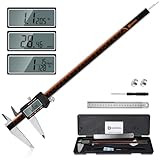
- 【Stainless steel material】Digital calipers are made of high quality stainless steel, waterproof and rustproof, and the sturdy frame reduces the wear and tear of vernier calipers, allowing a longer service life
- 【Accurate measuring range】 0-12 inches/300mm; Display: 14mm x 40mm oversized LCD; Accuracy: ±0.04mm/0.0015 inches; Resolution: 0.01 mm/0.0005 inches. The knurled thumb roller ensures smooth gliding in use; the locking screw enables accurate positioning. These two designs ensure smooth operation during measurement and prevent slippage or jams from occurring
- 【4 measurement modes】The digital caliper comes with two pairs of jaws and a probe to easily measure depth, step length, outside diameter and inside diameter. Four measurement methods meet most of your measurement needs
- 【3 unit conversions】 With the push of a button, you can quickly switch between the 3 units of the digital caliper: inches, millimeters and fraction; plus the large LCD screen makes it easy to read. You can reset it to zero with the zero button, plus the digital vernier caliper will automatically turn off after 5 minutes of non-use to save power
- 【Wide application】HARDELL digital caliper comes with 1*ruler, 1*screwdriver, 2*batteries. The case is resistant to pressure, shock and drop for easy storage and carrying. 12 inch caliper micrometer has been used by professionals and amateurs, it is the best choice for mechanics, woodworkers, jewelers, craftsmen, DIY enthusiasts, auto mechanics, etc
What should you evaluate when choosing CAD or a print approach?
Choose CAD software and a print process by the demands of the part, rather than by a feature list alone. The most useful criteria are whether the tool supports constrained sketches and parameters, lets you inspect assemblies and interference, imports reference STEP or mesh files, gives suitable STL or 3MF export control, and fits your learning curve.
For print approaches, weigh dimensional accuracy, surface finish, heat resistance, support needs, build volume, and cost per iteration. A replacement panel that needs repeatable holes and mounting points has different priorities from a cosmetic trim piece. The material and process should suit the part’s use, but the supplied examples do not establish a universal best material or printer for guitar-controller parts.
- Choose parametric modeling when dimensions and fit are likely to change during iteration.
- Use assembly checks when the part interacts with controls, a PCB, connectors, or fasteners.
- Prioritize export control when curved profiles or close-fitting interfaces must survive mesh conversion.
- Compare print approaches on the part’s actual requirements, including heat, surface, dimensional accuracy, supports, and build size.
Frequently Asked Questions
Can I make a guitar-controller replacement part from a photo alone?
A photo is useful for documenting shape and orientation, but it does not establish scale or hidden mating dimensions. Use it alongside direct measurements of the original part and hardware.
Free tools Windows power users keep installed
One-click scans. No signup required.
Are 30 mm arcade buttons and 16 mm neck buttons standard sizes?
Those dimensions belong to a particular Adafruit controller project, whose guide was originally published in 2013 and updated in 2024. They should not be assumed to describe other controllers or replacement button hardware.
Should I export an STL or a 3MF from Fusion?
Fusion supports 3MF, STL in binary or ASCII form, and OBJ through its 3D Print dialog. Choose the format that fits your slicing workflow, then verify units and the sliced model before printing.
Can I use the example PLA settings for any printer?
No. The cited 230 °C, 20% infill, two shells, and 0.20 mm layer-height settings are an example from an Adafruit build, not a general profile. Start with settings appropriate to the printer and material you will use.
Quick Recap
Product prices and availability are accurate as of the date/time indicated and are subject to change. Any price and availability information displayed on Amazon at the time of purchase will apply.
Recommended Free Tools

