
iTechGuides is reader-supported. When you buy through links on our site, we may earn an affiliate commission. As an Amazon Associate I earn from qualifying purchases. Learn more
Chinese TikTok is called Douyin (抖音), and it is a separate app from the international TikTok app. You cannot normally obtain it by changing TikTok’s language or turning on a VPN. On iPhone and iPad, the official route is the mainland-China App Store listing, which generally requires access to a China-region Apple Account or a country/region change. On Android, the preferred route is Douyin’s official download page; installing its Android package may require temporarily allowing installations from the browser or file manager that downloaded it.
Installing Douyin does not guarantee that every feature will work. Phone verification, identity checks, geography, network routing, device information, and Douyin’s security controls can affect registration, commenting, messaging, publishing, livestreaming, and purchases.
What is Chinese TikTok?
The app commonly called “Chinese TikTok” is Douyin, written as 抖音. It is operated as a mainland-China short-video service and is not simply a Chinese-language version of the international TikTok app. The official mainland-China App Store listing calls the app “抖音 Douyin” and identifies Beijing Douyin Technology Co., Ltd. as the developer. [C001]
That distinction matters because Douyin and international TikTok have separate app listings, account systems, availability rules, and feature restrictions. Installing TikTok and switching its language, region, or content preferences will not install Douyin.
Popular on Amazon

- Versatile Car Phone Mount: Cell phone car mount boasts premium suction strength and an upgraded air vent clip, allowing for flexible installation options on windshields, dashboards, and air vents wall mounts. Note!3M Dashboard Pad is NOT REQUIRED when using a phone holder on windshield Pads Mats
- Strong Suction Performance: Car phone holder comes with a double-locked suction cup made of heat-resistant TPU material, guaranteeing it stays firmly attached to your dashboard even in extreme heat. Reactivate its sticky power by washing with water and air-drying Pads Mats.
- Fully Adjustable Design: Featuring a 360-degree rotating ball joint and an adjustable extension arm ranging from 3.7 inches to 5.9 inches, this dash-Mounted phone mount for cars allows you to customize your phone's placement to any desired angle or distance, offering maximum viewing flexibility Pads Mats.
- Universal Fit: Engineered to accommodate all smartphones ranging in size from 4.0 to 7.1 inches and devices up to 14mm thick, including GPS devices, this phone stand for trucks includes a one-touch release mechanism for swift and easy phone mounting. It serves as an excellent accessory for drivers requiring constant phone access, enhancing driving stability and safety Pads Mats.
- Comprehensive Safety Features: The car phone mount for iPhone includes a unique hook design fortified with stainless steel and padded with thick plastic, ensuring secure engagement with air vent blades without causing scratches. The robust silicone rubber provides sturdy protection, even on bumpy roads. Note: Not suitable for circular air vents desk mount Pads Mats.
Quick answer: the safest official method
| Device | Official installation route | What may still be required |
|---|---|---|
| iPhone or iPad | Download the official Douyin listing from the mainland-China App Store. | A legitimate China-region Apple Account or a country/region change; phone verification may be required inside Douyin. |
| Android | Download Douyin from its official website and install the Android package if Google Play does not provide the app. | Temporary permission for the specific browser or file manager to install unknown apps; phone or identity verification may still limit features. |
Use the official listing or official Douyin download page whenever possible. Avoid modified APKs, “unlocked” versions, enterprise certificates, piracy repositories, and shared account credentials.
How to install Douyin on iPhone or iPad
The official Douyin App Store listing currently states compatibility with iOS/iPadOS 13.0 or later. Before starting, update the device if necessary and make sure you know which Apple Account is signed in to the App Store. [C001]
Option 1: Use a legitimate China-region Apple Account
- Open the mainland-China App Store listing for Douyin, or search the China storefront for 抖音 or Douyin.
- Check the listing carefully. The app name should identify Douyin, and the provider should be Beijing Douyin Technology Co., Ltd. [C001]
- If the listing is unavailable under your current account, sign in to the App Store with a legitimate Apple Account whose country or region is mainland China, if you have one and can use it lawfully.
- Download Douyin, then register or sign in from inside the app.
Do not use a stranger’s shared Apple Account. The account owner could see or control purchases and downloads, and changing account credentials can create security, activation, or recovery problems.
Option 2: Change your existing Apple Account country or region
Apple’s official country/region process may be appropriate if you genuinely need to change the account’s storefront. Apple warns that you may need to complete several requirements first, including spending remaining account balance, cancelling subscriptions and waiting for them to expire, completing pending rentals or preorders, and redownloading content that may not remain available in the new storefront. Apple may also require a valid payment method and billing address for the new country or region. [C003]
Apple’s mainland-China media-services terms specify mainland China as the account’s home country or region for an account created for use there. They also require accurate account information and explain that content availability varies by country or region. [C004]
Because changing an Apple Account region can affect subscriptions, purchases, balances, and previously downloaded content, do not treat it as a casual workaround. Review Apple’s current requirements before making the change, and do not enter fabricated billing or identity information.
Also popular on Amazon
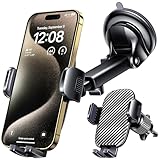
- 3 IN 1 Phone Holders for Your Car: Cell phone GPS navigation holder car is equipped with a suction cup and vent clip, which can be freely mounted on the windshield, dashboard, and air vent for feeding your different usage needs. Cell phone Camera Mounts holder is applied to most cars, pickup trucks, SUVs, taxis. A perfect assistant for Uber, Lyft drivers.
- Enhanced Powerful Suction Cup: Phone GPS navigation holder mount is equipped with double-lock suction cup and uses heat-resistant TPU material , which can provide strong suction power on smooth surfaces, and keep the mount stable in any conditions. To restore adhesion, simply rinse the sticky surface with warm water and wipe dry.
- Perfect Flexibility: Car phone Camera Mounts holder with 360 degree ball joint and adjustable telescopic arm, which can adjust your phone to any ideal angle without obstructing your view. The telescopic arm can be extended from 6.5 inches to 8.1 inches. Easily adjust the distance between you and the car mount.
- Full Protection: iPhone car mount with vacuum silicone rubber and thick panels can provide full protection for your phone from scratches and drops even at high speeds, bumps or turns.
- Easy Operation: Car mount for iPhone has a one-touch release button, you can release your phone with one hand while driving. Adjustable feet accommodate all 4-7 inch phones and most thick cases.
Why a VPN does not make Douyin appear in the App Store
A VPN changes network routing; it does not automatically change the App Store storefront associated with your Apple Account. Therefore, a VPN alone is not a reliable way to make the mainland-China Douyin listing appear in a U.S. App Store.
Free tools Windows power users keep installed
One-click scans. No signup required.
Apple’s alternative-app-distribution information also does not provide a general U.S. sideloading route. Apple currently describes alternative distribution as available in Brazil, Japan, and the European Union, subject to account and physical-location requirements; the United States is not listed as an eligible region. [C002]
Do not rely on enterprise certificates, tweaked IPAs, unofficial sideloading services, or piracy repositories as routine solutions. Apple says apps distributed through alternative marketplaces or websites are not managed by Apple and may involve additional security, privacy, payment, support, and continuity risks. [C002]
How to install Douyin on Android
Douyin’s official download page provides mobile downloads for iOS and Android and identifies Android as a supported platform. The page lists Android 6.0 or later as a baseline, but the current official download page and your device’s compatibility checks should take priority over old APK-mirror listings. [C006]
Recommended Android procedure
- Open Douyin’s official download page rather than an APK aggregation or “mod APK” website. [C006]
- Choose the Android download only when the page and download flow identify the package as the official Douyin app. Check the publisher or package identity shown by the browser, manufacturer store, or Android installation screen.
- Download the package. Depending on the device, Android may warn that the browser or file manager is not allowed to install apps from that source.
- Grant permission only to the particular source that downloaded the file. On Android 8.0 and later, this is normally controlled per app under Settings > Apps > Special app access > Install unknown apps. Select the browser or file manager, then enable permission temporarily. Menu names can differ between manufacturers and Android versions. [C007]
- Return to the downloaded package and complete the installation.
- Afterward, go back to the same permission screen and disable Allow from this source unless you deliberately need it for another trusted installation.
- Open Douyin and register or sign in inside the app.
Android supports distribution through app marketplaces, websites, and direct downloads, but it requires explicit user permission for installations from outside an approved store. This is why the source of the package matters as much as the installation steps. [C007]
What’s actually slowing this PC down?
Pick the symptom - the matching free tool is one click away.
If the Android package will not install
- Confirm that the device meets the current compatibility requirements.
- Delete the incomplete download and obtain a fresh package from Douyin’s official download page.
- Check that the browser or file manager used for the download has permission under Install unknown apps.
- Make sure the device has enough free storage.
- Do not solve an installation error by downloading a modified, repackaged, cracked, or “unlocked” version.
- If Android reports that the package is corrupt or incompatible, stop and obtain a current official package rather than disabling broad security protections.
A successful installation only proves that Android accepted the package. It does not prove that registration, login, messaging, publishing, or other Douyin functions will be available.
Also popular on Amazon

- [Dual Flash Drive] This 2-in-1 USB flash drive is designed with a Type-C plug and a USB-A plug at each end, working across all your Type-C Android phones, iPhone 15/15 Pro/15 Pro Max, iPhone 16/16Pro/16E, tablets, iPad Pro, Macs and USB-A computers, game consoles, car audios, and more (Not for Lightning iPhone/iPad).
- [Fast Speed] Optimizing the USB 3.0 technology, this USB-C flash drive fast transfers and backs up your high-res photos, videos, music, and heavy files at a read speed of up to 130MB/s and a write speed of up to 35MB/s, 10X faster than USB 2.0 flash drives.
- [Wide Use] This Type-C flash drive supports Windows, Android, Linux, and Mac OS, and is backward compatible with USB 2.0 ports. Plug and play, no need to install any software, working seamlessly with USB-C and USB-A devices.
- [Durable and Reliable] This dual USB 3.0 flash drive adopts superb memory chips thus ensuring extremely reliable performance, plus the premium plastic enclosure offers excellent heat dissipation. The cap protects the connectors from dust and damage, providing extended durability and security.
- [Compact and Portable] Constructed in a mini size of 63.5x17.8x8.4mm/2.5x0.7x0.3inch, this slim USB-C thumb drive can fit into your pocket, letting you enjoy the instant large capacity at any time.
Android security checks before sideloading
Google describes Play Protect-certified devices as having baseline security testing, malware protection, and verified Google apps. Devices that are not Play Protect certified may be less secure and may not work correctly with Google apps or Google Play. [C008]
Before installing Douyin outside Google Play:
- Use a device with current Android security updates where possible.
- Download from Douyin’s official site, not an APK mirror with an unknown publisher.
- Check the package name and publisher information presented during installation.
- Keep Play Protect and the device’s normal security protections enabled.
- Grant installation permission to one source only, and revoke it after installation.
- Never enter an Apple Account, Google Account, payment-card number, or Douyin password into an unofficial download page.
Google has also announced a staged Android developer-verification rollout. According to Google’s March 30, 2026 announcement, user-facing changes are scheduled to begin in selected countries in September 2026 and expand globally in 2027. This is a future caveat for people who depend on sideloading; it does not establish that Douyin is blocked today. [C009]
Why Douyin may install but still not work fully
Installation and service access are separate issues. The app-store storefront determines whether you can find and download the app. After installation, Douyin can apply separate controls based on your phone number, identity verification, geography, network, device information, usage patterns, and account risk signals.
Do these 3 things before closing this tab:
1Fix the driver behind crashes, sound loss and screen glitches2Repair Windows errors before they cause bigger problems3Scan for outdated or missing drivers - takes under a minuteDouyin’s privacy policy says the service may collect device identifiers, location, IP address, device and app-use information, browsing and interaction history, search history, downloads, and sharing activity. It describes this information as being used for service operation, personalization, security, and risk control. [C005]
The policy also says mobile-phone information is used for registration and login, and that refusing to provide it may prevent functions such as publishing information, including videos and comments. Phone information is also described as relevant to normal service, complaints, account protection, and compliance operations. [C005]
As a result, a user outside mainland China might be able to browse videos but be unable to register, comment, send private messages, publish, livestream, or use purchases. Official Douyin-hosted user discussions report that some overseas phone-number accounts may be unable to reply to comments or send private messages, but this is user-generated material rather than a universal product rule. Treat it as a possible limitation, not a guarantee. [C010]
Also popular on Amazon
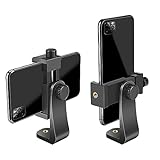
- FEATURE: the tripod phone mount is adjustable by screw mechanism, 360 degree rotating, vertical(portrait mode) and horizontal(landscape mode) or any angle as you need, not necessary to take your cell phone out of a standard tripod or small tripod.
- EASY TO USE: two options for using tripod phone holder: 1. screw it directly to the tripod or selfie stick with pivoting arm, being able to 360 degrees rotating, 2. remove the phone clamp from pivoting arm and then mount on a tripod or monopod.
- ADJUSTABLE WIDTH: 2.2inch-4.1inch(55mm-105mm), attachable to any regular-size smartphone, tripod, selfie stick, monopod or camera; two standard 1/4 x 20mm female thread interfaces meeting your various needs. Very functional and compact.
- MATERIAL: the black part made of sturdy plastic, the female threads inserted are brass, the male screw is steel and soft non-slipping silica gel pads, which protect your cellphone from scratch and hold the phone securely.
- ATTACHABLE TO: most mobile phones, tripods, unipods, selfie sticks, cameras, camcorders, pico projectors, including iPhone 11/11 Pro/11 Pro Max/X/XS/XR/XS Max/8/7/6/6s Plus/SE/5s/5/5c, Samsung Galaxy S10/10+/S9/S9+/S8/S8+/S7/S6/S6 edge, Note10/10+/9/8 and Android phones.
Do you need a VPN to use Douyin?
No VPN can guarantee Douyin access or unlock every feature. A VPN may alter the apparent network route, but it cannot substitute for:
The Tool Desk
Outbyte Driver Updater FREEFix the driver behind crashes, sound loss and screen glitchesFind Drivers →Outbyte PC Repair FREEClear out junk files and repair common Windows errorsFree Scan →- an eligible App Store storefront or Android download source;
- a phone number accepted for registration and verification;
- identity checks that Douyin may require;
- an account that passes Douyin’s security and risk controls; or
- availability of a particular feature in your geography or account type.
The research found no official Apple or Douyin promise that a VPN alone enables all Douyin features for users in the United States. [C002][C005] If the app is installed but login or messaging fails, changing VPN servers repeatedly is unlikely to address an account or verification restriction.
Privacy and legal considerations
Review Douyin’s current privacy policy and service terms before registering. Its policy describes collection of information that can include device identifiers, location, IP address, browsing and interaction history, searches, downloads, and sharing activity. Mainland-China service terms and data practices may differ from those associated with international TikTok. [C005]
For a safer setup:
- Install only through an official or clearly verifiable channel.
- Use your own account rather than borrowed credentials.
- Review the permissions requested by the app and your device.
- Do not provide payment information to an unofficial download or login page.
- Do not assume that Douyin provides anonymity or unrestricted access.
- Check whether using the service is permitted under the laws, workplace rules, school rules, or network policies that apply to you.
Douyin installation troubleshooting
“Douyin is not visible on my iPhone or iPad”
Check the Apple Account’s App Store storefront. A U.S. storefront may not expose the mainland-China listing. Follow Apple’s account country/region requirements rather than assuming that a VPN will change the result. [C003]
“The China App Store requests payment or billing details”
Apple may require a valid payment method and billing address when changing an account’s country or region. Do not use fabricated details. Review the account’s subscriptions, balance, rentals, preorders, and remaining content before proceeding. [C003]
Quick wins for a faster PC:
Clear out junk files and repair common Windows errorsFree Scan →Fix the driver behind crashes, sound loss and screen glitchesFind Drivers →“Android says installation is blocked”
Use the Android prompt or open Settings > Apps > Special app access > Install unknown apps. Select the specific browser or file manager that downloaded the package and grant temporary permission. Revoke it after installation. The precise path varies by manufacturer. [C007]
Also popular on Amazon

- Premium Performance: 4-Port USB Charger output cell phone charger , Simply plug in the USB cable, Can charge multiple devices, suitable for home and office scenarios,allowing you to save more time
- Safe and Reliable Design: The high-quality USB Plug is built-in with multiple safety protections, effectively preventing issues such as overcurrent, overvoltage, and overheating, ensuring safer use.
- Wide Compatibility: Universal USB Charger is suitable for various devices with USB ports, including iPhone series phones, Android smartphones, smartwatches, etc.
- Compact and portable body:The compact and elegant USB Block design does not occupy too much socket space, is easy to carry, and is an ideal Travel Adapter.
- usb charger block、usb charger、charging block、usb outlet、usb plug、usb charging block、usb block、usb plugs for wall outlet、usb wall plug、usb charging hub、usb charger block multiple ports、multiple usb charger station、usb outlet plug、usb wall charger、multi usb charging station、usb multiport adapter、usb plug adapter、usb cube、multi usb port、usb block charger、multiple usb port、multi port usb charging station、usb wall charger block、usb multiport charger、travel adapter、multi usb charger、usb plugs、plug with usb ports、usb port
“The APK will not install”
Check compatibility, storage, and whether the download completed correctly. Download a fresh package from Douyin’s official page. Do not install a modified or repackaged APK simply because it claims to fix the error. [C006][C007]
“Douyin installed, but registration fails”
Check phone verification, account eligibility, network and device risk controls, and any identity-verification request. Douyin’s policy confirms that phone information is central to registration, login, security, and compliance. [C005]
“I can browse, but some features are missing”
This usually points to an account, geography, verification, or platform-policy limitation rather than a failed installation. Overseas-number limitations have been reported in Douyin-hosted user content, but they are not a universal official rule. [C010]
What not to do
- Do not confuse Douyin with the international TikTok app.
- Do not claim that changing TikTok’s language installs Douyin.
- Do not rely on a VPN as a guaranteed App Store or feature-unlock method.
- Do not use someone else’s Apple Account.
- Do not download “modded,” cracked, or unlocked Douyin APKs.
- Do not disable all Android security protections to force an installation.
- Do not assume that an installed app guarantees registration, messaging, publishing, livestreaming, or purchasing.
Frequently Asked Questions
Is Douyin the same app as TikTok?
No. Douyin (抖音) is the mainland-China short-video app, while TikTok is the international service. They have separate app listings and can impose different account, content, and feature rules.
Can I get Douyin from the U.S. App Store?
The official Douyin listing is served through the mainland-China App Store. You generally need a legitimate China-region Apple Account or must follow Apple’s official country/region-change process. A VPN alone does not change the App Store storefront.
Can I install Douyin on Android without Google Play?
Douyin’s official download page supports Android, and Android allows direct website distribution. If you sideload the package, temporarily allow installations from the specific browser or file manager that downloaded it, then turn that permission off afterward.
Will a VPN let me use every Douyin feature?
No. A VPN changes network routing but cannot guarantee phone verification, identity approval, account eligibility, or access to features controlled by Douyin’s geography and risk systems.
PC Slower Than It Used to Be?
A free scan shows the junk files, broken settings and background clutter dragging Windows down - then fixes them in one click.Free scan · Windows 10 & 11Outdated Drivers Are Slowing You Down
One free scan finds every outdated or missing driver and matches the right update for your exact hardware.Free scan · exact hardware matchWhy can I watch Douyin but not comment or send messages?
Browsing and interactive features may have different account or verification requirements. Phone-number eligibility, identity checks, geography, and Douyin risk controls can affect comments, private messages, publishing, and livestreaming.
The Bottom Line
For iPhone and iPad, use the official mainland-China App Store listing; for Android, use Douyin’s official download page and carefully manage the temporary unknown-source permission if sideloading is necessary. In both cases, installation is only the first step. Phone verification, identity, geography, network, device, and account-risk controls may still limit what you can do.


555