

iTechGuides is reader-supported. When you buy through links on our site, we may earn an affiliate commission. As an Amazon Associate I earn from qualifying purchases. Learn more
Galaxy Book Ion: At First Glance
Samsung is a popular brand in the laptop market and has been around for a while. So, in 2020, the brand released the Galaxy Book Ion which came out as one of the most impressive ultraportable laptops ever.
As a matter of fact, this laptop strongly competes with many other premium laptops, including Apple’s MacBook Air. In my opinion, with the Galaxy Book Ion, Samsung offers a MacBook Air alternative at a lower price.
Speaking of price, when I wrote this review in June 2022, the Galaxy Book Ion had a price tag of $846. Having said all that, let us get to know more about this ultraportable laptop in the other sections below.
Crashes, No Sound, or Screen Glitches?
Random freezes, missing sound and display glitches usually trace back to one bad driver. Find and replace yours safely.Free scan · under a minutePC Slower Than It Used to Be?
A free scan shows the junk files, broken settings and background clutter dragging Windows down - then fixes them in one click.Free scan · Windows 10 & 11Thus, kindly read on.
Galaxy Book Ion: Design, Display, Ports, and Connectivity
To start with, the design of the Galaxy Book Ion screams “smart” from the moment you take it out of the box. The lid is almost bare except for the brand name that’s written on the right side.
Popular on Amazon

- QLED DISPLAY - Stream, browse, and experience gorgeous detail with the magic of QLED which touts virtually 100% color volume and stays vibrant even in direct sunlight
- POWERHOUSE PROCESSOR - Enjoy minimal lag, near-instantaneous startup, and 512GB of memory with the formidable 10th generation Intel Core i7 processor
- LONG-LASTING BATTERY - Work and stream to your heart’s content thanks to the fast-charging battery that lasts up to 21 hours
- WIRELESS POWERSHARE - Keep the charging going strong now that the trackpad charges your other wireless-compatible devices right on its surface
- ELEVATED EXPERIENCE - The Galaxy Book Ion’s slim design elevates the keyboard as you tilt the screen, creating a more comfortable angle for typing and navigating
Furthermore, this laptop which is made of magnesium appears sturdy and durable. As a matter of fact, there is absolutely no flex around the body of the laptop.
In the aspect of color, the Galaxy Book Ion is only available in a color Samsung calls aurora silver. This color gives the laptop a calm look and an attractive pearlescent sheen when light reflects on it.
While all these will impress you, I bet you’ll even be more impressed when you open the laptop’s lid. Opening the lid reveals the Galaxy Book Ion’s beautiful 13.3-inch display screen.
By the way, the laptop’s hinge allows the lid to the open up to 140 degrees. Also, the hinge is made of metal and prevents the lid from wobbling significantly when nudged.
Back to the display, the Galaxy Book Ion’s 13.3-inch display is surrounded by very thin bezels. Despite these bezels being so thin, Samsung did not miss out on including a webcam at the top bezel.
Specifically, Samsung included a 720p HD webcam at the center of the laptop’s top bezel. Although this webcam isn’t particularly good for taking selfies, it is ideal for video chats or video conference calls.
Moving on to the features and quality of the Galaxy Book Ion’s display. To start with, Samsung used its television expertise with this laptop by giving it a QLED display panel.
Do these 3 things before closing this tab:
1Fix the driver behind crashes, sound loss and screen glitches2Clear out junk files and repair common Windows errors3Scan for outdated or missing drivers - takes under a minuteThe primary advantage of QLED over a typical LCD display panel is that the maximum brightness goes up to about 427 nits. Hence, thanks to the QLED panel, the Galaxy Book Ion’s display should be very bright.
Thus, the laptop should be suitable for outdoor usage as the display will be bright enough to prevent screen glares. That aside, the Galaxy Book Ion’s display offers an FHD (1920 x 1080) resolution.
With the combination of the QLED panel and this FHD resolution, the laptop’s display will be able to render a stunning picture quality. In actual fact, the display should be able to compete with Apple’s Retina display.
Having talked about the display of the Galaxy Book Ion, let us move on to the deck, where the keyboard and touchpad are located. Starting with the keyboard, this Samsung laptop features a standard keyboard.
However, the keyboard offers very shallow key travel, which makes typing somewhat uncomfortable. For your information, key travel is the distance between a key’s resting position to the fully pressed position.
On a positive note, Galaxy Book Ion’s keyboard has three-stage backlighting. Hence, you can type in dark areas without issues.
To add to that, the keys on the keyboard have decent spacing and are large enough to fit most finger sizes. However, the navigation/arrow keys are about half the size of the remaining keys.
Besides, Samsung included a fingerprint reader among the keyboard’s keys. This fingerprint reader is on the right side of the keyboard and allows for easy login into Windows via Windows Hello.
Free tools Windows power users keep installed
One-click scans. No signup required.
For the touchpad, Samsung ensured that the Galaxy Book Ion’s touchpad is very smooth and makes navigation seamless. Moreover, the touchpad has a pair of integrated click buttons that offers a nice accentuation point and register inputs swiftly.
The next thing to consider in this section is the port selection of the Galaxy Book Ion. To start with, in many cases, manufacturers sacrifice ports to reduce the overall size and weight of their laptops.
Thankfully, Samsung takes a different route with the Galaxy Book Ion. Basically, despite the slimness of the laptop, Samsung equipped it with a reasonable port selection.
Specifically, on the left, the laptop features a full-sized HDMI port, 1 Thunderbolt 3 port, a 3.5-mm audio combo jack, and DC charging port. On the other hand, the right side of the laptop has a pair of USB 3.0 ports and a microSD slot.
Recommended Free Tools
Finally, in this section, we’ll discuss the weight and dimensions of the Galaxy Book Ion. As mentioned earlier, this laptop is very thin, so it’s not surprising that it has a dimension of 305.8 x 199.8 x 12.9 mm (W x D x H).
For the weight, the Galaxy Book Ion weighs only about 970g, making it one of the lightest laptops out there. Hence, you can effortlessly pick this laptop up with a single hand and carry it around without any problem.
Comparatively, the LG Gram 13 is a bit lighter but thicker than the Galaxy Book Ion. Precisely, the LG Gram 13 weighs 965 g and measures 304 x 210 x 15.2 mm (W x D x H).
All things considered, I will rate the Galaxy Book Ion an eight out of ten in this design review section.
The Tool Desk
Outbyte Driver Updater FREEFix the driver behind crashes, sound loss and screen glitchesFind Drivers →Outbyte PC Repair FREERepair Windows errors before they cause bigger problemsFix Now →Galaxy Book Ion: Processor (CPU) Performance
The Galaxy Book Ion features a 4-core Intel Core i7-10510U processor with a base frequency of 1.80 GHz. This processor also has a boost frequency of 4.90 GHz as well as a cache memory of 8 MB.
Also popular on Amazon
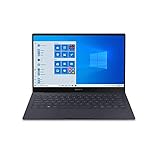
- Super Thin & Light : Built with an aluminum chassis, backlit keyboard and a 13. 3" Full HD touchscreen, this fan-less system weighs just over 2 pounds.
- Power & Performance : With the latest Intel Core i5 processor, the Galaxy Book S is not only fast, but has 256GB of storage space and expands up to an additional 2TB.
- Long-lasting Battery : A long-lasting battery gives you enough power to keep focused on what you’re doing without searching for an outlet. Battery life varies significantly with settings, usage, and other factors. Based on results from internal lab tests for local video playback time conducted by Samsung. Test Results from pre-release version of the device under default settings (audio volume and brightness levels) without connection to Wi-Fi or mobile network.
- Your Phone App : The Your Phone app gives you the power to access phone without having to plug it in. Users must link their mobile phone to their PC through ‘Link to Windows’ on their mobile phone where available, or through ‘Your Phone app on their PC. Your Phone app comes preinstalled on PCs with the Windows 10 October 2018 Update or later, and is downloadable for Windows 10 April 2018 Update or later versions. Requires a Microsoft Account and an Android 7.0-plus phone.
- Wi-Fi 6 (Gig-plus) : Unlock network speeds up to 3x faster than previous generation Wi-Fi. 1802. 11ax 2x2 160 MHz enables 2402 Mbps maximum theoretical data rates, 3X (2. 8X) faster than standard 802. 11ac 2x2 80 MHz (867 Mbps) as documented in IEEE 802. 11 wireless standard specifications and require the use of similarly configured 802. 11ax wireless network routers.
Moreover, the Intel Core i7-10510U processor is a high-end processor that can effortlessly execute most computing tasks. Hence, with this CPU, expect the Galaxy Book Ion to be able to run demanding apps and handle intensive workloads.
Moving on, let us look into the laptop’s result on a Geekbench 4 benchmark test to further know how well its processor can perform. In brief, Geekbench 4 is an app-based benchmark test that evaluates the overall processing ability of a computer by putting it under a series of intensive workloads.
Moreover, you need to note that a good performance on the Geekbench 4 test is represented by a high score. With that in mind, according to the test results, the Galaxy Book Ion achieved a score of 5,469 points.
What’s actually slowing this PC down?
Pick the symptom - the matching free tool is one click away.
Although this score is somewhat high and impressive, it is below the score obtained by the Dell XPS 13 9300. Specifically, the Dell XPS 13 9300, which uses an Intel Core i7-1065G7 processor, delivered a score of 5,589 points on the Geekbench 4 test.
Thus, I will be rating the Galaxy Book Ion an eight out of ten in this processor review section.
Galaxy Book Ion: Memory (RAM) Performance
Starting off, the Galaxy Book Ion comes with one memory slot and a DDR4 memory type. Furthermore, the laptop offers a standard memory of 8 GB, which is also the maximum memory that it supports.
As a result, you cannot upgrade the laptop’s memory beyond 8 GB. While this sounds disappointing, you need to know that 8 GB of RAM is enough for this laptop to handle most computing tasks.
As a matter of fact, the Galaxy Book Ion should be able to multitask decently with this amount of memory. For example, while running about 15 Chrome tabs simultaneously, the laptop didn’t lag or slow down a bit.
Besides, with these Chrome tabs running, you can decide to stream a YouTube video, and the laptop still won’t lag. That said, let us discuss the laptop’s PCMark 10 test result to further evaluate its memory performance.
For your information, PCMark 10 is a cross-platform benchmark test that assesses a computer’s memory performance by simulating office-related workloads. Additionally, the higher the score on this cross-platform benchmark test, the better the memory performance of the computer.
On that note, according to the result obtained from the test, the Galaxy Book Ion scored 4,862 points. In comparison, the Galaxy Book Ion outperformed the LG Gram 13 – the LG Gram 13 scored 4,592 points on the PCMark 10 test.
In conclusion, it would have been nice if the Galaxy Book Ion supports a larger RAM size. Nevertheless, its standard 8 GB RAM is enough to keep things going smoothly.
Considering all these, I will be rating the Galaxy Book Ion an eight out of ten in this memory review section.
Galaxy Book Ion: Storage Options and Performance
For storage, the Galaxy Book Ion features an SSD (Solid State Drive) and supports a maximum storage capacity of 512 GB. Based on my personal viewpoint, 512 GB of maximum storage space should be enough for most users.
However, if you think otherwise, you can make use of the included microSD card reader for storage expansion. That aside, for insights into the storage performance of the Galaxy Book Ion, let us consider its CrystalDiskMark 5.2 test result.
Quick wins for a faster PC:
Scan for outdated or missing drivers - takes under a minuteDriver Scan →Clear out junk files and repair common Windows errorsFree Scan →In case you don’t know, CrystalDiskMark 5.2 is a benchmark that evaluates a computer’s storage performance by calculating its read and write speed. For clarity, read speed can be defined as the time it takes a device’s storage drive to open a file.
Whereas write speed is referred to as the time it takes the device’s storage drive to save a file. By the way, at the end of the CrystalDiskMark 5.2 test, the result is represented in “MB/s.”
Hence, the higher the “MB/s” value, the faster the read and write speed of the device’s storage drive. So, based on the test result, the Galaxy Book Ion has a read speed of 2184 MB/s and a write speed of 2343 MB/s.
Impressively, this laptop’s read and write speed is way faster than that of other laptops in its category that also use SSD. For example, the Acer Swift 3 delivered a read speed of 1435 MB/s and a write speed of 1307 MB/s on the CrystalDiskMark 5.2 test.
Recommended Free Tools
All in all, I will rate the Galaxy Book Ion a nine out of ten in this storage review section.
Galaxy Book Ion: Graphics Card Performance
Coming down to graphics cards, the Galaxy Book Ion employs Intel UHD Graphics. The base frequency of this graphics card is 300 MHz, while its boost frequency is 1150 MHz.
However, this graphics card is an integrated graphics card and is embedded into the laptop’s processor. Thus, in order to execute graphics-related tasks, it has to share the system memory with the processor.
Due to this, the Galaxy Book Ion won’t be able to effectively handle graphics-demanding tasks like video editing. Also, the laptop will not be able to play high-end games or title AAA games.
What’s actually slowing this PC down?
Pick the symptom - the matching free tool is one click away.
Nonetheless, it should be able to run a few games under low graphics settings. For example, while playing Dota 2 Reborn (2015) under low graphics settings, the Galaxy Book Ion delivered a decent frame rate of 60.9 fps.
Also popular on Amazon

- POWER FOR YOUR MOST PRODUCTIVE DAYS: Galaxy Book5 Pro 360 models come with a new Intel Core Ultra 7 processor 256V with a higher-performance Intel ARC graphics & newly added AI neural processing unit (NPU) that reaches as high as 47 TOPS to achieve Copilot+ AI.
- POWERFUL. DURABLE. LIGHT. AMAZINGLY SLIM: Galaxy Book5 Pro 360 is the epitome of portability and the lightest in our all-new Galaxy Book5 Series but very durable carved from CNC Aluminum; Thickness: 12.7mm, Weight: 3.72 lbs.
- EVERYTHING UNDER MULTI-CONTROL: Navigate your phone, Galaxy Tab, Samsung TVs, and Smart Monitors using your laptop's touchpad and keyboard.¹
- PHONE LINK: Sync your Galaxy phone to access AI features, call, text, and more— all without touching your phone.²
- TRANSCRIPT ASSIST: Turn recorded lectures and meetings into written notes, then translate and summarize quickly with Galaxy AI.³
However, if you dare change the graphics settings to high, the frame rate will reduce to as low as 16.8 fps. As a matter of fact, the game might not even start if you run it under ultra-high graphics settings.
Having said all that, let us get to know the graphics performance of the laptop even more by highlighting its 3DMark test result. If you are curious, 3DMark is a graphics-based benchmark test that evaluates how well a computer can render 3D graphics.
Furthermore, a high score indicates good graphics performance, according to the 3DMark test. So, based on the test result, the Galaxy Book Ion scored 1,674 points.
Sadly, this score is the lowest in its category. Hence, the Galaxy Book Ion was beaten by all the laptops in its category.
For example, the Acer Swift 3 scored 2,809 points on the 3DMark test.
In conclusion, if you are a gamer or graphics designer, the Galaxy Book Ion isn’t the one for you. Moreover, the laptop was outperformed on a graphics-based benchmark test by all its competitors.
Hence, I will rate the Galaxy Book Ion a seven out of ten in this graphics card review section.
Galaxy Book Ion: Battery Life and Performance
A 4-cell Li-ion 4546 mAh battery powers the Galaxy Book Ion. Samsung claims that the battery life of this laptop is 22 hours, which is amazing.
However, we have seen manufacturers lie about the battery life of their products. Hence, to confirm if Samsung’s 22 hours battery life claim is true, we will now discuss the laptop’s result on a video playback test.
By the way, this video playback test involves continuously playing a YouTube video on the laptop until it dies. So, at the end of the test, the Galaxy Book Ion delivered a battery life of 13 hours and 3 minutes.
Although this battery life is good and should last a full day, it is far less than the 22 hours that Samsung claimed. However, the laptop’s battery life is longer than that of its closest competitors.
Free tools Windows power users keep installed
One-click scans. No signup required.
For example, according to the same video playback test, the Dell XPS 13 9300 has 10 hours of battery life. Also, the Lenovo Yoga 720 has a battery life of 12 hours.
After thorough consideration, I believe the Galaxy Book Ion deserves a rating of nine out of ten in this battery review section.
Frequently Asked Questions
Unfortunately, the Galaxy Book Ion does not come with a touchscreen display.
Samsung released the Galaxy Book Ion in 2020.
Absolutely, the Galaxy Book Ion is lightweight – it weighs just 970.6 g
Quick wins for a faster PC:
Fix the driver behind crashes, sound loss and screen glitchesFind Drivers →Repair Windows errors before they cause bigger problemsFix Now →Yes, the Galaxy Book Ion comes with an HDMI port.
When I wrote this review in June 2022, the Galaxy Book Ion had a price tag of $846.
Conclusion
The Galaxy Book Ion is an ultraportable laptop that offers lots of impressive features. To give more details, this laptop comes with an attractive design and a durable build.
As a matter of fact, the laptop is one of the lightest laptops ever, weighing just 970.6 g. Impressively, unlike most ultraportable laptops, the Galaxy Book Ion offers a good port selection.
In addition to that, this Samsung laptop has an incredible battery life of 13 hours. However, the laptop’s keyboard is subpar, and its graphics performance isn’t particularly impressive.
The Tool Desk
Outbyte PC Repair FREEClear out junk files and repair common Windows errorsFree Scan →Outbyte Driver Updater FREEScan for outdated or missing drivers - takes under a minuteDriver Scan →Nonetheless, if you need an on-the-go laptop with adequate performance, the Galaxy Book Ion is worth considering.
I hope you found this Galaxy Book Ion review helpful. If you found the review helpful, click on “Yes” beside the “Was this page helpful” question below.
You may also express your thoughts and opinions by using the “Leave a Comment” form at the bottom of this page.
Finally, for more gaming laptop reviews, visit our Laptop Reviews page. You may also find our Laptop Specs page very helpful.
Quick Recap
Product prices and availability are accurate as of the date/time indicated and are subject to change. Any price and availability information displayed on Amazon at the time of purchase will apply.


Succinct and, I feel, accurate. I bought one of these and the review is spot-on. The display is stunning. It can actually be pushed up to 600 nits, and the build quality just feels top notch. Note also the Samsung phone charging ability. I’ve noticed the refurb price on these now is holding near the price (new) of the 2022 Galaxy book Pro.