

PC Slower Than It Used to Be?
A free scan shows the junk files, broken settings and background clutter dragging Windows down - then fixes them in one click.Free scan · Windows 10 & 11Outdated Drivers Are Slowing You Down
One free scan finds every outdated or missing driver and matches the right update for your exact hardware.Free scan · exact hardware matchiTechGuides is reader-supported. When you buy through links on our site, we may earn an affiliate commission. As an Amazon Associate I earn from qualifying purchases. Learn more
Dell Latitude E6410: At First Glance
Latitude laptops are built for the most demanding companies and businesses for a reason – they come with a variety of configuration options.
The Dell Latitude E6410 carries on with this impressive legacy. This laptop comes with two display options, a variety of Intel Core processor options, and multiple graphics configurations.
In addition to its loads of configuration options, the Latitude E6410 is also reasonably priced. The E6410 starts at a price of $154.60 when this review was written in August 2021.
What’s actually slowing this PC down?
Pick the symptom - the matching free tool is one click away.
Moreover, I recently reviewed the predecessor to the Latitude E6410 (Latitude E6400) and it performed admirably. Let’s find out if the Latitude E6410 matches or surpasses the performance of its predecessor.
Popular on Amazon

- Specifications: 6 Cell, Li-ion battery, Rated at 11.1V(10.8V Compatible) 5200mAh
- Compatible Models: Dell Latitude E6400 Latitude E6500 Latitude E6510 Latitude E6410 Latitude E6400 ATG Latitude E6400 XFR Latitude E6410 ATG Dell Precision M2400 Precision M4400 Precision M4500.
- Compatible Part Numbers:312-0748 312-0749 312-0753 FU441 FU444 FU571 HJ590 KY265 KY266 KY470 KY471 KY477 NM631 MP492 MP494 PT43 PT434 PT436 PT650 PT653 R822G WG351 XP394
- All ASUNCELL Products are CE- RoHS- FCC- Certified and Built-in circuit protection ensure both safety and stability; Strict guidelines for compatibility, and standards compliance for environmental safety
Dell Latitude E6410: Design, Dimension & Weight
With a few changes, the Dell Latitude E6410 features a very modern design and feel, similar to that of its predecessor (Latitude E6400). Just like its predecessor, the E6410’s chassis is made of metal, and as a result, it’s fairly bulky, measuring 40mm thick.
However, its predecessor features a black alloy lid, whilst the E6410 has a gunmetal gray lid. Also, the Latitude E6410 has a matte black finish on the inside, similar to that on other Latitude models.
Moreover, apart from the Dell logo on the lower part of the laptop’s screen bezel, there are no glossy or reflective surfaces on the inside. Moreover, the laptop’s matte black interior also repels smudges and fingerprints.
The 14.1-inch display on the Dell Latitude E6410 comes with two screen resolution options. In the first place, you can get the laptop with a WXGA 1280 x 800 screen resolution as standard.
However, you also have the option to get it with WXGA+ (1440 x 900) display resolution. My review unit came with this display option.
Additionally, both screen resolution options feature matte surfaces. However, the WXGA+ 1440 x 900 screen is noticeably brighter and sharper than the WXGA 1280 x 800 screen.
As mentioned earlier, the Latitude E6410 I reviewed features a 14.1-inch display with WXGA+ 1440 x 900 screen resolution. This display has a maximum brightness of 336 nits, making it ideal for working outdoors or under bright lighting.
Quick wins for a faster PC:
Repair Windows errors before they cause bigger problemsFix Now →Fix the driver behind crashes, sound loss and screen glitchesFind Drivers →Clear out junk files and repair common Windows errorsFree Scan →Furthermore, the display has an anti-glare coating that helps to reduce reflection.
Moving on, the Dell Latitude E6410 features a very comfy LED-backlit keyboard. The E6410’s keyboard has the same design and feels just like its predecessors, and it also features a built-in pointing stick.
The keys are black with white lettering on them and are slightly curved. Unfortunately, the keyboard lacks a number keypad.
However, thanks to its rock-solid build quality and extensive key travel, the keyboard is really comfortable to use. In comparison to other business laptops, the E6410’s keyboard performs admirably.
Dell included an ALPS touchpad in the Latitude E6410. Despite its small size, the touchpad features a smooth surface that makes navigation considerably easier.
Furthermore, the touchpad supports multi-touch gestures such as two and three-finger scrolling, zooming, and flicking. The Latitude E6410 has two sets of dedicated click buttons on its touchpad.
It also features a pointing stick in the center of the keyboard.
One set of dedicated click buttons (left, right, and middle-click) for the pointing stick is situated just beneath the space bar key. While the other set of click buttons (left and right-click) for the touchpad are situated just below the touchpad.
The Tool Desk
Outbyte PC Repair FREERepair Windows errors before they cause bigger problemsFix Now →Outbyte Driver Updater FREEScan for outdated or missing drivers - takes under a minuteDriver Scan →The two sets of dedicated click buttons are both easy to use and provide adequate feedback. However, when pressed, they produce a clicky sound.
Also popular on Amazon
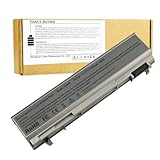
- ♣Battery Type: 6 cell Li-ion Capacity: 5200MAH ; Voltage: 11.1V
- ♣Compatible Models: DELL Latitude E6400 / E6410 / E6500 / E6510 Dell Precision M2400 M4400 M4500 M6500. PT434 PT435 PT436 PT437 KY477 KY265 KY266 KY268 FU268 FU274 FU571 MN632 MP303 MP307 NM631 NM633.
- ♣Manufacturer, About 500 recharge cycles over the life of the battery
- ♣Warranty: 12 months warranty . 30 days money return guarantee
- ♣Note:As this replacement battery can fit many models and part numbers,the factory can not mark all the compatible part numbers on it,please understand.If you have any problems,pls contact us by the message, we will help you to deal with it timely.
The Dell Latitude E6410 features two stereo speakers on both sides of the keyboard. These speakers are quite adequate and very loud, with plenty of volume for playing music in small or medium-sized rooms.
In terms of ports, the Latitude E6410 is packed with a lot of them. On the left side, you have a Kensington lock slot, VGA-out, one USB 2.0 port, and a Smartcard reader.
On the right side, there is an ExpressCard/54 slot, FireWire-400, optical drive, audio jacks, wireless on/off, and two USB 2.0 ports. The backside of the laptop houses a LAN port, Display Port-out, and power jack.
Do these 3 things before closing this tab:
1Repair Windows errors before they cause bigger problems2Fix the driver behind crashes, sound loss and screen glitches3Clear out junk files and repair common Windows errorsUnfortunately, just like its predecessor, the Latitude E6410 doesn’t feature an HDMI port or Thunderbolt.
Moving on, at the top, above the laptop’s screen bezels is an HD webcam. This webcam produces colorful images and it is quite adequate for casual skyping or video conferencing.
Moving on to the laptop’s dimension and weight, the Latitude E6410 has a dimension of 335 x 238.3 x 25.4 mm. Also, the E6410 weighs 1930 g.
Comparatively, the Latitude E6410 weighs less than HP’s Elitebook 8440w which weighs 2540.12 grams. Surprisingly, the Latitude E6410 also weighs less than its predecessor (Latitude E6400) which weighs 2540.1 g.
In conclusion, the Latitude E6410 offers impressive build quality and overall design. As a result, in this section, I will be rating the laptop a nine out of ten.
Dell Latitude E6410: Processor (CPU) Performance
Just like its screen resolution, the Dell Latitude E6410 comes with multiple processor configuration options. You can either get the laptop with an Intel Core i5-520M, Intel Core i5-540M, or Intel Core i7-620M processor.
The Intel Core i5-520M processor has a base frequency of 2.40 GHz and a maximum frequency of 2.93 GHz. Also, this processor is a 2-core processor and has a cache of 3 MB.
Like the Intel Core i5-520M processor, the Intel Core i5-540M is also a 2-core processor and also features a 3 MB cache. However, it has a base frequency of 2.53 GHz and a maximum frequency of 3.07 GHz.
The Intel Core i7-620M, on the other hand, is also a 2-core processor but has a cache of 4 MB. This processor has a base frequency of 2.66 GHz and a maximum frequency of 3.33 GHz.
My review laptop came with an Intel Core i7-620M processor. This processor is the strongest amongst the Latitude E6410 processor options – it has a higher base and maximum frequency.
To determine the processing performance of the Latitude E6410 laptop I reviewed, I conducted a Cinebench R10 test. Cinebench R10 is a benchmark tool used to test how fast a CPU can perform in different types of workloads.
According to the Cinebench R10 test results, the Latitude E6410 scored 3470 points. Comparatively, the Latitude E6410 performed slightly better than the HP Elitebook 8440w.
Free tools Windows power users keep installed
One-click scans. No signup required.
Based on the same test results, the HP Elitebook 8440w which also uses an Intel Core i7-620M processor scored 3348 points. That isn’t all, the Latitude E6410 also performed better than its predecessor, the Latitude E6400.
Also popular on Amazon

- 87 WHr 9-Cell Lithium-Ion Primary Battery for Dell Latitude E6400/ E6410 ATG/ E6500/ E6510 PN KY266 KY265 KY477 PT434 NM633. Perfect replacement battery for FU272 FU268 FU274 PT434 PT437 PT435. GHU E6400 battery is fully compatible with dell latitude e6410 battery, dell e6400 battery, and dell e6510 battery.
- Compatible Part #: 312-0748 312-0749 PT434 NM633 KY265 KY266 KY268 KY477 PT437 PT436 PT435 FU268 FU272 FU274 FU571 MN632 MP307 MP303, GHU E6400 E6500 Battery is direct replacement battery dell latitude e6410, dell latitude e6400 battery;
- Fit Laptop Models: Latitude E6400 Latitude E6500Latitude E6400 ATG Latitude E8400 Latitude E6410 Latitude E6510 precision M2400 precision M4400 M4500 (Digital Certification); Check your old laptop battery part number also if you are not sure what battery to choose, this battery is compatible with ky265 battery, w1193 battery, pt434 battery;
- Designed for dell latitude 9 cell battery for E6400 E6410 E6500 E6510 laptop, replacement for part number PT434 KY266 KY265 KY268 KY477 MN632 312-0749 312-0748.
- GHU e6400 battery and e6500 battery is 9 cell high capacity battery, it is also compatible with dell precision m4500 battery, m4400, m2400 laptop.
According to the Cinebench R10 test, the Latitude E6400 which uses an Intel Core 2 Duo T9900 processor scored 2965 points.
In conclusion, the Latitude E6410 offers multiple processor options and also performed better than its competitor and predecessor in a benchmark test. Therefore, in this processor review, I believe the Latitude E6410 deserves a nine out of ten.
Dell Latitude E6410: Memory (RAM) Performance Review
The Dell Latitude E6410 comes with a standard memory size of 1 GB. Dell equipped the laptop with a DDR3 SDRAM memory type.
Recommended Free Tools
Additionally, the Latitude E6410 comes with two RAM slots, each supporting a maximum memory capacity of 4 GB. Moreover, the laptop I reviewed had 4 GB of RAM in a single slot.
To determine the multitasking performance of the Dell Latitude E6410 laptop I reviewed, I conducted a multitasking test. In the test, I had about 10 chrome tabs opened while working on MS word and streaming a video on YouTube.
Despite all these applications running simultaneously, the Latitude E6410 delivered a smooth performance. However, when I opened more applications such as MS Excel and Microsoft Edge browser, I notice the laptop began to lag.
To further determine the performance of the Latitude E6410, I also conducted a PCMark 05 test. PCMark 05 test is a benchmark test used to measure the overall performance of a computer with a higher score meaning better performance.
According to the PCMark 05 test, the Latitude E6410 scored 7484 points. Unfortunately, the Latitude E6410’s score wasn’t enough to beat the HP Elitebook 8440w, which scored 7557 points.
On the bright side, the Latitude E6410 achieved a better score than its predecessor and Lenovo’s ThinkPad T410. Based on the PCMark 05 test, the Latitude E6410’s predecessor (Latitude E6400) scored 6530 points while the ThinkPad T410 scored 6872 points.
Finally, in this memory review, I will rate the Latitude E6410 an eight for its decent memory performance.
Dell Latitude E6410: Storage Options & Performance
Just like its predecessor, the Dell Latitude E6410 comes with multiple storage options. The storage options include a 7200 RPM SATA HDD, 5400 RPM SATA HDD and an SSD.
The Tool Desk
Outbyte PC Repair FREERepair Windows errors before they cause bigger problemsFix Now →Outbyte Driver Updater FREEScan for outdated or missing drivers - takes under a minuteDriver Scan →The 7200 RPM SATA HDD supports a maximum storage capacity of 500 GB. On the other hand, the 5400 RPM SATA HDD has a maximum storage capacity of 160 GB.
Furthermore, the SSD storage option supports a maximum storage capacity of 256 GB. Interestingly, despite already offering three storage options, the Latitude E6410 also features an SD Card reader.
Even though the Latitude E6410 already offers enough storage, the SD Card option might still come in handy if you need extra storage. My review laptop came with 250 GB 7200 RPM SATA HDD storage.
Moreover, the laptop with this storage was really fast in booting and loading applications. However, it is not as fast as it might have been with SSD storage.
To determine the speed of the 7200 RPM SATA HDD that came with the laptop I reviewed, I ran a CrystalDiskMark test. CrystalDiskMark is a test used to determine the health and speed of an HDD or SSD storage.
Also popular on Amazon

- ♣Battery type: Li-ion; Capacity:7800mAh Voltage: 11.1V;Cells: 9-cell. Recharge cycles:500; The battery is durable and has overcurrent protection, anti-overcharge, anti-overdischarge and temperature control functions.
- ♣Compatible Parts: 312-0748, 312-0754, 312-0917, 451-10583, C719R, FU268, FU272, FU274, FU439, KY266, KY268, KY466, KY477, MP303, MP307, MP490, NM631, NM632, NM633, PP27L, PP30L, PT434, PT435, PT436, PT437, PT644, U844G
- ♣Compatible Models: Dell Latitude E6400, Dell Latitude E6400 ATG, Dell Latitude E6400 XFR, Dell Latitude E6500, Dell Precision M2400, Dell Precision M4400, Dell Precision M6400
- ♣Compatible Models: Battery Replacement for KY265 PT434 4M529 KY477 4N369 312-0748 312-0749 W0X4F W1193 KY265 KY477 4M529 4N369 FU268 Compatible for Dell Latitude Laptop E6400 E6410 E6510 E6500
- ♣Warranty & Support: Full refund in 30 days, 12 months warranty. If any issues about the product within 365 days, click the button "ASK A QUESTION" and CONTACT US, we will respond within 24 hours via emails and give you friendly after-sales service. Press [CTRL + F] to search your laptop model/part number.
On the CrystalDiskMark test, the Latitude E6410’s 7200 RPM SATA HDD storage delivered a sequential read speed of 86.43 MB/s. Furthermore, on the same test, it also delivered a sequential write speed of 86.43 MB/s.
Comparatively, the ASUS X551MA has a faster read and write speed than the Latitude E6410. The ASUS X551MA has a sequential read speed of 109.7 MB/s and a sequential write speed of 108.9 MB/s, according to the CrystalDiskMark test.
In conclusion, the Dell Latitude E6410 offers sufficient storage options, but a slower HDD speed when compared to its competitor. As a result, in this storage review, I will rate the laptop an eight out of ten.
Windows Errors? Fix Them Before They Spread
Repair common Windows errors and clear accumulated junk for a smoother, more stable PC - no reinstall needed.Free scan · no reinstallCrashes, No Sound, or Screen Glitches?
Random freezes, missing sound and display glitches usually trace back to one bad driver. Find and replace yours safely.Free scan · under a minuteDell Latitude E6410: Graphic Card Performance
The graphics card of the Dell Latitude E6410 is another interesting feature of this laptop. This laptop offers two graphics card options to choose from.
You can either get the laptop with Intel HD Graphics or an NVIDIA NVS 3100M for graphics card options. The NVIDIA NVS 3100M graphics option has a dedicated VRAM of 512 MB.
The Intel HD Graphics, on the other hand, doesn’t feature a dedicated VRAM. This means that the graphics card and CPU share the same system memory.
Furthermore, because the graphics card shares memory with the CPU, it will be unable to run graphics-intensive apps. Therefore, if you mostly use graphics-intensive applications, it is best you purchase the Latitude E6410 with an NVIDIA NVS 3100M graphics card.
Free tools Windows power users keep installed
One-click scans. No signup required.
Moving on, the NVIDIA NVS 3100M has a base GPU frequency of 606 MHz and a boost GPU frequency of 1468 MHz. The Intel HD Graphics, on the other hand, has a base GPU frequency of 500 MHz and a boost GPU frequency of 766 MHz
Fortunately, the laptop I reviewed had an NVIDIA NVS 3100M graphics card. To test the performance of this graphics card, I conducted a gaming test.
On the gaming test, while playing Dirt 3, the laptop delivered a frame rate of 37 fps. Also, while playing Call of Duty 4, the laptop delivered an impressive frame rate of 126 fps.
I also conducted a 3DMark 06 test to further determine how well the laptop can perform with this graphics card. According to the 3DMark 06 test, the Latitude E6410 scored 3675 points.
Recommended Free Tools
Unfortunately, the Latitude E6410’s score wasn’t enough to beat the Lenovo ThinkPad T410 and HP EliteBook 8440w. Based on the 3DMark 06 test results, the Lenovo ThinkPad T410 which uses NVIDIA GeForce 3100M graphics scored 3712 points.
On the other hand, the HP EliteBook 8440w which uses an NVIDIA Quadro FX 380M graphics card scored 3696 points.
On the bright side, when compared to its predecessor (Latitude E6400), the Latitude E6410 performed way better. According to the 3DMark 06 test, the Latitude E6400 equipped with an NVIDIA Quadro NVS 160M graphics card scored 2278 points.
Finally, in this graphics review, I will rate the Latitude E6410 an eight out of ten.
Dell Latitude E6410: Battery Life & Performance
Like most Latitude laptops, the Latitude E6410 comes with numerous battery options to choose from. The battery options include a 4-cell 37 Wh, 6-cell 60 Wh, 9-cell 90 Wh, and 12-cell 88 Wh battery.
Also popular on Amazon

- Brand New and High Quality
- 3V CR2032
- Compatible with DELL Latitude E6510 E6410 E6500 E6400 E5510 E5500 E5410 E5400
- Each item is tested before shipping
My review laptop came with a 9-cell 90 Wh battery. According to Dell, this battery should last about 9 hours.
To verify Dell’s claim about this 9-cell 90 Wh battery, I performed a battery test. Unlike its predecessor, the Latitude E6410 really performed well in the battery test.
The battery test involves setting the screen brightness to 70%, turning on WIFI, and continuously browsing using the WIFI connection. According to the battery test, the Latitude E6410 lasted an impressive 7 hours and 2 minutes.
Quick wins for a faster PC:
Scan for outdated or missing drivers - takes under a minuteDriver Scan →Clear out junk files and repair common Windows errorsFree Scan →As mention earlier, the Latitude E6410 performed better than its predecessor. On the same battery test, its predecessor, the Latitude E6400 lasted only 4 hours and 25 minutes.
In conclusion, the Latitude E6410 offer a wide range of battery configuration and also a long-lasting 9-cell 90 Wh battery. As a result, in this battery review, I believe the laptop deserves a nine out of ten ratings for its excellent battery performance.
Frequently Asked Questions
It is, definitely. The Dell Latitude E6410 comes with a variety of hardware choices, a sturdy chassis, a nice keyboard, and a bright screen.
Yes. The HD Webcam on the Latitude E6410 is located at the top of the screen bezel.
The Dell Latitude E6410 Laptop supports a maximum memory capacity of 8 GB Memory (4 GB on each of its 2 RAM slots).
The main difference between Inspiron and Latitude is that Inspiron is aimed at home users, whilst Latitude is focused on business users. Moreover, Dell Latitude laptops offer better configuration options. They also perform better generally.
No, Dell is an American company, not a Chinese company.
Conclusion
The Dell Latitude E6410 is a rugged laptop, and its lightning-fast speed is equally outstanding. Most importantly, this laptop is available in a variety of configurations, making it suitable for a wide range of customers.
Moreover, its beautiful design, lightweight, and high performance are just a few of the features that make this laptop even more tempting. It does, however, have some shortcomings, such as a small touchpad and lack of HDMI and Thunderbolt ports.
Despite having a similar design to its predecessor, this laptop outperforms its predecessor in almost every aspect. Finally, if you need a high-performance laptop on a tight budget, the Latitude E6410 is the way to go.
I hope you found this Dell Latitude E6410 review helpful. If you found the review helpful, we would love to hear from you.
Kindly spare two minutes to share your thoughts with our community using the comments form below.
Do these 3 things before closing this tab:
1Clear out junk files and repair common Windows errors2Scan for outdated or missing drivers - takes under a minute3Repair Windows errors before they cause bigger problemsAlternatively, simply respond to the “Was this page helpful” question below and provide us with your feedback.
Finally, for more laptop reviews, visit our Laptop Reviews page. You may also find our Laptop Specs page very helpful.


