

Quick wins for a faster PC:
Scan for outdated or missing drivers - takes under a minuteDriver Scan →Repair Windows errors before they cause bigger problemsFix Now →iTechGuides is reader-supported. When you buy through links on our site, we may earn an affiliate commission. As an Amazon Associate I earn from qualifying purchases. Learn more
Dell Inspiron 15 5584: At First Glance
Despite having a lot of laptops in the Inspiron family, Dell still released the Inspiron 15 5584 in 2019. The options of having Windows 10 Home, Windows 10 Pro, or Ubuntu Linux on this Inspiron makes it worth considering.
The Dell Inspiron family of laptops are well known for their affordability and the Dell Inspiron 15 5584 is not an exception. Talking about affordability, as of the time of writing this review in February 2022, the Dell Inspiron 15 5584 had a starting price tag of $596.36.
How well does the Dell Inspiron 15 5584 perform in comparison with its competitors in the same category? Let’s discover that in the next sections.
Do these 3 things before closing this tab:
1Scan for outdated or missing drivers - takes under a minute2Clear out junk files and repair common Windows errors3Fix the driver behind crashes, sound loss and screen glitchesDell Inspiron 15 5584: Design, Dimension, and Weight
Most laptop models from the Inspiron 15 series are majorly made out of plastic material. In the same fashion, the Dell Inspiron 15 5584’s chassis is silver-colored plastic.
Popular on Amazon

- Specifications: Replacement battery for YRDD6 Battery Dell , Battery Model: 42Wh Standard Rechargeable Battery Type YRDD6 11.4V, Voltage: 11.4V Capacity: 42Wh ; Cells: 3-cell; Color: Black ,Packages includes: 1x YRDD6 Battery,2 x Free Screwdrivers(Easy to Install),1x Instruction for Laptop
- DMKAOLLK YRDD6 battery Compatible Battery type: for Dell 42Wh Battery YRDD6 0YRDD6 VM732 0VM732 1VX1H 01VX1H 1VX1H96 P93G 8JF5PW2 P93G001 P75F, inspiron 3583 battery
- Compatible Laptop Model: YRDD6 Laptop Battery for Dell Inspiron 14 3000 Series 3493;Replacement for Dell Inspiron 14 5000 series 5480 5481 5482 5485 5491 5493 2-in-1;Replacement for Dell Inspiron 15 3000 Series 3501 3582 3583 3584 3593;Replacement for Dell Inspiron 15 5000 Series 5584 5585 5590 5591 5593 5594 5598; Replacement for Dell Inspiron 15 7000 Series 7586; Replacement for Dell Inspiron 17 3000 Series 3793; Replacement for Dell Vostro 5481 5581 5490 5590 3491
- Our YRDD6 Dell battery replacement 1VX1H is highly compatible with Dell YRDD6 battery and meets CE/FCC/ROHS/UL certified standards.
- What You Get; YRDD6 Battery, 2 Screwdrivers, User Manual for YRDD6 Laptop Battery. We offer a 60-day return. For 12 months from the date of purchase, if the YRDD6 battery dell fails, we will replace it with a new one. For assistance with the YRDD6 battery dell, please visit our product details page
Interestingly, the base of this laptop is a much tougher piece of brushed aluminum. The entire casing of the laptop comes in matte finishing.
For all Dell laptops, a Dell logo at the back of the lid is usually prominent. Other than the logo on the lid of the Dell Inspiron 15 5584, there are no more features to discuss.
Hence, let us proceed to open the lid. On opening the lid of this laptop, you’ll quickly notice its 15.6″ display.
The display has an FHD (1920 x 1080) resolution which makes images decently sharp. Meanwhile, the display comes in two options.
The first display option for the Dell Inspiron 15 5584 is a Truelife, TN display with a touchscreen feature. For clarity, a Truelife display looks glossy and is highly reflective thereby making it good for multimedia.
However, a reflective screen like the Truelife display can pose a big challenge for outdoor usage. This is due to the fact that this display has a layer that reflects every graphic component from behind.
On a brighter note, the graphic layer reflections of the Truelife displays make them look more vivid.
Outdated Drivers Are Slowing You Down
One free scan finds every outdated or missing driver and matches the right update for your exact hardware.Free scan · exact hardware matchPC Slower Than It Used to Be?
A free scan shows the junk files, broken settings and background clutter dragging Windows down - then fixes them in one click.Free scan · Windows 10 & 11Having talked about the first display option of the Dell Inspiron 15 5584, let us talk about the second option. You can also get the laptop with a non-touchscreen display with an anti-glare feature.
With the antiglare feature, the display is more suitable for outdoor usage.
Furthermore, both display options offer 220 nits brightness which is common among lower-tier laptops. Hence, the display is not the brightest out there, but it is passable considering the price category of the Dell Inspiron 15 5584.
Another important factor of these two displays is their 60 Hz refresh rate. Speaking of refresh rate, this means how many times per second the display is able to draw a new image.
The Tool Desk
Outbyte PC Repair FREEClear out junk files and repair common Windows errorsFree Scan →Outbyte Driver Updater FREEScan for outdated or missing drivers - takes under a minuteDriver Scan →As with most laptops, a 60 Hz refresh rate is good enough for watching almost any kind of video. However, a 120 Hz display will perform better than a 60 Hz display while playing games.
Moving on, the Dell Inspiron 15 5584’s display is surrounded by thin bezels that feel nice. In particular, the top bezel is a bit thicker probably because of the HD camera which it houses.
Thankfully, this HD camera uses an RGB sensor which should give you a good photography experience.
Furthermore, the two hinges on the Dell Inspiron 15 5584 firmly hold the screen in place when turning it around. However, you might notice how strong these hinges are from their appearance.
What’s actually slowing this PC down?
Pick the symptom - the matching free tool is one click away.
Proceeding to the base, this laptop features an enhanced keyboard that spreads its keys over a wide area. Meanwhile, there are two options for the Dell Inspiron 15 5584’s keyboard.
First, there is a non-backlit keyboard type while the second type is a two-step, backlit keyboard.
The backlit keyboard type makes night typing sessions more enjoyable. However, they come at an extra cost.
Moving on, the Dell Inspiron 15 5584 has a highly responsive touchpad. This touchpad is wide enough and it features integrated buttons.
For connectivity, the Dell Inspiron 15 5584 has enough ports for individual use or for small businesses. On the right-hand side, there is a USB 2.0 port also known as Hi-Speed USB.
Meanwhile, on the left-hand side, there is a charging port, an HDMI port, an RJ-45 port, and a 3.5 mm headset jack. Two more USB 3.1 ports on this same side offer you a SuperSpeed transfer mode for your data.
With each of these two USB 3.1 ports, you can transfer media files at the rate of 10 Gbit/s (625 MB/s). This is an impressive feat for the Dell Inspiron 15 5584.
However, the lack of a Thunderbolt port on the Dell Inspiron 15 5584 might be a matter of concern to some people.
For wireless connections, the Dell Inspiron 15 5584 offers you the option to get it in Bluetooth versions 4.0, 4.2, or 5.0. Also, you get the option of an 802.11 a/b/g /n/ac WiFi card or an 802.11 a/b/g/n WiFi card for wireless LAN.
These wireless features imply that your WiFi card will have a transfer speed of up to 5 GHz and will support multiple antennae.
Also popular on Amazon

- What You Get 1 Piece New Replacement CPU Cooling Fan
That said, there are two openings for speakers close to the two front corners of this laptop. These speakers have good audio quality but they tend to make the palm rest vibrate when the volume goes high.
Moving to the bottom of the laptop, there you will find some ventilation grilles. The ventilation grilles help to get out hot air and cool the laptop’s internal components.
Let us proceed to the dimensions and weight of the Dell Inspiron 15 5584. This laptop measures 365 x 249 x 22.4 mm (W x D x H) and weighs 2050 g.
Therefore, it isn’t the most portable laptop.
In comparison, this laptop is slightly bigger than the HP Pavilion 15z. Specifically, the HP Pavilion 15z measures 360.1 x 233.9 x 17.7 mm and weighs 1750.80 g.
In conclusion, the Dell Inspiron 15 5584 has an overall good design with a decent port selection. In short, there’s little or nothing to complain about this laptop’s design.
Therefore, the Dell Inspiron 15 5584 deserves nine out of ten points in this design review section.
Free tools Windows power users keep installed
One-click scans. No signup required.
Dell Inspiron 15 5584: Processor (CPU) Performance
Being powered by a powerful Intel Core i7-8565U processor with 4 cores, the Dell Inspiron 15 5584 should handle heavy workloads very easily. The 8th generation processor has the Whiskey Lake (WHL) architecture designed by Intel for ultra-low-power mobile devices.
That’s not all, the Dell Inspiron 15 5584’s processor gets additional support from an 8 MB cache memory.
In terms of speed, this CPU has a base frequency of 1.80 GHz and a maximum frequency of 4.60 GHz. In comparison, this speed is faster than that of the HP Pavilion 15z processor with a maximum frequency of 4.10 GHz.
Also, this processor is a bit faster than the Core i7 processor on the ASUS VivoBook S15 with a maximum frequency of 4 GHz. As anyone would expect, the Dell Inspiron 15 5584 should run demanding apps like Adobe Premier or Android Studio with ease.
Recommended Free Tools
For better performance assessment, I’ll now share this laptop’s Cinebench R15 result in the single-core and multi-core tests. For clarity, Cinebench R15 is a benchmark that utilizes all the CPU cores and threads to the fullest.
To be specific, Cinebench R15 tests a CPU’s ability to process heavy graphics without the help of a GPU. Thus, a higher score in this test indicates a higher processing power.
Also as important, the Cinebench R15 benchmark test produces two results. The test produces a single-core test and a multi-core test.
For clarity, the single-core test evaluates how a processor performs when one of its cores is in use. On the opposite side of the coin, the multi-core test assesses how a processor performs when all the cores are in use.
From the single-core test, the Dell Inspiron 15 5584 scored 168 points while it scored 603 points in the multi-core test. Sadly, these scores are below the 173 points and 612 points category average on the single-core and multi-core tests respectively.
In comparison, the Inspiron 15 5584’s CPU outperformed the Dell G5 15 5590′ Intel core i7-8750H in the single-core test. However, in the multi-core test, the Dell G5 15 5590 performed better.
Specifically, the Dell G5 15 5590 scored165 points in the single-core test and 1,191 points in the multi-core test.
However, this performance gap in the multi-core test doesn’t mean that the Dell Inspiron 15 5584’s processor is a weak one. In fact, a multimedia user will not notice any CPU performance drop while handling high loads.
Recommended Free Tools
Having considered the processor’s performance, the Dell Inspiron 15 5584 can now be rated with fairness. Therefore, I’ll conclude this CPU review section by rating the Dell Inspiron 15 5584 an eight out of ten.
Dell Inspiron 15 5584: Memory (RAM) Performance
The Dell Inspiron 15 5584 comes with two DDR4 RAM slots. The laptop ships with a standard RAM capacity of 4 GB which has a frequency of 2,400 MHz.
Although 4GB of RAM is sufficient for light multitasking, you can upgrade the RAM capacity up to 16 GB.
Certainly, you won’t get the maximum power out of the Dell Inspiron 15 5584 with just the 4 GB RAM. Instead, a better experience with this laptop awaits you when you upgrade the memory to 8 GB or 16 GB.
What’s actually slowing this PC down?
Pick the symptom - the matching free tool is one click away.
As you might know, Windows 10 and Ubuntu Linux are memory-consuming OS. However, with 8 GB or 16 GB of RAM, these OS will work seamlessly.
Moreover, with 16 GB of RAM, you should be able to open up to 30 browser tabs on this laptop at a time without any slowdown. Now that you know this laptop’s multitasking ability, let’s consider this laptop’s overall performance.
To deliver on this, I will share with you the laptop’s test results in basic office tasks from a PC Mark 10 benchmark. PC Mark 10 benchmark is used to evaluate the memory performance of a computer.
Also popular on Amazon

- 【Specifications】YRDD6 battery dell; Voltage: 11.4V; Capacity: 42Wh; Cells: 3 cells; Color: Black; Condition: New; The package also includes 1pc YRDD6 battery, 2pcs screwdrivers, and 1pc instruction manual
- 【Compatible Part Number】YRDD6 0YRDD6 1VX1H 01VX1H VM732 0VM732
- 【Compatible with】: 1VX1H dell battery for Dell Inspiron 14-3000 14-5000 15-3000 15-5000 15-7000 17-3000 Series 3493 i3493 14 5480 5481 P93G 5482 5485 5491 5493 i5493;15 3501 3582 3583 3584 3593 P75F 5584 5585 5590 5593 5594 5598 7586 17 3793 5485;Dell Inspiron 5485 2-in-1 series,Dell Inspiron 5591 2-in-1 series,Dell Inspiron 5482 2-in-1 seriesDell Latitude 3310 2-in-1 series;Dell Vostro 3491 5481 5581 5490 5590 series
- 20 years of expert production: Our YRDD6 Battery offers compatibility with the original DELL YRDD6 Battery, features American high-end battery chips, and has a low-power design for extended battery life. It includes built-in circuit protection for steady performance and provides protections against overcharging, over-discharging, and short-circuiting. The YRDD6 battery is certified by UL/CE/FCC and RoHS standards
- Long-lasting Battery Life: Our YRDD6 laptop battery offers excellent battery life, ensuring uninterrupted power supply when you're working on tasks, watching videos, or playing games
In the PC Mark 10 benchmark test, the higher the score, the better the performance of the laptop.
Outdated Drivers Are Slowing You Down
One free scan finds every outdated or missing driver and matches the right update for your exact hardware.Free scan · exact hardware matchPC Slower Than It Used to Be?
A free scan shows the junk files, broken settings and background clutter dragging Windows down - then fixes them in one click.Free scan · Windows 10 & 11For the purpose of this test, we will consider a Dell Inspiron 15 5584 with a 16 GB RAM configuration. Thankfully, the Dell Inspiron 15 5584 performed well in this test even better than its competitors.
Specifically, it got a total of 7437 points as its overall productivity score. Meanwhile, the competitors performed less in this test.
For example, the overall productivity test result for the HP Pavilion 15-cs2019ng is 6604 points. Similarly, the ASUS VivoBook S15 S530UN fell below in the same test with a total of 6236 points.
With this test result, you can see for yourself that the Dell Inspiron 15 5584 will be a better choice for general office use.
Free tools Windows power users keep installed
One-click scans. No signup required.
Therefore, I will rate the Dell Inspiron 15 5584 an eight out of ten in this memory review section.
Dell Inspiron 15 5584: Storage Option and Performance
If you’re buying the Dell Inspiron 15 5584, you’ll have to decide for yourself which storage option to go for. This is because there are two storage options to choose from.
To be specific, this laptop can come with either an M.2 PCIe Gen3 x4 NVMe SSD storage, or a 2.5-inch SATA HDD storage. Let me make that a bit clearer to you.
An NVMe (Non-Volatile Memory Express) is a storage interface that uses a high-speed PCIe socket. This ensures that data are transferred faster.
Quick wins for a faster PC:
Clear out junk files and repair common Windows errorsFree Scan →Scan for outdated or missing drivers - takes under a minuteDriver Scan →Designed specifically for SSDs, the NVMe is now the industry standard for both servers and client devices for data transfer. On this Dell Inspiron 15 5584, you can have a maximum of 512 GB of this storage type.
As for the HDD storage type, the interface used is the Serial Advanced Technology Attachment (SATA). On this laptop, the maximum size of an HDD storage allowed is 2 TB.
With no doubt, the Dell Inspiron 15 5584’s storage options are mouth-watering. So, if you care more about speed, go for the SSD; however, if you care more about volume, go for the HDD.
As a plus, Dell still added one SD-card slot for storage expansion on the Inspiron 15 5584. However, that’s for people who can’t get enough from the main storage drives.
Now, let me talk about this laptop’s storage performance in a CrystalDiskMark 5.5 benchmark. CrystalDiskMark is a benchmark test that measures the speed with which data can be read or written on a storage drive.
The result I am discussing is based on the Dell Inspiron 15 5584 with a 512 GB SSD storage type. In this test, a higher sequential read or write value means that the laptop has a better storage performance.
For clarity’s sake, a sequential read speed refers to how fast it takes a storage drive to open a file. Meanwhile, a sequential write speed refers to how fast it takes a storage drive to save files.
Consequently, the Dell Inspiron 15 5584 gave a read speed of 1,114.77 MBps and a write speed of 840.99 MBps. Meanwhile, the HP Pavilion 15-cs2019ng gave a read speed of 1,152.69 MBps and a write speed of 735.84 MBps.
In conclusion, the Dell Inspiron 15 5584 recorded a lower read speed than the competitor I compared it with. However, it recorded a higher write speed than its competitor.
Hence, the Dell Inspiron 15 5584 should be pretty fast in saving files.
Having said a lot in this storage performance section, I, therefore, rate the Dell Inspiron 15 5584 as eight out of ten.
Independent reader supportYour contribution helps us test, update, and keep practical guides available for everyone.Dell Inspiron 15 5584: Graphics Card Performance
In terms of graphics, you can decide to buy the Dell Inspiron 15 5584 with Intel UHD Graphics 620 card. The laptop is also available with an NVIDIA GeForce MX130 graphics card.
The Intel UHD Graphics card is an integrated type of GPU. It means that this card has no dedicated VRAM hence, it uses the same system memory as the CPU.
While the Intel graphics card has no dedicated VRAM, it offers a max clock speed of 1,150 MHz.
Conversely, NVIDIA GeForce MX130 is a dedicated graphics card. This implies that it has a dedicated VRAM which makes it better for gaming and processing graphics-intensive tasks.
Speaking of which, the NVIDIA GeForce GPU has a dedicated GDDR5 VRAM with 2 GB of space.
Also popular on Amazon
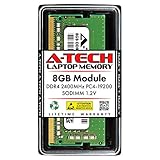
- Compatible for the Dell Inspiron 15 3583, 14 5488, 15 5583, 15 5584 Laptop Models
- Single 8GB RAM Module; DDR4 SO-DIMM 260 Pin; Speeds up to 2400MHz PC4-19200 (PC4-2400T)
- NON-ECC Unbuffered; JEDEC DDR4 standard 1.2V
- Improves system speed, performance, and reduces bottlenecks by increasing memory RAM resources
- Simple plug and play installation, no technical skills required (Please refer to your system's manual for correct memory seating and channel guidelines)
How well do you think each of the GPUs can deliver? Well for sure, average graphics rendering should not be a problem for either of the two GPUs.
For instance, for normal HD or 4K resolution video streaming, the two graphic cards should do the work well. But as for heavy games like Rocket League, go for the NVIDIA GeForce graphics card.
To find out how well the Dell Inspiron 15 5584 can render 3D graphics, let us discuss its result in a 3DMark 11 test. This test will be based on the Inspiron 15 5584 with Intel UHD Graphics 620 card.
But before then, I will tell you what the 3DMark 11 test is. It is a benchmark test that measures how well a GPU can emphasize particles and lighting while rendering 3D graphics.
Do these 3 things before closing this tab:
1Scan for outdated or missing drivers - takes under a minute2Clear out junk files and repair common Windows errors3Fix the driver behind crashes, sound loss and screen glitchesSimilar to the previous benchmarks, a higher score signifies higher graphics power.
With a score of 1,817 points, the Dell Inspiron 15 5584 didn’t show outstanding performance with respect to its competitors. While the HP Pavilion 15-cs2019ng is at the top with 4,761 points, ASUS VivoBook S15 follows it with 4,506 Points.
Clearly, the Dell Inspiron 15 5584 is not at the forefront when it comes to graphics performance. Its graphics performance is good but not the best.
However, as I already hinted earlier, for a better graphics performance, I recommend you purchase the laptop with NVIDIA GeForce MX130 GPU.
The Tool Desk
Outbyte Driver Updater FREEFix the driver behind crashes, sound loss and screen glitchesFind Drivers →Outbyte PC Repair FREEClear out junk files and repair common Windows errorsFree Scan →Thus, I’ll conclude this GPU review section by rating the Dell Inspiron 15 5584 seven out of ten points.
Dell Inspiron 15 5584: Battery Life and Performance
The Dell Inspiron 15 5584 is powered by a 3-cell, 42 WHr Lithium-ion battery. Meanwhile, Dell didn’t say how long the battery lasts when fully charged but it said that the battery life depends on the operating conditions.
However, in order to be certain, I will present a battery run-down test result for the Dell Inspiron 15 5584. This test is all about surfing the web using a WiFi connection and at medium screen brightness.
From the test, it took the Dell Inspiron 15 5584 3 hours, 32 minutes before shutting down. That is quite an unimpressive battery performance.
After all, it took the Acer-Swift-5-SF515 which has a similar configuration 7 hours, 10 minutes to shut down in the same test. Also, the HP Pavilion 15z lasted 7 hours 15 minutes in this battery run-down test.
For the battery charge time, Dell claims it takes 4 hours to charge (when the computer is off). The 4 hours of charge time is not particularly fast considering the fact that modern laptops come with fast chargers.
Moreover, the battery will take even longer to charge when the computer is on.
In conclusion, the Dell Inspiron 15 5584 has a meager battery life and it takes too long to charge. Hence, I will rate it a seven out of ten in this battery performance review section.
Free tools Windows power users keep installed
One-click scans. No signup required.
Frequently Asked Questions
A touchscreen is an optional feature on the Dell Inspiron 15 5584. Only the Laptop’s model with TN display is touch-enabled.
The Dell Inspiron 5584 has two types of keyboard. First, there is a non-backlit keyboard type.
Secondly, there is a two-step, backlit keyboard type which comes at an extra cost.
Dell laptops usually have more features and better performance than HPs, especially in its low-end series. However, HP laptops often have a longer battery life which makes them costlier.
Yes, 8 GB RAM makes the Dell Inspiron 15 5584 up to the task for most productivity tasks and multitasking.
Windows Errors? Fix Them Before They Spread
Repair common Windows errors and clear accumulated junk for a smoother, more stable PC - no reinstall needed.Free scan · no reinstallOutdated Drivers Are Slowing You Down
One free scan finds every outdated or missing driver and matches the right update for your exact hardware.Free scan · exact hardware matchAlthough it’s a little below the XPS family of Dell laptops, the Dell Inspiron is built for business professionals as it comes with added security features.
Conclusion
The Dell Inspiron 15 5584 features a powerful processor, fast RAM, and has a good storage performance. Also, offering the option of Ubuntu Linux OS in addition to Windows makes this laptop fit for many professions.
Specifically, if your business is related to multimedia, the internet, or a data server, feel free to buy the Dell Inspiron 15 5584. Otherwise, the XPS family of Dell is an alternative collection of laptops from a higher range.
However, don’t forget that you’ll be charging this laptop’s battery very often as it’s not the strongest battery out there.
Quick wins for a faster PC:
Scan for outdated or missing drivers - takes under a minuteDriver Scan →Clear out junk files and repair common Windows errorsFree Scan →I hope you found this Dell Inspiron 15 5584 review helpful? If you found the review helpful, kindly click Yes to “Was this post Helpful?” below.
You could also share your thoughts with the “Leave a Comment” form found at the end of this page.
Finally, for more laptop reviews, visit our Laptop Reviews page. You may also find our Laptop Specs page very helpful.


