
iTechGuides is reader-supported. When you buy through links on our site, we may earn an affiliate commission. As an Amazon Associate I earn from qualifying purchases. Learn more
For most businesses, the best-value EFSS in 2026 is the platform already bundled with the productivity suite your staff use. Microsoft 365 organisations should price OneDrive with SharePoint first; Google Workspace organisations should price Google Drive first. Those options can include identity, office co-authoring, collaboration, retention and compliance capabilities you would otherwise buy separately.
Dropbox, Box and Egnyte can be better value when your main requirement is specialist file-sharing workflow, content governance or hybrid project operations. The right decision is not the lowest storage price. It is the lowest three-year cost for your active users, external collaborators, security controls, retention rules, migration work and administration.
What an EFSS provides
Enterprise file synchronisation and sharing (EFSS) stores business files in managed cloud workspaces and lets authorised people access, sync, share and collaborate on them. A business EFSS normally combines desktop and mobile synchronisation, browser access, link sharing, permissions, version history, audit logs and administrator controls. More advanced editions add retention, legal hold, eDiscovery, data-loss prevention (DLP), customer-managed encryption keys, data-residency options and APIs.
Quick wins for a faster PC:
Scan for outdated or missing drivers - takes under a minuteDriver Scan →Clear out junk files and repair common Windows errorsFree Scan →The distinction from consumer cloud storage is governance. An administrator must be able to determine who owns a file, where it is stored, who can share it externally, how long it is retained and what happens when an employee leaves. Those controls often cost more than raw capacity, so a plan advertising terabytes per user can still be poor value for a regulated or distributed business.
Popular on Amazon
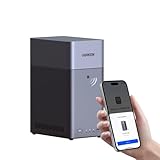
- Entry-level NAS Personal Storage:UGREEN NAS DH2300 is your first and best NAS made easy. It is designed for beginners who want a simple, private way to store videos, photos and personal files, which is intuitive for users moving from cloud storage or external drives and move away from scattered date across devices. This entry-level NAS 2-bay perfect for personal entertainment, photo storage, and easy data backup (doesn't support Docker or virtual machines).
- Set Your Devices Free, Expand Your Digital World: This unified storage hub supports massive capacity up to 64TB.*Storage drives not included. Stop Deleting, Start Storing. You can store 22 million 3MB images, or 2 million 30MB songs, or 43K 1.5GB movies or 67 million 1MB documents! UGREEN NAS is a better way to free up storage across all your devices such as phones, computers, tablets and also does automatic backups across devices regardless of the operating system—Window, iOS, Android or macOS.
- The Smarter Long-term Way to Store: Unlike cloud storage with recurring monthly fees, a UGREEN NAS enclosure requires only a one-time purchase for long-term use. For example, you only need to pay $459.98 for a NAS, while for cloud storage, you need to pay $719.88 per year, $2,159.64 for 3 years, $3,599.40 for 5 years. You will save $6,738.82 over 10 years with UGREEN NAS! *NAS cost based on DH2300 + 12TB HDD; cloud cost based on 12TB plan (e.g. $59.99/month).
- Blazing Speed, Minimal Power: Equipped with a high-performance processor, 1GbE port, and 4GB RAM on Board, this NAS handles multiple tasks with ease. File transfers reach up to 125MB/s—a 1GB file takes only 8 seconds. Don't let slow clouds hold you back; they often need over 100 seconds for the same task. The difference is clear.
- Let AI Better Organize Your Memories: UGREEN NAS uses AI to tag faces, locations, texts, and objects—so you can effortlessly find any photo by searching for who or what's in it in seconds. It also automatically finds and deletes similar or duplicate photo, backs up live photos and allows you to share them with your friends or family with just one tap. Everything stays effortlessly organized, powered by intelligent tagging and recognition.
Which EFSS should you quote first?
| Platform | Best starting point | Value question to answer | Checks before signing |
|---|---|---|---|
| OneDrive with SharePoint | Businesses already standardised on Microsoft 365, Office, Teams and Microsoft identity | Which storage, collaboration and compliance functions are included in existing licences? | Storage pools, SharePoint information architecture, external sharing, premium security licences and support |
| Google Drive with Google Workspace | Google-native teams using Gmail, Docs and Meet | Does pooled storage and built-in Workspace administration cover the workload? | Vault retention, DLP, client-side encryption, shared-drive limits and the move from Business plans to Enterprise |
| Dropbox Business | Creative or distributed teams prioritising fast sync, external sharing and a focused file workflow | Are workflow advantages worth maintaining a separate productivity suite? | Minimum seats, shared storage, advanced administration, security features and support tier |
| Box | Organisations where content governance, lifecycle controls and regulated sharing drive the purchase | Would governance add-ons cost less than adding equivalent controls elsewhere? | Retention, classification, integrations, external collaboration and add-on pricing |
| Egnyte | Hybrid, project-heavy or governance-intensive environments needing specialist file operations | Can avoided compliance, migration and administration work justify the higher licence? | Storage architecture, on-premises connectivity, policy modules, support and user minimums |
These are starting points, not universal rankings. Independent 2026 comparisons describe OneDrive and Google Drive as productivity-suite-centred, Dropbox as focused on shared-file workflows, and Box and Egnyte as governance-oriented choices. Your existing identity directory, office software and compliance tooling can change the result.
How to measure value instead of storage
Use effective annual cost per active user. A useful model is:
(licence fees + required add-ons + support + migration + administration + usage charges − avoidable existing costs) ÷ active users ÷ years
The Tool Desk
Outbyte PC Repair FREEClear out junk files and repair common Windows errorsFree Scan →Outbyte Driver Updater FREEScan for outdated or missing drivers - takes under a minuteDriver Scan →Build the model from the workload rather than the advertised capacity. Include:
- Licensed seats, inactive accounts and any minimum-seat commitment.
- Whether storage is pooled across the organisation or allocated per user.
- External collaborators, guest accounts and the cost of sharing with them.
- Archive volume, legal holds, retention periods and eDiscovery.
- DLP, advanced threat protection, customer-managed keys and data-residency requirements.
- API calls, bandwidth, AI units and other metered consumption.
- Migration tooling, support, training and the administrator hours required each month.
- Costs you can retire, such as a separate identity, collaboration or backup service, while recognising that an EFSS is not automatically a backup.
Enterprise procurement guidance warns that contracts commonly add meters for storage, API calls, bandwidth, AI units and security modules. Ask the account team to state which meters are included, the overage rate and whether the allowance resets monthly or annually. A low seat price can be outweighed by an archive, egress or security charge that was absent from the headline.
Indicative 2026 price evidence
Published prices are comparison points, not guaranteed quotes. Vendors change regional taxes, billing terms, discounts, minimums and feature packaging. Enterprise editions are often sales-led.
| Service or tier | Indicative price | Qualification |
|---|---|---|
| Google Workspace Business Plus | $22 per user per month | Annual billing; 2026 procurement guide listing |
| Google Workspace across cited tiers | $7–$22 per user per month | Range in a 2025/2026 buyer guide; tier and billing basis must be confirmed |
| Google Workspace Enterprise | Custom | Sales-led pricing in the cited 2026 procurement guide |
| Egnyte Enterprise Lite | $39 per user per month | Indicative 2026 procurement-guide price |
| Egnyte Enterprise Elite | $48 per user per month | Indicative 2026 procurement-guide price |
| Egnyte across cited tiers | $22–$48 per user per month | Range in a 2025/2026 buyer guide; plan and contract terms must be confirmed |
| ShareFile across cited tiers | $16.50–$41.67 per user per month | Range in a 2025/2026 buyer guide |
| Sync across cited tiers | $6–$15 per user per month | Range in a 2025/2026 buyer guide |
DriveHQ’s 2026 comparison lists business tiers for Dropbox, OneDrive/Microsoft 365, Box, Egnyte and Google Drive, including a 1,000-user/50TB example. Treat that comparison as indicative: vendor billing terms and negotiated discounts vary, and the published example is not a quote for your organisation.
Do these 3 things before closing this tab:
1Repair Windows errors before they cause bigger problems2Scan for outdated or missing drivers - takes under a minute3Clear out junk files and repair common Windows errorsAlso popular on Amazon

- 【Advanced Home Data & Media Hub】For advanced home users who need phone backup, file storage, and centralized data management. Centralize family photos, 4K videos, movies, computer backups, and personal files in one place while running multiple apps for home entertainment and everyday data management. Suitable for households with growing digital libraries and multiple NAS use cases.
- 【Built for Creators, Media Servers & Advanced Apps】Powered by the Intel N100 Quad-Core CPU, 8GB DDR5 RAM, 2.5GbE networking, and dual M.2 NVMe slots, DXP2800 handles large files and heavier workloads with ease. Run Docker, virtual machines, and media server applications compatible with Plex—ideal for content creators, tech enthusiasts, and advanced home users managing 4K videos, RAW photos, personal media libraries, and multiple NAS apps.
- 【Up to 80TB for Growing Digital Libraries】 Supports up to 80TB of storage using two HDD bays and two M.2 NVMe SSD slots for family photos, movies, RAW photos, 4K videos, work files, and device backups. AI photo management supports recognition of people, objects, scenes, and locations, album organization, and duplicate photo detection. HDDs and SSDs are not included.
- 【AI-powered Home Surveillance】Turn DXP2800 into a centralized home surveillance hub by connecting compatible network cameras and storing recordings locally on your NAS. AI-powered features include Face Recognition, People Detection, and Pet Detection, helping advanced home users review important events more efficiently while managing home surveillance and personal data in one place.
- 【One data Center Across Your Devices】Keep files from desktops, laptops, phones, tablets, and other devices together instead of scattered across cloud accounts and external drives. Access, back up, organize, and share data across Windows, macOS, Android, iOS, web browsers, and compatible smart TVs—ideal for creators and advanced home users working across multiple devices.
Why OneDrive and SharePoint are often the Microsoft value baseline
Microsoft’s service description says OneDrive lets people store, access, share and sync work files, and collaborate on documents. It gives each person personal online storage while SharePoint supplies team sites, shared libraries, permissions and structured collaboration. When Microsoft 365 identity, Office apps, Teams and compliance controls are already licensed, adding a separate EFSS can duplicate capabilities.
Where the savings come from
- One identity and access system can cover sign-in, multifactor authentication and conditional access.
- Office co-authoring and Teams file collaboration use the same Microsoft environment.
- Existing administrators may already know the Microsoft 365 controls, reducing training and support effort.
- Retention, audit, DLP and eDiscovery capabilities can be evaluated alongside the rest of the Microsoft compliance stack rather than purchased in isolation.
Checks that prevent an underpriced quote
- List every Microsoft 365 licence you already own and map each required EFSS control to the licence that provides it.
- Confirm whether storage is pooled, how SharePoint site capacity is allocated and what happens when a user is deleted or archived.
- Design the SharePoint information architecture before migration. Personal OneDrive folders, team sites and project libraries have different ownership and sharing behaviour.
- Test external sharing, guest expiration, anonymous links and cross-tenant collaboration with real partner accounts.
- Price any premium security, compliance, backup or customer-managed-key requirement separately.
- Ask Microsoft how additional enterprise storage is purchased; its guidance directs customers needing more capacity to work with a representative.
OneDrive is not automatically the right answer for every file workload. A poorly designed SharePoint hierarchy, uncontrolled external links or duplicated content can erase the bundle’s value. Measure administrative effort during a pilot, not just upload speed.
When Google Drive and Workspace deliver better value
Google Drive is the natural first quote for teams that already work in Gmail, Docs, Sheets, Slides and Meet. Shared drives provide team ownership, while Workspace administration, identity and collaboration live in one console. The same bundling logic applies: compare the incremental Workspace cost with the cost of a separate EFSS and the staff time to administer two systems.
Capabilities to price together
- Pooled storage and the rules for shared drives, user accounts and inactive employees.
- Google Vault retention, holds and search for the edition you are considering.
- DLP policies for Drive and other Workspace services.
- Client-side encryption and key-management requirements.
- External sharing controls, trust rules and audit reporting.
Business Plus is listed at $22 per user per month on annual billing in a 2026 procurement guide. The same guide describes Enterprise as custom, so do not extrapolate the Business Plus price to an Enterprise deployment. A separate 2025/2026 buyer guide places cited Google Workspace tiers between $7 and $22 per user per month; confirm the exact tier, region and billing commitment in writing.
Free tools Windows power users keep installed
One-click scans. No signup required.
When Dropbox Business is the economical specialist choice
Dropbox is worth a quote when frictionless synchronisation, large external exchanges and a focused shared-file workflow matter more than an integrated office suite. Creative agencies, production teams and distributed partners may value predictable desktop behaviour and simple link-based collaboration.
Compare the complete package rather than the base seat price. Confirm minimum seats, how shared storage grows, whether advanced administrator and security controls are included, and what support response your contract provides. If staff still need Microsoft 365 or Google Workspace for email and documents, include both subscriptions in the effective-cost model. Dropbox becomes better value only when its workflow benefits reduce enough migration, support or coordination work to offset that second platform.
When Box is worth its governance premium
Box is a governance-led option for organisations that need content lifecycle controls, classification, integrations and regulated sharing across many departments or external parties. Its value is usually in policy enforcement and evidence for audits, not in the lowest dollars per terabyte.
Also popular on Amazon
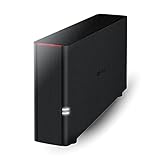
- Value NAS with RAID for centralized storage and backup for all your devices. Check out the LS 700 for enhanced features, cloud capabilities, macOS 26, and up to 7x faster performance than the LS 200.
- Connect the LinkStation to your router and enjoy shared network storage for your devices. The NAS is compatible with Windows and macOS*, and Buffalo's US-based support is on-hand 24/7 for installation walkthroughs. *Only for macOS 15 (Sequoia) and earlier. For macOS 26, check out our LS 700 series.
- Subscription-Free Personal Cloud – Store, back up, and manage all your videos, music, and photos and access them anytime without paying any monthly fees.
- Storage Purpose-Built for Data Security – A NAS designed to keep your data safe, the LS200 features a closed system to reduce vulnerabilities from 3rd party apps and SSL encryption for secure file transfers.
- Back Up Multiple Computers & Devices – NAS Navigator management utility and PC backup software included. NAS Navigator 2 for macOS 15 and earlier. You can set up automated backups of data on your computers.
Questions for a Box quote
- Which retention, legal-hold, classification and records-management functions are in the proposed edition?
- Are DLP, key management, workflow automation and critical integrations included or sold as modules?
- How are guest users, external links and partner workspaces charged and governed?
- What administrative work remains for policy design, metadata quality and user lifecycle management?
Compare the result with controls already included in Microsoft or Google licensing. Paying for the same governance capability twice is a common reason an apparently sophisticated EFSS fails a value review.
What’s actually slowing this PC down?
Pick the symptom - the matching free tool is one click away.
When Egnyte justifies a higher per-user price
Egnyte targets hybrid and project-heavy environments that need specialist governance and secure file operations. It can make sense when files must span cloud and existing on-premises systems, when project teams have complex external boundaries, or when compliance work is expensive to perform manually.
Indicative 2026 prices list Enterprise Lite at $39 per user per month and Enterprise Elite at $48. Another buyer guide gives an Egnyte range of $22–$48 per user per month across cited tiers. These figures are starting points, not evidence that a particular edition includes your required modules.
Build the business case
- Document current compliance activities, migration effort, duplicate repositories and administrator hours.
- Estimate the annual cost of those activities and the risk or delay caused by manual controls.
- Map each avoided cost to an Egnyte feature that is contractually included.
- Test hybrid access, large project folders, external review and policy reporting with representative data.
- Use the measured savings in a three-year model; do not justify the licence solely with storage capacity.
A practical three-year comparison method
Use one representative workload for every finalist: active users, dormant accounts, external collaborators, current file volume, annual growth, largest files, monthly downloads, retention duration and regulated data locations. Keep those assumptions identical across quotes.
- Separate mandatory from optional features. Mark identity, MFA, retention, DLP, eDiscovery, residency and support requirements that cannot be removed.
- Normalise billing. Convert annual commitments, monthly plans, promotional periods and one-time migration fees into a common annual figure.
- Model user changes. Include hiring, seasonal workers, contractors, guest accounts and leavers. Apply minimum-seat rules rather than assuming you pay only for active users.
- Model storage and traffic. Record pooled capacity, archive growth, API calls, downloads and any egress or overage rates.
- Price administration. Estimate implementation, policy maintenance, help-desk contacts, training and audit preparation for each platform.
- Subtract retiring services carefully. Remove only costs you can actually discontinue, and keep an independent backup or recovery requirement in the model.
- Run sensitivity cases. Recalculate with 25% more storage, 20% fewer active users and twice the external collaboration volume to expose fragile assumptions.
For example, a hypothetical 25-user team on a $22 annual-billed plan would start at 25 × $22 × 12 = $6,600 per year before taxes, add-ons, storage overages or support. That arithmetic is not a quote; it shows why seat count and billing basis must appear beside every price.
Security and governance checklist
Before choosing on price, require each finalist to demonstrate the controls that protect your actual files:
- Single sign-on, multifactor authentication and automated joiner-mover-leaver provisioning.
- Granular folder, library and shared-drive permissions with an auditable ownership model.
- External-link restrictions, guest expiration and approval workflows.
- Version history, ransomware recovery and a documented restore process.
- Retention schedules, legal holds, eDiscovery search and export.
- DLP for sensitive data, classification and alert routing.
- Encryption at rest and in transit, plus customer-managed keys if required.
- Data-residency commitments for every region in which you operate.
- Audit-log retention, administrator separation of duties and API access controls.
- Support response targets, incident communication and an exit/export process.
Ask for a written responsibility matrix. A vendor may provide a feature while your team still has to configure policies, monitor alerts, review sharing and prove compliance. Those labour costs belong in the value calculation.
Also popular on Amazon

- Secure private cloud - Enjoy 100% data ownership and multi-platform access from anywhere
- Easy sharing and syncing - Safely access and share files and media from anywhere, and keep clients, colleagues and collaborators on the same page
- Automated Backup Protection - Set-and-forget backups for Macs, PCs and mobile devices to multiple destinations including cloud and external drives
- Home Security System - Record and monitor your property 24/7 with support for multiple IP cameras and remote viewing
- 2-Year Warranty - Reliable hardware backed by Synology's expert customer support team and ongoing software updates
Common value mistakes and how to avoid them
Choosing the largest storage number
Capacity does not reveal retention, governance, bandwidth or administration cost. Measure the data you must keep, the data you must share and the policies you must prove.
Comparing monthly list prices with annual quotes
Annual billing, promotional discounts, taxes, currency and minimum seats can make two apparently similar prices incomparable. Put term, region, user minimum and renewal increase beside every figure.
Ignoring suite duplication
Buying a standalone EFSS while retaining Microsoft 365 or Google Workspace can create two identity systems, two sharing models and two administration consoles. Count the overlap and the cost of keeping both secure.
Underestimating external users
Partners and clients often generate the most links, downloads and support tickets. Test guest policy, licensing and traffic assumptions with real collaboration patterns.
Treating EFSS as backup
Version history and recycle bins help recover mistakes, but they do not replace an independent backup strategy with its own retention and recovery objectives. Price that requirement separately.
Skipping migration and exit planning
File permissions, links, metadata and versions can change during migration. Require an export format, API limits, deletion process and assistance terms before committing to a long contract.
A decision rule for a small business
Start with the suite your staff already use. Obtain a OneDrive/SharePoint quote if Microsoft 365 is your identity and office standard; obtain a Google Drive/Workspace quote if Google is your standard. Ask Dropbox for a competing quote when sync and external sharing are the primary workflow. Ask Box or Egnyte for a competing quote when governance, hybrid storage or regulated collaboration is the requirement that would otherwise need several add-ons.
Choose the finalist whose three-year model satisfies every mandatory control with the fewest overlapping systems and the lowest measured administration burden. Record storage pools, user minimums, add-ons, metered usage, support and renewal terms in the contract, then pilot the hardest sharing and recovery scenarios before rollout.

