
Outdated Drivers Are Slowing You Down
One free scan finds every outdated or missing driver and matches the right update for your exact hardware.Free scan · exact hardware matchWindows Errors? Fix Them Before They Spread
Repair common Windows errors and clear accumulated junk for a smoother, more stable PC - no reinstall needed.Free scan · no reinstalliTechGuides is reader-supported. When you buy through links on our site, we may earn an affiliate commission. As an Amazon Associate I earn from qualifying purchases. Learn more
The best choice depends on what your group wants to play: use Kahoot! for a live quiz, Jackbox for a mix of party games, Gartic Phone for drawing and guessing, or a charades app such as Heads Up! or Guess. For low-friction social deduction, consider SpyFall. Check the setup, player limits, and current cost for the specific game before everyone joins.
Which app fits your game night?
| App | Best for | How the group plays | What to check |
|---|---|---|---|
| Kahoot! | Competitive trivia with ready-made or host-created questions | A host chooses or creates a quiz and starts a live game. Players join with a PIN using the app or a browser; a shared screen displays questions. | Plan and event-specific player limits. Official Kahoot pages give conflicting limits, so verify the current allowance for your account and use case. Kahoot! |
| Jackbox Games | A rotating mix of trivia, drawing, writing, and hidden-identity games | One host runs a game on a supported platform and displays it. Other players enter a room code at Jackbox.tv on a phone, tablet, or laptop. | Player count and content settings vary by title. Check the current store price for the selected game and platform. Jackbox Games |
| Heads Up! | Charades-style clue giving and word guessing | One player holds a phone at their forehead while the group gives clues. The listing describes themed decks and custom categories. | It lists in-app purchases; availability and prices can vary by storefront and region. Heads Up! |
| Guess | Simple charades with selectable categories | Players take turns holding the phone against their forehead and guessing from clues. | WhistleOut listed it as free in its September 24, 2026 roundup; confirm current storefront terms. WhistleOut’s roundup |
| Gartic Phone | Drawing and “broken telephone”-style rounds | Players use invite links on mobile or desktop; the WhistleOut roundup also describes remote play over a video call. | The roundup listed it as free with ads and reported an ad before a round. That is the author’s finding, not a guarantee of current terms. WhistleOut’s roundup |
| Sporcle Party | Trivia with a private group and premade packs | Choose a pack and play trivia together. | WhistleOut listed it as free to download; check the current packs, limits, and purchases. WhistleOut’s roundup |
| SpyFall | A straightforward imposter-style social game | Players try to identify the imposter through a social deduction round. | WhistleOut listed it as free to download; verify current storefront terms. WhistleOut’s roundup |
Jessica Santero’s WhistleOut roundup, updated September 24, 2026, named Guess, Gartic Phone, Sporcle Party, and SpyFall as free group-play picks. The author evaluated setup time, group-friendliness, ads and monetization, and content suitability. Treat those as one reviewer’s findings, not a universal ranking or a promise that every app remains free to play.
How to choose without slowing down the evening
- For a quiz-first group: Choose Kahoot! when someone can host questions and the group wants a clear competitive format.
- For variety: Choose Jackbox if your group wants to switch among different short games rather than play trivia all night.
- For a relaxed, creative round: Try Gartic Phone for drawing and guessing, or a charades app when players would rather give clues than answer quiz questions.
- For minimal rules: A simple guessing or imposter game may be easier to start than a pack with several different formats.
- For remote play: Check whether the game supports invite links or screen sharing, and whether all players can see the host display and hear one another.
WhistleOut’s review criteria point to practical questions worth settling before the group gathers: how quickly the host can start, whether the rules are easy to explain, whether ads interrupt play, and whether user-submitted content suits the players. For packaged games, check title-specific player counts and device support as well.
What the host needs to set up
Kahoot!: host screen plus player devices
The host selects or creates a quiz and launches a live session. Players can join by entering the game PIN in a browser and do not need an account to play, according to Kahoot’s official app information. Kahoot’s live-game instructions describe questions on a shared screen and answers on each player’s device. For a remote group, the host needs a way to show that screen to everyone.
Popular on Amazon

- Package Quantity :1
- In contrast to traditional trivia formats, you don't receive points for answering questions correctly. Instead, points are subtracted for every incorrect answer!
- Contains 110 cards with more than 400 questions about things that you should know
- An addictively entertaining trivia game where it will only be a matter of time before you hear yourself say ahhh!... I should have known that!
Jackbox: one host game, phones as controllers
Jackbox games run on a supported host platform; players join at Jackbox.tv with the room code shown on the host screen. The company’s press kit describes phones, tablets, and laptops as controllers for current-generation games. Its event guidance says participants do not need to buy the game or install an app, but do need an internet-connected device and a view of the host screen. One person’s purchase is enough to host a group. For remote play, the host can share the game screen over a video conference or livestream.
Jackbox lists Steam, PlayStation, Xbox, Switch, Apple TV/iPad, Amazon Fire TV, and other platforms, while noting that most titles are compatible; confirm support for the exact title and host device. Its event page says games are rated T for Teen. Many, but not all, titles have a family-friendly setting, and some offer moderators or strict profanity filtering—check the controls in the particular game.
Also popular on Amazon

- TRIVIA FOR EVERYONE: NEW! UPDATED FOR 2026. Unique to Amazon, we’ve created a game for both trivia and non-trivia people alike. We’ve taken feedback from people that both love and hate trivia, designing a game with classical general knowledge questions, like “How many hearts does an Octopus have?” and fun entertaining questions like “Who lives in a pineapple under the sea?” Questions are meticulously curated so subject matter is suitable for adults, teens, and families.
- 1500+ QUESTIONS: While most other Amazon quiz games have a paltry 400-500 questions, we supercharge the fun with over 1500 questions spanning an incredibly large array of topics! Trivia For Everyone contains 190 cards with 1520 questions, requires 2 or more players, and is suitable for those 14 years and older.
- 2 DIFFICULTIES: Unlike other Amazon trivia games that have one level of difficulty, we provide 2! Party Mode is for more accessible questions with lower difficulty and Expert Mode covers more obscure and challenging topics. Trivia for Everyone allows you to play the game the way you want to!
- 3 WAYS TO PLAY: Rather than just having one set way to play like most Amazon games, Trivia for Everyone includes three different modes of play. Free-For-All is designed for fast, competitive play. Question Master is more suited for relaxed play that can take place while socializing. Teams allows you to combine with your friends in a group to take out the competition.
- INNOVATIVE CARD DESIGN: Unlike other Amazon card games which use drab cards that spoil the answer for the reader, we’ve engineered beautiful multi-colored cards that don’t immediately give away the answer and allow for smooth play. It’s simple. Easier questions are in blue; their answers are on the other side of the card, also in blue. Harder questions are in red; their answers are on the other side of the card, also in red. No learning curve required!
Heads Up!, Guess, Gartic Phone, Sporcle Party, and SpyFall
These options suit different ways of gathering. Heads Up! and Guess use a phone held to the forehead, so they work best when players can see and hear the clue-givers. Gartic Phone’s invite-link play can work for remote groups, including over a video call, according to WhistleOut. The roundup also recommends Sporcle Party for private trivia and SpyFall for an imposter-style game. Confirm the current app or browser requirements before inviting everyone.
Free tools Windows power users keep installed
One-click scans. No signup required.
Costs, limits, and content to verify
Kahoot! limits depend on plan and context
Kahoot’s official pages do not give one consistent cap: its mobile-app page says Kahoot!+ can host up to 100 players, while its homepage says the free game limit is 10 and Kahoot!+ supports up to 800. These figures are plan- and use-case-dependent; check the current terms for the account and event you intend to use rather than relying on a single headline number.
Also popular on Amazon
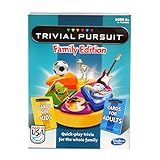
- TRIVIAL PURSUIT GAME FOR FAMILIES: Kids and adults can test their smarts with this Trivial Pursuit Family Edition game
- 1200 TRIVIA QUESTIONS FOR KIDS AND ADULTS: The Trivial Pursuit cards include 1200 questions from 6 categories! Choose from 100 blue cards for adults and 100 yellow cards for kids
- QUICK-PLAY TRIVIA: This edition's gameboard offers an opportunity to earn a wedge on any colored space for a faster game than the original Trivial Pursuit board game
- PLAY INDIVUALLY OR IN TEAMS: For 2 or more players, this Trivial Pursuit game is a great family board game for groups! Be the first to collect 6 different colored wedges and answer the final question correctly to win
- FUN FAMILY GAMES: Make some memories and break out this indoor game on family game night!
Jackbox prices and player counts vary by title
Jackbox’s official pages also give different price ranges. Its press kit lists party packs, individual games, and standalone titles at $9.99–$34.99 USD, while its events page lists copies at $9.99–$29.99. Since the ranges conflict and prices can change by store and platform, check the live listing for the game you want. Player counts differ by title, and many games support audience participation.
The company’s 2026 press kit, accessed October 4, 2026, lists 10 Party Packs and 53 individual games. Those are publisher-reported catalog counts that can change as releases arrive; they do not indicate which game best suits your group.
Also popular on Amazon

- FOUR WHACKY CATEGORIES: From pop culture to sports and even the school of life, there's a question for everyone, with various difficulty levels in one of the best new trivia board games for adults!
- ON A SCALE FROM 1 TO 10: Determine how well you know the subject of the card you've drawn, with 1 being an absolute dummy and 10 being the best expert in the world - perfect for varying skill levels!
- CHALLENGE SPACES: These spaces can give you a big leg up by answering a bunch of questions in a short amount of time, but you never know what you're gonna get in this unique twist on trivia games!
- GREAT FOR LARGE GROUPS: Split up into teams and test your knowledge with up to 16 players during game night but made for two player games as well - play as a team or 1v1 in this adaptable game!
- CONVENIENT STORAGE: Unfold the box lid to reveal the game board and keep the cards conveniently organized in the plastic insert so you can jump right into the game - a perfect gift for trivia fans!
“Free” can still mean ads, purchases, or limits
WhistleOut’s September 24, 2026 roundup reported all four of its selected group apps as free to download, while noting ads in Gartic Phone. Free-to-download status does not establish that play is ad-free or unlimited. Heads Up!’s listing notes in-app purchases, and the roundup’s findings should be rechecked against current storefront terms.
Do you need extra hardware?
Usually, the key requirement is a screen the group can see for games that use a host display—not a new accessory. Jackbox recommends connecting a computer to a screen or projector for a crowd, and Kahoot’s live instructions use a shared screen. A compatible TV, projector, wireless casting setup, console, or cable you already own may be enough. If you connect devices physically, check their ports and any adapter needs first.

