
Free tools Windows power users keep installed
One-click scans. No signup required.
iTechGuides is reader-supported. When you buy through links on our site, we may earn an affiliate commission. As an Amazon Associate I earn from qualifying purchases. Learn more
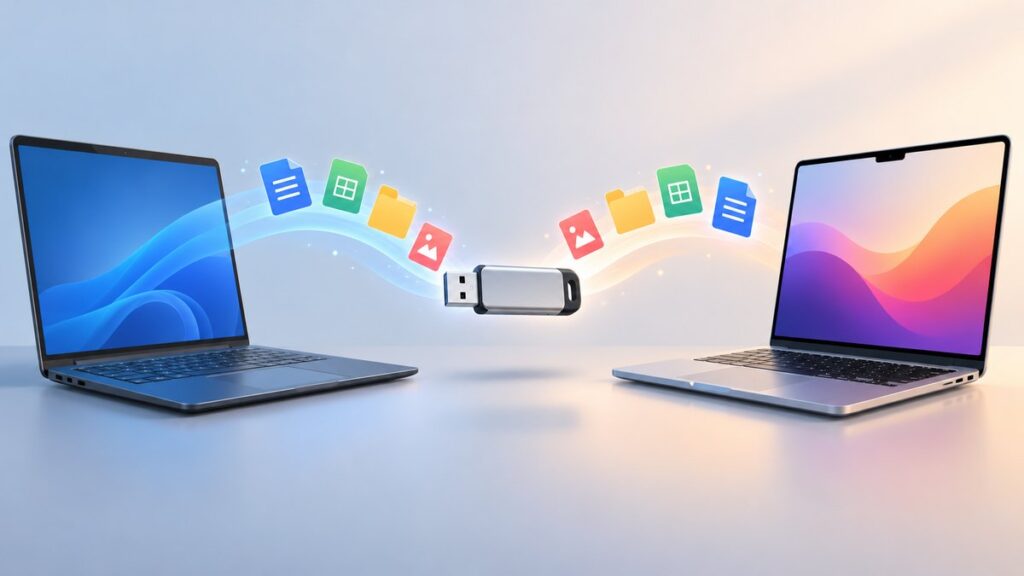
If you share files between Windows and Mac, ExFAT is a practical default—provided every device you plan to use supports it. Reformatting a USB drive is not a reliable way to make transfers faster, and it erases the volume. Back up your files first, check the requirements of any phone, TV, camera, car stereo, console, or recovery tool that will use the drive, then choose a format for compatibility.
Will reformatting make a USB drive transfer files faster?
There is no established universal speed winner among USB-drive file systems in the official guidance cited here, and no supported percentage improvement from switching formats. Do not reformat repeatedly expecting a speed boost. Transfer performance can depend on the flash drive’s read/write capability, the USB port, and the workload; many small files may behave differently from a few large files.
Microsoft recommends USB 3.0 or higher for best performance in the specific case of creating a Surface recovery drive. That is not a general transfer benchmark or a guarantee of a particular speed. If transfers remain slow, check the drive and port rather than assuming the file system is the cause. [Microsoft’s Surface recovery-drive guidance]
Choose a format based on the devices that need the drive
Before choosing a file system, list every computer or device that must read or write the USB drive. Also consider the largest individual file you will store, the drive’s capacity, and any partition or boot-media requirements. A general-purpose choice can be overridden by the needs of a specific device.
Popular on Amazon

- USB-C 2-in-1 storage OTG: The Lexar JumpDrive Dual Drive D40E features USB Type-A and Type-C connectors in a slim, portable form factor for easy device compatibility
- Transfer speeds up to 100MB/s: Based on internal testing, performance may vary depending upon the host device, interface, and usage conditions. 1MB=1,000,000 bytes
- Plug and Play: Widely compatible with USB Type-C smartphones, tablets, laptops, Macs, and traditional Type-A devices, no software installation required. The 360° swivel design allows for easy switching between connectors without the hassle of losing a cap
- Durable & Compact: The Lexar D40E USB memory stick features a metal enclosure, withstands temperatures from 0° to 50° C (32°F to 122°F), and is lightweight at 26g with dimensions of 70.4 x 16.9 x 11.7mm
- Security & Warranty: Securely protects files using an advanced security software solution with 256-bit AES encryption. Backed by a Lexar 3-year limited warranty
| Use case | Format guidance | Important qualification |
|---|---|---|
| Moving files between Windows and Mac | ExFAT is a practical default when the devices support it. | Apple’s Disk Utility guide for formatting a disk for Windows computers recommends MS-DOS (FAT) for disks 32 GB or less and ExFAT for disks over 32 GB. This is guidance for Disk Utility, not a universal rule for all devices. Apple’s Disk Utility guide. |
| Older or unspecified consumer devices | Check the device’s manual for supported formats and partition requirements. | There is no safe compatibility guarantee for every older TV, car stereo, camera, or game console. |
| External storage connected to iPhone | Use one of the formats and the partition arrangement Apple supports. | Apple says iPhone external storage must have one data partition and use a supported format. Check Apple’s current device guidance before erasing the drive. Apple’s iPhone external-storage guide. |
| Surface recovery media | Use FAT32 as directed for the recovery workflow. | This is a specialized recovery-media requirement, not a recommendation for ordinary Windows–Mac file sharing. Microsoft’s Surface recovery-drive guidance. |
| External storage for Final Cut Pro, Motion, or Compressor | Apple recommends APFS for these Mac applications. | This specialized recommendation should not be generalized to drives intended for Windows and consumer-device sharing. Apple’s format guidance for these apps. |
Apple’s Disk Utility guide states, “ExFAT: Choose this format if the size of the disk is over 32GB.” The threshold is part of Apple’s Disk Utility guidance for preparing a disk for Windows computers; it is not a universal capacity limit for ExFAT. Apple’s overview of formats available in Disk Utility describes the available options.
Back up before formatting
Formatting deletes data on the volume. Copy anything you need to another location and verify that the backup opens before you proceed. Both Apple and Microsoft warn that formatting or related disk operations can result in data loss. If you are unsure which disk is the USB drive, stop and identify it before continuing.
Also popular on Amazon

- High-speed USB 3.0 performance of up to 150MB/s(1) [(1) Write to drive up to 15x faster than standard USB 2.0 drives (4MB/s); varies by drive capacity. Up to 150MB/s read speed. USB 3.0 port required. Based on internal testing; performance may be lower depending on host device, usage conditions, and other factors; 1MB=1,000,000 bytes]
- Transfer a full-length movie in less than 30 seconds(2) [(2) Based on 1.2GB MPEG-4 video transfer with USB 3.0 host device. Results may vary based on host device, file attributes and other factors]
- Transfer to drive up to 15 times faster than standard USB 2.0 drives(1)
- Sleek, durable metal casing
- Easy-to-use password protection for your private files(3) [(3)Password protection uses 128-bit AES encryption and is supported by Windows 7, Windows 8, Windows 10, and Mac OS X v10.9 plus; Software download required for Mac, visit the SanDisk SecureAccess support page]
Format the drive on Windows
Windows provides Disk Management and File Explorer options for formatting. The exact controls can vary by Windows version and device, so verify the selected drive by its capacity and label before confirming any erase or format action.
- Back up the USB drive and confirm the backup.
- Open Disk Management by right-clicking Start and selecting Disk Management. Identify the USB volume carefully.
- Right-click the intended volume and choose the format option. Select the file system required by your target devices; for ordinary Windows–Mac exchange, use ExFAT if all devices support it.
- Choose quick format only if its limitations suit your needs, then confirm the operation on the correct volume.
- When formatting finishes, copy a few representative files to the drive, safely eject it, and test it on the devices that must use it.
Microsoft explains that “The Perform a quick format option will create a new file table but will not fully overwrite or erase the volume.” A quick format is therefore faster to perform, but it is not a secure full overwrite. Microsoft’s Disk Management documentation.
Also popular on Amazon

- What You Get - 2 pack 64GB genuine USB 2.0 flash drives, 12-month warranty and lifetime friendly customer service
- Great for All Ages and Purposes – the thumb drives are suitable for storing digital data for school, business or daily usage. Apply to data storage of music, photos, movies and other files
- Easy to Use - Plug and play USB memory stick, no need to install any software. Support Windows 7 / 8 / 10 / Vista / XP / Unix / 2000 / ME / NT Linux and Mac OS, compatible with USB 2.0 and 1.1 ports
- Convenient Design - 360°metal swivel cap with matt surface and ring designed zip drive can protect USB connector, avoid to leave your fingerprint and easily attach to your key chain to avoid from losing and for easy carrying
- Brand Yourself - Brand the flash drive with your company's name and provide company's overview, policies, etc. to the newly joined employees or your customers
Format the drive on Mac
- Back up the USB drive and verify the files elsewhere.
- Open Disk Utility and select the intended physical disk or volume. Confirm its identity before erasing.
- Choose the file system and partition scheme required by the devices that will use the drive. For Windows compatibility, follow Apple’s Disk Utility guidance: MS-DOS (FAT) for disks 32 GB or less and ExFAT for disks over 32 GB.
- Select Erase, review the selected disk and format, then confirm only when you are certain it is the correct target.
- Copy test files, eject the drive safely, and check it on each required device.
Apple’s guide warns that erasing deletes files. Its format instructions are specifically for using Disk Utility to prepare a disk for Windows computers; they do not establish compatibility with every peripheral or older device. Apple’s Disk Utility instructions.
Quick Recap
Also popular on Amazon

- 【16GB Flash Drive】USB flash drives with 16GB capacity, meet your needs of daily use on work, school, home and travelling for photos, music, videos, files storage and transfer. IMEASON thumb drives can be used to store different files, easy to data backup.
- 【Metal Swivel Cap Design】USB thumb drive is metal swivel cover provides extra protection for the usb thumbdrive connector, no usb drive cap to lose; keychain design makes it easier to carry without worrying lose it.
- 【Wide Compatibility】USB drive supports Windows 7/8/10/11 / Vista / XP / Unix / 2000 / ME / NT Linux and Mac OS, also Supports USB 2.0 and 1.1 ports. USB Stick support TV, desktop, notebook computer, car, audio and other device. The USB Memory Stick is your great data storage and transfer companion with traveling and working.
- 【Easy to use】usb memory stick is plug and play without any software installation. Just simply plug the Flashdrive into the port of your USB-compatible devices such as computer, laptop to start data storage or transmission.
- 【What You Get】16 GB USB Flash Drive Thumb Drive, The default format of the usb storage flash drive is FAT32.
Also popular on Amazon

- GOOD VALUE PACKAGE - 1 Pack 32GB Memory Stick USB 2.0 Flash Drives with great cost performance and high quality.
- BIG CAPACITY - The available capacity: 29.10GB-29.8GB, You can save the data of movies, music, photos, designs, programs, manuals, handouts in a high speed.Good performance in digital data storing, transferring and sharing with families, friends, workmates, clients and machines.
- EASY TO USE & PLUG AND WORK - Support windows 7 / 8 / 10 / Vista / XP / 2000 / ME / NT Linux and Mac OS, Compatible with USB2.0 and below.
- TWISTTURN DESIGN & EASY CARRY - The metal clip rotates 360° round the ABS plastic body which with rubber oil skin feeling finish. The capless design can avoid lossing of cap, and providing efficient protection to the USB port.
- WARRANTY & SUPPORT - SIMMAX logo is laser printed on the USB connector surface, our products are of good quality and we promise that any problem about the product within one year since you buy.
If transfers are still slow
- Check whether the USB drive and the port are capable of the performance you need; a faster format cannot overcome a slow device or connection.
- Test with a few large files and with a folder of small files to see whether the workload is affecting the transfer.
- Confirm that the drive is recognized and writable on each required device before relying on it.
- Do not change FAT32 cluster size based on a presumed speed benefit. Microsoft’s published cluster-size values are defaults, not USB transfer-speed test results. Microsoft’s FAT32 default cluster-size reference.

