
iTechGuides is reader-supported. When you buy through links on our site, we may earn an affiliate commission. As an Amazon Associate I earn from qualifying purchases. Learn more
For most people with a 4K television, buy the Roku Streaming Stick 4K. It supports 4K, Dolby Vision, HDR10+, and Roku’s long-range Wi-Fi receiver while remaining small enough to hide behind the TV. The newer 2025 Roku Streaming Stick Plus is the better value if your TV does not support Dolby Vision. Choose the Roku Ultra (2024) only if you need features a stick cannot provide, such as Ethernet, Wi-Fi 6, USB storage, Dolby Atmos support, or the rechargeable Voice Remote Pro.
This guide compares Roku’s separate streaming players—not televisions with Roku built in. The lineup was checked against Roku’s U.S. range on August 10, 2026, so the two newer sticks are identified as 2025 models, while the Streaming Stick 4K and Ultra were introduced earlier.
The short answer
| Buy this | If you… | Why |
|---|---|---|
| Roku Streaming Stick 4K | Have a 4K TV and want the best all-around stick | 4K, Dolby Vision, HDR10+, and a long-range Wi-Fi receiver in a compact design |
| Roku Streaming Stick Plus (2025) | Want a lower-tier 4K stick and do not need Dolby Vision | 4K with HDR10, HDR10+, and HLG at a lower position in the range |
| Roku Ultra (2024) | Need Ethernet, Wi-Fi 6, USB, Dolby Atmos, faster navigation, or a premium remote | Roku’s fastest player, with set-top-box hardware and more connectivity |
| Roku Streaming Stick | Have an HD-only or 1080p TV | Compact, straightforward streaming up to 1080p |
| Roku Streambar SE | Need streaming and a basic sound upgrade | Combines a Roku player with an entry-level soundbar |
Why the Streaming Stick 4K is the best Roku for most 4K TVs
The Roku Streaming Stick 4K strikes the most useful balance between picture support, wireless flexibility, price category, and size. It is a concealed HDMI stick rather than a box, so it is easy to install behind a wall-mounted or crowded television. Its feature set also avoids the most important compromise of the cheaper 2025 Streaming Stick Plus: it supports Dolby Vision as well as HDR10+.
Recommended Free Tools
It also includes Roku’s long-range Wi-Fi receiver in the USB power cable. That does not guarantee perfect streaming in every home, but it makes the 4K stick the more sensible choice when the television is a considerable distance from the router or separated by walls. The TV, HDMI input, network, firmware, streaming service, and individual title still determine what your system can actually deliver.
Choose the Streaming Stick 4K if:
- Your TV supports 4K and Dolby Vision.
- You want a small device that can hide behind the TV.
- Your router is not close to the television.
- You want HDR flexibility without moving to a set-top box.
“Best” here is an editorial recommendation based on the combination of features and form factor; it is not a claim that every household will see a picture-quality difference in every program.
Popular on Amazon

- Ultra-speedy streaming: Roku Ultra is 30% faster than any other Roku player, delivering a lightning-fast interface and apps that launch in a snap.
- Cinematic streaming: This TV streaming device brings the movie theater to your living room with spectacular 4K, HDR10+, and Dolby Vision picture alongside immersive Dolby Atmos audio.
- The ultimate Roku remote: The rechargeable Roku Voice Remote Pro offers backlit buttons, hands-free voice controls, and a lost remote finder.
- No more fumbling in the dark: See what you’re pressing with backlit buttons.
- Say goodbye to batteries: Keep your remote powered for months on a single charge.
The 2025 Roku Streaming Stick Plus is the value 4K option
The Roku Streaming Stick Plus (model 3830R) is the choice for a 4K-TV owner who wants a less expensive, lower-tier 4K stick and does not need Dolby Vision. It supports 4K video plus HDR10, HDR10+, and HLG. Dolby Vision is not listed for this model.
That distinction matters because “Plus” sounds as though it should automatically be better than “Streaming Stick 4K.” It is not. The 2025 Streaming Stick Plus is newer, but the older Streaming Stick 4K remains the more capable choice for Dolby Vision televisions and includes the long-range Wi-Fi receiver.
Crashes, No Sound, or Screen Glitches?
Random freezes, missing sound and display glitches usually trace back to one bad driver. Find and replace yours safely.Free scan · under a minutePC Slower Than It Used to Be?
A free scan shows the junk files, broken settings and background clutter dragging Windows down - then fixes them in one click.Free scan · Windows 10 & 11Independent hands-on coverage found the Streaming Stick Plus to be a strong value after use with Roku and third-party apps, while noting slight lag when browsing. That is a reviewer’s observation, not a test performed by this publication, and it should not be interpreted as an Ultra-level performance claim.
Buy the Streaming Stick Plus when:
- Your 4K TV supports HDR10 or HDR10+ but not Dolby Vision.
- You want a compact stick and do not need Ethernet, USB, or Wi-Fi 6.
- You are comfortable trading some capability and potentially some menu responsiveness for a lower-tier 4K option.
When Roku Ultra is worth the upgrade
The Roku Ultra (2024) is not simply a faster version of the Streaming Stick 4K. It is a larger set-top box designed for people who will use its additional hardware.
Roku calls Ultra its fastest player. It adds Wi-Fi 6, wired Ethernet, USB, Dolby Vision, HDR10+, Dolby Atmos support, and the rechargeable, backlit Voice Remote Pro. Those features can justify the upgrade in the right setup, particularly when a wired network connection is preferable to Wi-Fi or when the player is part of a more deliberate home-theater installation.
Also popular on Amazon

- HD streaming made simple: With America’s number 1 TV streaming platform,* exploring popular apps—plus tons of free movies, shows, and live TV—is as easy as it is fun. *Based on hours streamed—Hypothesis Group
- Compact without compromises: The sleek design of Roku Streaming Stick won’t block neighboring HDMI ports, and it even powers from your TV alone, plugging into the back and staying out of sight. No wall outlet, no extra cords, no clutter.
- No more juggling remotes: Power up your TV, adjust the volume, and control your Roku device with one remote. Use your voice to quickly search, play entertainment, and more.
- Shows on the go: Take your TV to-go when traveling—without needing to log into someone else’s device.
- TV, simplified: With setup that only takes minutes, a simple-to-navigate Home Screen, and an uncluttered remote control that does all you need—Roku makes it easier to watch the TV you love.
Choose Ultra if you specifically need one or more of these:
Quick wins for a faster PC:
Clear out junk files and repair common Windows errorsFree Scan →Scan for outdated or missing drivers - takes under a minuteDriver Scan →Repair Windows errors before they cause bigger problemsFix Now →- Ethernet: useful when you want a wired connection to the router or network switch.
- Wi-Fi 6: appropriate if your home network uses a compatible Wi-Fi 6 router and you want the newer wireless standard.
- USB: useful for the player’s supported local-media and storage functions.
- Dolby Atmos: relevant when your compatible TV, receiver, soundbar, or speaker system supports it.
- Voice Remote Pro: useful if you want a rechargeable, backlit remote with premium remote features.
- Faster navigation: worthwhile if responsive menu performance matters more to you than hiding the device behind the TV.
Ultra costs more in the lineup and occupies visible shelf space. Do not buy it merely because it is the flagship: if you only need ordinary 4K streaming over Wi-Fi, the Streaming Stick 4K is the more proportionate recommendation.
Roku model comparison
| Model | Maximum video support | HDR and audio highlights | Network and design | Main limitation |
|---|---|---|---|---|
| Roku Streaming Stick | Up to 1080p | No HDR support listed for the model | Compact HDMI stick; dual-band Wi-Fi | Not a 4K player |
| Roku Streaming Stick Plus (2025, 3830R) |
4K | HDR10, HDR10+, HLG; Dolby Vision not listed | Compact stick; dual-band Wi-Fi | Slight browsing lag was noted in independent hands-on coverage; no Ultra-level hardware |
| Roku Streaming Stick 4K (3820R2) |
4K | Dolby Vision and HDR10+ | Compact stick with long-range Wi-Fi receiver in the USB power cable | Requires compatible TV, HDMI input, and content for the advanced formats |
| Roku Ultra (2024) |
4K | Dolby Vision, HDR10+, Dolby Atmos | Wi-Fi 6, Ethernet, USB; set-top-box design | Costs more and is not concealed like a stick |
| Roku Streambar SE | 4K | HDR streaming with integrated soundbar | Soundbar form factor; HDMI ARC or HDMI plus optical | Not the default choice for streaming alone or top-tier home theater |
Which Roku should you buy for your TV?
If your TV is HD or 1080p
Buy the base Roku Streaming Stick. Roku positions it as the HD model, and there is no benefit in buying a 4K player solely to connect it to an HD-only television. The player can stream content, but the TV remains the limiting display.
If your TV is 4K but does not support Dolby Vision
Start with the 2025 Roku Streaming Stick Plus. It provides 4K and the HDR formats listed for the model without paying for Dolby Vision hardware you cannot use.
However, check whether the TV supports HDR10+ and whether the services and titles you watch offer it. HDR labels do not make every program HDR, and the TV’s capabilities remain the deciding factor.
Also popular on Amazon

- Stunning 4K and Dolby Vision streaming made simple: With America’s number 1 TV streaming platform,* exploring popular apps—plus tons of free movies, shows, and live TV—is as easy as it is fun. *Based on hours streamed—Hypothesis Group
- Breathtaking picture quality: Stunningly sharp 4K picture brings out rich detail in your entertainment with four times the resolution of HD. Watch as colors pop off your screen and enjoy lifelike clarity with Dolby Vision and HDR10+.
- Seamless streaming for any room: With Roku Streaming Stick 4K, watch your favorite entertainment on any TV in the house, even in rooms farther from your router thanks to the long-range Wi-Fi receiver.
- Shows on the go: Take your TV to-go when traveling—without needing to log into someone else’s device.
- Compact without compromises: Our sleek design won’t block neighboring HDMI ports, so you can switch from streaming to gaming with ease. Plus, it’s designed to stay hidden behind your TV, keeping wires neatly out of sight
If your TV supports Dolby Vision
Buy the Roku Streaming Stick 4K unless you also need Ultra’s wired networking, USB, Wi-Fi 6, Dolby Atmos, or premium remote. Dolby Vision support requires a compatible TV, a compatible HDMI path, and compatible content; having the player alone does not convert every show into Dolby Vision.
If the TV is far from the router
Prefer the Streaming Stick 4K among the sticks because its included USB power cable incorporates Roku’s long-range Wi-Fi receiver. If wireless reliability is still a concern—or if you already have Ethernet at the television—step up to Roku Ultra for its wired network port.
If you want better sound as well as streaming
Consider the Roku Streambar SE only when an entry-level audio improvement is part of the plan. With a TV that has HDMI ARC, Roku describes ARC as the simplest one-cable setup. Without ARC, use HDMI for the player and the included optical audio cable for sound. The Streambar SE is a combined streaming-and-sound choice, not the best Roku player for someone who only wants streaming or who is building a high-end surround system.
Roku TV owners: do you need another Roku?
Usually not. A television with Roku built in already provides the Roku interface and streaming-player functions. An additional Roku player is a separate HDMI-connected device and is useful only if you have a specific reason to replace or supplement the TV’s built-in experience—for example, a desired player feature, a different room, or a separate display.
Compatibility details that can change the result
Roku’s advertised video and audio capabilities are not guarantees that every combination will work. Check all of the following before buying:
Also popular on Amazon
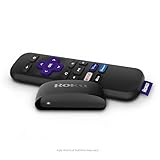
- Streaming made easy: Roku Express lets you stream free, live and premium TV over the Internet—right to your TV. It’s perfect for new users, secondary TVs and easy gifting—but powerful enough for seasoned pros
- Quick and easy setup: Just plug it into your TV with the included High Speed HDMI Cable and connect to the internet to get started
- Tons of power, tons of fun: Compact and power-packed, you’ll stream your favorites with ease; from movies and series on Apple TV, Prime Video, Netflix, The Roku Channel, HBO, Showtime and Google Play to cable alternatives like Hulu with Live TV and PlayStation Vue, enjoy the most talked about TV across free and paid channels
- Low cost, no extra fees: For under $30, Roku Express streaming device includes a High Speed HDMI Cable—and there’s no monthly equipment fee; with access to free TV on hundreds of channels, there’s plenty to stream without spending extra
- Simple remote: Incredibly easy to use, this remote features shortcut buttons to popular streaming channels
- TV resolution: a 4K player cannot make an HD panel display native 4K.
- HDR capability: confirm whether the TV supports Dolby Vision, HDR10+, HDR10, or HLG rather than relying on the word “HDR” alone.
- HDMI input: use an input that supports the desired 4K, HDR, and copy-protection requirements. Older televisions may have only some compatible inputs.
- Content and service: the title and streaming service must offer the format. A Dolby Vision-capable player does not make every movie Dolby Vision.
- Audio chain: the TV, soundbar, receiver, cables, and audio settings can constrain Dolby Atmos output.
- Region and software: app availability, features, and some remote functions can vary by market and Roku OS version.
- Power: connect the player as directed, using the supplied power cable and an appropriate power source. The Streaming Stick 4K’s receiver is part of that cable.
Bluetooth Headphone Mode on the 2025 sticks
The 2025 Roku Streaming Stick and Streaming Stick Plus gained Bluetooth Headphone Mode through a Roku OS update announced on November 7, 2025. Treat it as software-dependent availability: update the player, confirm the feature appears in your region, and do not assume that every unit had the feature at launch.
This feature is most useful for private listening, such as watching TV late at night. It is an accessory-related reason to choose one of the newer sticks only if private listening matters to you; it is not a reason to buy Bluetooth headphones for every Roku owner.
How to set up a Roku player
- Connect the Roku player to an available HDMI input on the TV.
- Connect its power cable and turn on the TV.
- Select the HDMI input used by the Roku.
- Follow the on-screen prompts to choose a language, connect to Wi-Fi, and complete Roku account setup.
- Install available Roku OS updates before judging performance or feature availability.
- Open the TV’s picture or input settings and confirm the desired 4K and HDR mode if the television requires that selection.
- Test a title known to support the format you want, using a service and account that include that content.
If the picture is not 4K or HDR, first check the TV input, HDMI settings, cable path, title, service, and display compatibility. If streaming buffers, test the network near the TV before assuming the player is defective. Ultra’s Ethernet connection can bypass a weak wireless path; the Streaming Stick 4K’s long-range receiver may help, but neither changes the speed of your internet service.
Free tools Windows power users keep installed
One-click scans. No signup required.
What we mean by “tested and reviewed”
This is a buying recommendation based on Roku’s product and support specifications plus independent coverage, not a claim that this publication performed a laboratory test of every player. TechRadar’s hands-on coverage of the Streaming Stick Plus described use over a weekend with Roku and third-party apps, included remote testing, and reported slight browsing lag. Tom’s Guide describes a buyer’s-guide process involving movies and shows, music, HDR assessment, and relevant smart-home or audio features. Those are third-party methods and observations, not first-hand testing by iTechGuides.
Retail prices, promotions, bundles, and stock change frequently, so this guide intentionally does not state a current price. Verify the price and included accessories at the time of purchase.
Also popular on Amazon

- 4K streaming made simple:With America’s number 1 TV streaming platform,* exploring popular apps—plus tons of free movies, shows, and live TV—is as easy as it is fun. *Based on hours streamed—Hypothesis Group
- 4K picture quality: With Roku Streaming Stick Plus, watch your favorites with brilliant 4K picture and vivid HDR color.
- Compact without compromises: Our sleek design won’t block neighboring HDMI ports, and it even powers from your TV alone, plugging into the back and staying out of sight. No wall outlet, no extra cords, no clutter.
- No more juggling remotes: Power up your TV, adjust the volume, and control your Roku device with one remote. Use your voice to quickly search, play entertainment, and more.
- Shows on the go: Take your TV to-go when traveling—without needing to log into someone else’s device.
Frequently Asked Questions
Is the Roku Streaming Stick Plus better than the Roku Streaming Stick 4K?
No—not in every respect. The 2025 Streaming Stick Plus is newer and is positioned as a value 4K stick, but the Streaming Stick 4K supports Dolby Vision and includes a long-range Wi-Fi receiver. Choose Plus for value when you do not need Dolby Vision; choose Streaming Stick 4K for the more capable all-around 4K setup.
Is Roku Ultra worth it over Streaming Stick 4K?
Only if you will use its specific upgrades: Ethernet, Wi-Fi 6, USB, Dolby Atmos support, faster navigation, or the rechargeable and backlit Voice Remote Pro. Otherwise, Streaming Stick 4K provides the more convenient concealed form factor and the essential 4K, Dolby Vision, and HDR10+ support.
What’s actually slowing this PC down?
Pick the symptom - the matching free tool is one click away.
Can a Roku Streaming Stick make an HD TV 4K?
No. The television’s panel determines its maximum display resolution. Use the base Roku Streaming Stick for an HD-only TV, or buy a 4K player only when you are connecting it to a compatible 4K display.
Do Roku TVs need a Roku Streaming Stick?
Usually not. Roku TVs already include Roku’s streaming interface. An additional player is a separate HDMI device and is needed only for a particular feature, a different display, or a reason to replace the TV’s built-in system.
Does every Roku support Dolby Vision and Dolby Atmos?
No. In this lineup, Dolby Vision is listed for Streaming Stick 4K and Ultra, not the base Streaming Stick or 2025 Streaming Stick Plus. Dolby Atmos also depends on the player, compatible content, and the television or audio equipment in the signal path.
The Bottom Line
For most 4K-TV owners, choose the Roku Streaming Stick 4K. Buy the 2025 Roku Streaming Stick Plus when you want a lower-tier 4K/HDR stick and do not need Dolby Vision. Buy Roku Ultra for wired networking, Wi-Fi 6, USB, Dolby Atmos, faster navigation, or its premium remote—not simply because it is the most expensive model. For an HD TV, the base Roku Streaming Stick is enough; choose Streambar SE only when clearer TV audio is part of the purchase.
The Tool Desk
Outbyte PC Repair FREEClear out junk files and repair common Windows errorsFree Scan →Outbyte Driver Updater FREEFix the driver behind crashes, sound loss and screen glitchesFind Drivers →
