
iTechGuides is reader-supported. When you buy through links on our site, we may earn an affiliate commission. As an Amazon Associate I earn from qualifying purchases. Learn more
Chrome Remote Desktop is the best starting point for free personal access and occasional family support. Choose TeamViewer Remote or AnyDesk when you need a more polished support workflow, RustDesk when self-hosting and data control are priorities, Splashtop for performance and value in a small team, and Zoho Assist for technician-led attended support.
The right alternative depends less on brand recognition than on how you connect: personal or commercial use, attended or unattended access, the computers and phones you must reach, administrative controls, and whether your organization can operate its own relay servers.
Remote desktop alternatives at a glance
The table below separates the strongest use cases instead of declaring one universal winner. Personal licenses and commercial licenses are usually governed by different terms, even when the software is technically identical.
| Product | Best fit | Personal/commercial licensing | Notable capabilities | Main trade-off |
|---|---|---|---|---|
| Chrome Remote Desktop | Free personal access and occasional family help | Free for the listed platforms; business administration is limited | Simple setup; Windows, Mac, Linux, iOS and Android support | Fewer business controls and support features |
| TeamViewer Remote | Individuals who need broad device coverage or small businesses wanting a mature support toolkit | Free for personal use; paid plans required for business use | Attended and unattended access, session recording, file transfer, RMM integrations, AES-256 encryption and two-factor authentication | Commercial use requires a paid plan |
| AnyDesk | People who value quick deployment and responsive remote access | Free for personal use; paid plans add team limits and support tiers | Simple deployment and remote-control workflow | Plan limits and support depend on the commercial tier |
| Splashtop | Professionals and small teams that prioritize low latency and multi-monitor work | Splashtop Solo is about $6 per month when billed annually at $72, according to a 2026 comparison | Low-latency access, multi-monitor support, file transfer and recording | Exact price and included limits vary by edition |
| RustDesk | Technical users and organizations requiring an open-source, self-hosted remote desktop | Self-hosting avoids dependence on a hosted relay but creates infrastructure work | Open-source project and self-hosted server solutions | You must administer servers, networking, updates and security |
| Zoho Assist | Technician-led attended support for a small business | Pay-per-technician model; a free plan and scalable business tiers are available | Attended-support workflow with technician-oriented licensing | Verify current plan limits before committing |
Splashtop’s stated figure is a recurring annual-billing price, not a month-to-month quote. The $6 monthly equivalent is calculated from $72 per year and applies to the Solo offering described in the 2026 comparison. Zoho Assist’s available comparative description confirms a free plan and scalable tiers but does not establish current limits or prices for every tier.
Popular on Amazon
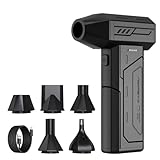
- Powerful Turbo Fan:CAGIWIRU Electric Air Duster have reached speed up to 130000RPM,Can efficient remove dust and debris.With LED light and Three Adjustable Speed to meet with different cleaning tasks.
- With Attached USB C Fasting Charging cable.Charing 3 hours,Enjoy up to 240 minutes of use on the lowest setting, For third speed can use for 25mins.with four charging options to meet with your needs.
- Wide Application: attached 5 different nozzles,making it suitable for a variety of scenes, such as car,pet, pc, keyboards, and other electronic devices. It also serves for office and home clean duster.
- Handy Design & Portable:Cordless air duster electric nozzle is Light weight and small size, design and comfortable to hold and space saving, convenient to carry around. You can put it in your room or inside the car without taking up space.
- Economical &Reusable: Built durable materials with a long-lasting battery,our CAGIWIRU air duster it's a sustainable alternative to disposable air cans.
What to decide before replacing TeamViewer or AnyDesk
Personal access versus commercial support
Personal access usually means connecting to your own computer or helping relatives occasionally, without charging for the sessions. Chrome Remote Desktop, TeamViewer Remote and AnyDesk all identify personal-use options as free. That does not automatically authorize a business to use the free tier: TeamViewer explicitly requires paid plans for business use, and AnyDesk places small teams on paid plans with tier-specific limits and support.
For a company, count the people who initiate sessions, the computers that need unattended access, and whether several technicians must work at once. A pay-per-technician product such as Zoho Assist can be easier to budget when a limited support team serves many customers. A computer-based plan may be more suitable when a few staff members repeatedly access a fixed set of office workstations.
Attended and unattended access
- Attended access: someone at the remote computer approves or starts the session. This is the usual model for helping a customer or family member who is present.
- Unattended access: the computer is configured for later connections without someone clicking an approval prompt. It is useful for your own desktop, a server, or a small office workstation that must be reached after hours.
TeamViewer Remote explicitly lists both attended support and unattended access. Zoho Assist is positioned around attended, technician-led support. When comparing other products, confirm which mode is included in the exact plan rather than assuming that a personal license permits unattended business access.
What’s actually slowing this PC down?
Pick the symptom - the matching free tool is one click away.
Operating-system coverage
Compatibility matters when the person requesting help uses a phone or Chromebook while the computer being repaired runs another operating system. The currently stated coverage is:
| Product | Operating systems identified in available product information |
|---|---|
| Chrome Remote Desktop | Windows, Mac, Linux, iOS and Android |
| TeamViewer Remote | Windows, macOS, Linux, iOS, Android, ChromeOS and Raspberry Pi |
| AnyDesk | Not stated in the available product information |
| Splashtop | Not stated in the available product information |
| RustDesk | Not stated in the available product information |
| Zoho Assist | Not stated in the available product information |
If your environment includes ChromeOS or Raspberry Pi, TeamViewer’s explicitly listed coverage is the clearest fit among these options. For any product marked “not stated,” check the vendor’s current compatibility matrix before purchasing or deploying.
File transfer, multiple monitors and recording
Remote control is only part of a support session. File transfer avoids asking a user to find a separate upload service; multi-monitor support is important for design, finance and development work; and recording helps document a repair or train a technician.
Also popular on Amazon

- Screen Cleaner is Your Screen’s New Bestfriend! - EVEO is proud to present a screen cleaner that’s perfectly suited for your TV. Meet your new screen cleaner, computer screen cleaner, laptop cleaner, iPad cleaner, Macbook,tv cleaner or any other electronic device. Our screen cleaner spray and wipe along with the included plush microfiber cloth, easily removes dust, fingerprints & other smudges on the screen’s surface. Clean effectively for a streak-free screen
- Gentle on your Screens - Our screen cleaner spray and wipes is compatible to be used even for the most sensitive LCD, LED, CRT, and OLED screens in proper use. Be at ease knowing that this product is compatible with all the major brands: LG, SONY, Samsung, Sharp, iPad, iPhone, Android screens, Kindle, PC monitors - we’ve got you covered! Can be used as LCD screen cleaner, tv cleaner, smart tv screen cleaner, and more
- Premium Super Soft Plush Microfiber Cloth - Included in this efficient screen cleaning kit. This screen cleaner spray and wipe has our signature plush microfiber cloth specially designed to comply with screens and monitors and leave them streak-free. Has been shown to effectively absorbs stubborn stains, zero streaks, and no fiber shedding. Always use this together with our screen cleaner for the best results
- Easy-to-Use Screen Cleaner Kit + microfiber cleaning cloth - The EVEO Screen Cleaning Kit will easily be your new favorite tool when it comes to taking care of the things you love most, quick and easy solution for a streak-free screen. Simply screw on the sprayer gun on the screen cleaner bottle. Spray the cleaning liquid onto the microfiber cloth, then wipe the screen until desired cleanliness & shine is achieved.
- Quality Screen Care Kit Worth Purchasing - Enjoy a convenient Screen Cleaner anytime, anywhere you need it. Your satisfaction is our top priority. We stand behind the quality of our products and that’s why, you shouldn’t be worrying at all. We manufacture the Best Screen Cleaner. and can be used for laptop cleaning kit, laptop screen cleaner, tv screen cleaner for smart tv. MacBook screen cleaner, monitor cleaner or screen cleaner spray for electronic devices with microfiber cleaning cloth
TeamViewer Remote lists file transfer and session recording. Splashtop’s comparison entry lists file transfer, multi-monitor access and recording. The available descriptions do not establish equivalent support for Chrome Remote Desktop, AnyDesk, RustDesk or Zoho Assist, so treat those capabilities as items to verify rather than assumed features.
Security and administration
Look for encryption, strong sign-in controls, device authorization, technician permissions, audit information and the ability to revoke access. TeamViewer lists AES-256 encryption and two-factor authentication, in addition to its remote-support and management integrations. A free personal tool may be entirely adequate for a home computer but still lack the policy controls a business needs.
Security also depends on operating practice. Use a unique account password, enable two-factor authentication where offered, remove old devices and unattended agents, and give technicians only the access they need. Never leave a permanent unattended connection on a shared computer without documenting who can use it.
Hosted service or self-hosted infrastructure
Hosted products operate the connection service for you. That generally reduces setup and maintenance, but your organization depends on the provider’s service, account controls and data-handling terms. RustDesk offers an open-source project with self-hosted server solutions. Self-hosting can improve control and data sovereignty, yet it transfers responsibility for server hardening, certificates, firewall rules, backups, monitoring and updates to your team.
Chrome Remote Desktop: best free choice for personal access
Why it stands out
Chrome Remote Desktop is free on Windows, Mac, Linux, iOS and Android, and its setup is deliberately simple. That makes it a practical default for accessing your own home computer from a laptop or phone, or for helping a family member who can follow a short installation process.
Recommended Free Tools
Where it fits
- Occasional family-computer support where a technician-style console is unnecessary.
- Personal access to one or a few computers without a subscription.
- Mixed-device households that include desktop operating systems and mobile clients.
Limitations to understand
Its simplicity comes with fewer business features. The available description does not establish session recording, RMM integrations, technician billing, advanced administration or a self-hosting option. If you need formal support queues, several technicians, audit-oriented controls or a documented commercial license, move to a business-focused product.
Also popular on Amazon

- 【Large size】:Measuring 800 x 300 mm/ 31. 5×12 inches, which is wider and taller than others. Large mouse pad can perfectly fit your keyboard and mouse of any size, and there is also ample space for peripherals such as phones, tablets, etc.
- 【LED backlight mouse pad】:Blade Hawks RGB mouse pad provides 7 static modes and 7 dynamic modes will give you the options you are looking for. Power-off memory function remembers the last lighting mode you selected. The super glow fiber Chroma will give you a colorful gaming setup that you want.
- 【Anti-slip rubber base】:Made from Natural rubber, this gaming mousepad will firmly grip your desktop, allowing you to enjoy the ultimate precision in the games you are most passionate about. It also comes with a texture that enhances this ability even further.
- 【Smooth and waterproof surface】: Micro-textured cloth surface, for extremely precise mouse control and a smooth movement. When liquid splashes on the gaming mouse pad, it forms water droplets and slides down. Will not delay your work or gameplay.
- 【Plug and play】: This mouse and keyboard pad is powered by USB, plug and play, no driver required. One button control light modes. Press one time to change the lighting mode, press twice to change the brightness, press and hold about 3 seconds turn ON/OFF.
TeamViewer Remote: broad coverage and a complete support toolkit
Capabilities
TeamViewer Remote combines attended support with unattended access and lists session recording, file transfer and RMM integrations. Its stated platform coverage includes Windows, macOS, Linux, iOS, Android, ChromeOS and Raspberry Pi. AES-256 encryption and two-factor authentication are also listed.
Best use cases
Choose it when one tool must reach many kinds of endpoints, when a support team needs both attended and unattended sessions, or when recording and management integrations matter. It is also a strong TeamViewer alternative decision point in reverse: if you are evaluating replacements, compare every candidate against these specific capabilities rather than against the brand name alone.
Licensing boundary
Personal use is free, while business use requires paid plans. A small company should document its intended use before deployment so that employees do not rely on a personal license for customer or workplace support.
PC Slower Than It Used to Be?
A free scan shows the junk files, broken settings and background clutter dragging Windows down - then fixes them in one click.Free scan · Windows 10 & 11Outdated Drivers Are Slowing You Down
One free scan finds every outdated or missing driver and matches the right update for your exact hardware.Free scan · exact hardware matchAnyDesk: straightforward deployment for small teams
Strengths
AnyDesk describes its product around easy deployment and responsive remote access. Its free personal option suits people helping relatives or reaching their own machines. Paid plans add limits and support tiers for small teams, allowing an organization to select a commercial level rather than using a personal license.
Questions to ask before purchase
- How many technicians may start sessions concurrently?
- How many unattended devices can be registered?
- Which support response level is included in your tier?
- Are file transfer, multi-monitor operation and session records included or restricted?
- Does the license cover every operating system your customers use?
The available product information does not state AnyDesk’s complete operating-system list or a current price. Confirm those details on the plan you would actually buy.
Splashtop: performance and value for professional use
Why professionals consider it
A 2026 comparison places Splashtop among the leading choices for professionals and small teams, citing low-latency performance, multi-monitor access, file transfer and recording. Those features target users who spend long sessions inside design, engineering, finance or operations applications rather than connecting only to fix an occasional setting.
Also popular on Amazon

- 【Softer and More Comfortable】Vaydeer wrist rest has unique diamond pattern, which is the combination of softness and aesthetics. The materials of wrist rest are improved into higher quality memory foam and covered with silky smooth lycra. The computer wrist rest makes you as comfortable and cushiony as like rest your wrists on clouds.
- 【Ergonomic Wrist Saver】The wrist rests for keyboard and mouse comes with a 17.32×3.15×0.83 inch keyboard wrist pad and a 5.94×3.15×0.83 inch mouse wrist support. Based on ergonomic design, the unique concave shape is the perfect fit for your wrist joints. The wrist rest pad fits most computer keyboards and laptops, improve hand and wrist posture, release your wrist and arm stress.
- 【Non-Slip Rubber Bottom】Featuring an anti-skid silicone base on the bottom, this wrist keyboard support stays firmly in place on your desk, preventing the padding from sliding around, ensuring stable and consistent wrist support during extended computer sessions.
- 【Better Experience & Pain Relief】Our keyboard arm rest is beneficial to alleviate the soreness caused by direct contact and friction between your arm and a hard desk surface, reducing the risk of wrist fatigue or carpal tunnel. The soft texture of memory foam can evenly distribute the pressure around your wrists and provide good support with just enough give.
- 【Helpful in Multiple Scenarios】Whether you're working, studying, writing, typing, gaming, this keyboard and mouse rest combo is an essential accessory to add comfort and support to your hands and wrists. It’s also a great gift for men, women, family, friend, coworker, gamer, teacher, etc.
Cost context
The same comparison lists Splashtop Solo at about $6 per month when billed annually at $72. This is an annual commitment expressed as a monthly equivalent, not a guaranteed month-to-month price. Confirm taxes, regional currency, device limits and whether the features you need belong to Solo or another edition.
Do these 3 things before closing this tab:
1Fix the driver behind crashes, sound loss and screen glitches2Repair Windows errors before they cause bigger problems3Scan for outdated or missing drivers - takes under a minuteWhen it is a better fit than a free tool
Choose Splashtop when latency and multiple monitors affect daily productivity, when recording is part of your workflow, or when a modest recurring cost is preferable to a free product with fewer business-oriented features. If you need technician-based attended support rather than employee access to assigned computers, compare its licensing model with Zoho Assist instead of assuming they solve the same problem.
RustDesk: self-hosted remote desktop for control-conscious organizations
What makes it different
RustDesk is an open-source remote desktop project that offers self-hosted server solutions. Its site reports more than 113,000 GitHub stars in 2026, a measure of public repository interest rather than a guarantee of reliability, security or support quality.
Benefits of self-hosting
- Greater control over where connection infrastructure runs.
- Potentially better alignment with internal data-sovereignty requirements.
- Ability to operate the relay and rendezvous components under your own administration.
Operational cost
Self-hosting is not maintenance-free. Your team must provision a server, restrict administrative access, apply updates, monitor availability, protect credentials, manage network rules and plan recovery if the host fails. The software may have no conventional per-technician subscription in a self-hosted arrangement, but the infrastructure and staff time are real costs.
RustDesk is therefore most appropriate for an organization that already operates servers or has a technically capable administrator. For a family computer or a small office without that capacity, a hosted product is usually simpler even if it has a recurring fee.
Free tools Windows power users keep installed
One-click scans. No signup required.
Zoho Assist: technician-led attended support
Licensing model
Zoho Assist is described as a pay-per-technician service focused on attended support. It offers a free plan and scalable business tiers, which can fit a small support desk whose costs track the number of technicians rather than the number of customer computers.
Also popular on Amazon

- 【No Drill Mounted】Cable management tray can be assembled in as little as 3 minutes or less-simply. Side clips easily clampe the edge of desk, pass through the holes on the sides, and secure excess cables with baskets. Desk cable management supports inward or outward installation to meet your needs in different scenarios, and provides you with great convenience when collecting and organizing wires.
- 【Rubber Pad Protects Desk】Wire organizer under desk built-in soft rubber pads on the clamp protect your desk from scratches, so you will not damage your furniture or office.
- 【Sturdy and Beautiful】Cord management under desk is made of high-quality carbon steel and holds about 15 lbs. The wire basket has 2 holes on each side of the tray to enable your cables to pass freely. Cable baskets are suitable for desk thickness use from 0.4" to 2.4".
- 【Space Saving & Keep Organized】Desk cable management tray holds all your power cords, outlet strips, USB hubs and computer transformers hidden from your feet, and the data cables will not enter the vacuum cleaner to keep your desk clean and tidy. Desk wire organizer is also suitable for use in the kitchen and outdoors.
- 【Reduce Safety Risks】Cable tray under desk keeps all plugs away from your kids, no more worry about tripping. Using 2 holes wire tray saves extra space, helps you easily cabling and wire protection. The mesh design is not easy to accumulate dust, but avoids safety accidents caused by messy wires.
Best use cases
- Helping a customer who is present and can approve a session.
- Running a small help desk with named technicians.
- Scaling support seats gradually as the team grows.
Verify plan limits
Current comparative information does not establish the exact limits for each Zoho Assist tier. Before adopting it, verify the number of simultaneous sessions, unattended-access availability, file-transfer rules, recording retention, supported operating systems and administrative controls in the plan presented for your region.
How to choose: a practical decision process
Step 1: classify the work
- Write down whether sessions are personal, family support, internal business support or paid customer support.
- Mark each workflow as attended, unattended or both.
- Count technicians, regular computers and occasional guest devices separately.
Step 2: list endpoint requirements
- Record every desktop and mobile operating system in use.
- Identify whether users need one monitor or several.
- Decide whether files must move through the remote tool.
- Determine whether sessions must be recorded for training, compliance or handoff.
Step 3: choose the operating model
- Select a hosted service when low administration and quick deployment are more important than running your own connection infrastructure.
- Select self-hosting only when your team can operate servers and has a clear data-sovereignty reason.
- For a free personal requirement, test Chrome Remote Desktop first; consider TeamViewer Remote or AnyDesk if its workflow does not cover your support needs.
Step 4: calculate total cost
Include more than the headline subscription. Add technician seats, unattended-device allowances, annual-billing commitments, taxes, support tiers, server hosting, backup, monitoring and the staff time required to administer access. Splashtop’s $72 annual Solo figure illustrates why billing frequency matters: the advertised monthly equivalent assumes payment for the full year.
Step 5: run a controlled pilot
- Install the candidate on a non-critical computer.
- Test an attended session from the supporter’s normal device.
- Test an unattended session only if the plan permits it.
- Transfer a harmless test file and check multi-monitor behavior if required.
- Enable two-factor authentication and remove the test account when the evaluation ends.
Common failure modes and fixes
The free plan works at home but is unsuitable at work
Cause: personal-use terms do not cover commercial support or the plan lacks administration. Fix: move to a paid business tier or a technician-oriented service such as Zoho Assist, and document who is authorized to initiate sessions.
A remote session is too slow for daily work
Cause: network latency, limited upstream bandwidth, high display resolution or a product that is not optimized for continuous professional use. Fix: test a performance-oriented option such as Splashtop, reduce visual overhead during the pilot, and compare the result on the actual networks your staff use.
A technician cannot reach a computer after hours
Cause: unattended access was never enabled, the device is asleep or offline, or the license does not include the required device allowance. Fix: confirm unattended-access support, power and sleep settings, device registration and the plan’s computer limit before deployment.
Users cannot connect across operating systems
Cause: the client or host platform is not supported by the selected product. Fix: match every endpoint against the vendor’s current compatibility list. TeamViewer Remote and Chrome Remote Desktop publish the broadest platform lists in the available descriptions; compatibility for the other options should be verified directly.
Self-hosting becomes a security liability
Cause: exposed administration ports, delayed updates, weak credentials or missing monitoring. Fix: assign an owner, restrict management access, maintain backups, patch promptly and test recovery before placing the service into regular use. If those controls cannot be maintained, use a hosted service instead.
The Tool Desk
Outbyte Driver Updater FREEFix the driver behind crashes, sound loss and screen glitchesFind Drivers →Outbyte PC Repair FREERepair Windows errors before they cause bigger problemsFix Now →Recommended choices by reader
- Need free remote desktop software for yourself: Start with Chrome Remote Desktop.
- Need remote access for family computers: Chrome Remote Desktop is the simplest first choice; TeamViewer Remote or AnyDesk are alternatives when you need a more guided support workflow.
- Need a TeamViewer alternative for personal use: Compare Chrome Remote Desktop for simplicity, AnyDesk for deployment and RustDesk for self-hosting.
- Need an AnyDesk alternative for a small business: Evaluate TeamViewer Remote for management breadth, Splashtop for low-latency multi-monitor work and Zoho Assist for technician-led attended support.
- Need self-hosted remote desktop: RustDesk is the purpose-built option here, provided you can operate the required infrastructure.
- Need remote support software for a small business: Start by counting technicians and attended sessions; Zoho Assist may fit a technician-based model, while TeamViewer Remote or AnyDesk may fit broader endpoint access.
Bottom line
There is no single best remote desktop alternative for every reader. Chrome Remote Desktop wins on free, uncomplicated personal access. TeamViewer Remote offers the broadest explicitly listed platform and support feature set, while AnyDesk focuses on simple deployment. Splashtop is the performance-and-value candidate for professionals, RustDesk is the control-oriented self-hosting choice, and Zoho Assist is designed around attended support priced by technician. Select the product whose license, access mode, endpoint coverage and administration burden match the work you actually need to perform.

